Urban planners engage at many levels: from detailed site plans to long-term strategies shaping entire neighborhoods and communities. The latest ArcGIS Urban release has something to offer for planners at every level.
- Do you use Urban primarily for site plan management? You can now upload and accurately position 2D site plan blueprints directly in your project scenarios. This helps you bring proposals efficiently into spatial context.
- Do you need a way to keep stakeholders focused on what is most relevant? You can now set which project scenario is visible by default in the overview and plans, helping to highlight active proposals and ensuring stakeholders see the latest information.
- Or are you working on long-range planning itself? Then you’ll appreciate that metrics can now be copied between plans and urban models, and that your spatial analyses can now be saved and managed in the new analysis mode in the plan editor.
Unlock the full value of site blueprints
Reviewing site plan proposals based on 2D blueprints is a reality for many urban planners. These static documents provide a wealth of information about a proposed development, including building dimensions, parking space and green area arrangements. But applying that information while working in 3D is often clunky and disjointed.
With this release, you can now upload images of 2D site plans directly into your project scenarios, position them accurately on the map, and place the proposal in its real-world context.
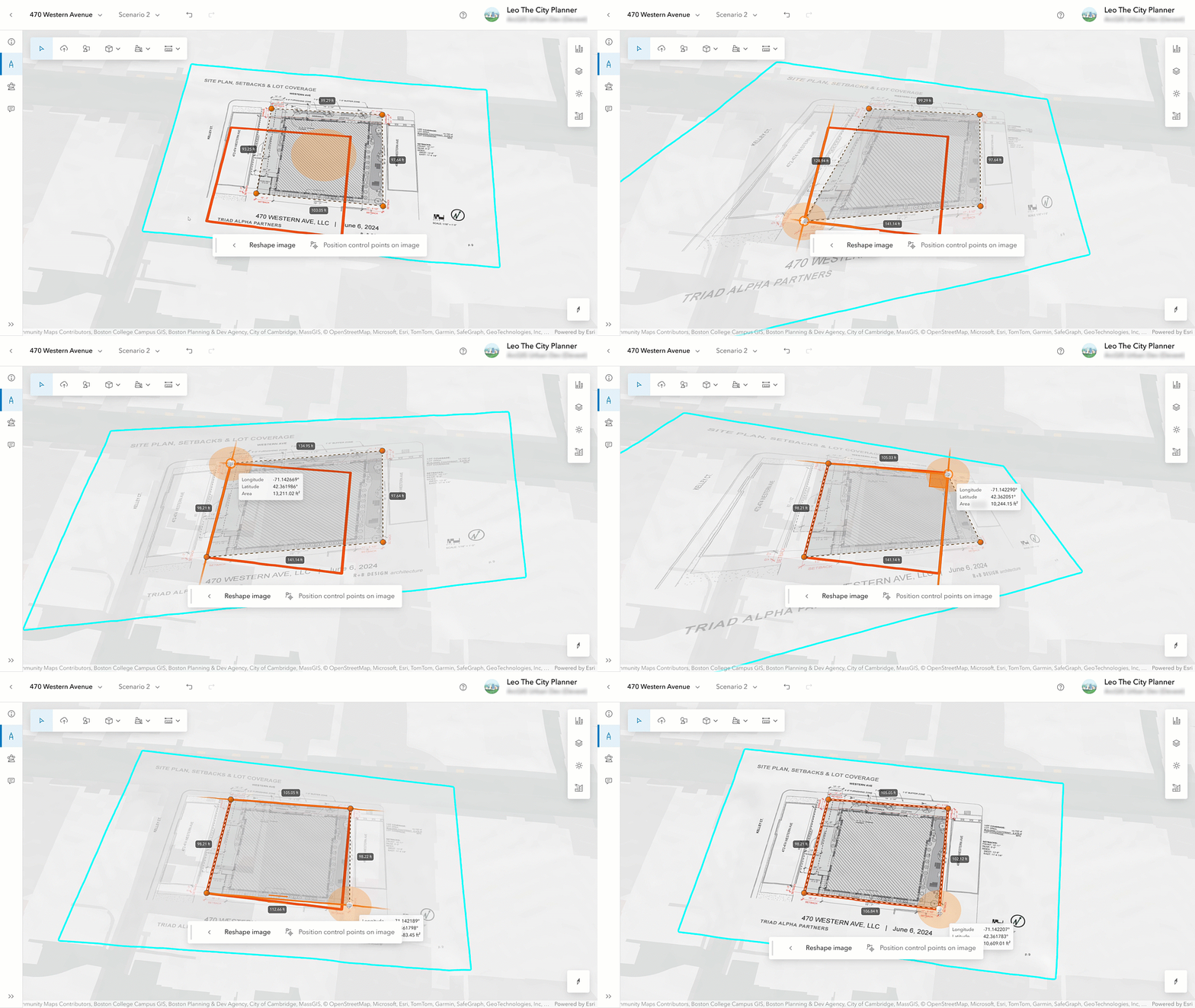
This is especially useful when 3D building models aren’t available yet, but you still need to assess the visual and spatial impact of a development. Using the uploaded image as a base, you can easily sketch out a simple low-level of detail building, giving a clear and immediate sense of scale, massing, and fit within the surroundings. What’s more, if you receive a revised version of the blueprint, uploading it won’t disrupt your work. The new version will line up with the original, so there’s no need to reposition.
View project scenarios in context
Beyond simply viewing 3D volumes on a map, planners also need to know how a proposal interacts with existing buildings, infrastructure, and nearby developments—whether already built, in progress, or part of long-term planning efforts.
With Urban’s July 2025 release, you can now choose which project scenario is shown in the overview. The configured project scenario is also visible in the plan editor if the project is within the plan’s study area.
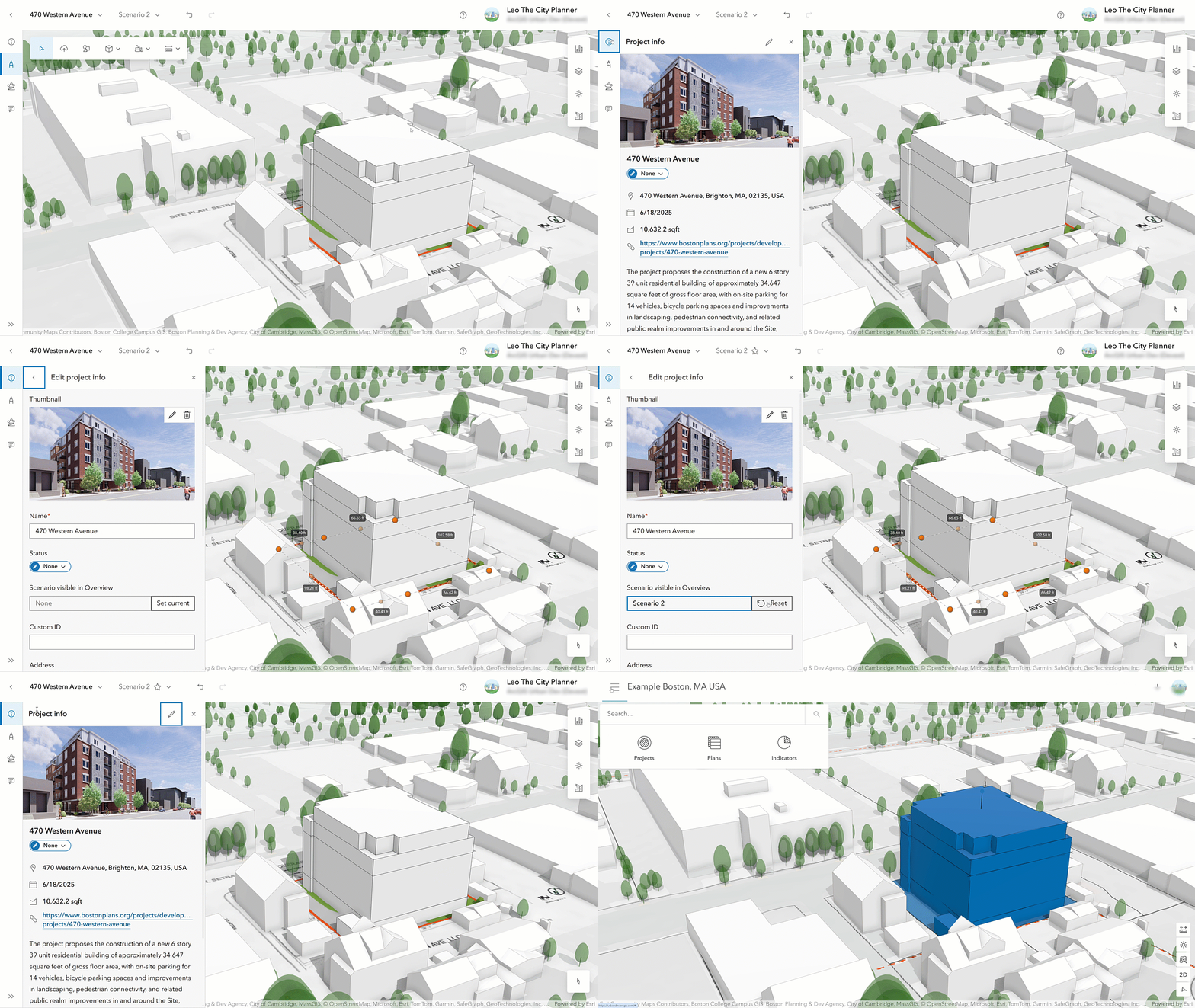
This helps reveal important relationships early and supports a more integrated, future-aware planning process.
Copy and paste metrics
The metrics in Urban allow you to analyze the impact of developments in quantitative terms. Since the December 2024 release, configuring sophisticated metric calculations has been easier than ever. But there was one piece missing: Reusing your carefully configured metrics in a different context wasn’t straightforward. That changes with this release.
Whether you created metrics in a plan and want to use them across your entire urban model, or you’ve set up dedicated metrics in a plan to calculate the construction costs and want to use them in a new plan, you can now copy and paste metrics across plans and even between urban models. This allows you to create metrics once, and reuse them multiple times.
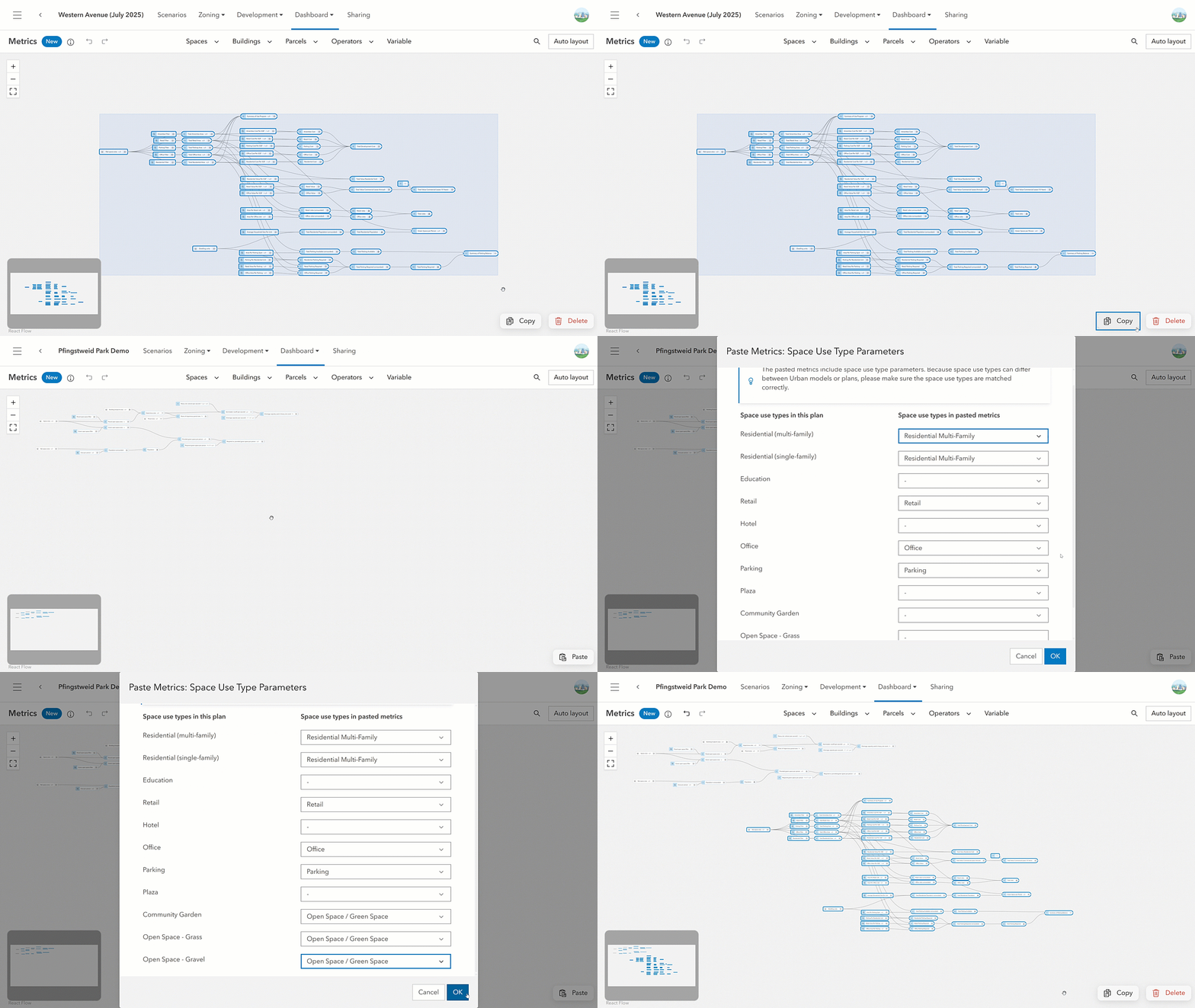
When pasting metrics, a dialog helps you map the space-use types used in the copied metrics calculation to the space-use types in the target plan or urban model. This ensures that the space-use type parameters used for the calculation get associated correctly in the target plan or urban model.
Reveal spatial insights
Understanding the impact of a proposed development isn’t just about metrics. It’s also about how it fits into its spatial context: Does a proposed building cast shadows onto neighboring spaces? Does it interfere with protected view corridors? Can someone on a future balcony see the nearby water body they were promised?
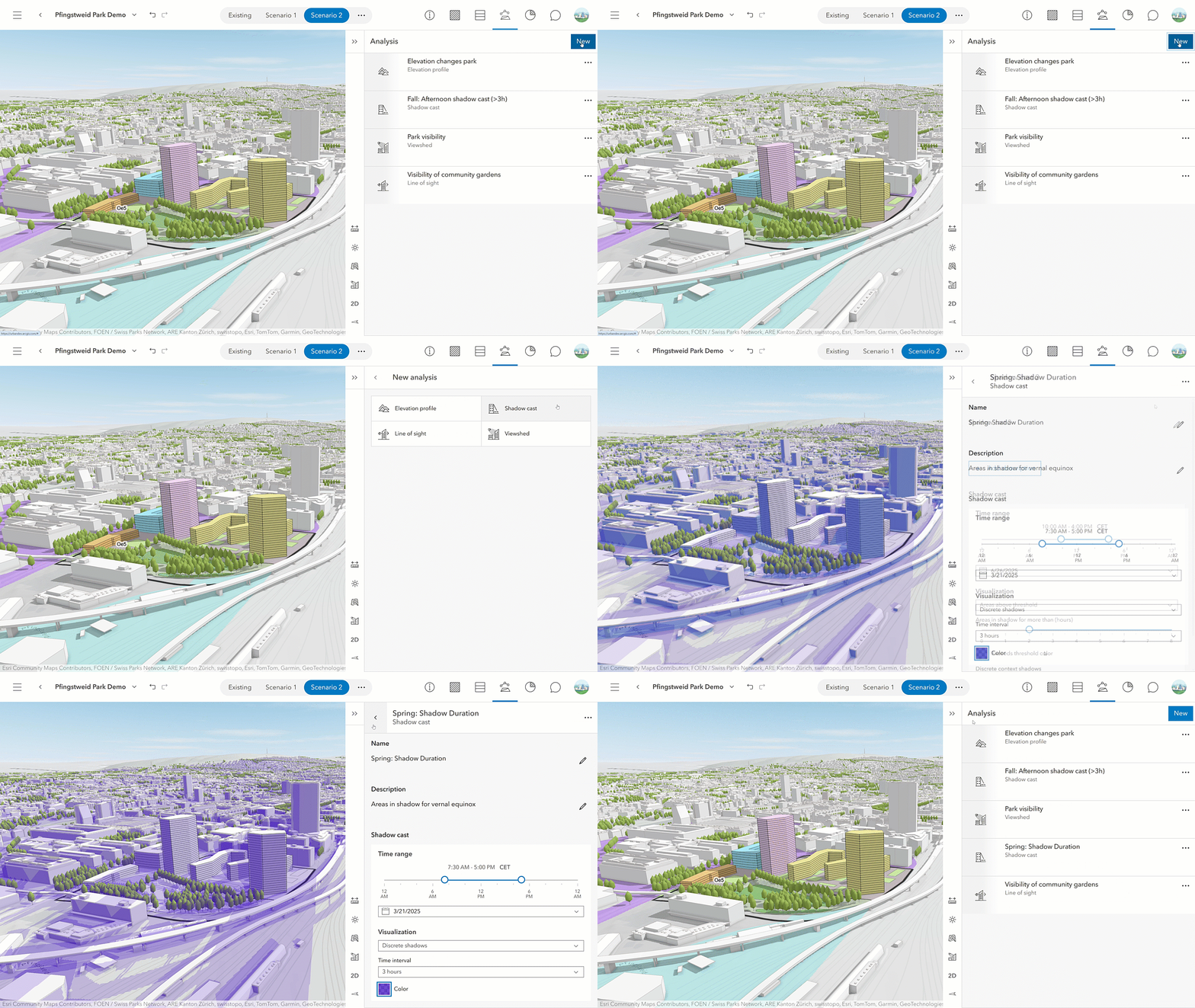
With this release, we’re introducing a dedicated analysis mode in the plan editor to help answer those questions. The new mode consolidates familiar tools, like shadow cast, elevation profile, line of sight, and viewshed, into one convenient location. You can now save and manage your analyses with a persisted list. This makes it easy to revisit, refine, and share them with collaborators directly within the plan.
What else is new?
Discussions
Collaboration is at the heart of urban planning, bringing together planners, architects, developers, and other stakeholders. To support this, the July 2025 release introduces a redesigned experience for discussions with a new concept called channels. Channels let you manage who can join each discussion, making it easier to have focused conversations with the intended audience at each planning stage.
Check out our release notes to ensure you’re not missing a single detail about all the new features and enhancements shipped with this release.
Urban API updates
In this release, the Urban API also allows you to programmatically define which project scenario should be displayed in the overview. In addition, when creating a shadow cast analysis, there is a new input field that allows you to configure the time interval for individual discrete shadows displayed as context.
For a detailed overview of the Urban API updates, check out the release notes.
Watch the video
Have 2 minutes? Check out the video to see these release highlights in action.
We hope you enjoy the highlights of this release. As always, let us know if you have any feedback or questions by connecting with us on the ArcGIS Urban Esri Community page.


Article Discussion: