If you’re an ArcGIS Enterprise user, looking for a focused, lightweight editing app, ArcGIS Web Editor is designed for you. With built-in editing tools and support for utility network editing with the Advanced Editing user type extension, Web Editor makes it easy to update and maintain your data. This app was first available as a separate install for ArcGIS Enterprise 11.3 and has been included by default since ArcGIS Enterprise 11.4. To see what was included in ArcGIS Enterprise 11.5, check out this blog.
This blog will focus primarily on the new updates for ArcGIS Web Editor in ArcGIS Enterprise 12.0. This update introduces enhancements that help streamline workflows and enforce security. Let’s dive into what’s new.
What’s New
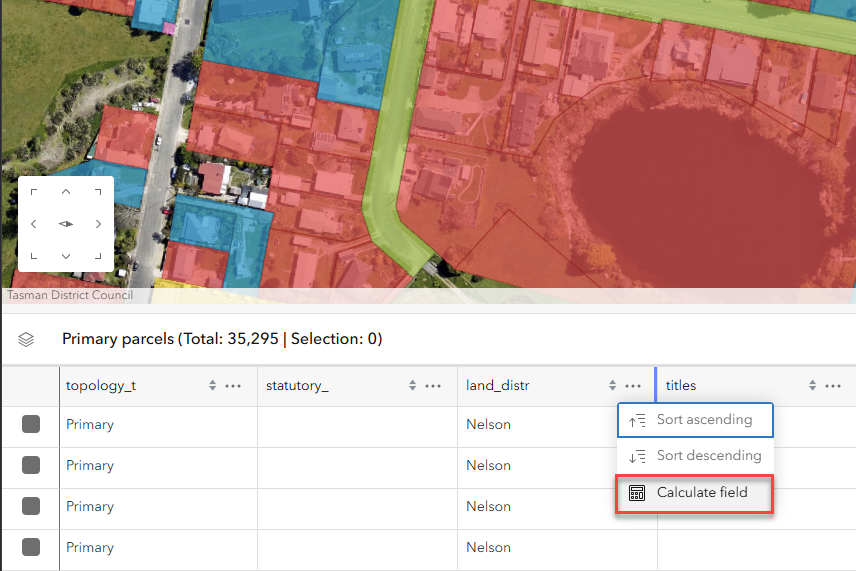
- Calculate field: Quickly enrich your data within Web Editor. You can use ArcGIS Arcade or SQL expressions to calculate values from existing fields on a hosted table or hosted layer using the calculate field window. Derive meaningful new insights from your data such as ratios, classifications, or summaries. With field calculation, you can speed up data validation and keep your editing workflow streamlined in one place.
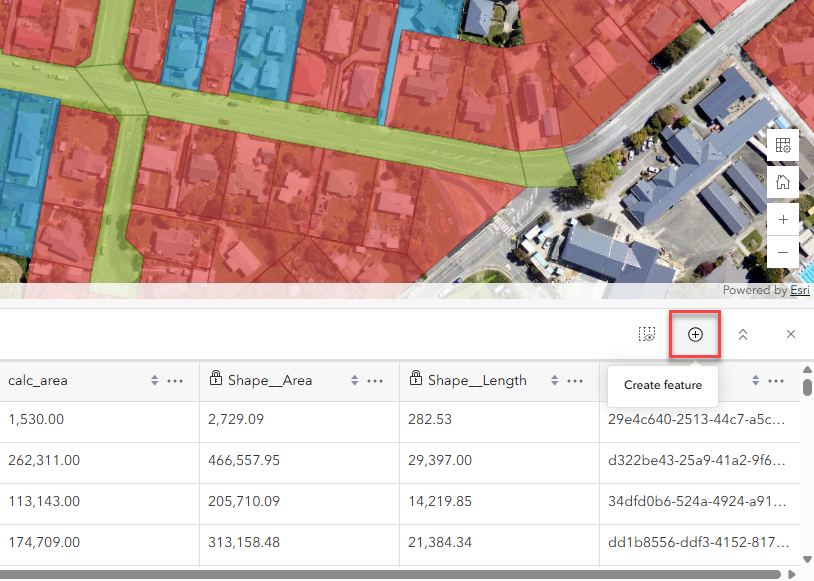
- Create a record in a table: With this release, we’ve introduced the ability to add a record to a standalone table in Web Editor. You can create new records in tables for both spatial and nonspatial information.
- Assign a Classification Schema: This new feature helps your organization safeguard sensitive and proprietary information within ArcGIS Web Editor. Administrators can define classification levels for items in their portal, these classifications appear during editing within Web Editor, ensuring editors understand the sensitivity of the data they are working with. By implementing schema classification, your organization can maintain compliance and protect critical information.
In Summary
ArcGIS Web Editor is a streamlined app dedicated to editing. The new update on ArcGIS Enterprise 12.0 introduced enhancements like enriching data with field calculation, the ability to add records in standalone tables, and support for data governance by assigning a schema classification. Whether you’re enriching attribute data, safeguarding sensitive information, or simply carrying out your routine editing workflows, Web Editor empowers you to maintain high-quality data without leaving the browser.
Explore Additional Web Editor Resources
- For additional information regarding ArcGIS Web Editor in ArcGIS Enterprise visit the documentation page.
- Try ArcGIS Web Editor with this helpful tutorial
- To learn more about what ArcGIS Web Editor is, check out this introductory blog.
- For an introduction to start using Web Editor, check out this tips and tricks blog.
- For a step-by-step guide for how to use the Select by Attributes tool, check out this blog.
- We love hearing from you! Visit Esri Community to ask questions, access resources, and submit ideas for new features you want to see in ArcGIS Web Editor.

Commenting is not enabled for this article.