Most AI assistants today run on the server. The user interacts with a web application, the request gets sent to a backend, and the backend handles the orchestration, agents, tools, application logic, and interaction with the LLM.
This article looks at the architecture behind the AI Components released as part of version 5.0 of the ArcGIS Maps SDK for JavaScript, and why we moved orchestration closer to where much of the application context already exists: the browser.
Traditional AI Architecture
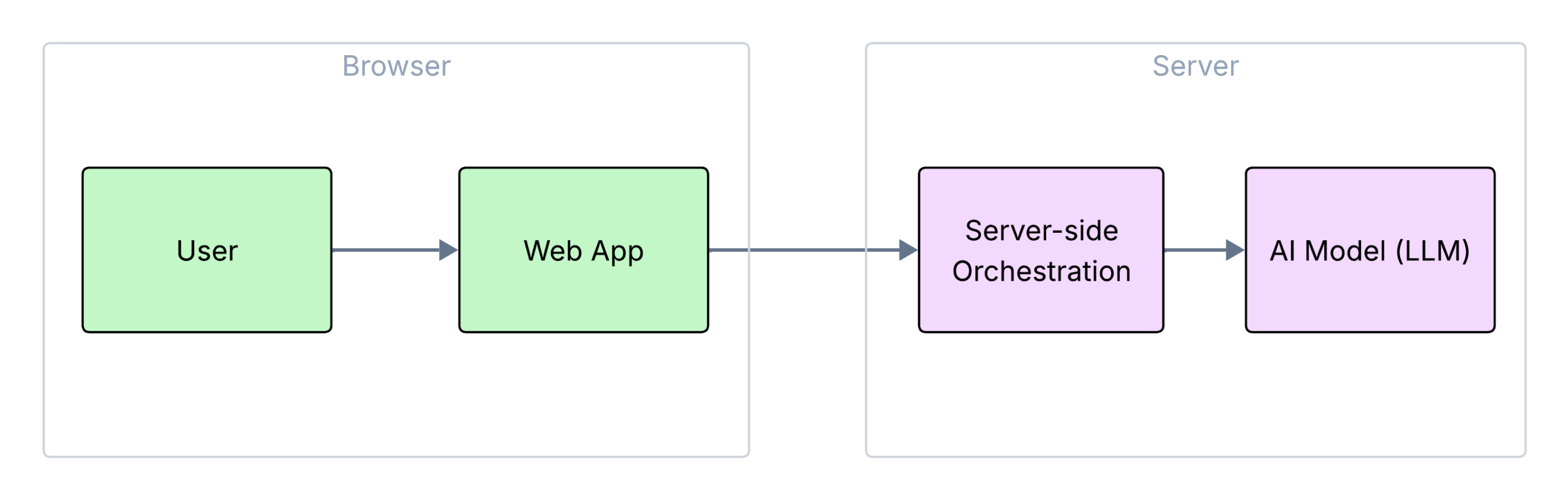
In this context, orchestration is the coordination layer that decides which agents to call, what context to provide them, and how to turn their results into a useful response.
Why Web Mapping Applications Are Different
But web mapping applications are different.
Applications built with the ArcGIS Maps SDK for JavaScript are already highly client-rich. The browser already contains a significant amount of runtime context:
- the current map extent
- visible and hidden layers
- renderers and legends
- selected features and pop-ups
- user interactions
- application state and business logic
Beyond UI state and map context, the ArcGIS Maps SDK for JavaScript also provides substantial client-side APIs and workflows, including querying, geometry processing, and GPU-accelerated WebGL rendering. This enables fast, highly interactive experiences and allows more application logic to run directly in the browser.
For examples of these client-side workflows, see FeatureLayerView query by distance and FeatureLayerView query by geometry.
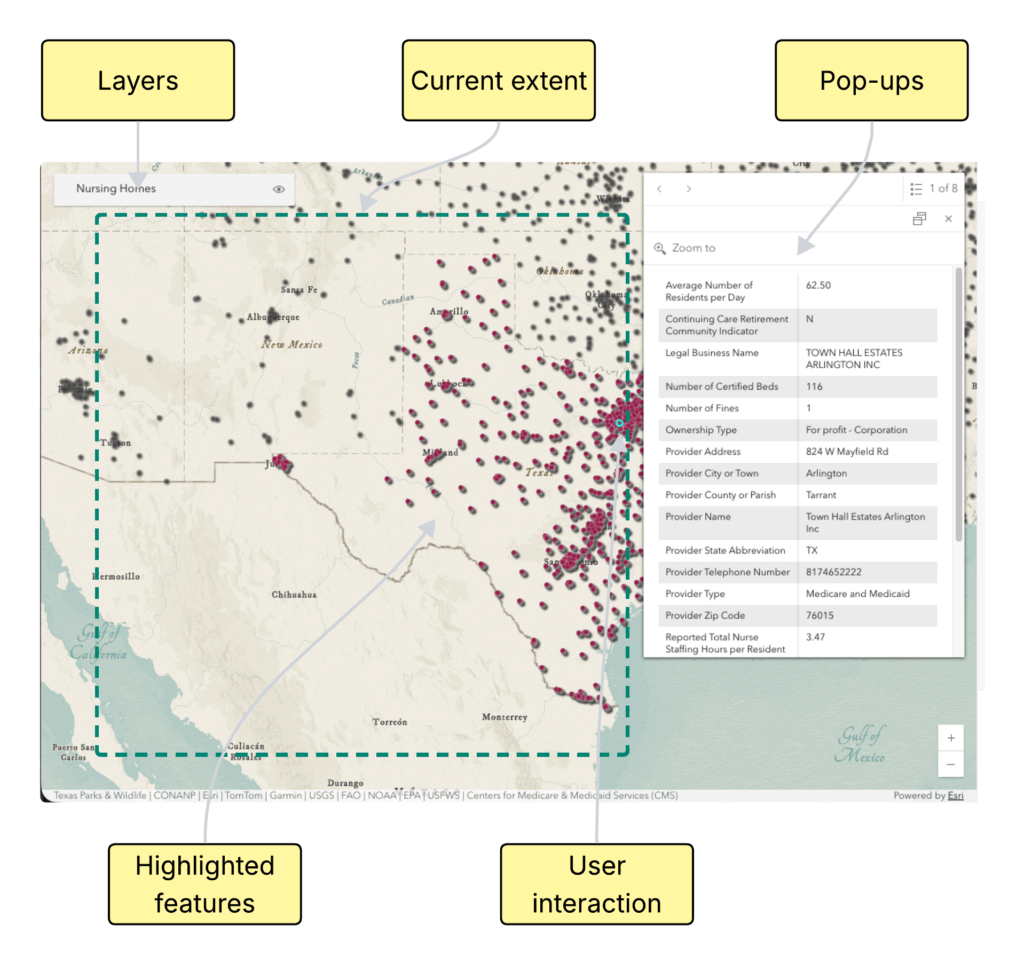
The browser already has much of the live runtime context needed to understand and interact with the map.
As we started building AI assistants for Web GIS applications, we asked a simple question:
“If the map, the state, and the context already live in the browser, why move everything to the server to run AI?”
Browser-Native AI Architecture
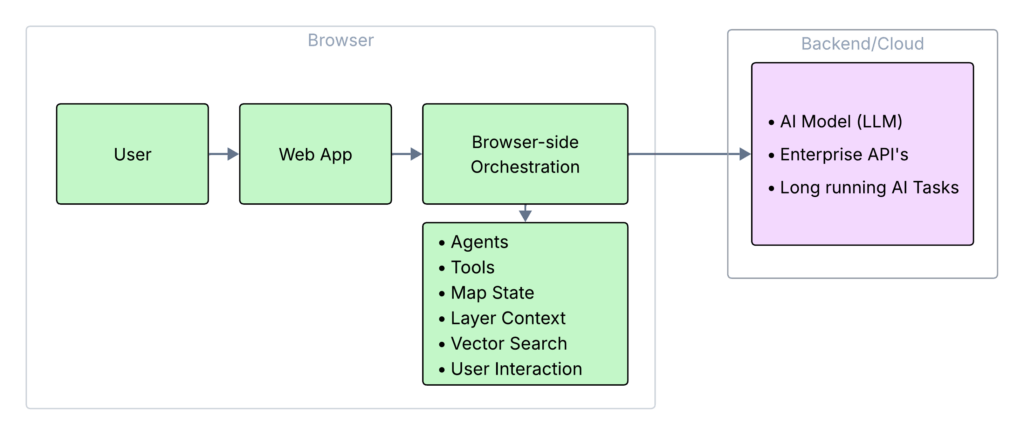
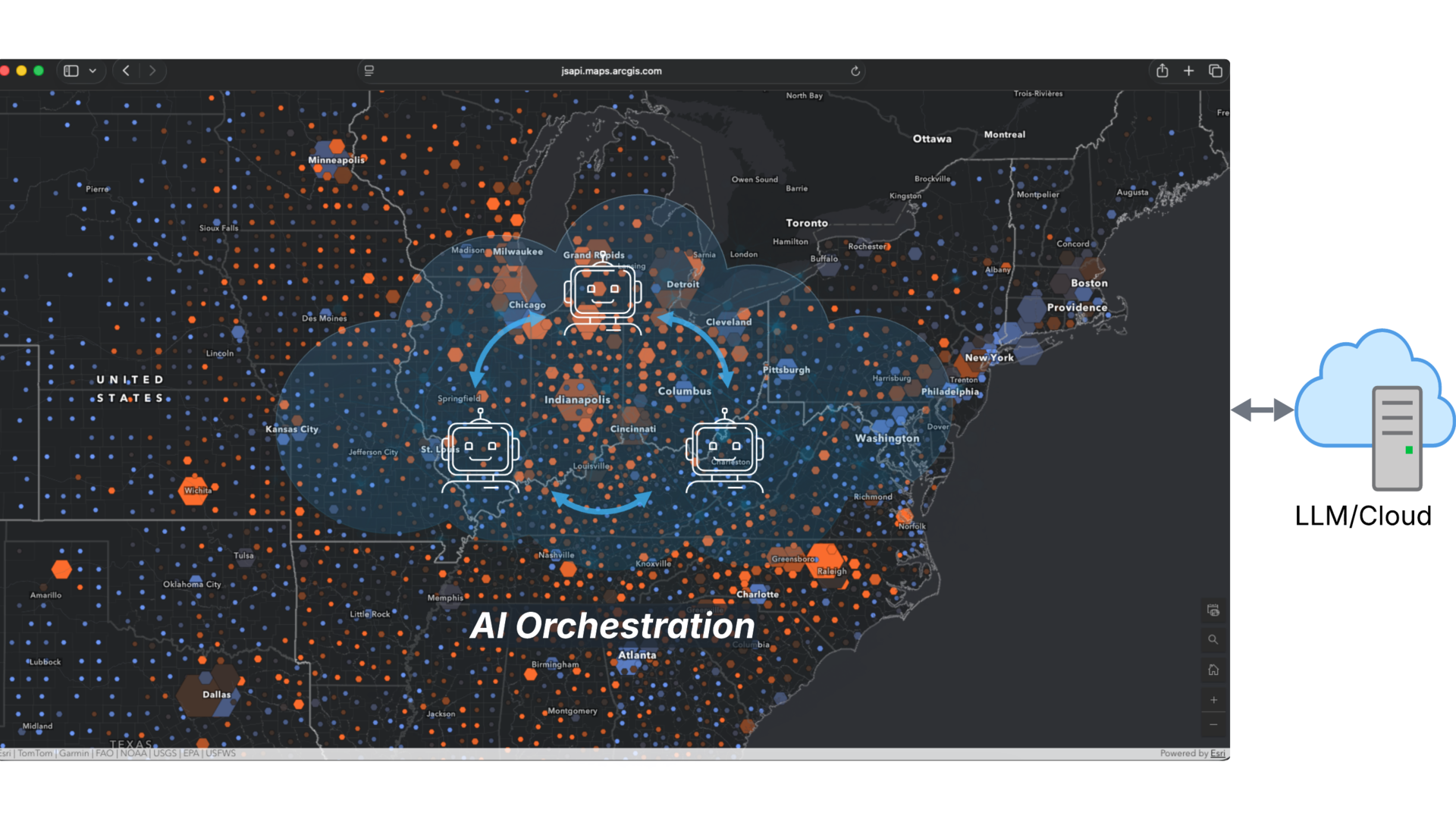
Instead of pushing all map context and application state to a backend orchestration layer, we explored a different approach: running AI orchestration and agents directly in the browser, alongside the map itself.
The architecture is built around:
- browser-native orchestration
- browser-executed agents and tools
- direct interaction with live map state
- hybrid browser/server AI workflows
This allows AI assistants to integrate with web mapping applications while reducing the need for additional backend orchestration services.
Example Workflow
To understand how browser-native orchestration works in practice, consider the following request:
“Show nursing homes in Texas“
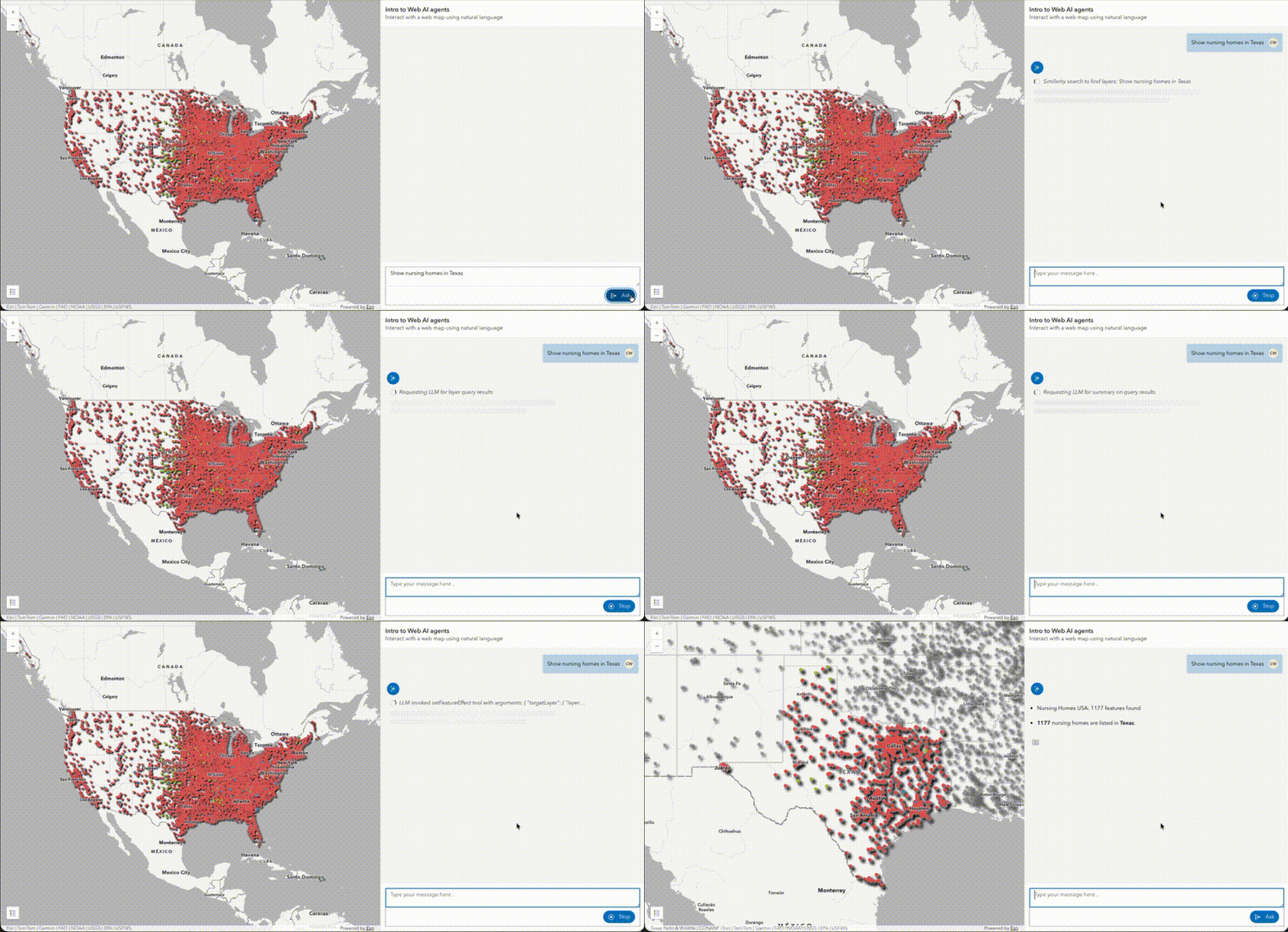
Instead of sending the request to a backend service for orchestration, it is handled by the browser-side orchestrator.
Based on the available agents and their capabilities, the orchestrator selects the data exploration agent to handle the task.
Before sending context to the LLM, the application performs vector search in the browser to identify the most relevant layers and fields for the request. This helps narrow the amount of context sent to the model.
The selected agent then generates the appropriate query, updates the map, highlights the matching features, and summarizes the result back to the user.
Because orchestration runs near the runtime context in the browser, agents can interact directly with live map state without a heavy backend layer.
Why Vector Search Matters
Vector search is one of the key pieces that makes browser-native orchestration practical.
Embeddings are vector representations that allow semantic similarity comparisons.
An ArcGIS web map can contain many layers, and each layer can contain many fields. Sending all of that metadata to the LLM for every request is inefficient and can make the model more likely to use the wrong context.
Instead, we use embeddings and vector search in the browser to identify the most relevant layers and fields for the user’s request. This acts as a context engineering step before the LLM is called.
Embeddings are generated by calling an embedding model, but once the layer and field embeddings are available, the vector search itself runs in the browser.
For example, in the “Show nursing homes in Texas” workflow, vector search helps identify the nursing homes layer and the relevant state field before the agent generates the query.
This keeps the prompt smaller, more focused, and more grounded in the actual map.
Hybrid AI Architecture
Browser-native orchestration does not mean everything runs in the browser. The browser is where the application context, orchestration, agents, and map interactions live, but the architecture can still use server-hosted models, enterprise APIs, and long-running AI tasks.
Browser-native orchestration is not a fit for every scenario. Large-scale batch processing, long-running workflows, and sensitive orchestration logic such as proprietary prompts may still be better suited for server-side execution.
The key shift is not removing the backend. It is moving orchestration closer to the runtime context that already exists in the browser.
Why This Matters for Developers
For web developers already building with the ArcGIS Maps SDK for JavaScript, this architecture keeps much of the AI workflow in the same browser runtime where the map already runs. Instead of creating a separate backend orchestration service for every workflow, developers can register agents and tools that interact with the application directly.
Because the orchestration, agents, tools, and map interactions are browser-native, AI-assisted map applications can also be prototyped in environments like CodePen. This is useful for exploring the integration pattern before moving to a production application.
Developers can also register custom agents and tools for their own workflows while still using the same browser-native orchestration pattern. To learn more, see the custom agents documentation.
For a simple running example (requires ArcGIS credentials and AI Assistants enabled in the organization), see this CodePen demo.
Future Direction
Browser-native orchestration is especially useful for Web GIS because the map, application state, and user context already live in the browser.
This pattern is not limited to GIS. Any rich browser application with complex state, domain-specific tools, and interactive workflows could benefit from moving orchestration closer to where the user context already exists.
The future is likely hybrid: browser-side orchestration working together with server-hosted models, enterprise APIs, and long-running AI tasks.
In future posts, we plan to go deeper into the architecture behind this work, including client-side agent workflows, secure enterprise model access, browser-based vector search, and hybrid browser/server execution patterns.