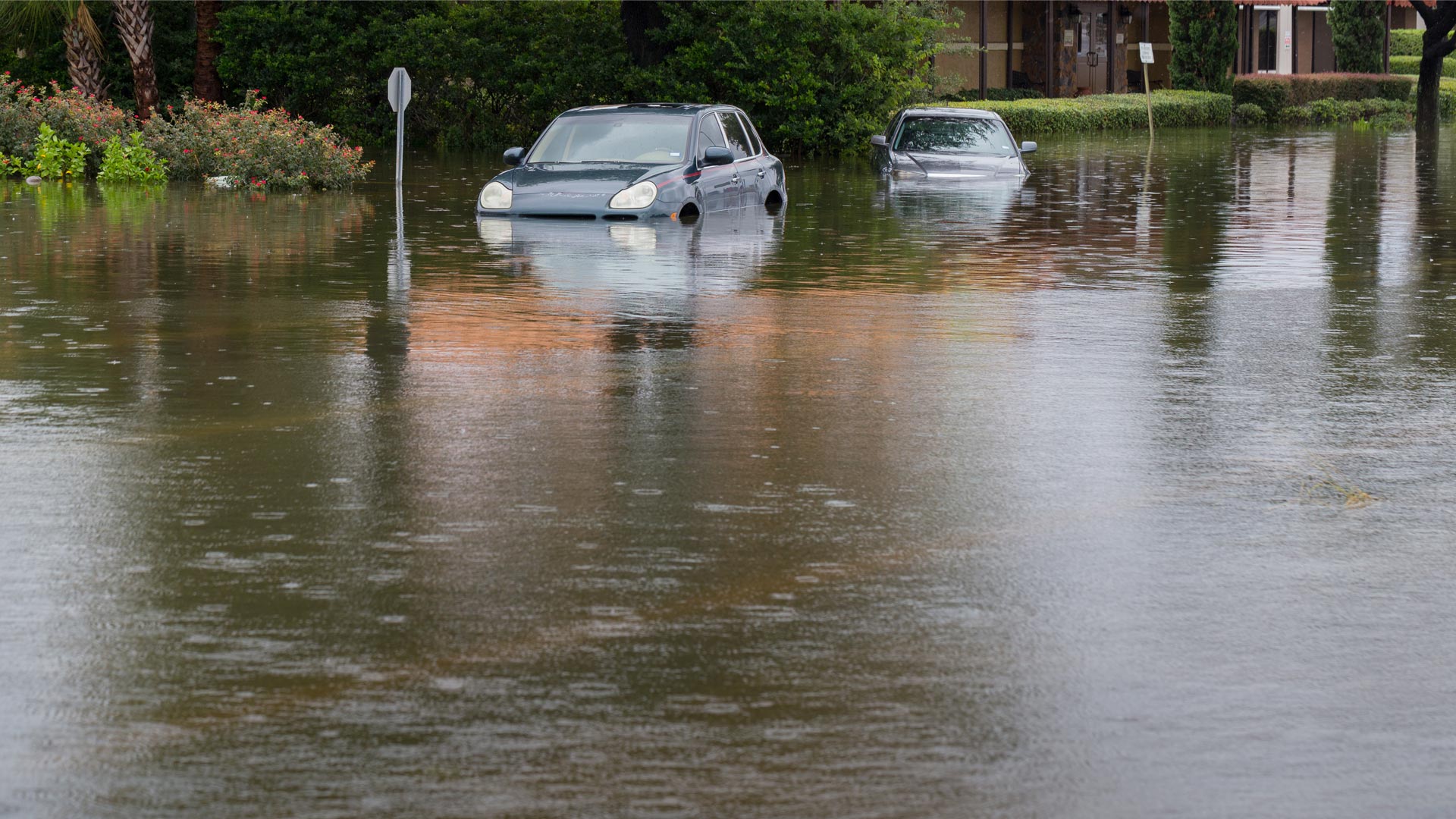
In 1929 and 1935, two catastrophic storms submerged downtown Houston and damaged infrastructure throughout surrounding Harris County, Texas. Shortly thereafter, in 1937, the special-purpose Harris County Flood Control District was established to help reduce flood risks for more than 2.7 million residents across 1,777 square miles, including Houston. The region’s flat terrain and clay soils, coupled with increasing rainfall rates, make it especially vulnerable to flooding.
With a mission rooted in keeping people safe and infrastructure strong, the Flood Control District maintains and implements flood damage reduction projects on more than 2,500 miles of channels. That’s nearly the distance from Los Angeles to New York. As Matthew Barr, the GIS section manager at the Flood Control District, said, “Every second counts in our world.” Which means having the most powerful tools before, during, and after flooding is integral to the safety of the community.
Managing Flood Risk at Scale
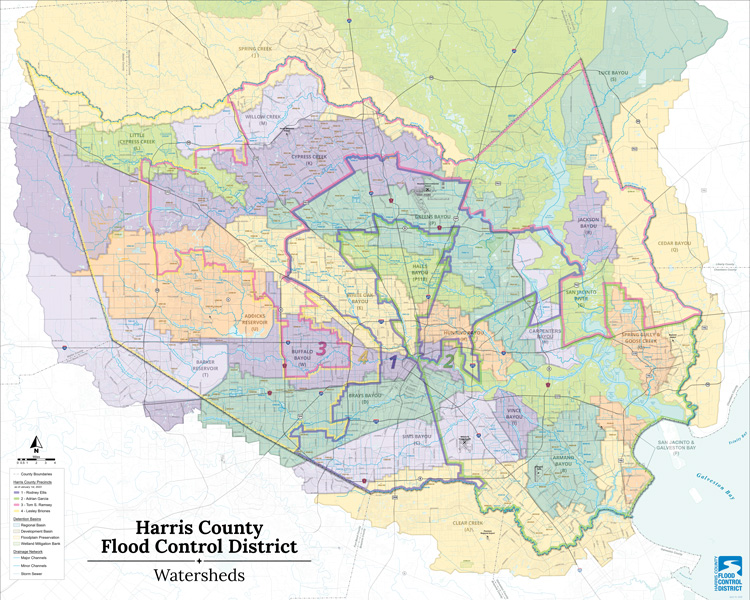
The Flood Control District has long been a GIS-forward organization, with over two decades of experience using ArcGIS technology. However, as the county’s population and infrastructure demands grew, so did the complexity of the data and visualizations needed for managing current and future floods. Barr and his team historically leveraged ArcMap for their mapping work—but the need for an even more powerful mapping and analysis tool became increasingly apparent.
In the past, GIS work at the Flood Control District was decentralized, with each technician creating maps independently, often using different styles and standards. This was sufficient when most work was internal, but as the organization’s operations became more public-facing, consistency and speed became critical.
“We’re not just making maps for an engineer anymore,” said Barr.
Map requests were increasing in volume and complexity, and the team needed to deliver polished, consistent products, often within hours.
“It’s very common to get a call saying, ‘We need a map in two hours for a meeting with an elected official,’” Barr explained. “We couldn’t keep up with that pace using ArcMap.”
The inability to automate workflows and the manual effort needed to create each map were preventing the team from keeping up with demands. During an emergency event, the geoprocessing tools in ArcMap often required more processing time than the team could spare. The design capabilities of ArcMap also made it difficult for the team to produce clear, polished visuals under tight deadlines and for public-facing materials. Staff often relied on external tools such as Adobe Illustrator or Adobe Photoshop to achieve the level of clarity and visual consistency they wanted, adding hours of extra work and complexity.
These constraints slowed down production and made it harder to communicate critical information during emergencies.
More Powerful Software
To meet growing demands, the Flood Control District migrated from ArcMap to ArcGIS Pro. The modern desktop software seamlessly integrated with the organization’s existing ArcGIS implementations and offered a powerful, unified platform where the team could create high-quality maps and processes that would boost collaboration.
“We used to pass around [.mxd files] on the network. Now we share layout files and templates in [ArcGIS] Pro,” said Barr. “It’s a game changer.”
The ability to create and share standardized layout templates helped the Flood Control District establish a unified visual language. Now, staff use consistent fonts, colors, and other design elements across all communications. The templates helped the team overcome the inconsistencies of its old, decentralized workflow.
And the transition was smooth—thanks in part to strong organizational support for GIS and a team culture that embraces innovation. Team members appreciate the intuitive and extensive design, customization, and automation options in ArcGIS Pro, as well as its direct integration with well-known scripting languages. While the ribbon interface took a few days to adjust to, the benefits of using ArcGIS Pro quickly became clear as staff adapted to it and the quality and quantity of their outputs rapidly improved.
“It was just really easy for us to make the change,” said Barr.
As a result, ArcGIS Pro swiftly became central to the inner workings of the Flood Control District.
Smarter, Faster Maps Delivered Across Operations
The migration to ArcGIS Pro delivered immediate and transformative results, starting with a dramatic increase in speed and performance. ArcGIS Pro enabled the Flood Control District to respond more effectively during flooding emergencies. Tasks that previously took 30 minutes to complete were reduced to just three minutes. Full map production cycles dropped from two days to as little as two hours.
These efficiency gains allowed the organization’s four-person GIS team to produce more than 1,000 maps in a single year—an exponential increase that supported everything from internal planning to public communication.
“I would have to have a bigger team if it wasn’t for [ArcGIS] Pro’s performance alone,” Barr said.
For large-scale mapping efforts, the team now uses map series functionality to create and export up to 100 cohesive maps in just days.
“We had probably a dozen map books made, and I think they varied between 40 [and] 100 pages in each one,” Barr said. “Just hitting export and going to make a coffee, and it’s done when you get back—I just saved two weeks’ worth of work.”
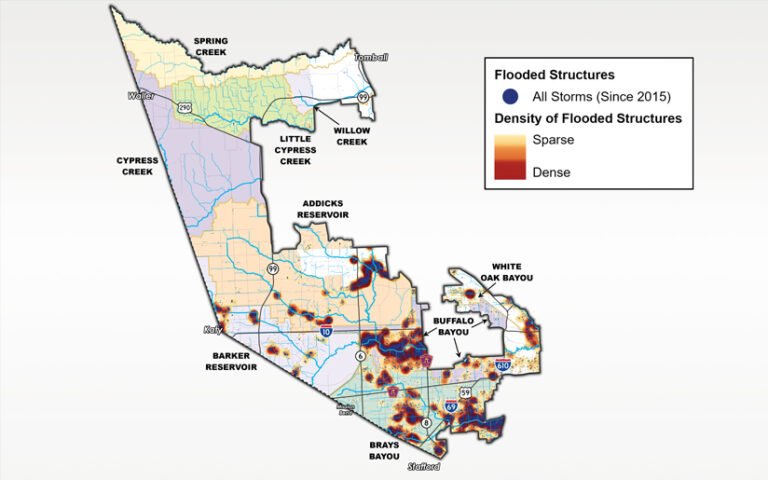
ArcGIS Pro has also improved the consistency and quality of the team’s outputs. Its design flexibility has transformed how complex data is communicated. Features such as label halos, inset maps, multilevel symbology, and layout geometry are now easy to implement. Even small touches—like switching from square to circular inset maps—enhance a map’s readability and professionalism. What’s more, the wide range of cartographic tools available in ArcGIS Pro empowers the team to create maps that are not only technically accurate but also visually compelling.
“You do this, and it’s like, wow, everyone thinks you’re a magician,” said Barr. “It’s just there in [ArcGIS] Pro!”
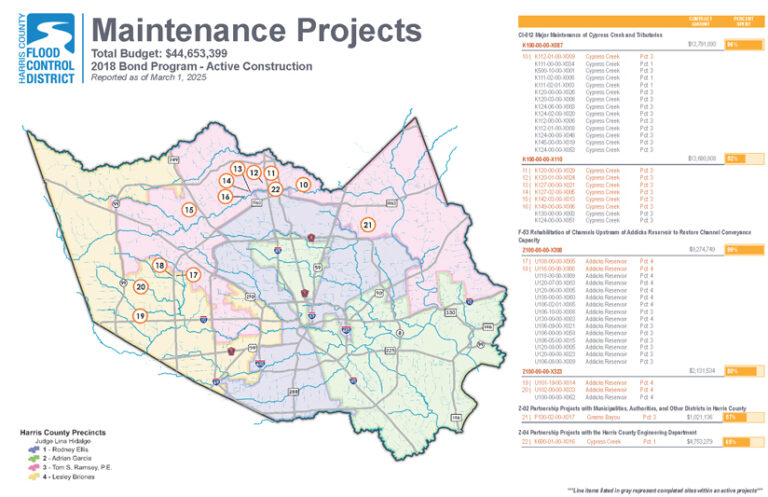
The Flood Control District’s new combination of speed and quality has elevated the team’s impact across the organization. For example, using the Python integration to implement custom scripts, the team built a web app that allows users to generate maps and reports nearly on demand during critical moments. The team has employed ArcGIS Maps SDK for JavaScript to automate monthly construction reports and update interactive dashboards, simplifying how progress and performance are communicating. All this enables the Flood Control District to better plan flood mitigation projects and infrastructure maintenance operations.
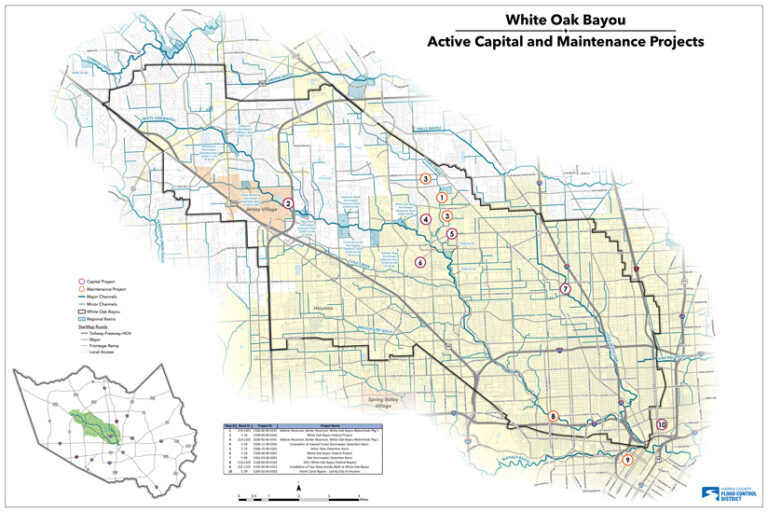
As team members have settled into their new workflows, they’ve found that ArcGIS Pro has every tool they need to meet the wide array of mapping requests they receive, from making graphics for social media posts to producing maps for court documents.
A Model for Modern Flood Management
By integrating ArcGIS Pro into its flood risk management workflows, the Flood Control District has transformed how it engages with the public, showcases complex projects and concepts, and responds to flooding emergencies. The GIS team now delivers consistent, high-quality maps at scale, enabling faster decision-making and clearer public communication. With standardized templates, advanced spatial analysis, and automation capabilities, the district has built a resilient system that supports both daily operations and critical response efforts.
As the team prepares to train others in how to use ArcGIS Pro, its story is a powerful example of how GIS can help communities stay safe and informed in the face of growing challenges.
“Everything starts in [ArcGIS] Pro—whether it’s a static map, a web app, or a field data collection project,” said Barr. “It’s the foundation of everything we do.”