For the North Central Texas Council of Governments (NCTCOG), rapid regional growth brought opportunity—but it also introduced operational complexity. As the organization’s GIS footprint expanded from a handful of licenses into a full enterprise deployment, the NCTCOG GIS team found its critical infrastructure increasingly difficult to manage.
This expansion created an urgent need for a monitoring tool that could provide clear, real-time insight into the entire enterprise framework. The solution, ArcGIS Monitor, enabled NCTCOG to shift from a reactive GIS management approach to a proactive one.
A Full Enterprise Deployment
Serving a 16-county region anchored by the Dallas–Fort Worth metropolitan area, NCTCOG is a voluntary association that promotes cooperation among more than 250 local governments serving more than 8.7 million residents.
Established in 1966 and currently with a staff of more than 400 people, NCTCOG is one of many regional planning organizations found across the United States, explained Donna Coggeshall, senior manager of data and analytics for the Information and Innovation Services Department at NCTCOG.
“Our goal is to coordinate between different governmental organizations in ways that benefit the region,” Coggeshall said. “For example, we find efficiencies by identifying duplication of efforts and providing opportunities for communication for all kinds of planning, like for transportation or water management.”
A key part of NCTCOG’s mission involves collecting and generating vast amounts of publicly available information. This makes the agency’s enterprise GIS infrastructure a mission-critical asset across north Texas.
To no one’s surprise, the agency’s GIS operations have grown dramatically in recent years. The catalyst for this expansion was a decision to move to an enterprise agreement (EA) with Esri.
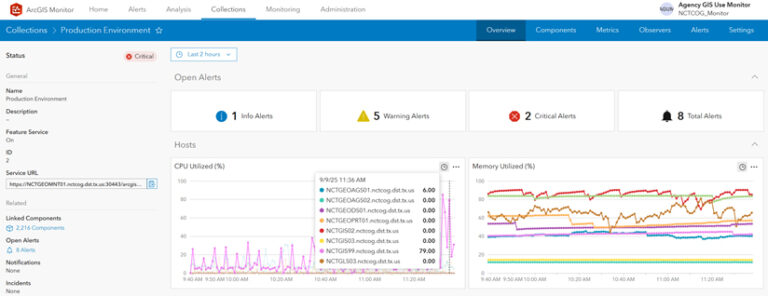
“Before the EA, we just had a few licenses and just one server,” said Ruchi Basnet, GIS systems architect for NCTCOG’s Information and Innovation Services Department. “But with the EA we got a lot of ArcGIS products and some additional infrastructure to better monitor our GIS.”
This expansion introduced new capabilities—along with new complexities.
“We needed this kind of monitoring solution for a while,” Coggeshall said. “We tried a couple of tools from other software companies, but we have not had something that was able to give us this sort of information, especially not in real time like Monitor does on system performance.”
A Holistic View
Monitor, an extension to ArcGIS Enterprise, collects metrics on asset health, performance, and usage. Monitor helps administrators and managers ensure that their ArcGIS Enterprise deployments are working efficiently by reducing system downtime.
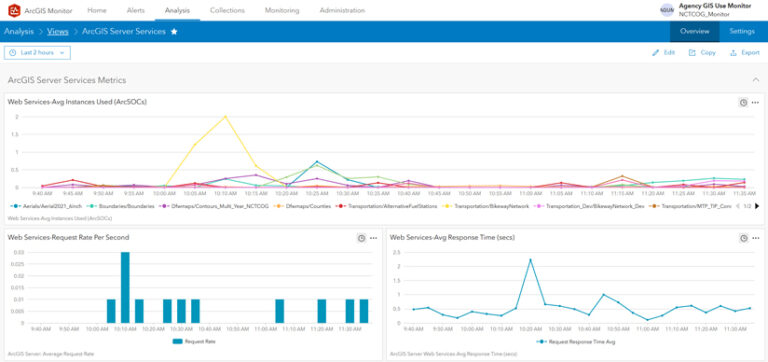
“Now we’re tracking two enterprise portals, three ArcGIS Server [deployments], 21 databases, nine host machines, more than 600 services, and more than 18 storage sites on different host machines,” Basnet said. “With Monitor, we can track and see if a particular GIS service or infrastructure piece is down and what the performance is, along with where bottlenecks are. We’ve never been able to do that in the past.”
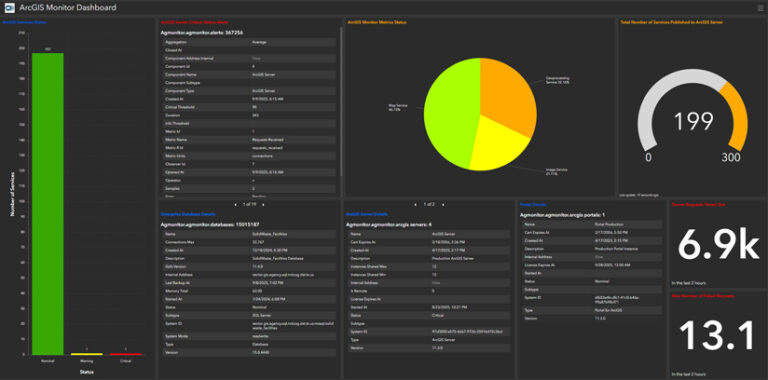
Monitor works with ArcGIS Enterprise on Windows or Linux, deployed on-premises or on cloud environments. And if an organization has multiple ArcGIS Enterprise deployments or is using different release versions, Monitor provides a single console where users can view key performance indicators across all deployments as well as a single user interface to help manage and optimize an enterprise GIS and its underlying infrastructure. This functionality has allowed the NCTCOG GIS team to think more proactively about its services.
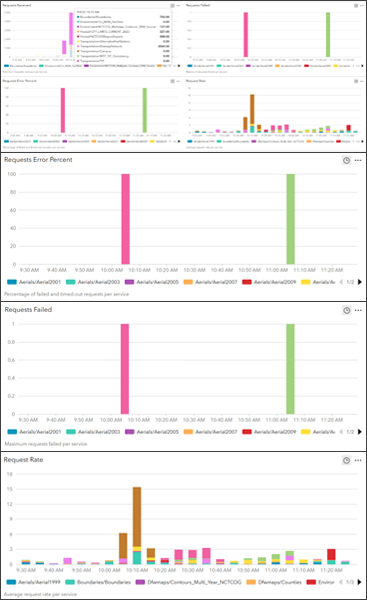
“We can identify exactly which service is causing a performance issue and then address that without our users even knowing about it, because we’ve already dealt with it,” Coggeshall said.
Data-Driven Decisions
For Basnet, implementing and customizing Monitor required time and effort, but resulted in major upgrades to GIS management—and her job.
“Initially, when we got Monitor with the EA, we didn’t have any expertise in-house to figure out what Monitor is and what it can do,” she said.
After studying on her own, as well as attending Esri-led training sessions, she began tailoring the tool to NCTCOG’s specific needs.
“There are some out-of-the-box analysis tools in Monitor, but we’ve made lots of customizations, like to our home page, which Monitor users see after they log in,” Basnet said. “Using Monitor has even changed my job description. Before, I was a principal GIS analyst; now, I’m more of a GIS systems architect. In my new role and with Monitor, I can go to my manager and say, ‘Our GIS is stressed and so we need to increase the number of servers, RAM, processors, or CPU.’”
One of the most powerful benefits of Monitor has been its ability to provide objective data to justify infrastructure changes.
“I really like the infrastructure analysis view in Monitor, which showed us whether we needed to increase or decrease our server resources,” Basnet said. “It also gave us the information we needed to implement workload separation in order to optimize processing so that instead of having one server do everything for us, we have a dedicated image server, map service server, and hosting server.”
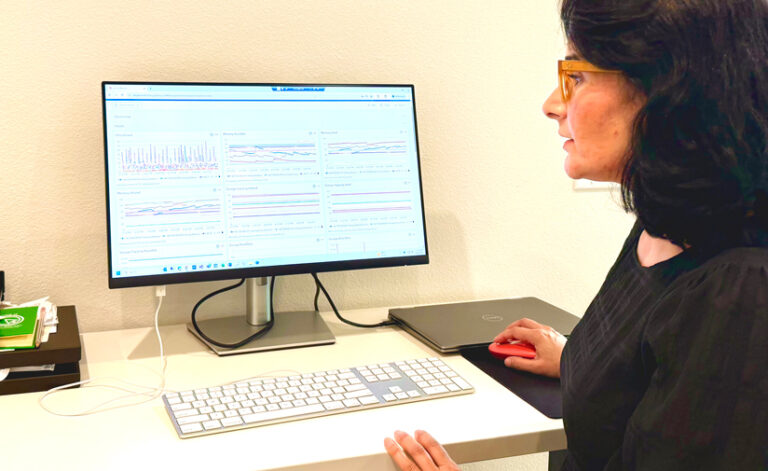
This data-driven approach extends to communication with other departments. The ability to share concrete evidence of system stress has been a key benefit.
“From time to time I tell my director and my IT lead to log into Monitor to see everything that we’re tracking at the server level,” said Basnet. “It’s been an eye-opener for them, and it has helped me to justify suggested changes to our GIS resources,” such as rightsizing NCTCOG’s server environment.
Basnet also set up email alerts every hour for critical or pending issues. This proved crucial during a recent vacation, when she was able to spot server issues from afar and quickly coordinate a solution.
Looking ahead, NCTCOG plans to delve deeper into the capabilities of Monitor. The team is exploring using it for license tracking to inform departmental budgets and plans to use JMeter, an open-source load-testing tool, to further analyze system performance.
For Coggeshall, the advantages of using Monitor are clear.
“It’s helped to know when particular GIS processing is reaching critical stages and to right-size our infrastructure,” she said. “That’s been one of the real benefits.”