Efficient winter weather operations are crucial for keeping roadways safe and traffic flowing smoothly during winter storms. While some organizations monitor snowplow locations, many struggle to track the service status of their road network and evaluate performance effectively. This lack of important performance data hinders the assessment of storm response and the continual improvement of operations.
Enhancing winter weather operations involves optimizing the tracking of snowplow locations and monitoring the status of roads in real-time. Furthermore, comparing winter event response activity throughout the winter season helps managers evaluate their performance and assess areas for improvement. This approach facilitates better response coordination, improves operational efficiency, and enhances communication regarding road conditions to ensure safer travel for communities.
July 2025 update
On July 2nd, 2025, we released a new version of the Winter Weather Operations solution. As a part of this update, the Winter Weather Outreach solution was retired and replaced with new capabilities in version 2.0 of the Winter Weather Operations solution.
Version 2 of the Winter Weather Operations solution includes new and improved capabilities to help you share near real-time road status updates, monitor operations, and track key performance indicators. This update also modernizes vehicle management workflows and aligns the Winter Weather Operations solution to work with our other real-time operations solutions; Street Sweeping Operations and Mowing Operations.
Improve winter weather planning
Developing an effective snow response plan before the winter weather season begins requires reliable and current data. Foundational datasets required to use the Winter Weather Operations solution includes snow routes, service districts, and vehicle information.
Manage data
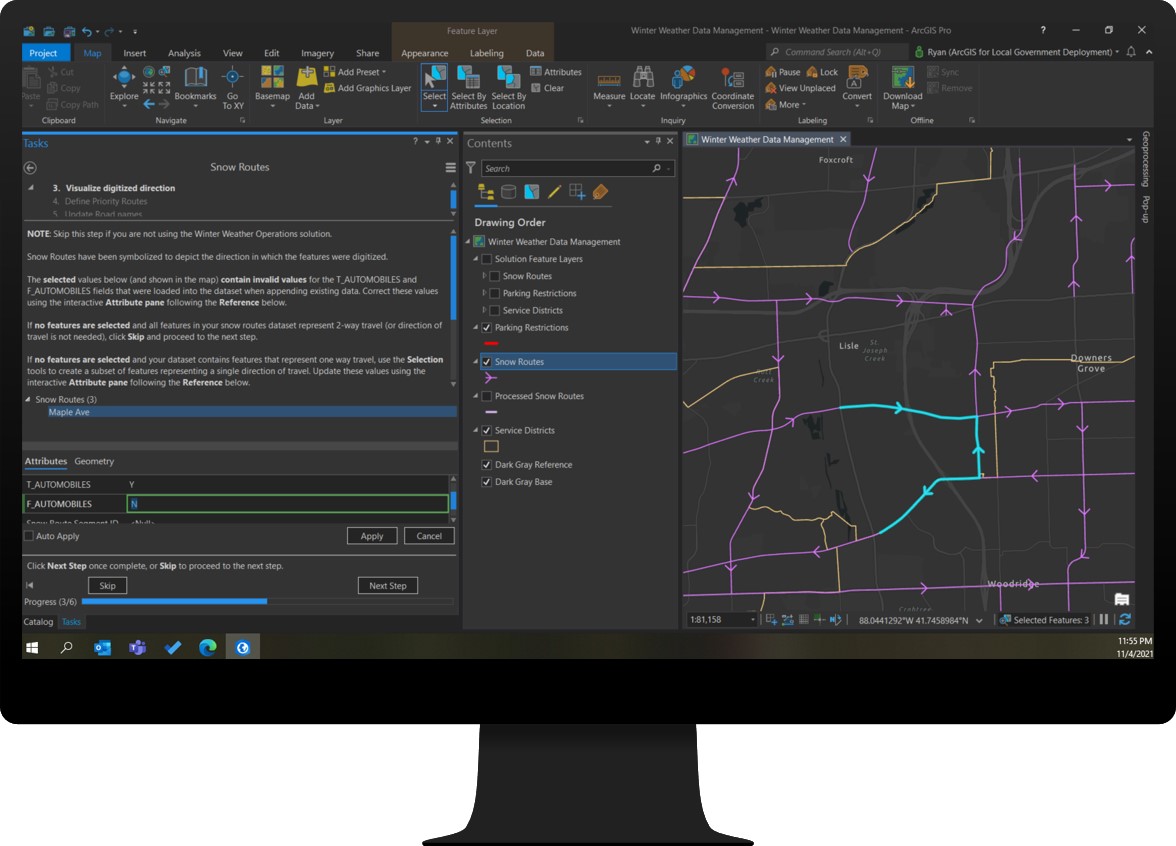
To help you transform your organizations existing data for use in the solution, the Winter Weather Data Management ArcGIS Pro Project includes a series of tasks and geoprocessing tools. The steps included in the project will help you transform existing data to create an authoritative inventory of snow routes, service districts, and vehicle information so you can develop winter weather response plans.
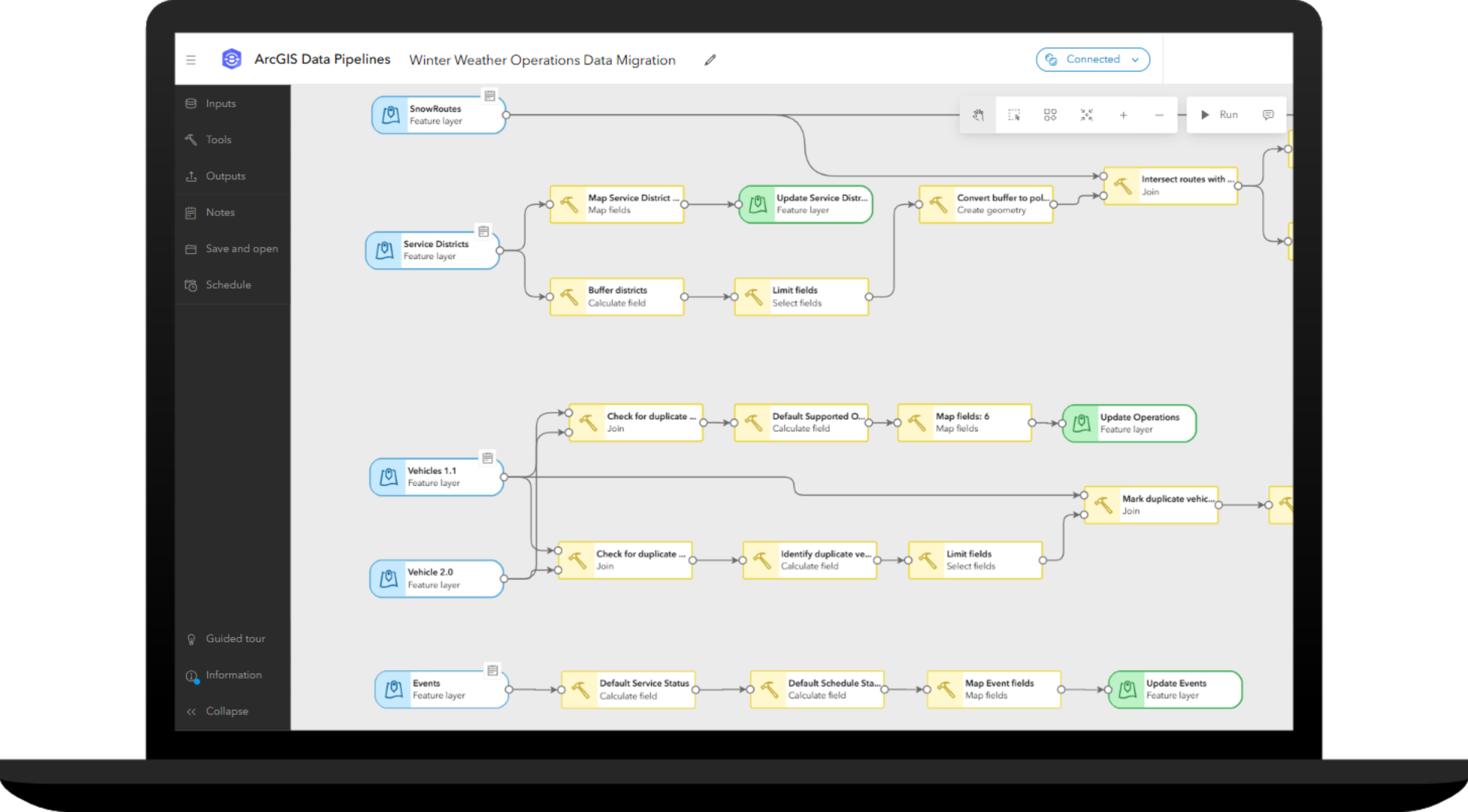
If you are currently using version 1.1 of the Winter Weather Operations solution, you can quickly migrate these foundational datasets into the new solution. The Winter Weather Operations Data Migration ArcGIS Data Pipeline can be used to migrate snow route, service district, event and vehicle information from the version 1.1 schema into the version 2.0 schema.
Inventory vehicles
The ArcGIS Velocity feeds and analytics shipped with the solution are used to integrate with multiple automated vehicle location (AVL) providers as well as ArcGIS location sharing. To help you manage this vehicle information, the Winter Operations Center app enables you to maintain a comprehensive inventory of vehicles supporting your operations.
Maintaining a vehicle inventory helps you understand the current state of AVL technology used by your fleet and identify the needs of vehicles without AVL. It also helps you document important information about these important assets, such as carrying capacities, status, and what type of operations the vehicle can support throughout the year.
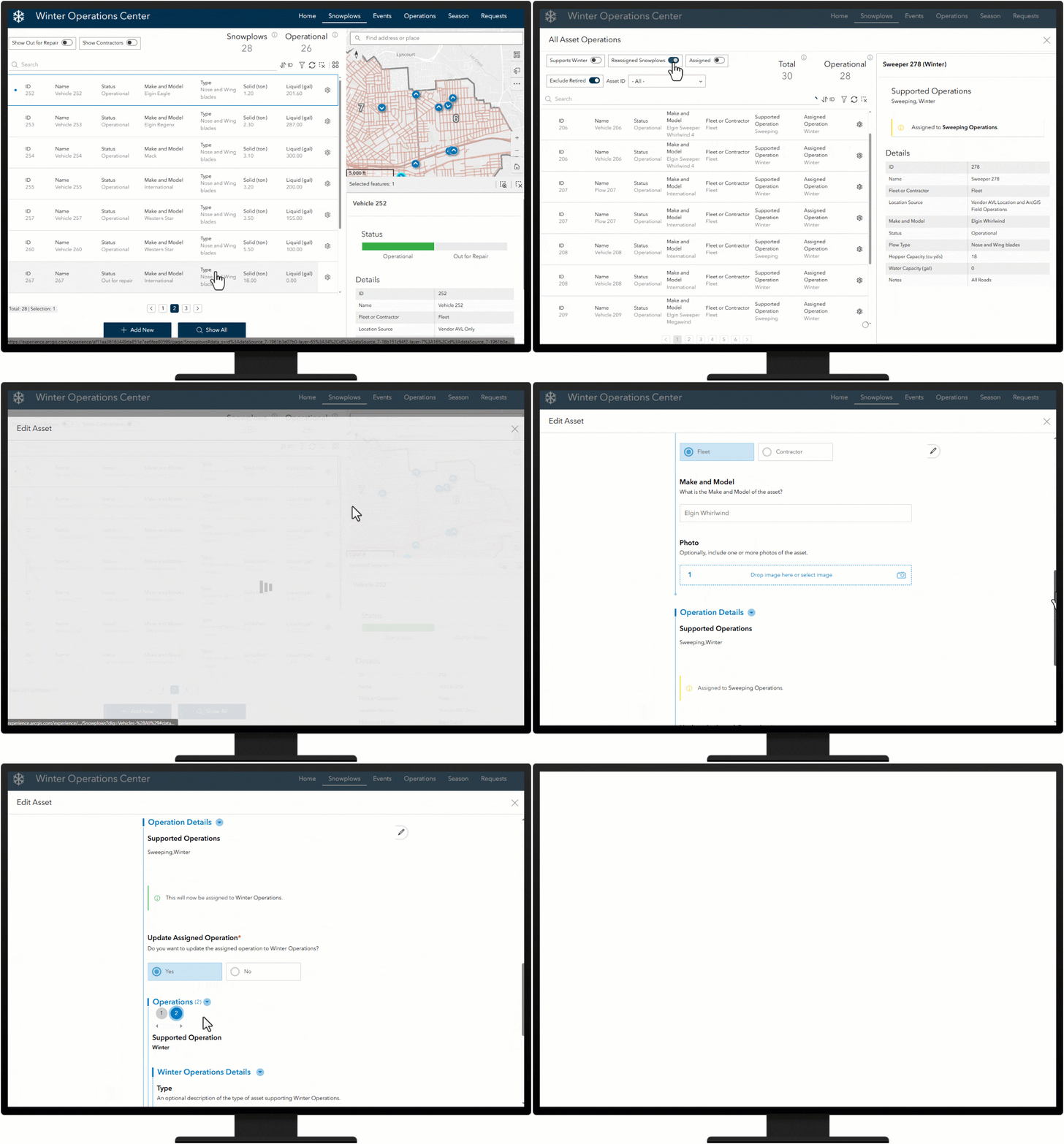
In the latest release of Winter Weather Operations, vehicle management is now shared with Mowing Operations and Street Sweeping Operations solutions. This allows you to manage a single source of vehicle information for each operation the vehicle supports. For vehicles that support more than one operation throughout the year, you can use the solutions’ Management Center app to update the vehicle’s assigned operation.
Once your vehicles are inventoried and snow routes and service districts have been created, you will be ready for the first snow event of the season when it arrives.
Define winter weather events
The ability to record snow removal and ice control activity by each operational period is important for operation managers who want to track key performance metrics, compare response activities over the course of the season, and justify budget needs for the next winter season.
The Winter Operations Center app can be used to define winter weather events so you can track key performance metrics during operational periods of activity. Winter events can be optionally scheduled to start and stop at specified times and can also be used to communicate important information with the public during active winter events.
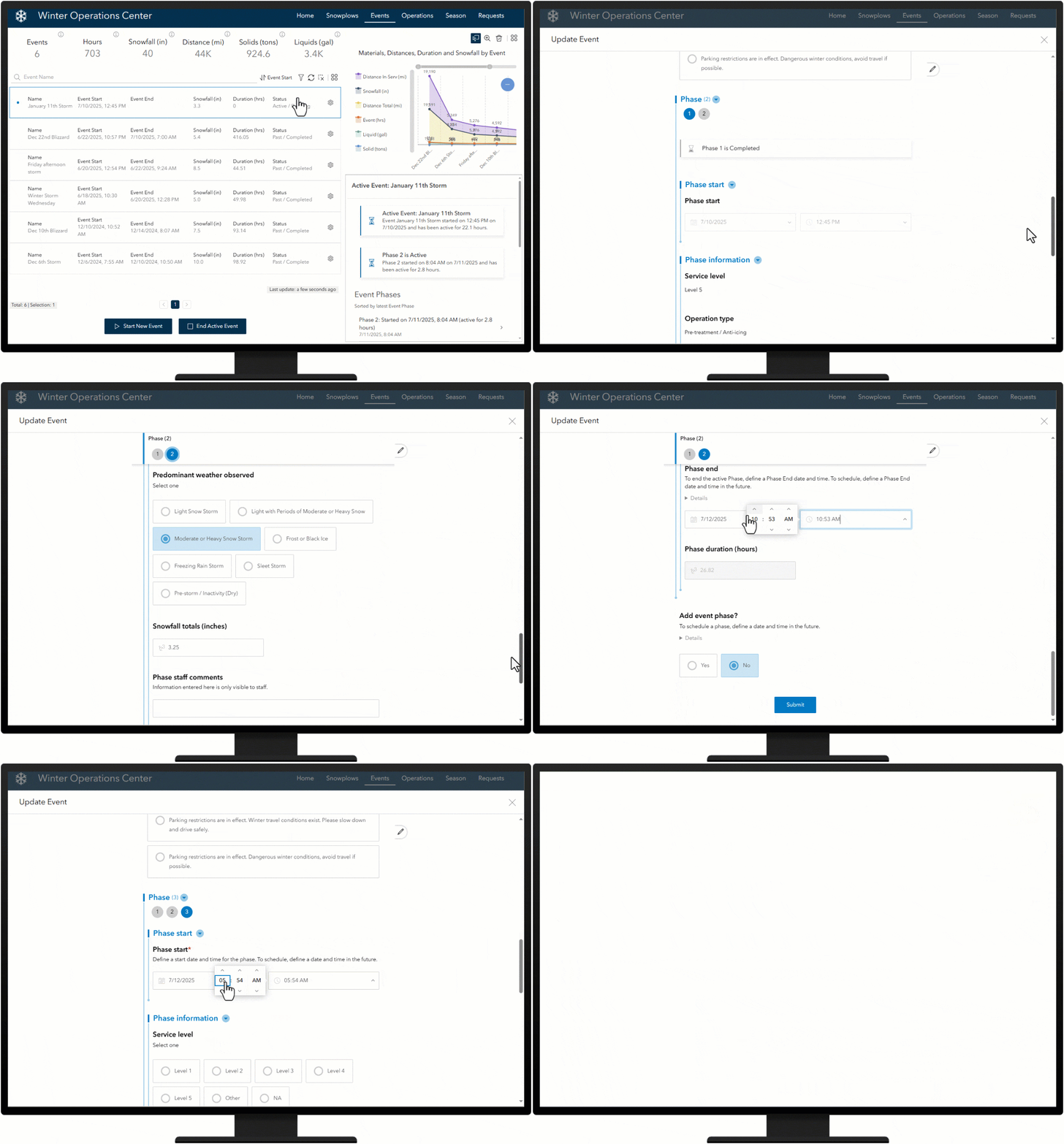
During an active event, an event phase can be used to define a different period of activity, such as a change in shift, type of operation, or when a service level changes such as a snow emergency or post-storm cleanup. Event phases can also be scheduled to start and stop at specified times and at the start and end of the event.
Streamline winter weather operations
Real-time information and transparency are critical during winter weather response activities. Maintaining a road network is complex, and quickly communicating progress to travelers is a challenge for government agencies. Understanding where snowplows have traveled and are currently located during a winter storm optimizes response activity and helps clearly communicate what roads have been serviced.
Track driver activity
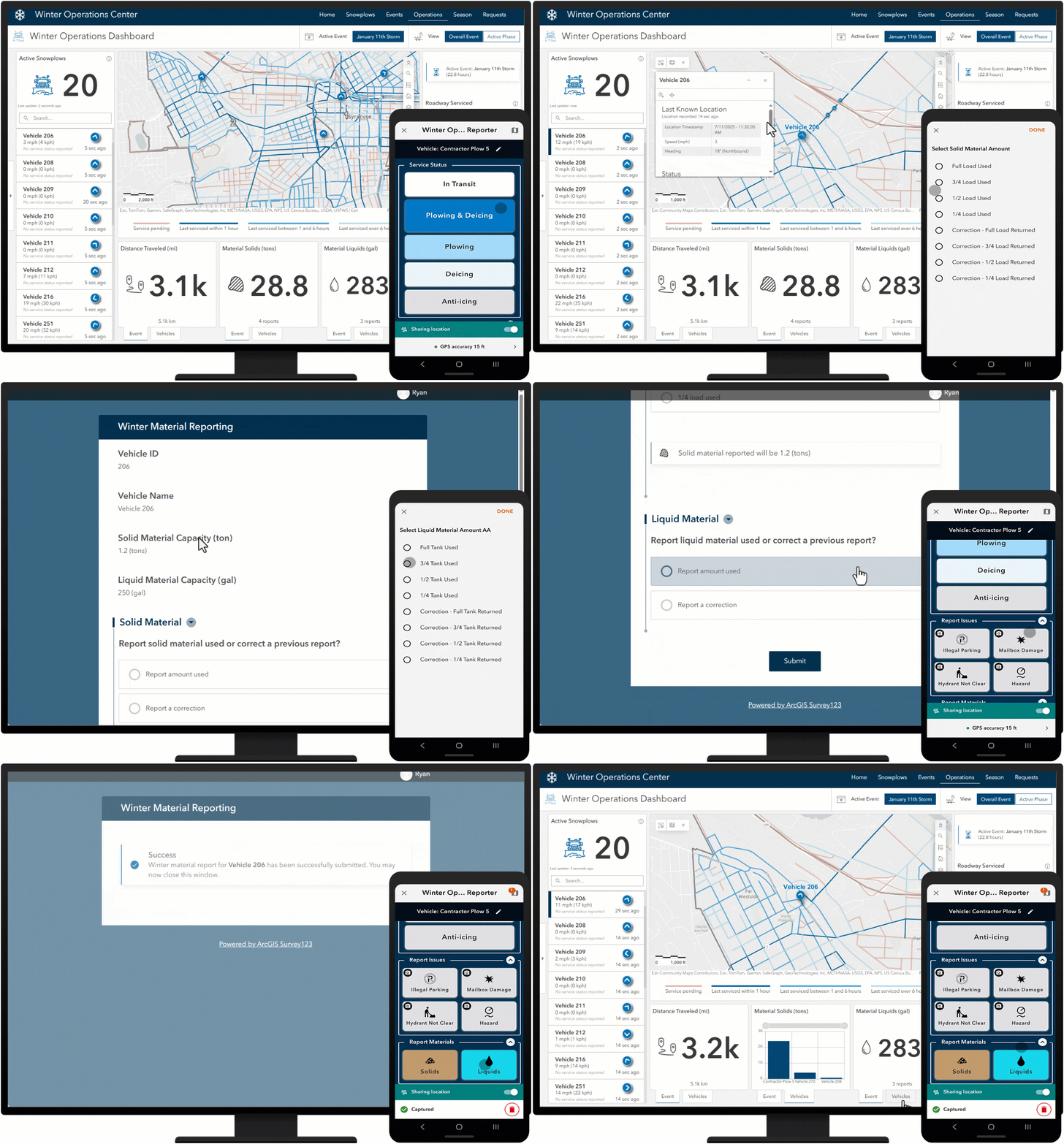
Track driver activity by connecting to real-time vehicle locations using ArcGIS Velocity feeds. Vehicle feeds can be sourced from AVL provider(s) and from ArcGIS location sharing, enabling public works to support drivers of vehicles with limited or no existing AVL technology on board. Drivers using the Winter Operations Reporter ArcGIS QuickCapture app can be tracked alongside vehicles supported by an AVL system. The Winter Operations Reporter QuickCapture project can also be used to report service status, material usage, and issues such as illegal parking and road hazards.
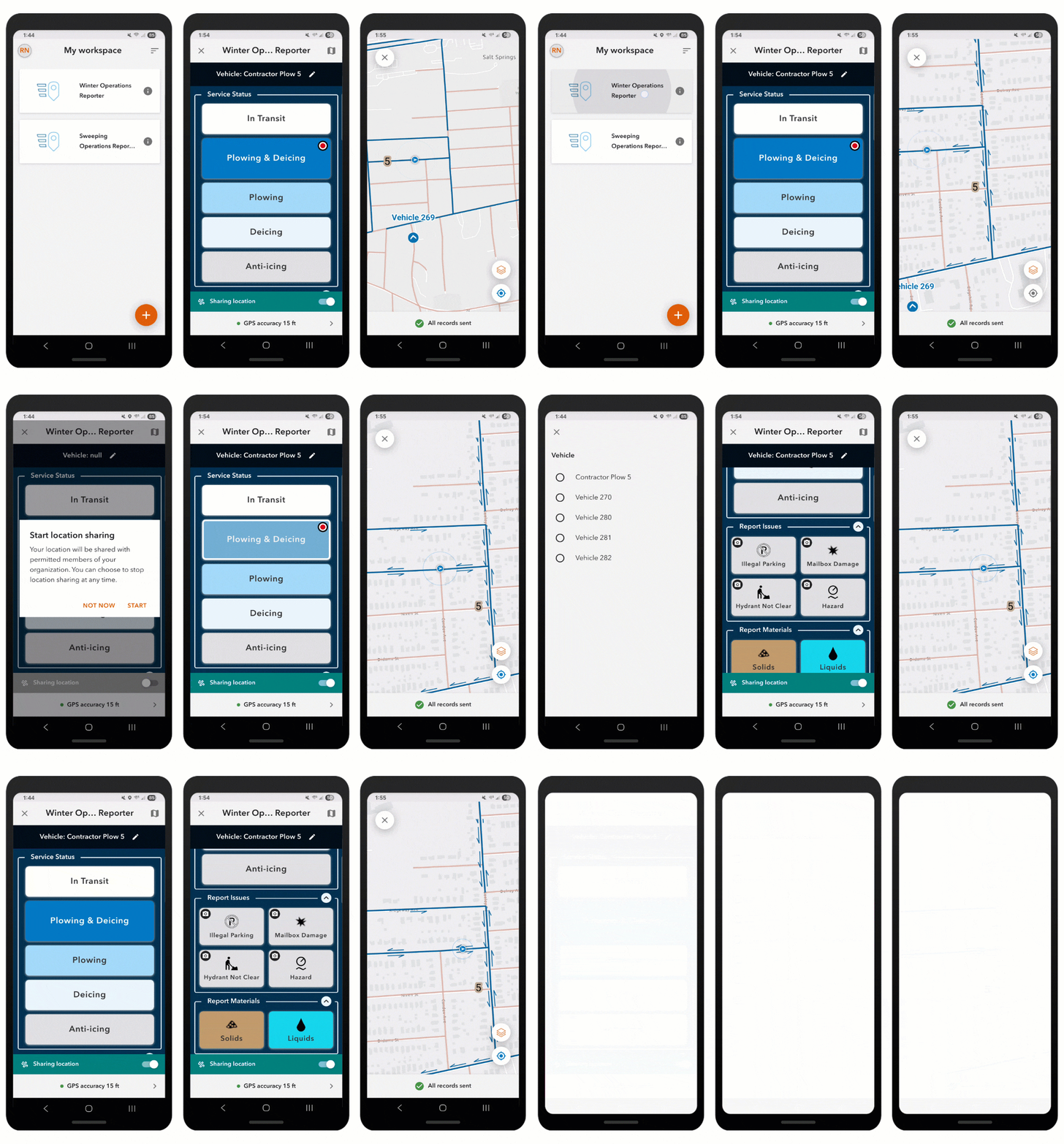
Material usage reports can also be submitted on behalf of snowplow drivers, giving operations managers another data point to validate other material reporting for their fleet. The Winter Material Reporting Survey123 form can be accessed from the Winter Operations Dashboard and can be used by operations managers and yard supervisors to report materials used by each vehicle during operations.
Monitor operations
Real-time information and transparency are critical during winter weather response activities. Maintaining a road network is complex, and quickly communicating progress to travelers is a challenge for government agencies. Understanding where snowplows have traveled and are currently located during a winter storm optimizes response activity and helps clearly communicate what roads have been serviced.
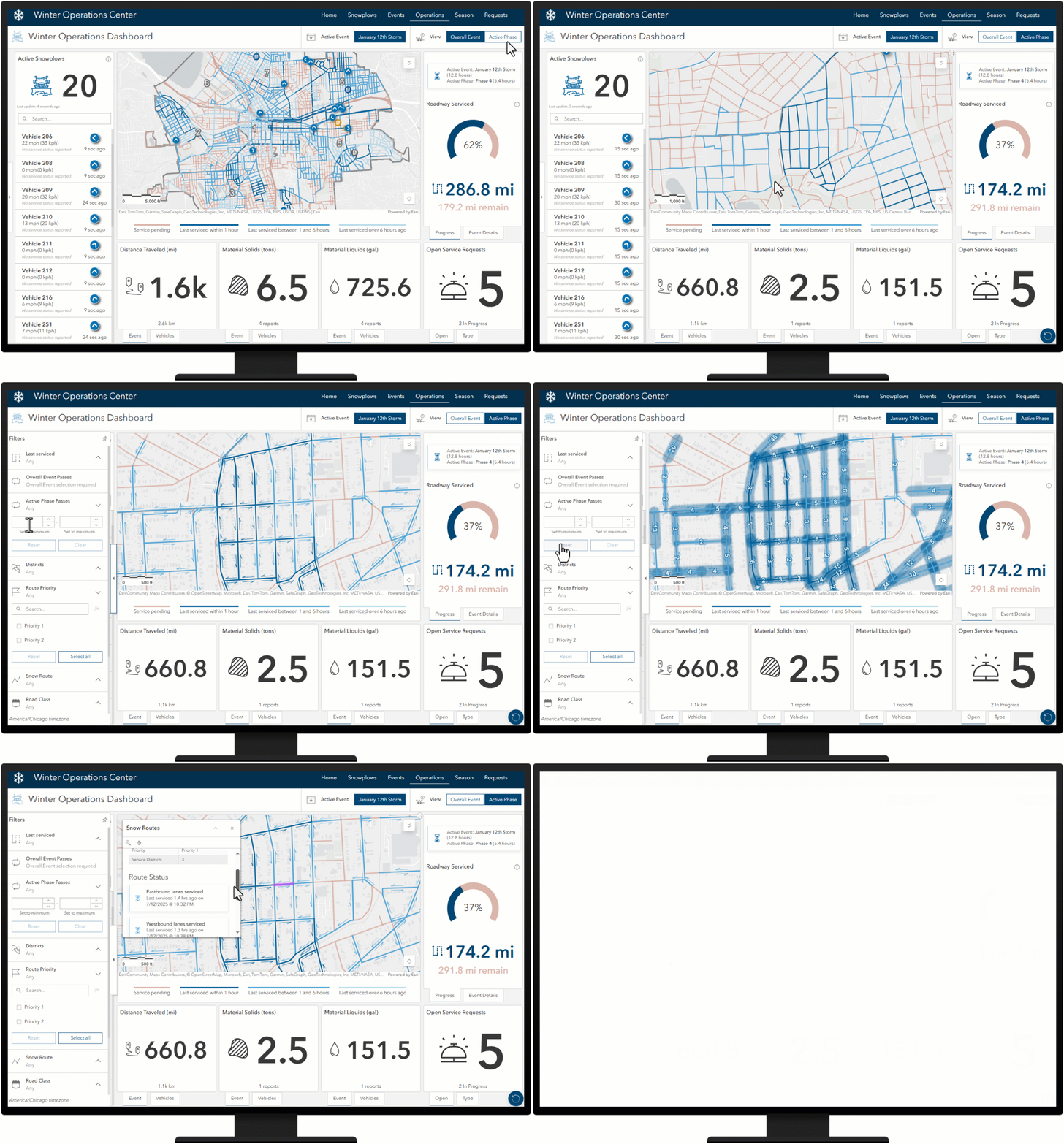
The Winter Operations Dashboard app allows operations managers to monitor active operations including real-time vehicle locations, open service requests, distance traveled, material used, number of passes, road service history and progress made toward servicing your road network during an active winter weather event.
By default, the dashboard will display metrics and last service information for the overall event. You can update this view to display metrics and last service information for just the latest phase.
Review performance
The Winter Season Dashboard helps you review response activities for any winter weather event so you can adapt future response plans and address performance challenges.
The Winter Season Dashboard app allows operations managers to review key performance metrics for any operational period throughout the winter season including vehicle track history, route service history, distances traveled, materials used, and services requested.
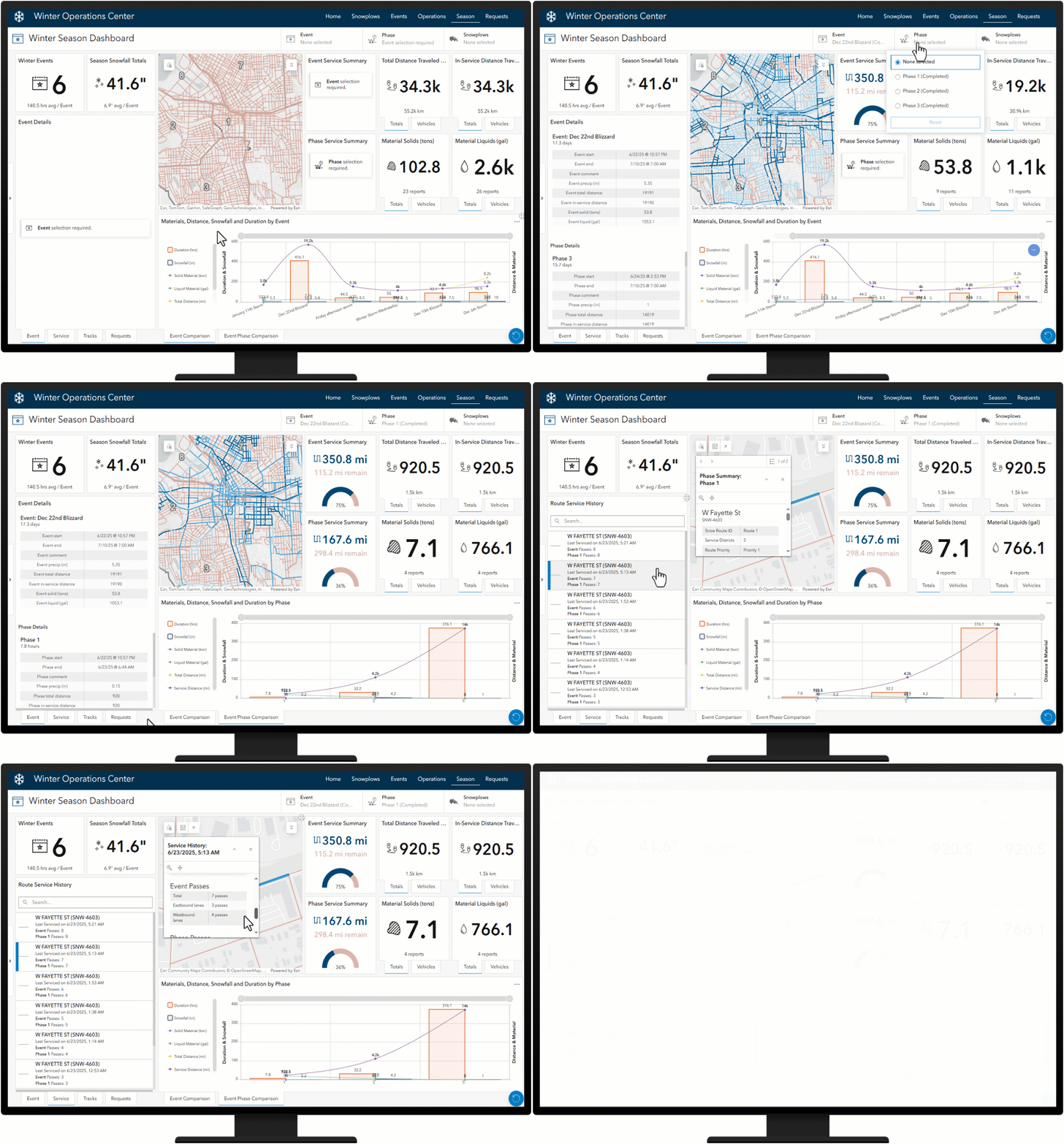
By default, the Winter Season Dashboard will display metrics from all events, such as the Event Comparison chart. Other elements in this dashboard require an Event and/or Phase selection. By using the Event and Phase filters, you can update the map and dashboard to display key performance indicators for any selected event and/or phase throughout the season.
The Event filter will update the map with the event’s service summary layer and related key performance indicators. Similarly, the Phase filter will update the map with the phase’s service summary layer and related key performance indicators. Summary layers provide a visualization of what the service status of roads looked like when the selected event or phase ended. These layers also provide a way for you to further drill into the service history and number of passes completed for any road segment for the selected event or phase.
Increase transparency and public trust
Progressive communities use mapping technologies to help inform the traveling public about their winter response plans and when routes were last serviced so drivers can plan for a safer commute.
Providing 24-hour access to your organization in a single website destination helps the public easily discover information about winter weather response in their community. The Safe Winter Roads helps users easily discover route status, request service, and review snow plan information.
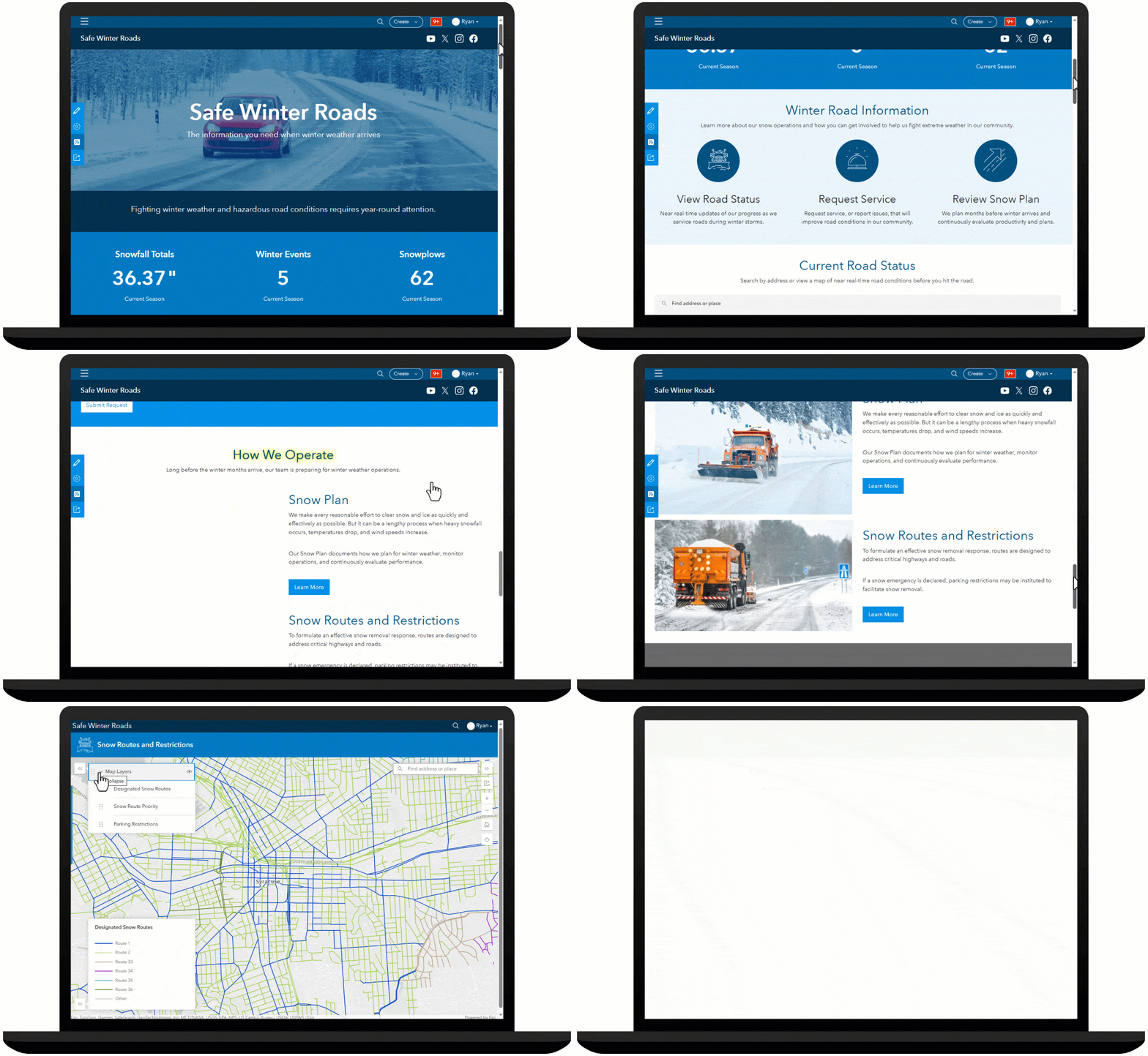
The Safe Winter Roads site can be used by transportation and public works organizations to share winter weather plans, communicate route status updates, and solicit winter weather requests for service from the public.
Get real-time updates
The Current Road Status section features two apps to discover up-to-date road status information, the Snow Route Status Lookup app and the Snow Route Status Dashboard app. Snow Route Status Lookup app features an address search to view route status information during a winter storm event. The Snow Route Status Dashboard features a map with current, up-to-date information about the status of routes in your community.
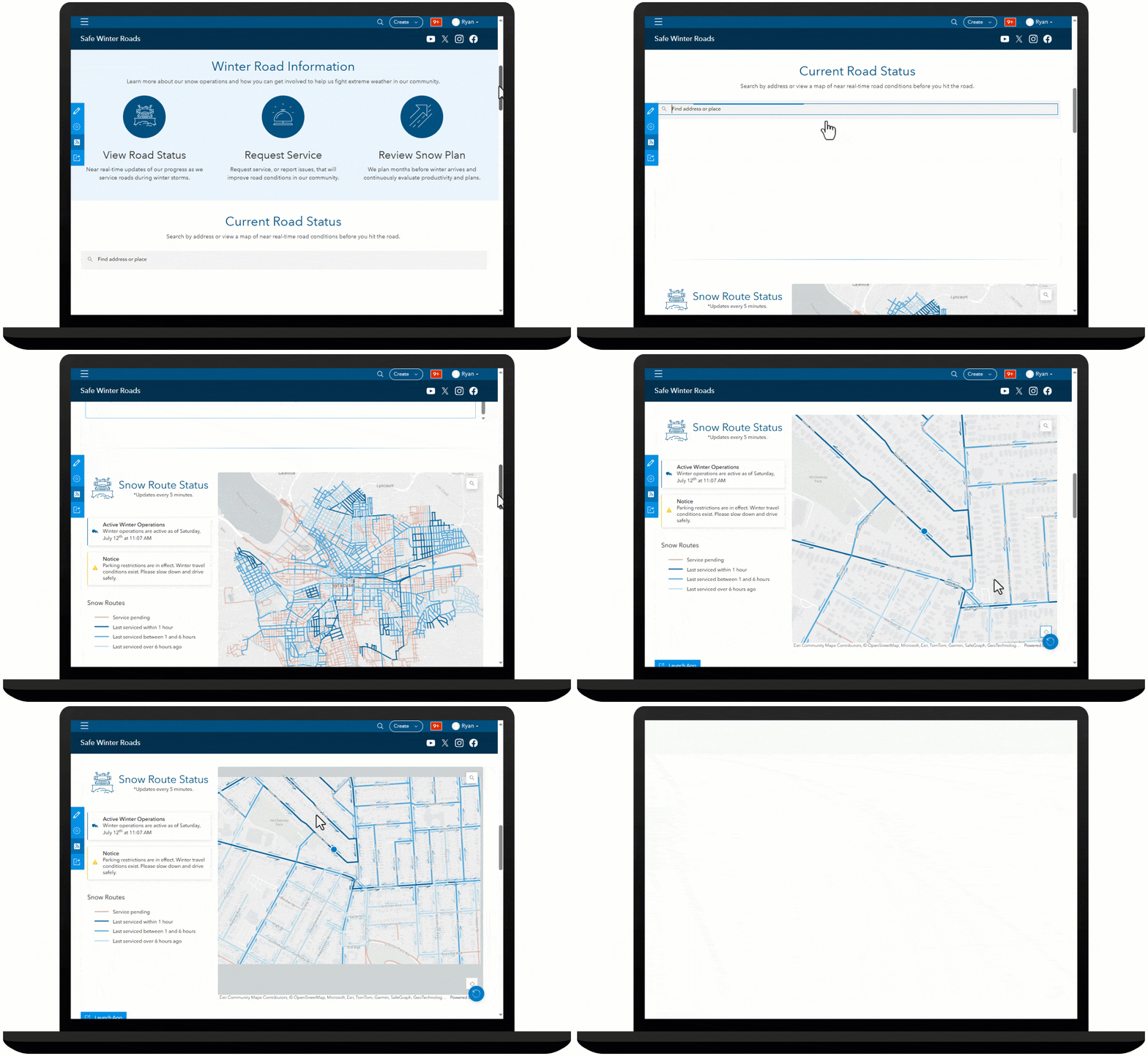
The map layer, legend, and onscreen notices in the Snow Route Status Dashboard will automatically update over the course of the winter event. Similarly, if there are no active winter operations, the map, app title and other elements will automatically update to indicate no active operations.
By leveraging technology to monitor and analyze winter weather operations, agencies using the Winter Weather Operations solution can be better prepared for and respond to adverse weather conditions, ultimately enhancing road safety and increasing transparency and public trust.
Additional resources
For more information about the Winter Weather Operations solution, check out the following resources:
- Learn how to deploy, configure, and use the solution.
- View a demo video.
- Learn more about ArcGIS Solutions.
- Read a case study.

Commenting is not enabled for this article.