The ArcGIS Earth 2.6 mobile release continues to expand how mobile users can explore, visualize, and interact with geospatial data in real‑world environments. This update introduces new ways to look back in time, visualize data at true scale in the field, refine drawings with greater precision, and connect to open, standards‑based services—all designed to support more confident decision‑making on the go.
Here’s a closer look at what’s new in the ArcGIS Earth mobile app.
Features and Enhancements
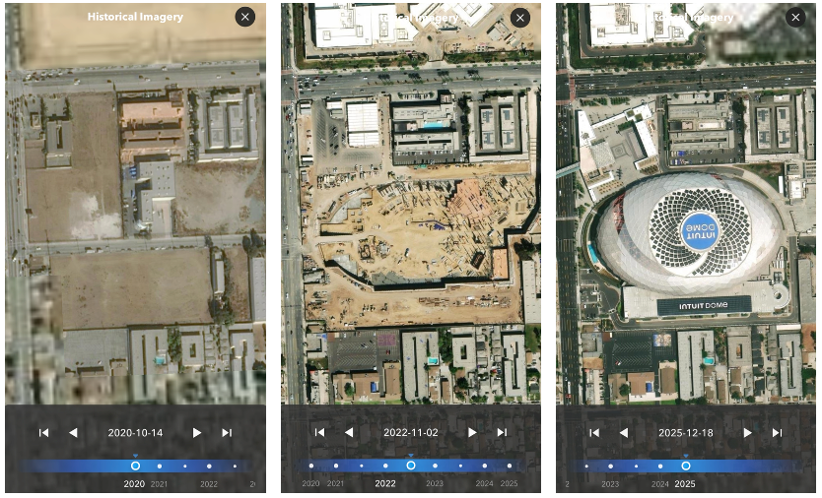
Explore the Past with Historical Imagery
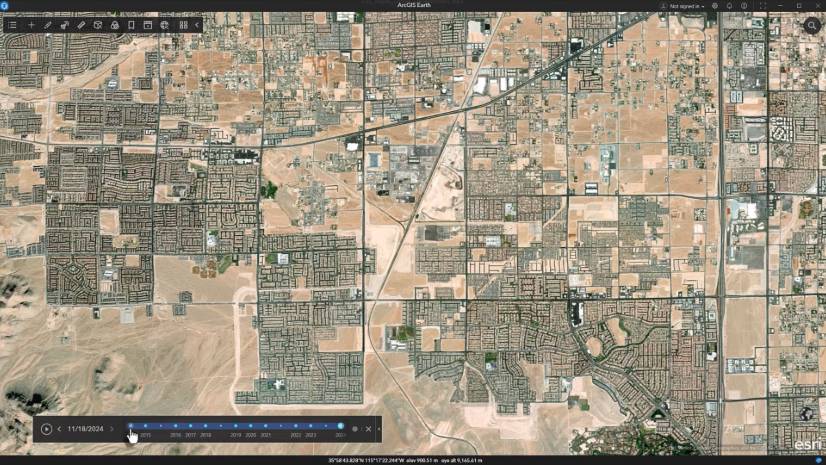
Users can now access historical versions of World Imagery directly within ArcGIS Earth for mobile. World Imagery is Esri’s high‑resolution global basemap, and until now, older imagery was no longer accessible once updates were published.
This enhancement allows users to view previous imagery snapshots, providing valuable historical context for understanding how places have changed over time. Whether monitoring land‑use change, assessing environmental impacts, or reviewing infrastructure development, historical imagery makes it easier to analyze past conditions without leaving the app.
By bringing historical imagery into a mobile 3D experience, ArcGIS Earth helps users save time, gain deeper insight, and make better‑informed decisions in the field.
Visualize Data in the Real World with World Scale AR (Beta)
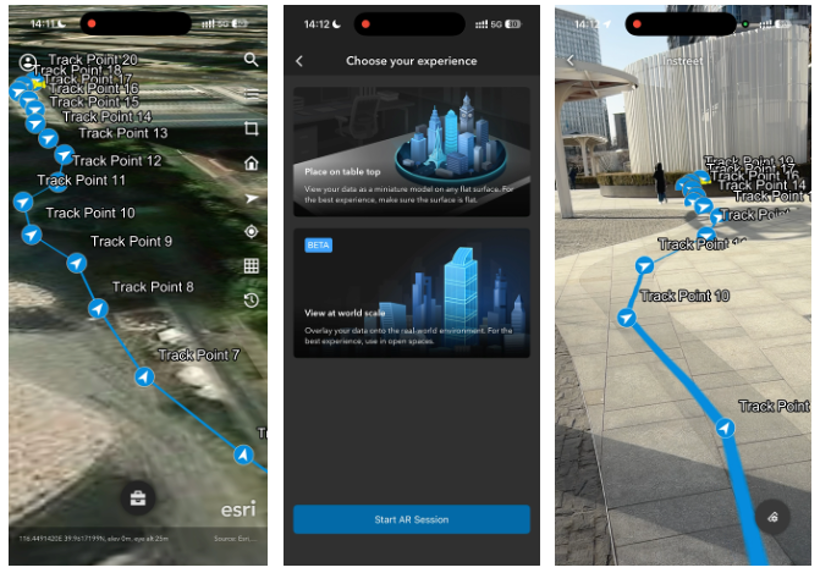
ArcGIS Earth for mobile now includes World Scale AR (Beta), a new way to visualize geospatial data directly in real‑world context.
With World Scale AR, users can place lines, polygons, and underground utilities at their true location and scale, allowing digital data to align accurately with the physical environment. This capability addresses a common challenge when interpreting 2D maps or static 3D scenes—understanding how geospatial information relates to what’s actually on the ground.
World Scale AR is especially valuable for field‑based workflows. Utility engineers, field technicians, and land managers can use it to better understand spatial relationships, identify potential risks, and increase confidence during inspections and assessments.
World Scale AR is available as a beta capability and will continue to evolve based on user feedback.
Refine Field Data with Edit Drawing Geometry
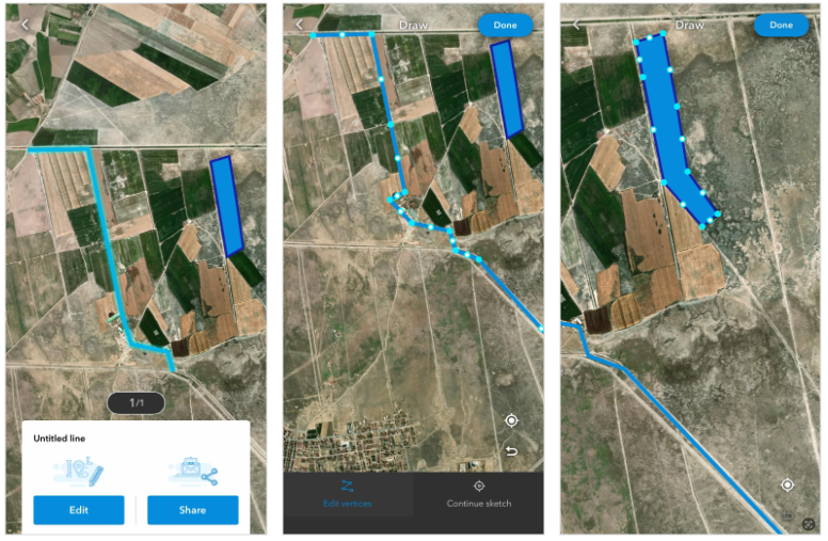
The new Edit Drawing Geometry capability enhances how users capture and refine information in the field.
Users working with lines and polygons can now edit existing drawings by adding, deleting, or moving vertices to refine geometry with greater precision. This goes beyond simple placemark edits and gives mobile GIS professionals and field crews more control when adjusting features to better reflect real‑world conditions.
Whether correcting a boundary, refining a sketch, or updating a feature after additional context is available, Edit Drawing Geometry helps improve data quality without needing to recreate drawings from scratch.
Connect to Open Data with Support for OGC WMS and WMTS Services
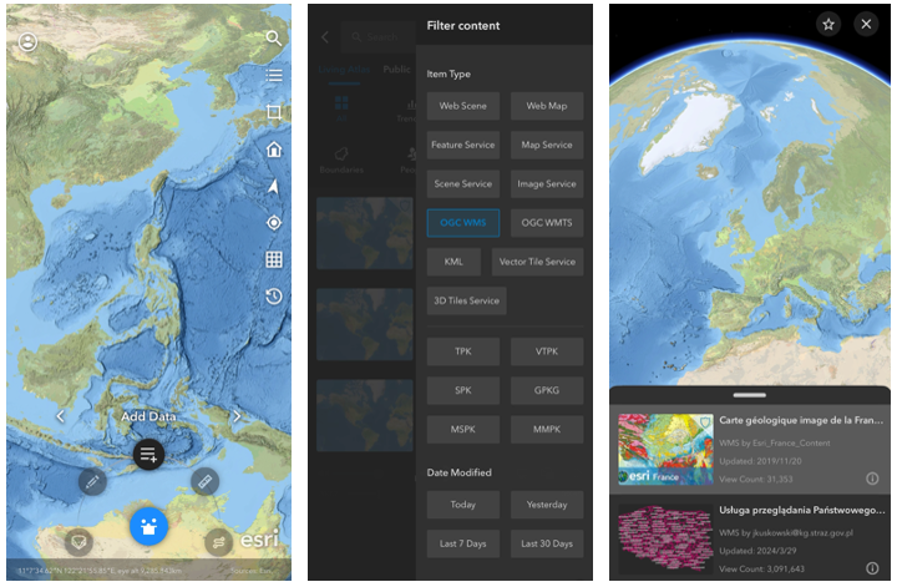
The ArcGIS Earth mobile app now supports OGC‑compliant WMS and WMTS services, bringing the mobile experience closer in parity with ArcGIS Earth Desktop and reinforcing Esri’s commitment to open standards and interoperability.
With this update, mobile users can seamlessly connect to authoritative third‑party WMS and WMTS services, making it easier to access trusted data sources in the field without relying on additional systems or apps. This capability supports consistent workflows across desktop and mobile environments while giving users the flexibility to work with widely adopted service formats.
By supporting open standards such as WMS and WMTS, ArcGIS Earth for mobile continues to strengthen its role as a flexible, interoperable 3D visualization app.
In Closing
To learn more how to get started with these new features and enhancements, visit the ArcGIS Earth for mobile documentation.



Article Discussion: