This piece of content is no longer being maintained and may reference events in the past or product features that have changed.
Living Atlas provides a collection of ready-to-use maps, layers, scenes and apps for your ArcGIS Enterprise organization. We know how important it is for you to have access to fresh, relevant data, and we have exciting news for ArcGIS Enterprise users on version 11.3 and higher.
A new package of Living Atlas items for ArcGIS Enterprise has been released on October 16th! The Living Atlas content package 2025.2 is available for ArcGIS Enterprise 11.3, 11.4 and 11.5 users to deploy immediately. I’m going to review some highlights from the new package, and give you some tips on how to deploy the new items in your organization.
What’s in Living Atlas content version 2025.2?
There are several new, ready-to-use items added in version 2025.2. Some highlights include:
- USA impaired or threatened water bodies layers
- New global environmental data provided by Esri
- Updated basemaps
- Regional content for the UK, Switzerland, Germany, France, and Canada

Which ArcGIS Enterprise versions can take advantage of the update?
The ability to update your Living Atlas content in ArcGIS Enterprise was introduced in ArcGIS Enterprise 11.3. Administrators of ArcGIS Enterprise organizations who are on version 11.3 or later can refresh their Living Atlas content when Esri releases a new package for as long as their ArcGIS Enterprise version is in general availability or extended support. Currently, this applies to ArcGIS Enterprise 11.3, 11.4, 11.5, and 12.0 when it is released.
Deploying package 2025.2 to your existing ArcGIS Enterprise portal
Organization administrators can go to the Living Atlas organization settings to view the details of the Living Atlas content they currently have deployed. Now that the latest package has been released, you will also see a notification that Living Atlas content version 2025.2 has been released. Administrators can then initiate a content update from this banner, choosing to update the content immediately or schedule an update for later.
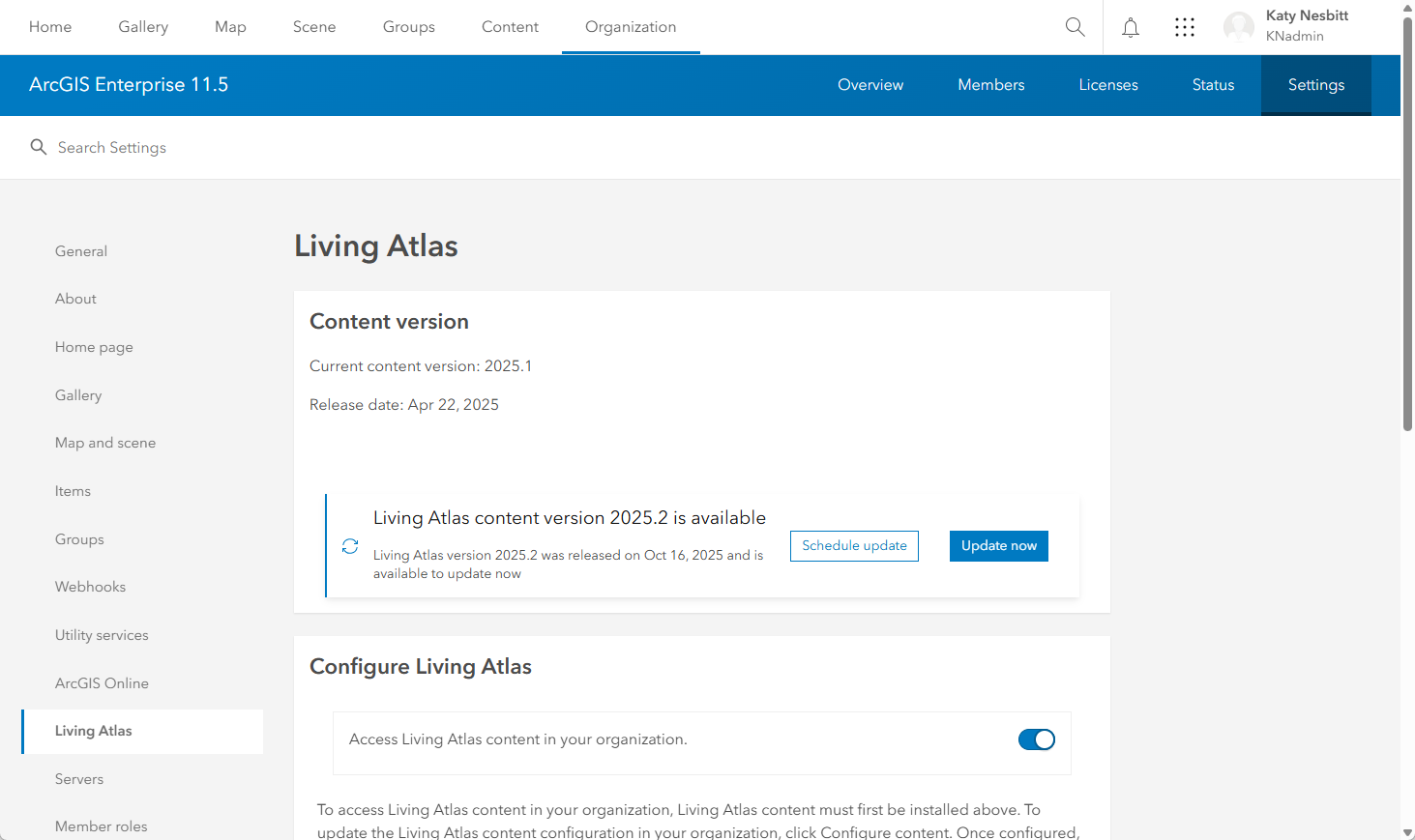
Because Living Atlas content version 2025.2 was released before the ArcGIS Enterprise 12.0 release, if you install 12.0 immediately you will likely be deploying this package. If you install one of the supported ArcGIS Enterprise versions in future, by following the above instructions you will be guaranteed to have deployed the most recent Living Atlas content available to Enterprise users.
Once an ArcGIS Living Atlas content update begins, new items, including those highlighted above, will be added to the organization’s ArcGIS Enterprise portal. Existing items will be updated if necessary, including marking any items for mature support that are retiring soon. For these mature support items, you can find information in their details pages about their retire date and recommended replacement items. Any content that is already retired will be removed from your organization.
Deploying package 2025.2 after an install or upgrade
When you install or upgrade to ArcGIS Enterprise version 11.4, 11.5, or 12.0 you will notice that your organization does not come with a set of pre-installed Living Atlas items. An administrator will need to deploy your ArcGIS Living Atlas content post-upgrade to ensure your organization has access to the most up-to-date content available. Post-install or upgrade administrators will see an option in the Organization Settings to deploy the latest package, 2025.2.
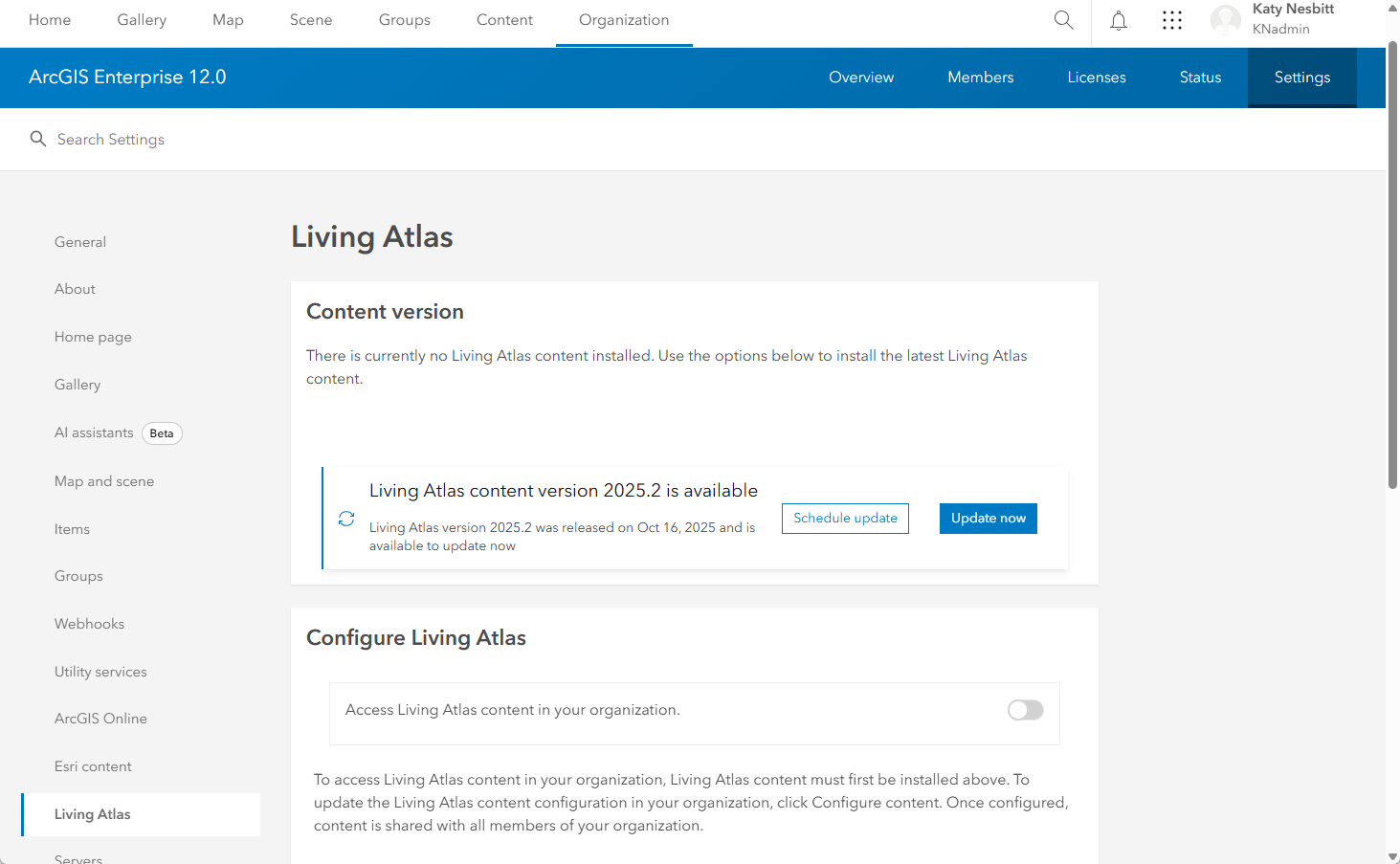
If you are installing or upgrading to ArcGIS Enterprise 11.3 for the first time, your organization already has a set of installed Living Atlas content included, package 2024.1. To get the most up-to-date content package, you should follow the instructions to deploy package 2025.2 above.
If your organization members are using Living Atlas content, we recommend always doing this as one of your post-install or upgrade steps so that Living Atlas content is available as soon as your users need it.
Deploy deep learning models to your Living Atlas content
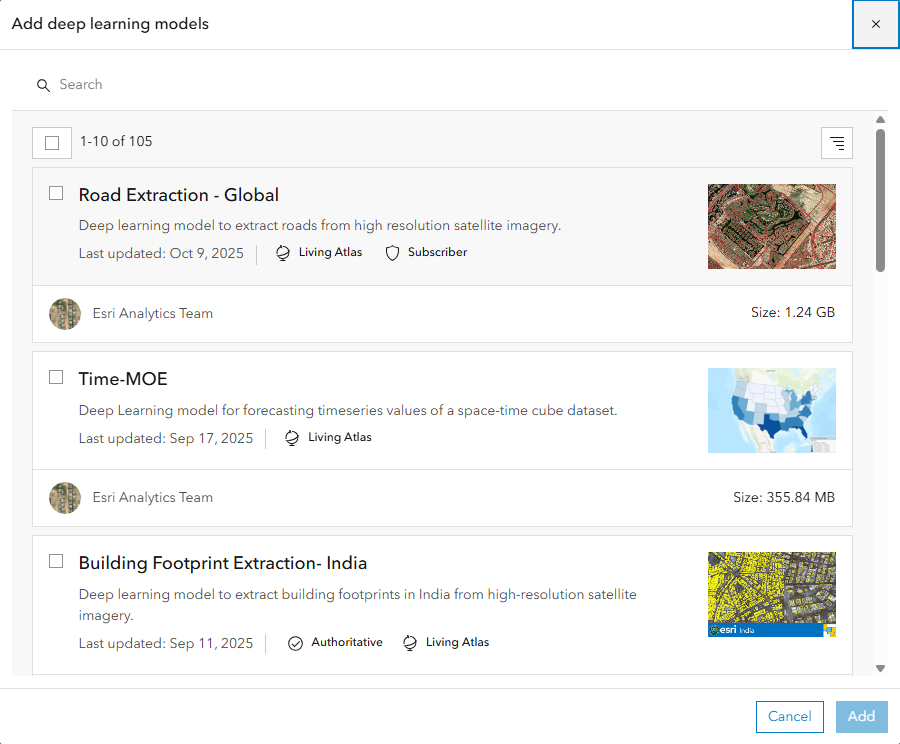
ArcGIS Enterprise 11.5 and higher users can deploy deep learning models to their organization’s Living Atlas content. You can add a selection of deep learning models after deploying a Living Atlas content package. During an upgrade, deep learning packages are preserved, but you do have to import a Living Atlas package and enable Living Atlas for your organization members to have access to them. Don’t forget to check for updates to the packages periodically so you can ensure your users have access to the most up-to-date models. New deep learning models are getting added to Living Atlas all the time, and you can add these to your ArcGIS Enterprise organization immediately!
We hope your organization will benefit from access to fresh Living Atlas content in version 2025.2. The next package will be available early 2026; take advantage of deploying it as soon as it’s available!

Article Discussion: