With ArcGIS Enterprise 12.1 on Windows and Linux, we introduced a new documentation experience.
This experience better aligns to the product and its audiences who plan, deploy, maintain and administer it, as well as those who create, analyze, and share content.
It’s available both from our public website and from the software itself.
12.1 documentation site
More than just a visual refresh, the updated structure is designed to be more effective for readers to navigate ArcGIS Enterprise as a whole, to move through common workflows, and find tailored guidance.

12.0 and earlier documentation site
In previous releases, we’d organized the site and content by the individual software components that comprise a base deployment, such as Portal for ArcGIS, ArcGIS Server, and ArcGIS Data Store. Though, over time, it became clear that it wasn’t useful to define workflows and concepts around the boundaries of each software component, but rather to organize it around the tasks people are trying to accomplish.

Key motivations
One of the motivations for this new experience was to promote natural movement through the site through a persona driven approach. As well, we wanted to align more closely with ArcGIS Enterprise on Kubernetes, and to an extent, ArcGIS Online.
The new experience also provided us an opportunity to simplify some areas of our terminology.
The result is a content refresh and structure that better supports planners, architects, administrators, and everyday organization members alike.
The content is also unified for on-premises or cloud environments, with differences and nuances described where relevant (instead of distinct and inconsistent sections for each).
Content at a glance
The new experience is designed to be clearer, more cohesive, and more useful for the people who rely on it every day.
We’ve consolidated several areas of critical information that were previously spread across multiple topics or sections, to streamline and better promote these concepts.
As examples, foundational topics for planning and deployment, including system requirements, required ports, and storage concepts are more prominent.
In the plan, deploy, and administer sections, we’ve consolidated frequently asked questions.
When considering whether to install or upgrade to the latest release, what’s new covers new features (and on the flip side, what’s retired and deprecated).
It’s here where information is centralized for a base deployment, additional servers and extensions, APIs and SDKs, cloud tooling, apps, and more.
In addition, considerations for choosing a software version details the product lifecycle and designation of short- and long-term releases.
To view deployment at a glance, see the software setup guide and steps to deploy individual components.
Or, to better understand guiding principles, such as best practices for system architecture, and those describing well-architected pillars, the content is now in closer alignment with companion resources in the ArcGIS Architecture Center.
Other notable changes
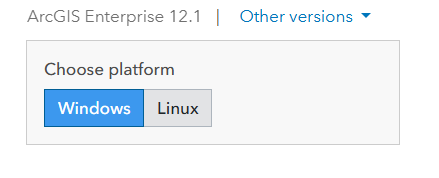
One notable change is the addition of an operating system toggle on pages where content differs in Windows and Linux.
As an example, if you’re configuring security and authentication or administering your organization, the toggle will disclose relevant information based on the environment you choose. If you’re installing a Web Adaptor, you can use the IIS or Java Windows/Linux toggle to find the information relevant to your environment.
Another change is the quickest navigational route to access sections beyond a base deployment.
The quickest way to access these sites is through the introduction or what’s new topics.
Both provide quick links to all servers and extensions, apps, cloud builders and templates, and more. Or, if you’re just interested to know more about a stand-alone ArcGIS Server, we’ve got you covered.
Perhaps the most notable change with this release is our move to the https://doc.esri.com domain. As product documentation sites move to this domain, they are represented with a consistent and modernized look and feel. Landing pages are styled and structured similarly, and dark and light mode options are available in the top-level banner.

And, if you’re wondering whether documentation on https://enterprise.arcgis.com will remain, rest assured, we’ll continue to prioritize your feedback to update prior versions in general availability.
We also put care into the experience to provide backward and forward compatibility where relevant across these domains, so that you can find earlier or later versions of a topic – depending on your software version.
The version switcher on the latest version of each topic can bring you back to prior versions where applicable.
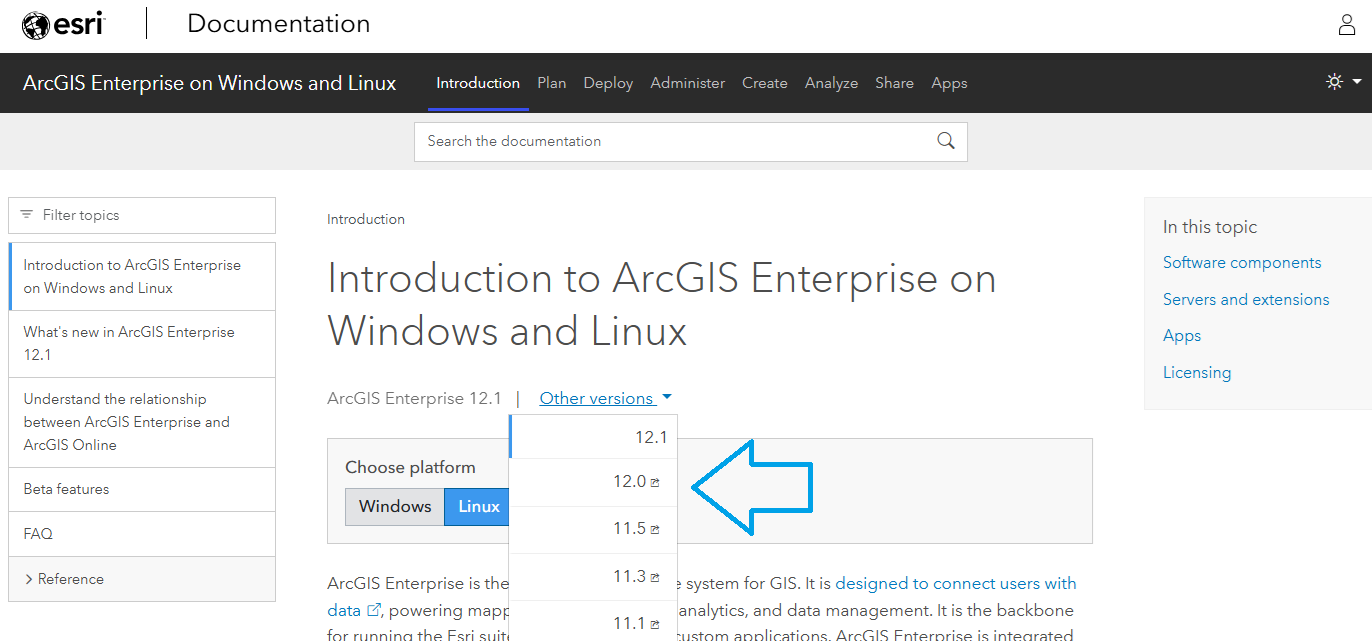
Prior version pages are accompanied with a banner and link to the latest version of a particular page. You can also adjust the version in the topic URL to /latest or /12.1.

If you have not explored the new experience yet, now is a good time to take a look, follow the updated pathways, and see how the new structure can help you find what you need.
Get in touch
As always, we want to know what you think. If you have feedback on the new site, encounter issues or have questions or content suggestions, we want to hear from you. As with all our prior versions, a feedback link is available on the bottom of each page. Beginning at 12.1, the experience is similar but in the form of a short survey.

Article Discussion: