ArcGIS Hub revolutionizes how people work together geographically. ArcGIS Hub continues to advance, making it easier for you to share trusted and curated content, collaborate, and engage with your community of practice.
Features get added to ArcGIS Hub progressively, and new releases occur almost every week. Recent ArcGIS Hub updates include the new ArcGIS Hub assistant (beta), an improved workspace Overview pane, and configurable catalogs. Keep reading to learn more about these new features so you can try them out the next time you use Hub.
ArcGIS Hub assistant (beta)
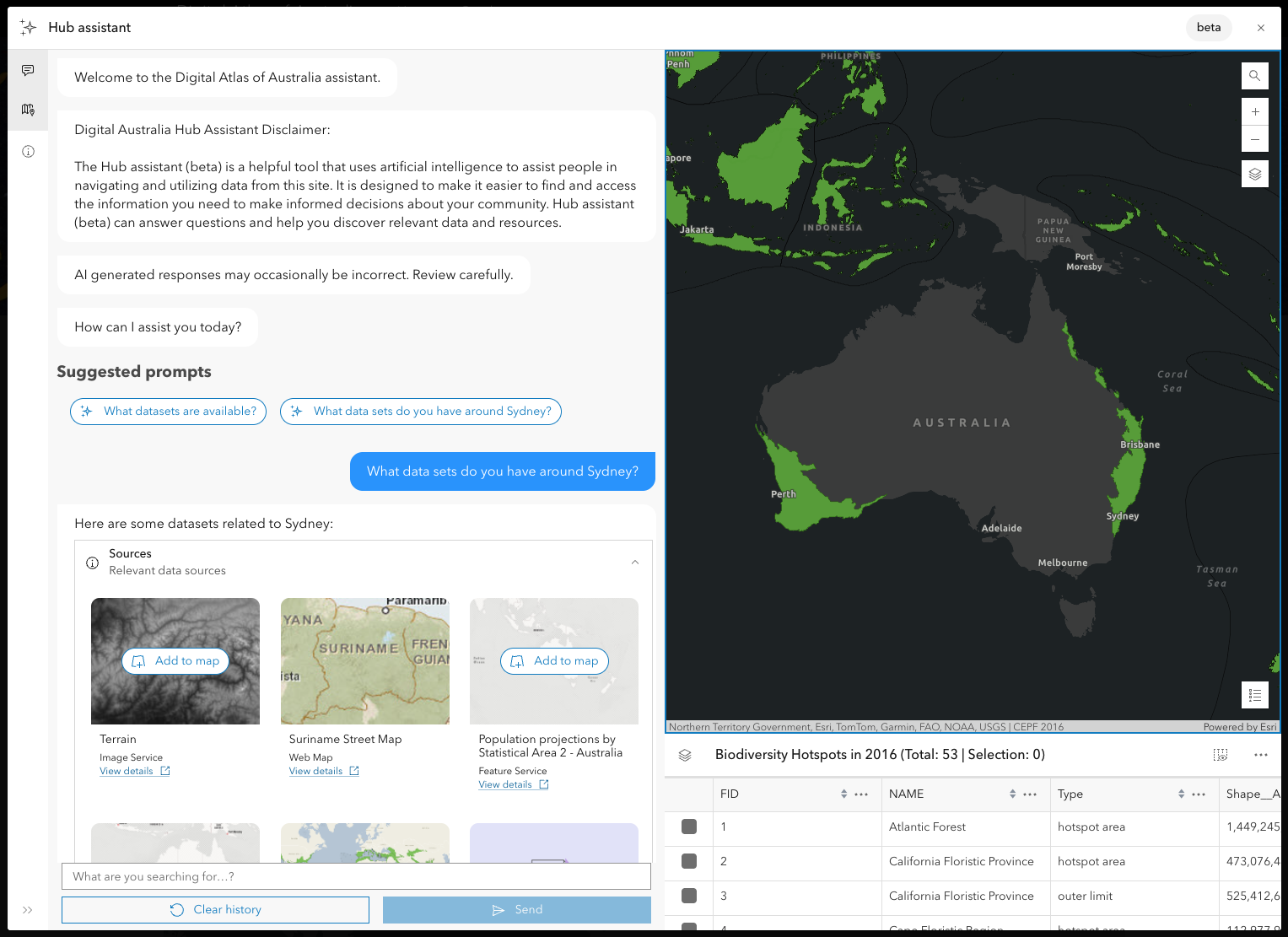
Site users can now explore ArcGIS Hub site catalogs using natural language with the ArcGIS Hub assistant (beta), a search agent powered by artificial intelligence (AI). Ask the Hub assistant (beta) simple prompts in natural language such as “What datasets are available on this site?”
Site administrators with an ArcGIS Hub Premium subscription can deploy and configure the ArcGIS Hub assistant (beta) on their site. From a site’s workspace, customize your assistant’s personality, create example prompts, and adjust default workflows.
Improved workspace Overview tab
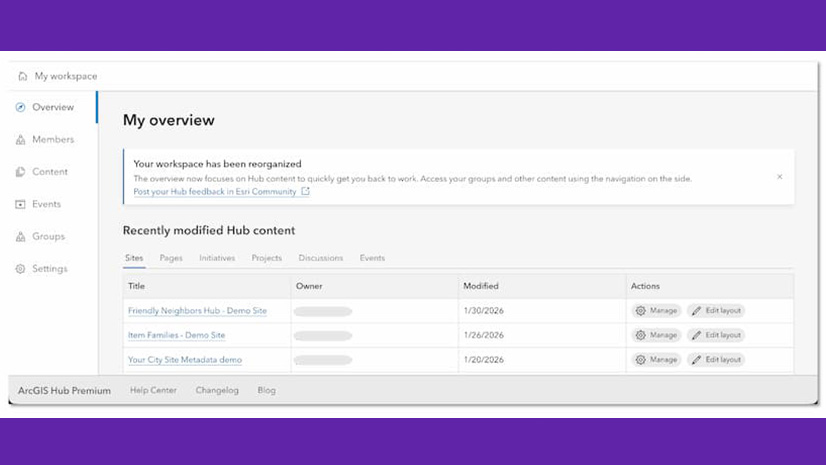
The workspace Overview tab has been updated to organize your recently modified content in tabs by item type. You can now open a site or a page in edit mode directly from your workspace overview, making it easier to continue your previous work. This update improves navigation, helping you quickly access the content you’ve recently modified.
Configurable catalogs
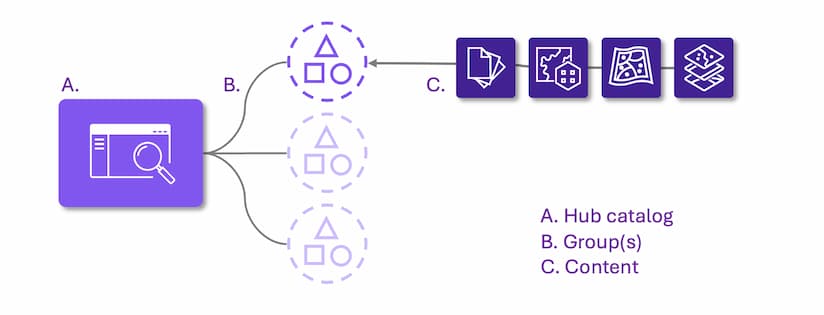
Customize site content with configurable catalogs, an upgrade to the content library found on sites created in Hub’s classic edit mode. Configurable catalogs give ArcGIS Hub users more control over how they organize and share open data. Add content from one or more groups to your catalog, and further organize your data by content collections.
Other updates
- You can now favorite a site directly from its homepage or pages. Signed-in users can add or remove sites from their favorites using the star icon to find those sites again later. This further supports accessing favorite Hub catalogs in Map Viewer.
- Public Hub sites now show a clear download option for files like PDFs, CSVs, and Shapefiles on mobile devices to access data without rotating the screen or leaving the site.
- Workspaces are now the default ArcGIS Hub management experience for everyone. ArcGIS Hub classic edit mode is deprecated, with its final release schedule for June 2026.
- Web maps embedded on sites now open in Map Viewer instead of Map Viewer Classic.
- Improved security for Google Analytics cookies on Hub sites by ensuring they are always set with the Secure flag, helping protect user data and meet modern security standards.
More resources
You can now access these and several other enhancements in Hub. For a full list of new features, visit What’s new in the Hub help documentation and the ArcGIS Hub Changelog.
We love hearing from you! Visit Esri Community to ask questions, access resources, and submit ideas for new features you want to see in Hub.





Commenting is not enabled for this article.