Do you find yourself presenting GIS content to executive leadership and wondering whether your presentation is high-level and concise—while still clearly communicating what your maps show? If so, a Map Portfolio is an effective way to present GIS content to executive audiences.
A Map Portfolio presents a condensed set of data, maps, and StoryMaps within an ArcGIS StoryMap Collection, designed specifically for executive consumption. Each Map Portfolio is organized by geography—such as a nation, state, province, district, or other boundary—and contains multiple StoryMaps. Each StoryMap focuses on a single issue or topic relevant to leadership priorities.
Within each StoryMap, one or more web maps illustrate the topic. Accompanying text briefly explains the issue, describes what the map shows in plain language, and cites the data source. Additional context, supporting apps, and detailed source information are provided at the bottom of each StoryMap.
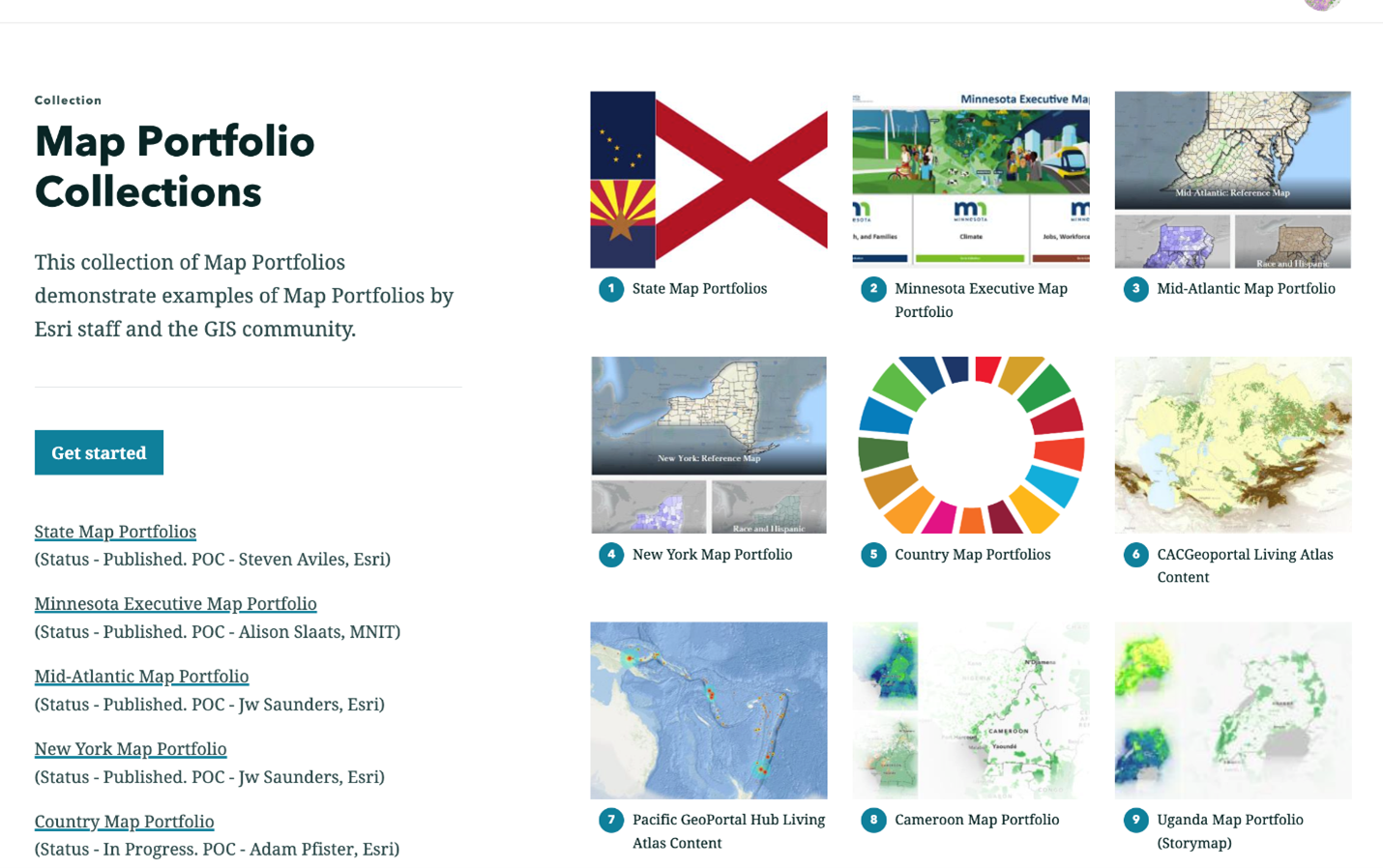
Click the image below to view examples of successful Map Portfolios.
Click on the image below to see examples of successful Map Portfolios.
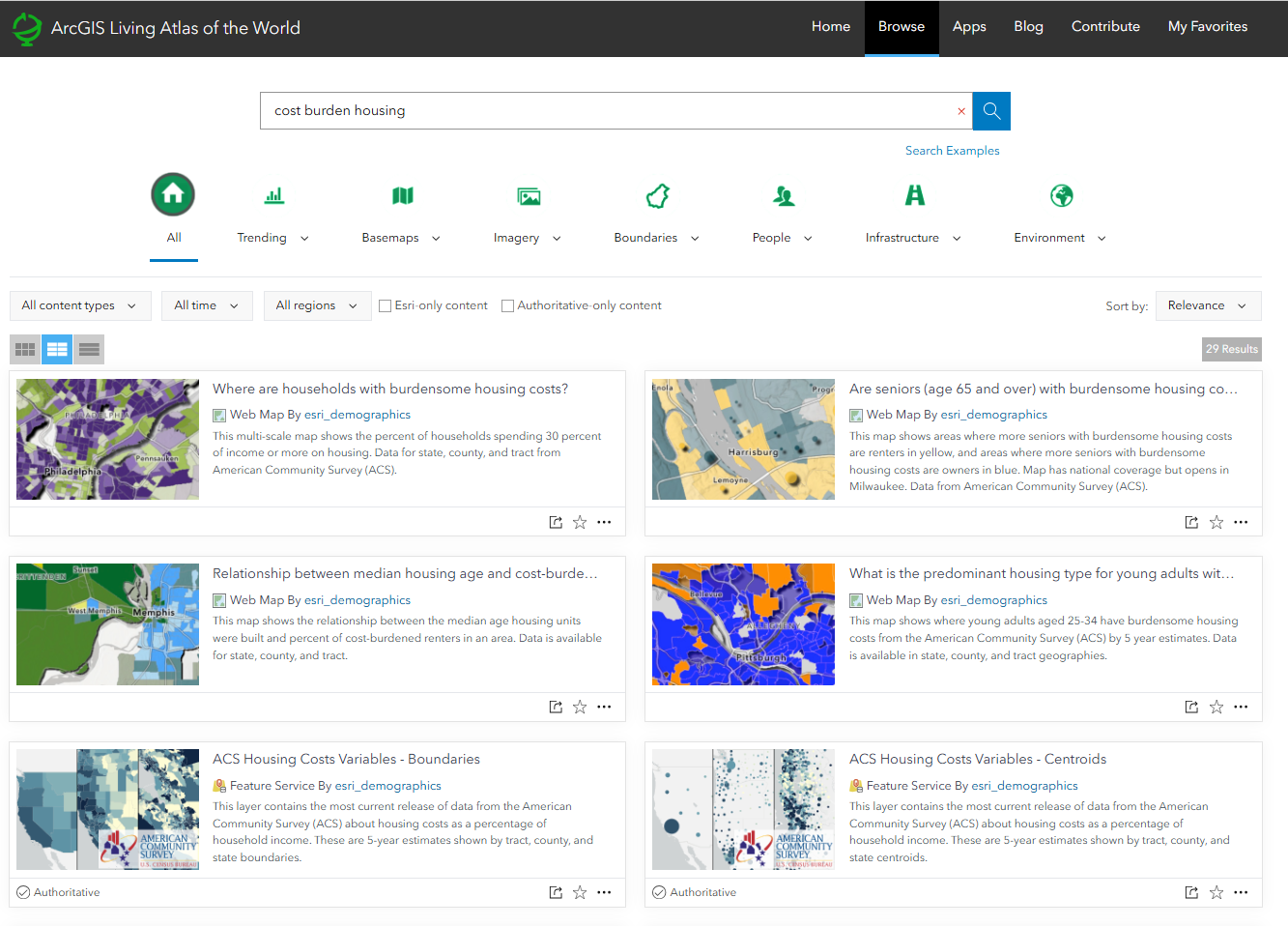
ArcGIS Living Atlas Content
While using your organization’s local data is ideal, ArcGIS Living Atlas offers a vast collection of curated, ready-to-use geographic content—including layers, maps, and apps—from Esri and thousands of trusted organizations. Living Atlas content can supplement your local data or, when local data is unavailable, serve as the primary data source for your Map Portfolio.
For example, if your topic is housing affordability, you can search “cost burden housing” in Living Atlas and use the ready-to-use web map “Where are households with burdensome housing costs?” as the foundation of your StoryMap.
While using your own local data of your organization is best, ArcGIS Living Atlas provides a vast collection of curated, ready-to-use geographic content (layers, maps, apps) from Esri and thousands of organizations that can be used to help you create your Map Portfolios. Living Atlas content can help supplement your local data to help better present your topics of interest, or if you don’t have local data for your topics of interest, Living Atlas content can be used for the entirety of your Map Portfolios. For example, if you wanted to focus on where area with burdensome housing, you can search ‘cost burden housing‘ in Living Atlas, and use a ready-to-use web map titled ‘Where are households with burdensome housing costs?’
Steps to Create your First Map Portfolio
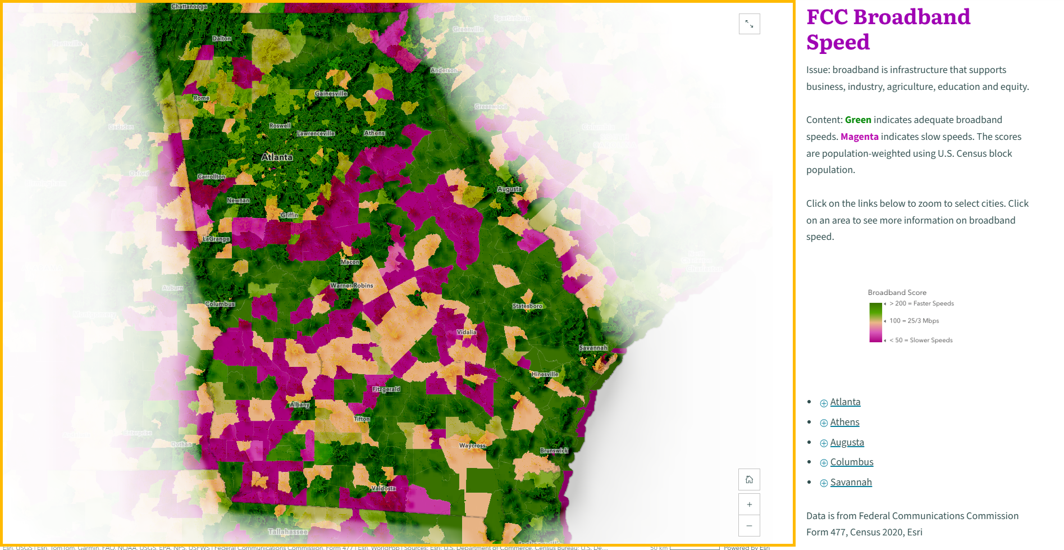
Let’s start by creating your first StoryMap for your Map Portfolio. For this example, I’ll be using Georgia as my geography of interest, and the topic will be broadband access, using a web map creating from the ‘FCC Broadband Data Collection June 2025‘ in Living Atlas.
1. Executive-Ready Web Maps
- A web map that is high-level, visually clear, and has a clear purpose & objective
- Many executive-ready web maps are available in ArcGIS Living Atlas
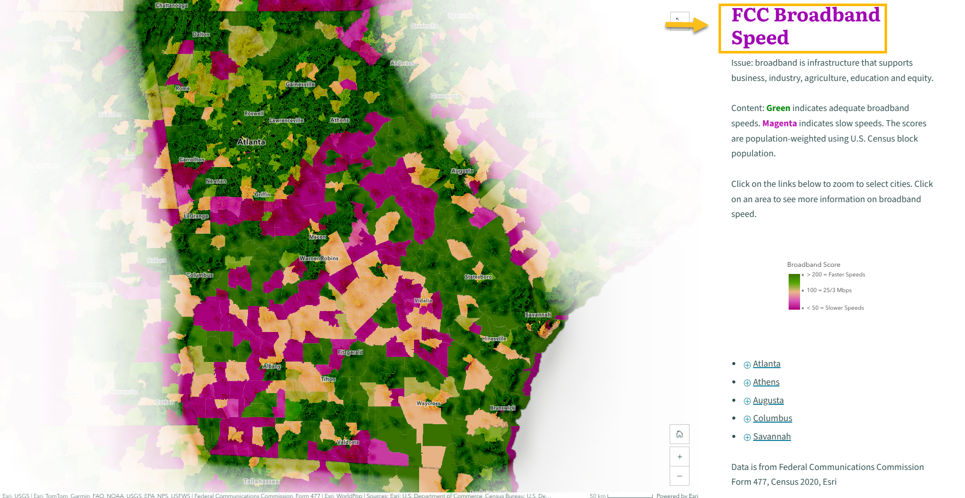
2. Title of a topic
- A concise title telling the reader what they are looking at in the webmap.
- More than just a data layer name
- Topic should be a main priority of your audience (executive leadership, etc)
- Example Formats: Data Source + Topic, Topic , Topic + Geography
3. Subtitle of a topic
- A bit more context on why this topic is important.
- Limit to one sentence
- Common Format: Stating an Issue, State and Issue + Statistics
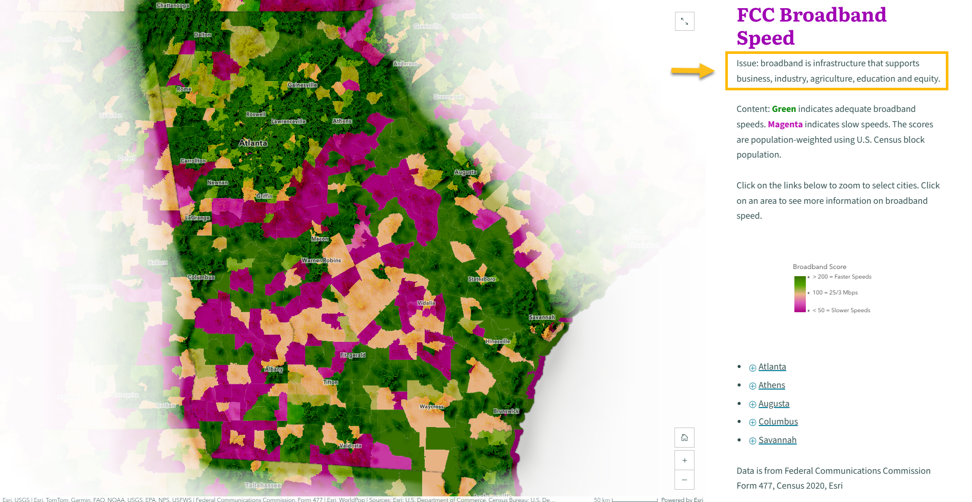
4. Descriptive paragraphs
- Describe what the map shows / How to read the map
- Descriptive sentence examples:
- This map shows X topic. Areas in A color show X,
- Areas in B color show Y. Zoom in to… Click on X to see…
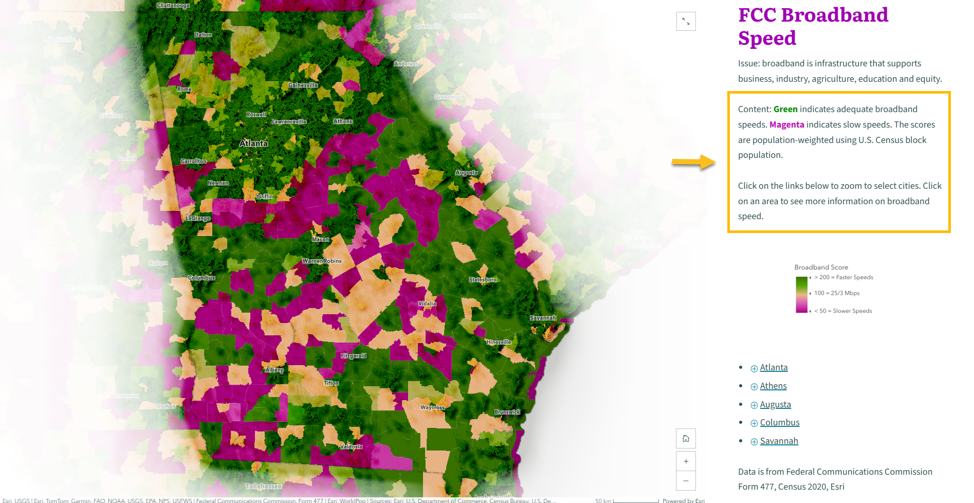
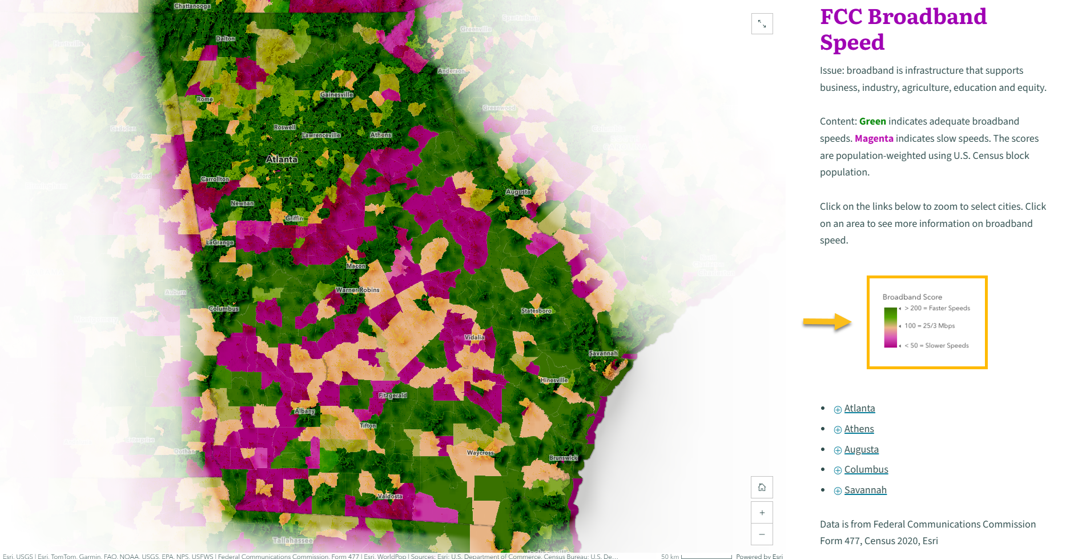
5. Layer Legends
- Embed screenshot of layer legend in the StoryMap.
- This saves space on the map from not having to turn on Layer Legend in the map.
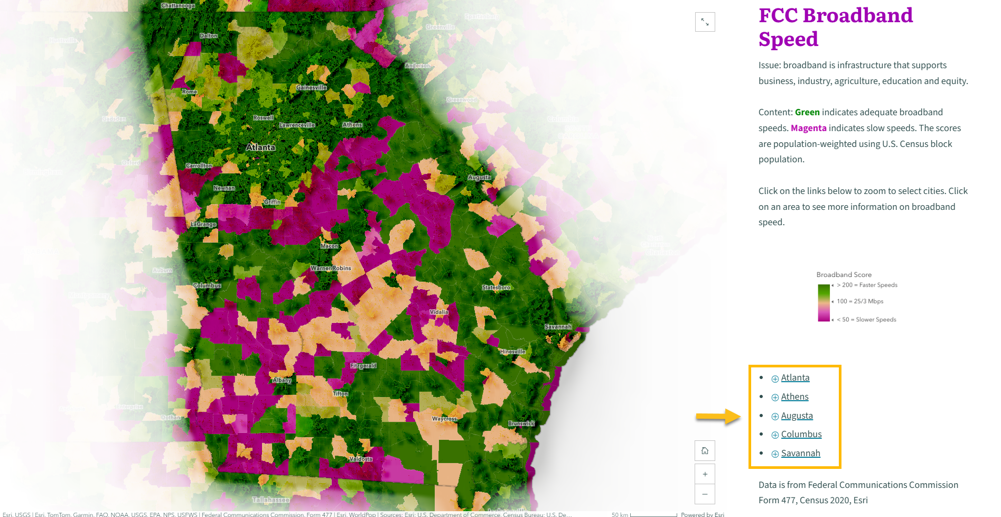
6. Map Actions
- Map Actions/Media Actions
- Zoom to areas of interest (ex: States, regions, counties, cities, neighborhoods etc)
- Filter specific layers in your map to show multiple maps in a StoryMap
7. Data Source and Vintage
- Include the source of the data
- Include the vintage of the data
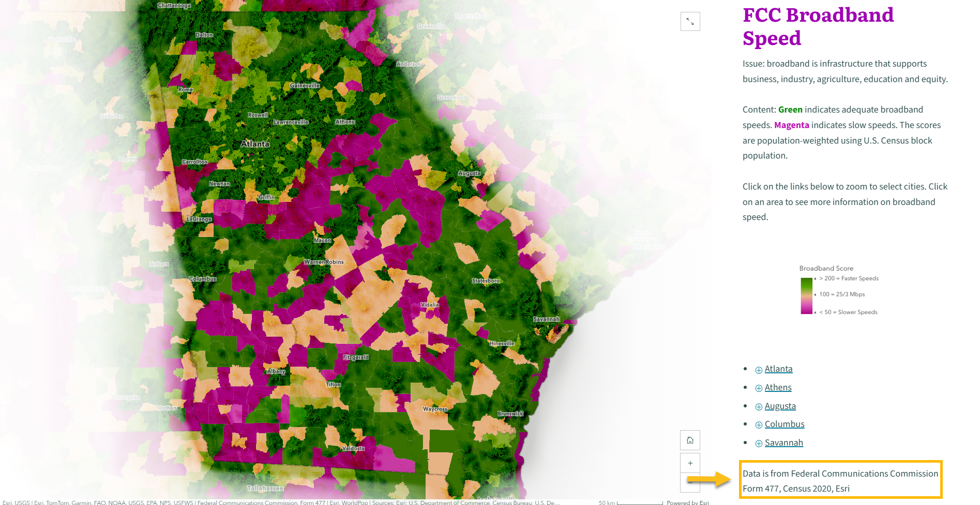
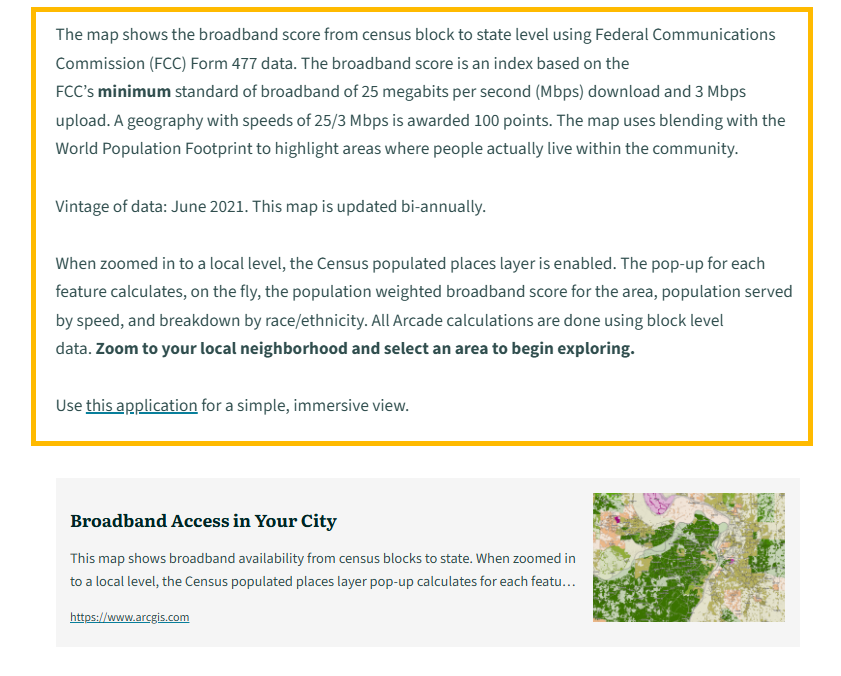
8. Layer(s) Item Details
- Detailed text on the layer items
- Position below the web map
- Include definitions of attributes
- Vintage of the data/ update cycle
- Link to supporting research/maps/etc
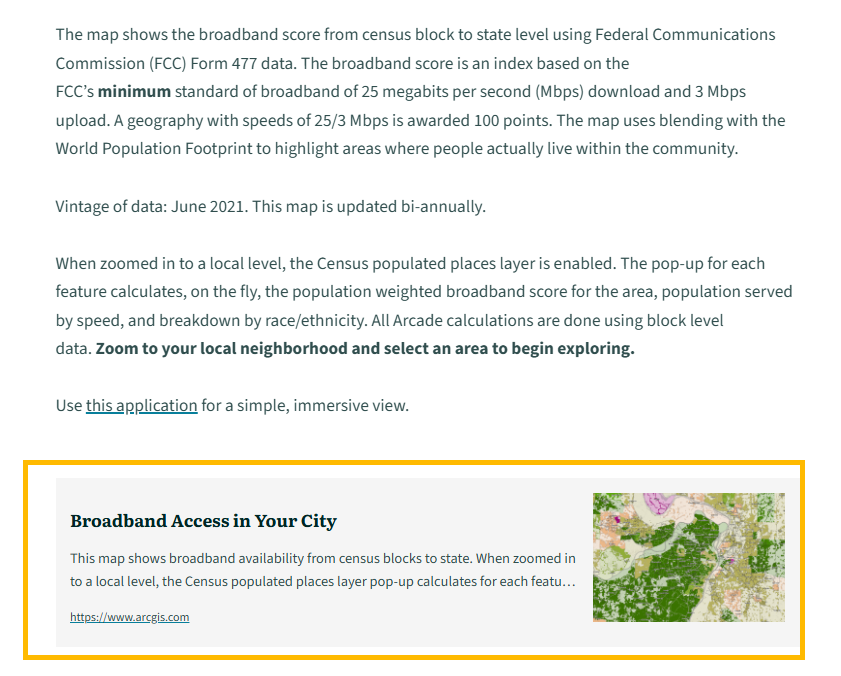
9. Links to Layers
- Direct link to the layer(s) in ArcGIS
- Uses media embed card in StoryMaps
What’s Next?
After creating your first StoryMap, repeat this process for additional topics aligned with executive priorities. Add all of these StoryMaps to an ArcGIS StoryMap Collection to create your completed Map Portfolio. For example, you can view the completed Georgia Map Portfolio, which includes 22 StoryMaps—one of which is the broadband access example used above—at the link provided.
Interested in duplicating your finished Map Portfolio for other geographies? Contact me at saviles@esri.com to learn about an internal Esri tool that allows you to replicate a Map Portfolio across geographies and save hours of time.



Article Discussion: