Recently I made some changes to the Human Geography Basemaps to make them WCAG friendly. In my blog at the time I talked about the challenge of increasing label sizes on basemaps such as these. I did what I could without changing content levels at each scale (We are reluctant to make major changes to existing basemaps in case they compromise maps that are already using them).
However it got me thinking about what a ‘large label’ version would look like, and these are the results:
Human Geography – Large Label Basemap
Human Geography Dark – Large Label Basemap
They are not intended to replace the existing Human Geography Basemaps. Consider them as an alternative if you think you might need the larger labels.
They are prototypes for now, so details might change, but if you do want to use them I’ll be keeping them available. The only reason I will take them offline is if we replace them with a more official version, and I will try to give plenty of notice of that.
The Changes
I decided to set a minimum label size of 16px for this exercise (most of our current basemaps use a minimum size around 9px). At very large scales I increased the size to around 20px and to as much as 30px. The most significant difference is at smaller scales. At larger scales many of the labels were larger already.
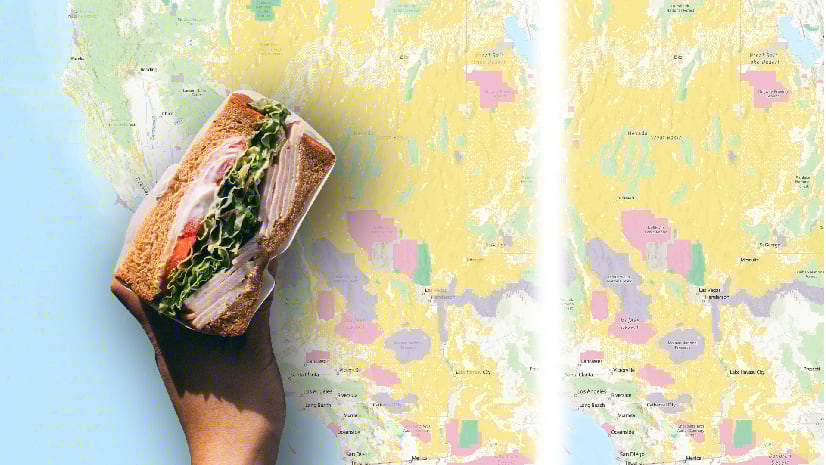
To accommodate the larger size, I introduced the labels at least one scale later than on the current map, and often two or more. This means that at any specific scale you will see fewer labels. Here are some before/after comparisons. The current map is on the left, and the ‘large label’ version on the right:
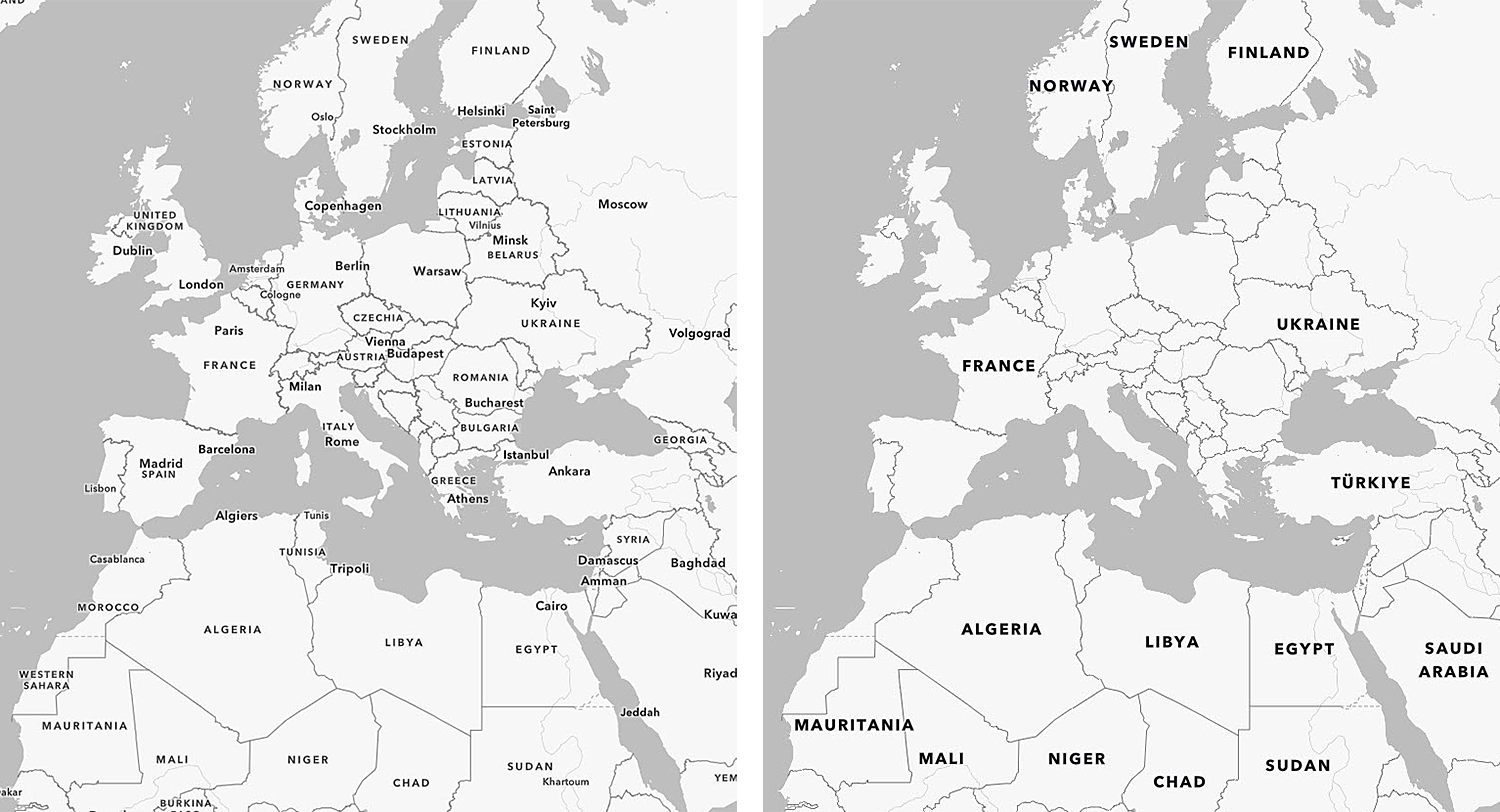
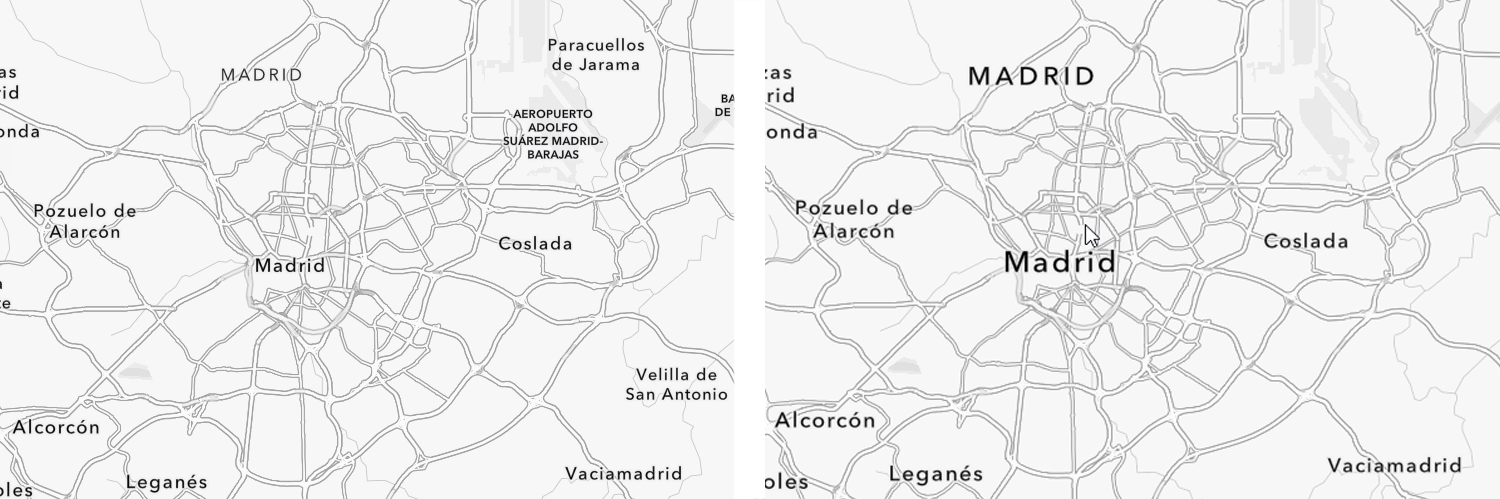
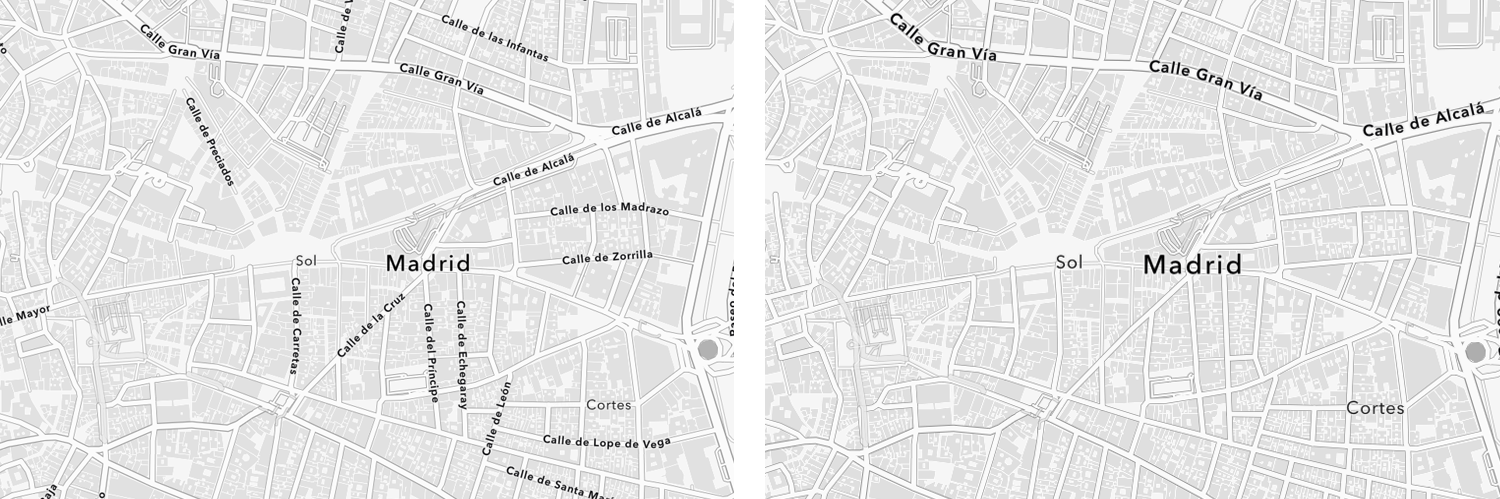
If you find a label is missing, zoom in a few times and you should find it available again.
Vector Tile Layers
Most of the changes, not surprisingly, are to the ‘Label’ layers. These can also be used with other ‘label free’ basemaps (See here for more information on how to prepare for that).
Human Geography – Large Label Reference
Human Geography Dark – Large Label Reference
However, ‘Large Scale’ versions of the Detail layer are also available. The only changes here are to Road Shields, which are included as part of this layer because it makes sense to keep them with their associated roads and highways. They are available in the Label layer as well though, but invisible (I keep them there to deflect other labels away from the shields in the Detail layer). If you want these instead use the transparency sliders in the Vector Tile Style Editor (VTSE) to make them visible. The layer can be opened directly into the VTSE from the Details page.
Human Geography – Large Label Detail
Human Geography Dark – Large Label Detail
The Consequences
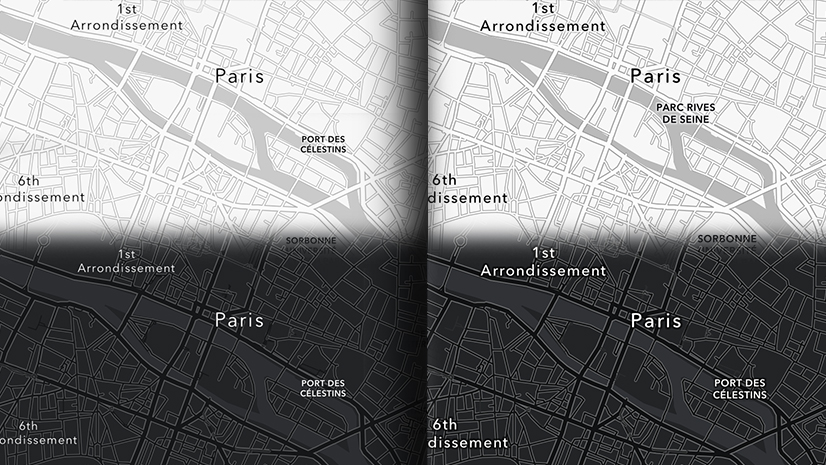
So we have alternate versions of the Human Geography Maps with larger labels, but fewer of them at individual scales/zoom levels. They should offer additional benefits for those of you trying to build accessible maps. They may also be useful in presentations where larger labels are more suitable.
Be careful though! You will have to decide if the reduced label content at each scale/zoom level is enough to support your information.

Article Discussion: