The Global Biodiversity Information Facility (GBIF)
A new ArcGIS Pro tool for downloading Global Biodiversity Information Facility (GBIF) data is now available in the ArcGIS Living Atlas! Providing access to a collection of over 3.1 billion species occurrence records contributed by over 2,500 publishing institutions, GBIF is the result of an intergovernmental initiative that hosts the largest collection of biodiversity information in the world. This new ArcGIS Pro download tool is aimed at providing researchers, educators, and decision makers with free and open access to occurrence and observation data for all types of life on planet Earth.

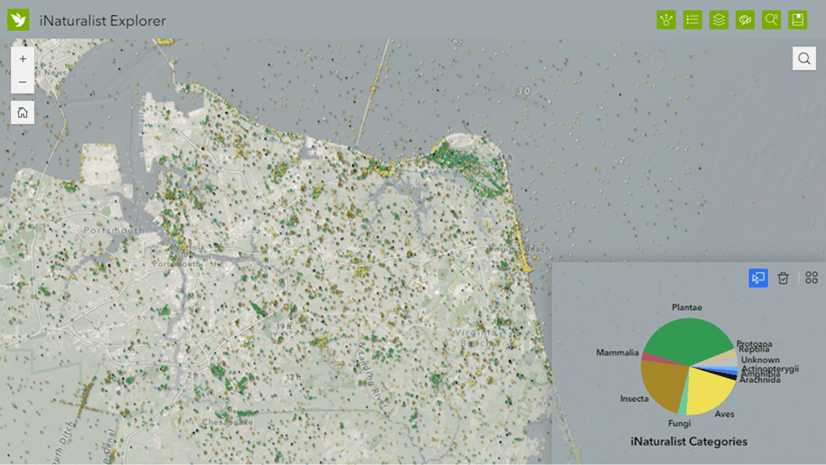
Joining the iNaturalist service, which brought citizen-science observations to the Living Atlas in 2024, this new tool allows anyone to download GBIF species data from universities, museums, national academies, and myriad other contributing organizations. The continued growth of the GBIF collection is staggering; it first reached 1 billion records in 2018, and continued to triple in size over the next 7 years. This recent growth is partly a product of popular citizen science platforms like eBird and iNaturalist, whose AI-powered apps enable any person with a phone to accurately identify and contribute new species observations.
If you’d like to know how to use this new ArcGIS Pro tool to access and explore species data from GBIF, this blog is for you — read on!
Install the GBIF tool in ArcGIS Pro
The Download Species Occurrence Points (GBIF) python tool can be downloaded from its ArcGIS Online item page and added to your project, or it can be installed directly in ArcGIS Pro:
In the Catalog pane, select the Portal tab at the top, then search for “GBIF” within Living Atlas, the right-most icon, then locate the red toolbox in the results. For 100% success, you can also paste in the unique content ID string “927944e867624504bfd6c489b0d2aec7” and right-click on the single result to Add to Project.
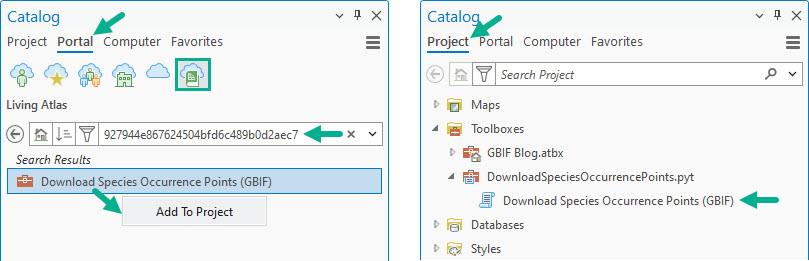
Once installed, expand the Toolboxes section in the Project tab, and double-click the Download Species Occurrence Points (GBIF) tool to open it. (Note: the first time the tool is installed, you will receive a notification that it runs 3rd party code to access the GBIF API. Click Yes to allow it.)
Case study: the Spotted Lanternfly
To demonstrate the GBIF tool, we’ll use the Spotted Lanternfly (Lycorma delicatula) as our subject, an invasive species native to southeast Asia that first appeared in the eastern United States about a decade ago. While they are commonly associated with their preferred host, the Tree of Heaven (Ailanthus altissima), they pose an existential threat to over 70 other plant types, including many agricultural crops. Without the natural predators found in its native region, trapping, egg mass removal, and pesticides are all being employed as control measures.
Knowing where they are is key to understanding how to fight their spread — fortunately, GBIF provides access to up-to-the-minute Spotted Lanternfly observations. (For more back-story on the Spotted Lanternfly and the threats they pose, check out the What’s that bug? story.)

Download GBIF occurrences
The downloader tool queries the GBIF API using a scientific name, spatial extent, and temporal range. It is intended for species distribution model workflows of one or two species, as the GBIF API can return a maximum of 100,000 records per request. Larger download requests should be made through the GBIF website, which also supports more comprehensive filtering criteria (e.g., by contributing organization or IUCN Red List status.)
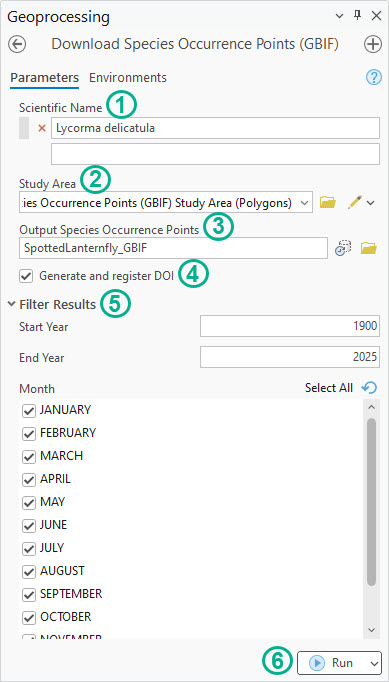
- Provide a Scientific Name, or Genus and species, such as “Lycorma delicatula”. Any subspecies associated with a scientific name will be included.
- Define a Study Area. This can be done by manually creating an extent polygon using the pencil tool, or by selecting an existing polygon feature class. The Study Area feature geometry must be simple (<300 vertices), so any detailed data clipping should be done following the download.
- Specify an Output Species Occurrence Points feature class. If multiple Scientific Names are requested, they will be merged into a single output feature class.
- (Optional) Use the Generate and register DOI option to generate a Digital Object Identifier (DOI) string and URL for use in citations, giving credit to the appropriate data providers associated with the request. This is only required for public-facing maps, products, or publications created from GBIF data.
- (Optional) Use the Filter Results options to apply a temporal filter by Year or Month. This option can also be used to split a too-large dataset into multiple requests under 100,000 occurrences each.
- Run the tool.
The geoprocessing messages will indicate any errors, such as: “No records found for given filters,” or “Record count exceeds GBIF limit of 100,000,” or occasionally, a 503 error if GBIF servers are experiencing heavy load. In this case, try submitting the request again later.
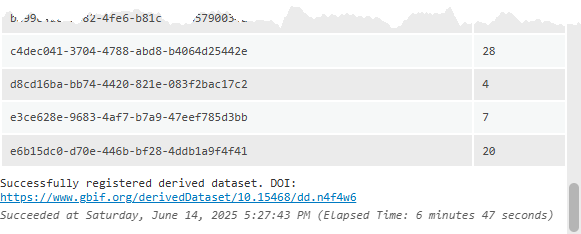
If the DOI option was checked, you will also find a unique DOI URL at the end of the log for crediting GBIF data contributors (example):
The tool outputs GBIF occurrences as a point feature class which contain the normal taxonomic attributes you would expect: Scientific Name, Genus, species, Latitude, Longitude, etc. In addition to these, you will find attributes for the data’s source, type of occurrence, date, and issues detailing the data provenance and its locational accuracy:
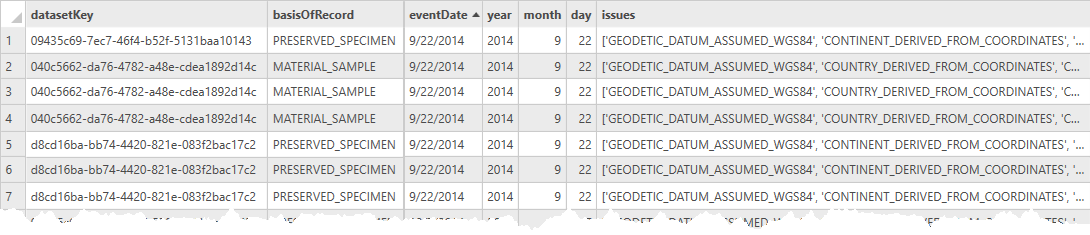
The datasetKey identifies the contributing organization and can be deciphered by substituting the key string at the end of the URL: www.gbif.org/dataset/09435c69-7ec7-46f4-b52f-5131baa10143. Looking at the first GBIF Lanternfly occurrence in 2014, we can source it to the Cornell University Insect Collection (CUIC). The full list of source organizations and the count of occurrences are also summarized in the DOI link.
The basisOfRecord describes the method in which the occurrence was collected or observed. These include: Samples, Specimens, Observations, and Citations. Many of the older GBIF occurrences originate from museum and university collections, while a great majority of recent occurrences are human or machine observations from citizen science apps.
The eventDate logs when the occurrence was first observed or collected, and is also provided as a year, month, and day component, which can be used in animations, charts, graphs, and other visualizations of space-time occurrence density.
The issues attribute includes any geolocation or data provenance flags that the user should be aware of when used in analysis – use text filters to remove these occurrences from your dataset, if necessary. For more information on the types of issues and flags you may encounter, visit this GBIF page.
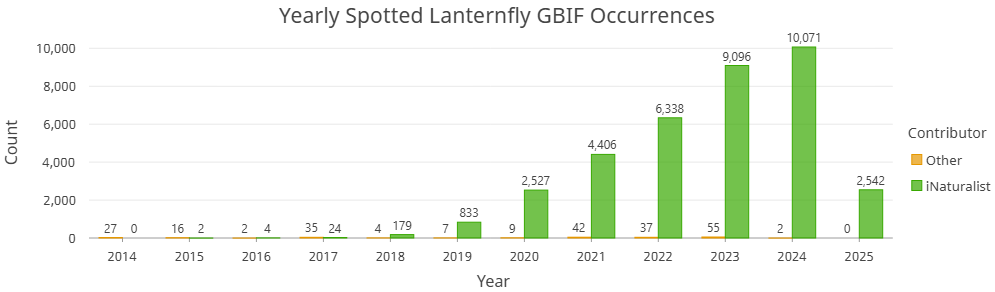
The explosion of citizen science apps in the last decade has transformed research on species distributions which is illustrated by the breakdown of contributor organizations in the DOI citation list – and the chart above. Of the 36,258 North American Spotted Lanternfly occurrences in the download, 36,022 records came from iNaturalist – that’s over 99.3%!
The map below represents all the Spotted Lanternfly occurrences downloaded from GBIF, according to the year of occurrence (light yellow = older, dark purple = newer). Use the swipe tool to compare the individual occurrences with the earliest year that this invasive species was first observed in each H3 Hexagon. The spreading pattern extending from the bright center of the first occurrences is both alarming and… lantern-like.
Spotted Lanternfly GBIF Occurrences (2014-2025)
GBIF + iNaturalist
Given that iNaturalist is such a large contributor of many recent species observations in GBIF, it can be used to add some additional value to your pop-ups — particularly when the species you’re mapping is comprised of over 99% iNaturalist observations! Your mileage may vary for other species-of-study, especially avian observations, where eBird contributes the greater share. For this example, however, iNaturalist is a nice resource to lean on.
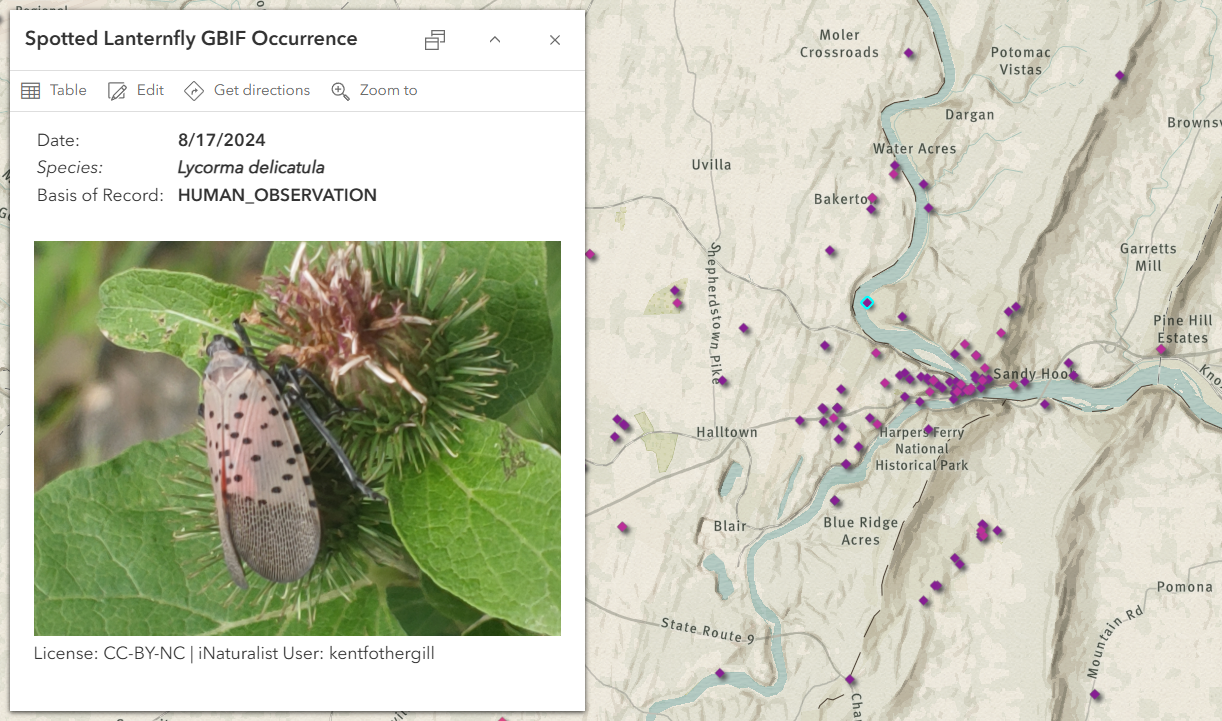
Add the Arcade code block below to the pop-up configuration of the GBIF points in your web map to incorporate images from the Living Atlas iNaturalist Observations feature service. The FeatureSetByPortalItem function will search within 1 meter of the GBIF point location for an intersecting iNaturalist observation and add the original observer’s photo and attribution.
var inat = FeatureSetByPortalItem(Portal('https://www.arcgis.com'), '99e3e9ccfaec422db6d4266569aa19d7', 0)
var selected_feature = $feature
var buff = Buffer(selected_feature, 0.001, 'kilometers')
var int = First(Intersects(inat, buff))

if (IsEmpty(int)) {
    return {
        type: 'text',
        text: 'No intersecting iNaturalist observations found'
    }
}

var image = int['image_url']
var license = int['image_license']
var user = int['user_login']

var orig_url = Replace(image, "large", "original")
var image_html = '<a href="' + orig_url + '"><img src="' + image + '"></a>'

return {
    type: 'text',
    text: Concatenate([image_html, "License: ", license, " | iNaturalist User: ", user])
}
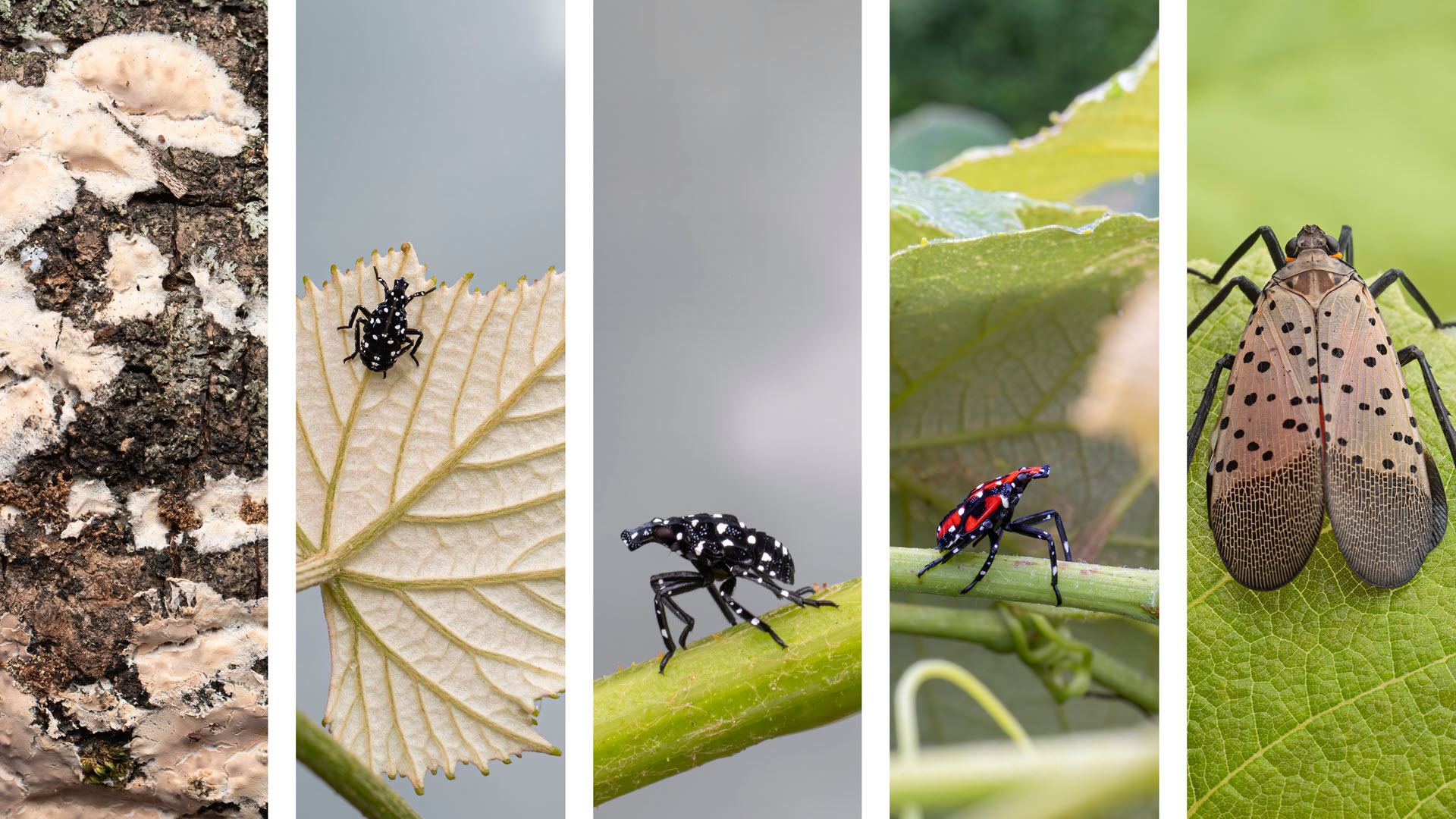
The result is a nice visual upgrade for your pop-ups and makes it clear whether the observation came from tracks, droppings, or a particular stage of life for that species. The Spotted Lanternfly can be observed as an egg mass, early nymph, late nymph, or adult, each of which are illustrated in the cover image of this blog.
GBIF has stories to tell
With this rich and growing collection of species occurrence data now at your fingertips in ArcGIS Pro, the opportunities for analysis and storytelling are endless. We’re excited to see how conservationists, researchers, and the GIS community use this new resource in their work.
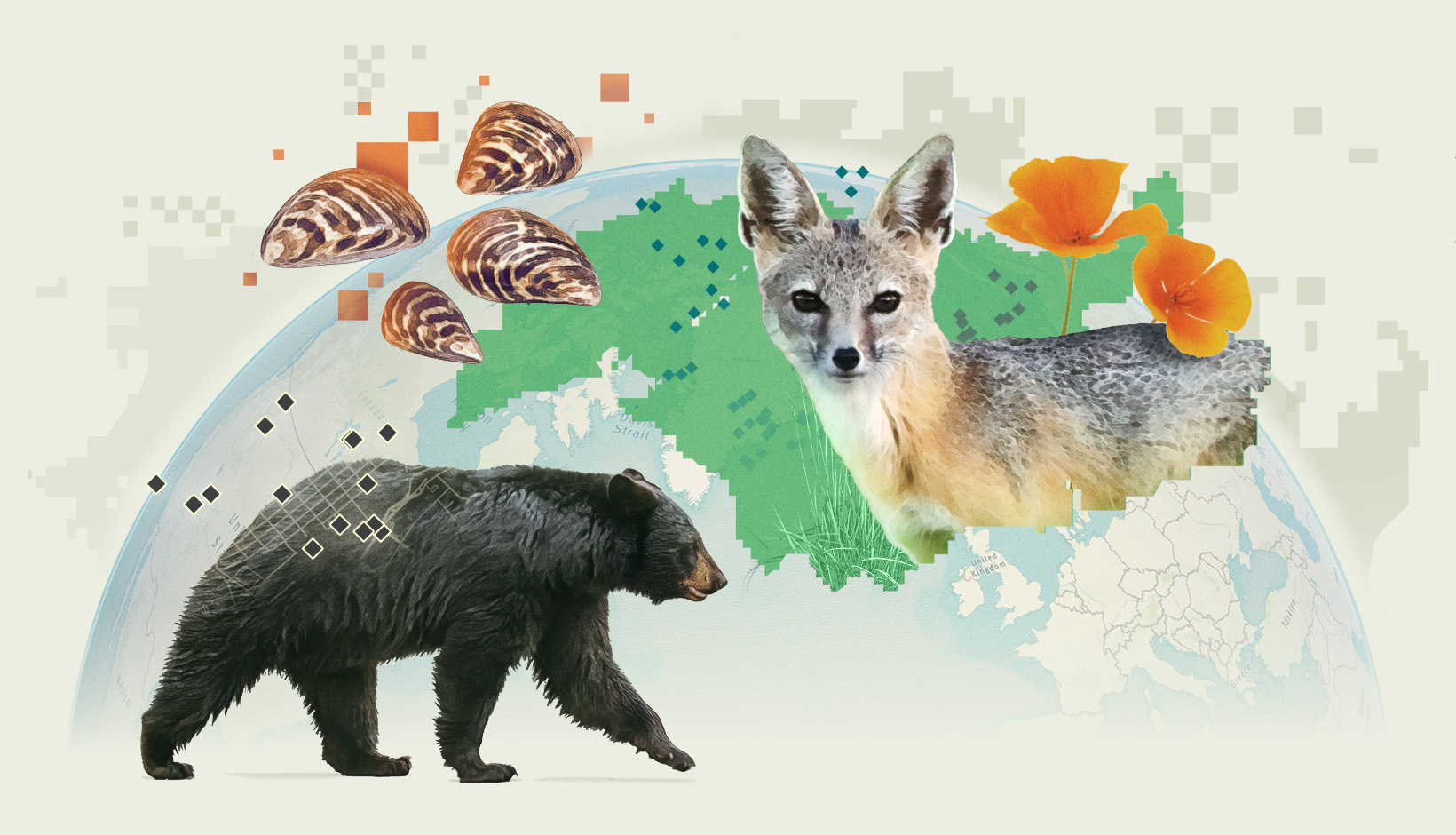
For an exploration of how studying species distributions can uncover important patterns and clues about changes in habitat and biodiversity, please visit the Where the wild things were story by clicking on the image below:
A special thank you to Kevin Butler and Laura Phoebus for their contributions to this blog.


Article Discussion: