Annual NLCD Land Cover
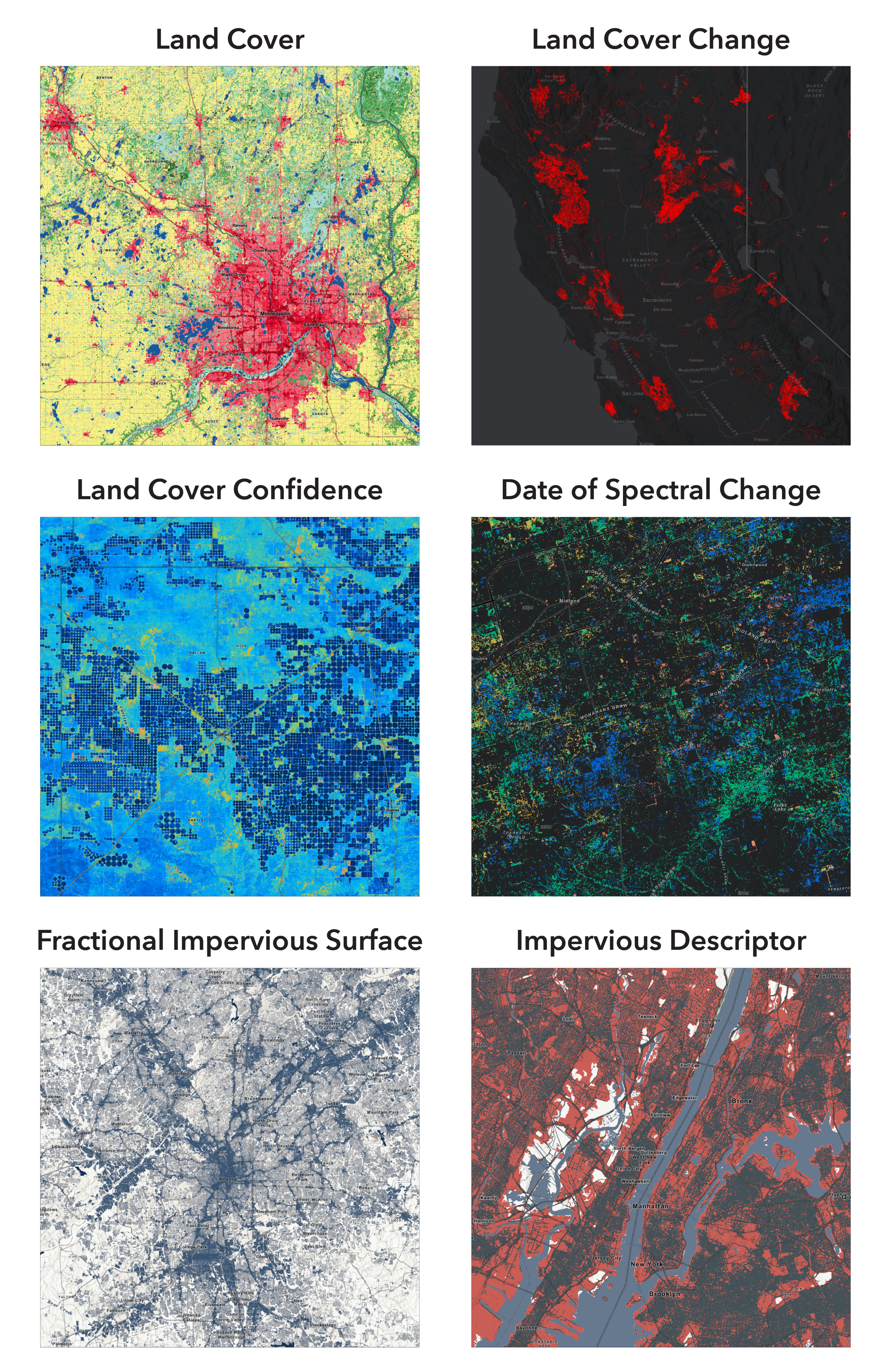
A collection of six new Annual National Land Cover Database (NLCD) products is now available in the ArcGIS Living Atlas. These 30-meter resolution layers, from the Multi-Resolution Land Characteristics (MRLC) consortium, offer a consistent, yearly snapshot of land cover use and change for the lower-48 states from 1985 to 2024:
- USA Annual NLCD – Land Cover
- USA Annual NLCD – Land Cover Change
- USA Annual NLCD – Land Cover Confidence
- USA Annual NLCD – Date Spectral Change
- USA Annual NLCD – Fractional Impervious Surface
- USA Annual NLCD – Impervious Descriptor
Critical for understanding the impacts of natural processes and human activity on the landscape, these time-series fill in the significant temporal gaps of the Legacy NLCD collection. Using an ensemble of chained deep-learning models and harmonic time series analysis, this new classification methodology determines detailed land cover characteristics from historic Landsat imagery – for a full 40 years!
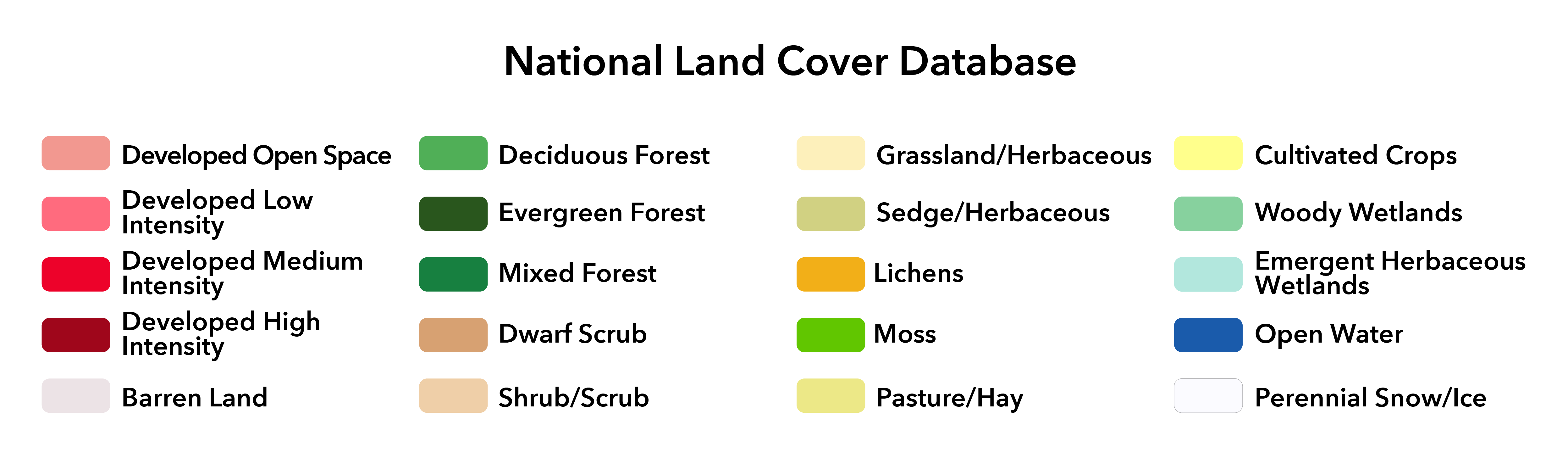
In the Land Cover product, NLCD defines 20 distinct land cover types, including four classes specifically devoted to urban development density. (Note that Dwarf Scrub, Sedge/Herbaceous, Lichens, and Moss are not present in the current 48-state release, but will be included when Alaska and Hawaii are added in a future NLCD update.)
A lot of change can happen over four decades, and NLCD is a great resource for monitoring the expanding human footprint on our landscape. Case in point, the fastest-growing city in the United States in 2024 was Princeton, Texas, a suburb of the Dallas Fort-Worth Metro area whose population grew an incredible 30.6% in just one year.
The swipe map below provides a visual comparison of the dramatic urban expansion and population growth of Dallas-Fort Worth and Princeton between 1985 (2.8 million) and 2024 (6.6 million), where crops and pasture have largely been consumed by low- and medium-intensity developments:
Processing Templates
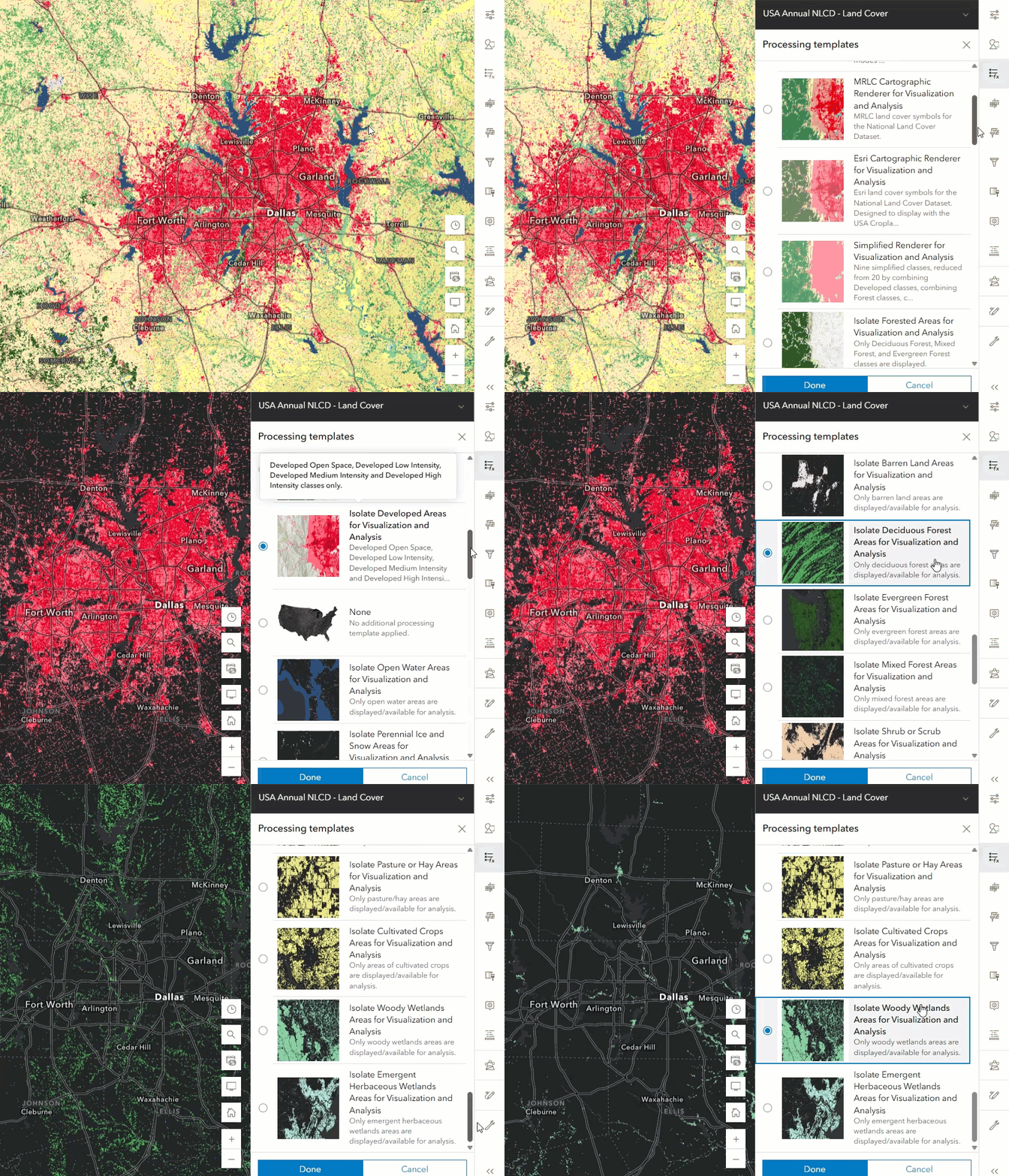
Whether your research interests lie in studying urban growth patterns, the loss of wetlands, or the impacts of wildfire on forests, you may only be concerned with a subset of NLCD’s many land cover classes. To simplify the filtering process, an extensive set of Processing Templates are available for each NLCD service.
These processing templates provide a handy shortcut for filtering the map to just show the classes you need – whether it’s for cartographic or analytical purposes. Each template provides a unique raster function chain and styling to change the default rendering or isolate individual land cover classes on-the-fly. Simply select the template you want using the Processing templates gallery in the Online map viewer, as shown in the animation on the right. (In ArcGIS Pro, you can switch processing templates in the Layer Properties window.)
There are a total of 48 different processing templates available among the six NLCD services that cover a broad number of use cases:
- USA Annual NLCD – Land Cover (23 templates)
- USA Annual NLCD – Land Cover Change (9 templates)
- USA Annual NLCD – Land Cover Confidence (4 templates)
- USA Annual NLCD – Date Spectral Change (4 templates)
- USA Annual NLCD – Fractional Impervious Surface (4 templates)
- USA Annual NLCD – Impervious Descriptor (4 templates)
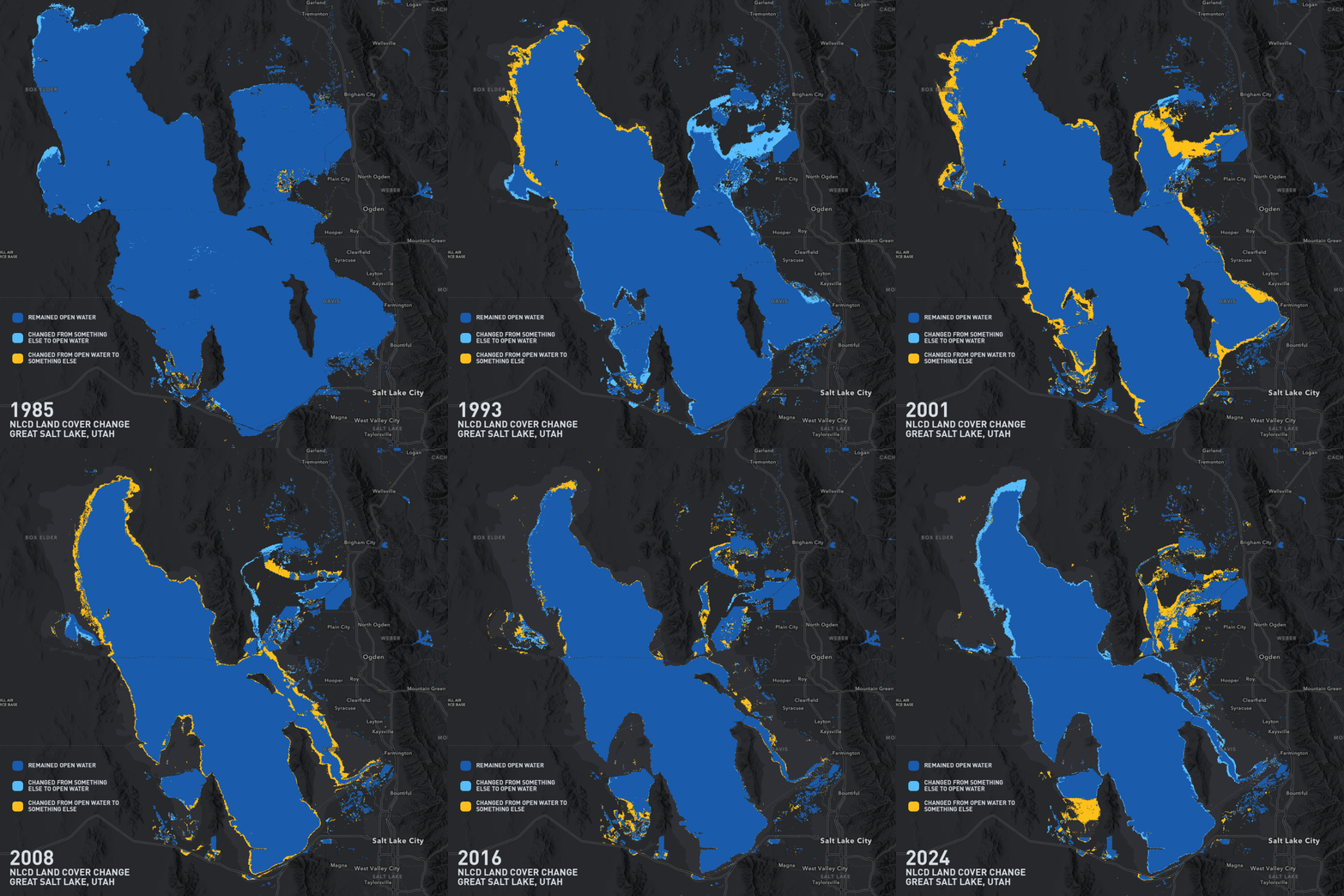
The animation below takes the Land Cover Change layer and uses the Water Bodies Change Renderer processing template to isolate only water-based changes to the Great Salt Lake since 1985:
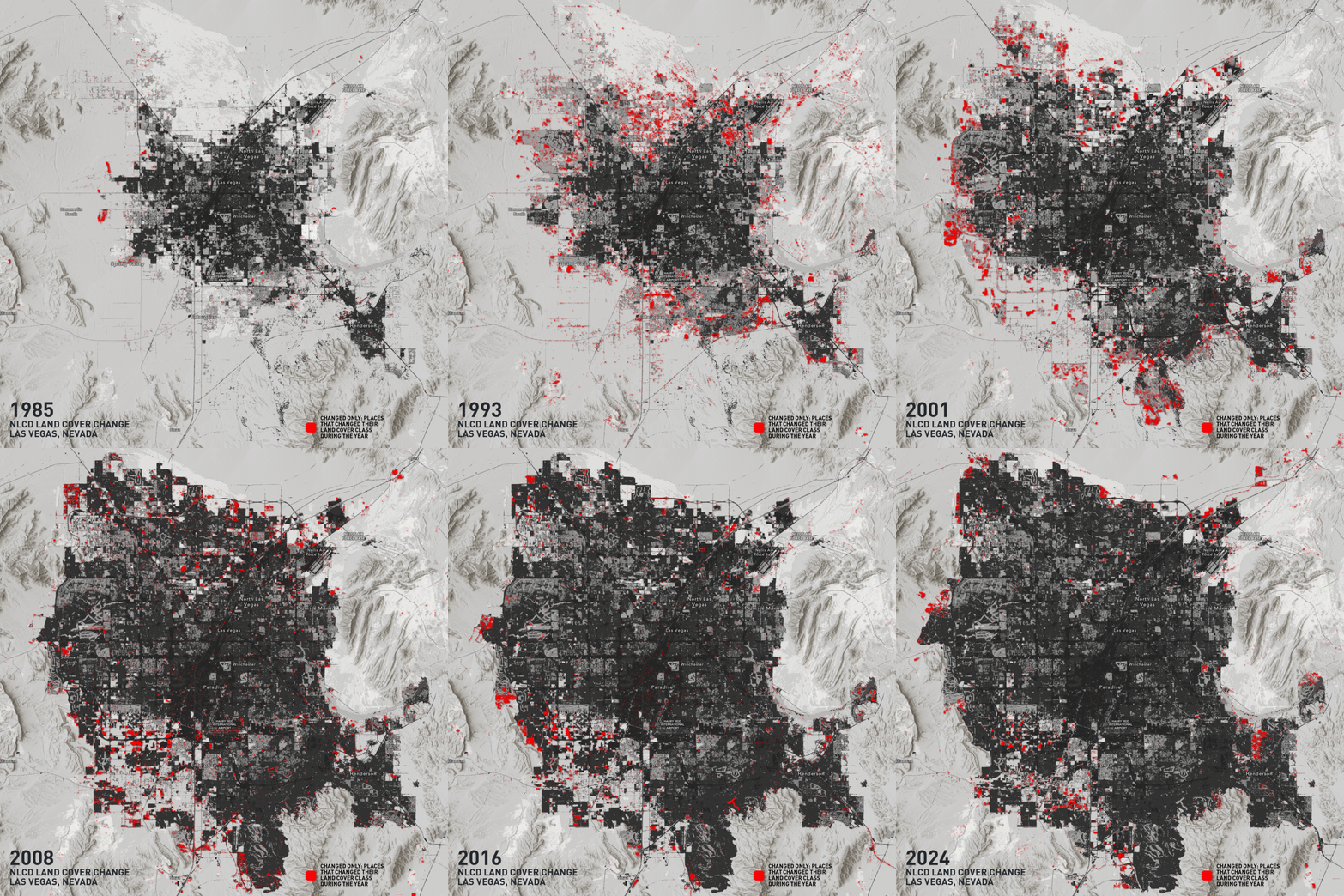
You can also mash-up multiple NLCD layers and processing templates in fun and informative ways. The animation below combines Land Cover with Land Cover Change, employing grayscale and drop-shadow layer effects to highlight yearly change on top of a muted land cover background. This one uses the Changed Only Renderer processing template:
Annual NLCD for Optimized Analysis
You can take any of these NLCD layers and conduct your typical raster analysis workflows in ArcGIS Online (currently Map Viewer and the API for Python), incorporating tools like Zonal Statistics to uncover patterns of spatio-temporal change. Or, you can combine multiple NLCD layers in your analysis to gain additional insights.
Categorizing land cover classes from Landsat imagery is not a perfect science; deep-learning models can struggle with cloud cover, the complex intermingling of different land cover types, and imperfect training data. Some due diligence is required for analysts to understand these limitations and report the relative confidence of their variables. This is where the Land Cover Confidence layer comes in.

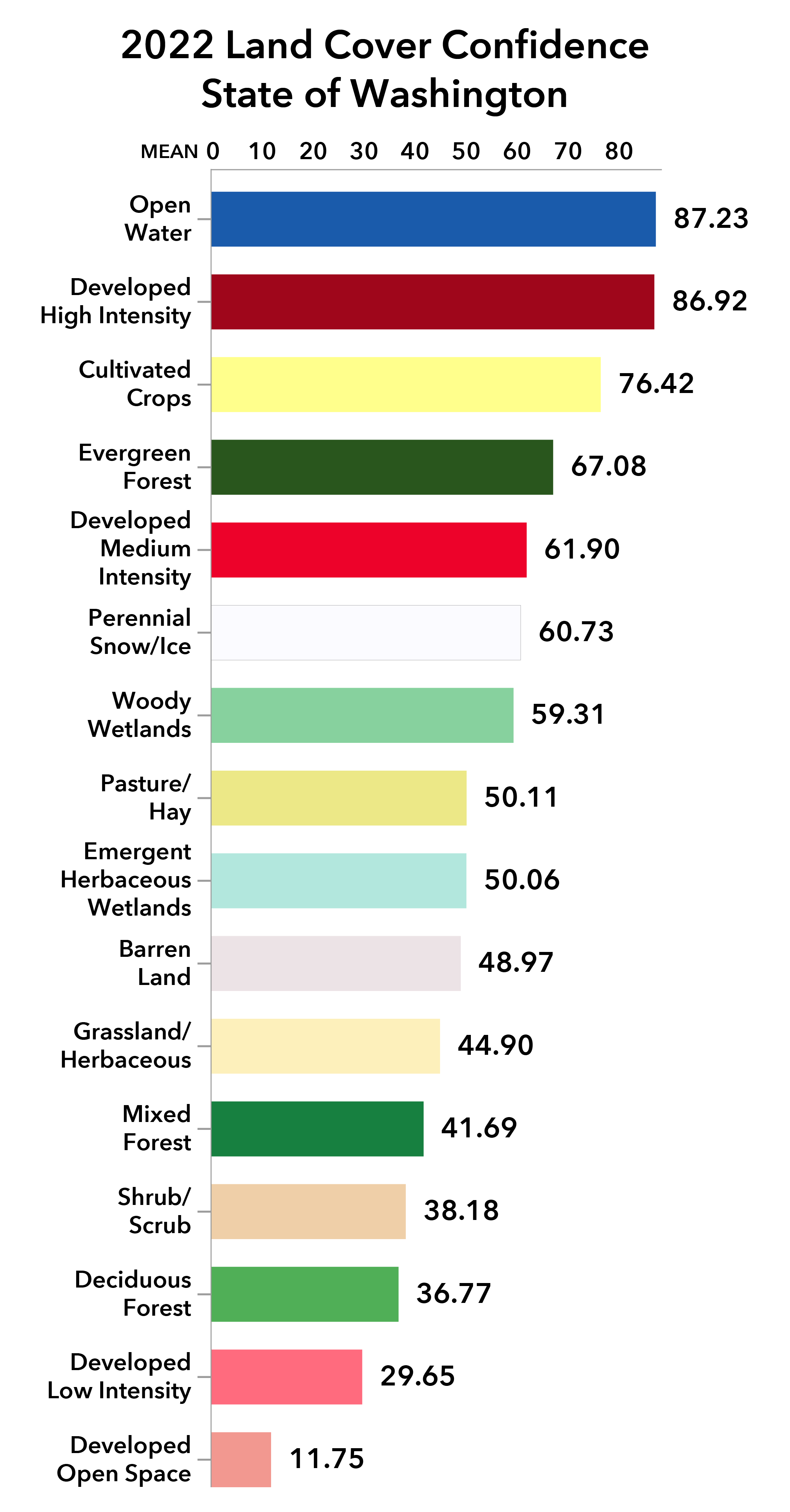
The chart on the right is a product of Zonal Statistics, using Land Cover Confidence (value raster) with Land Cover (zone raster) to determine the relative probability of land cover misclassification in the state of Washington in 2022.
Explore the swipe map below to find areas of high and low confidence – and the corresponding land cover types:
So, what does “Optimized for Analysis” mean? In short, it means you can use NLCD for analysis across large geographies, while integrating multiple optimized layers at once over their full time-series. When used in the Online environment, gone are row- and column-size limitations that constrained you to snapshots or small areas of interest in ArcGIS Pro. While these new services do consume ArcGIS Online Credits (based on area and time-extents), you can now open the door to a broader range of analytical workflows.
These new NLCD Annual services join a growing collection of other Living Atlas Imagery Layers Optimized for Analysis, including Sentinel-2, Landsat, GEBCO Bathymetry, World Terrestrial Ecosystems, and many more.
For more information on what differentiates the Optimized for Analysis services from others in ArcGIS Online, visit this Living Atlas Blog to learn some of the many benefits.
NLCD Land Cover Explorer
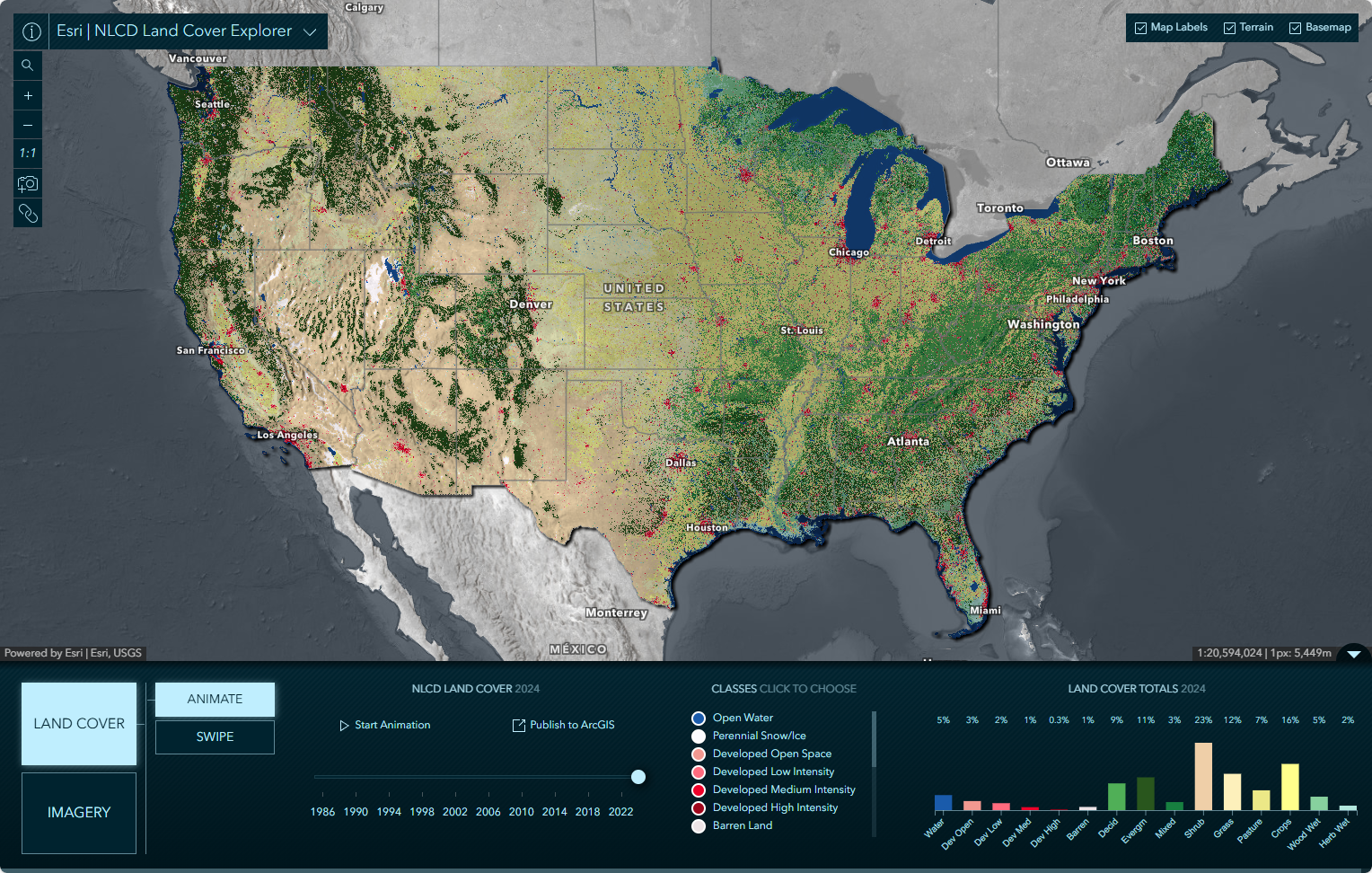
A companion to the NLCD Annual Land Cover time-series, the NLCD Land Cover Explorer web application provides another tool for dynamically exploring landscape change. With the ability to filter by land cover class, year, and even validate land cover against imagery of that period, the app is powerful in its simplicity.
Click on the image below to link out and explore the app (but maybe skim the Quickstart Guide blog first to get the most out of it):
One of the great features – among many – is the ability to generate and download animation clips as local .mp4 files. A process that used to take some time and effort to accomplish in ArcGIS Pro now has an easy-button! Great for blogs, StoryMaps, or other geocommunications.
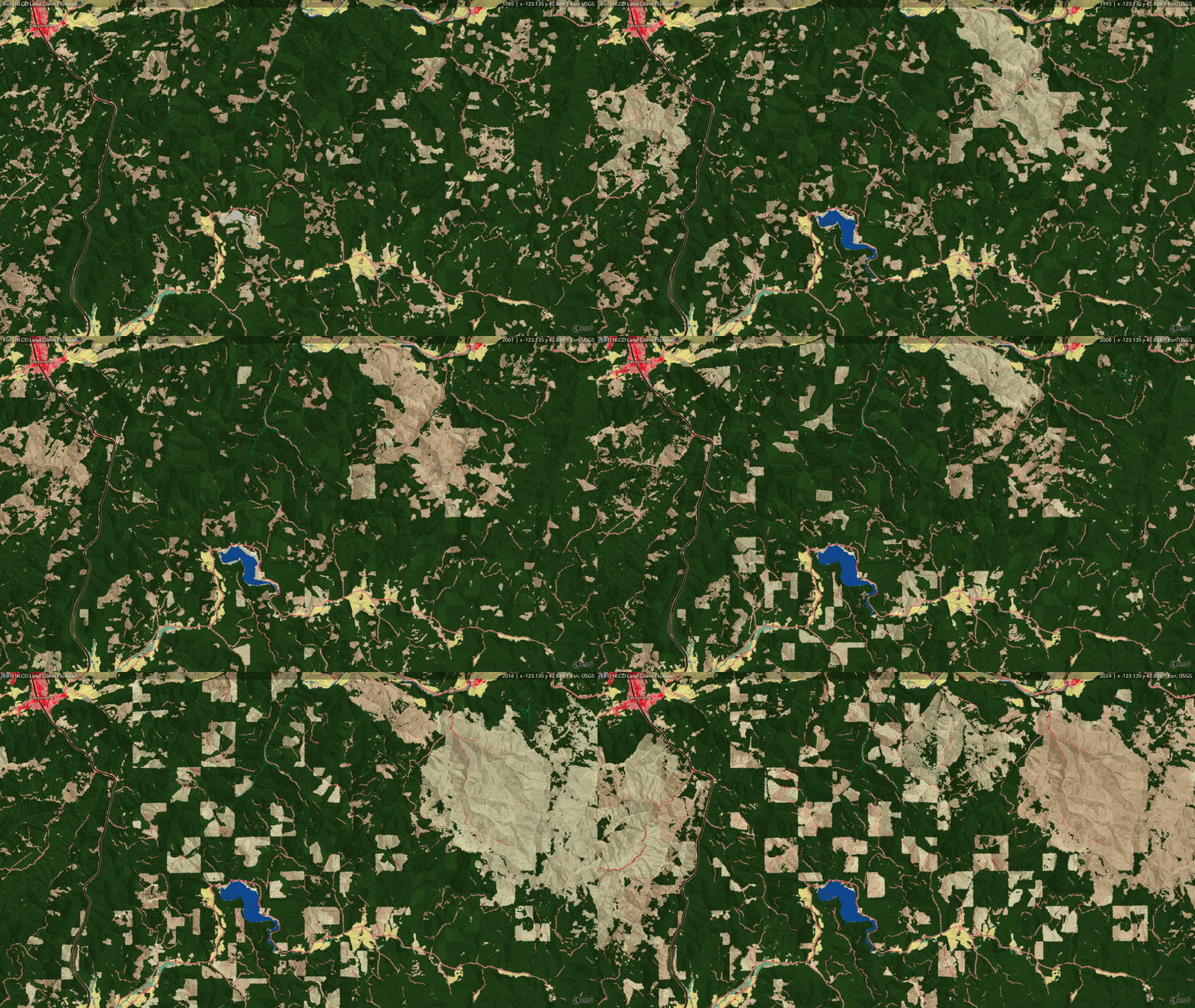
Click on the GIF below to view the full-resolution .mp4 video exported from the app. This visualization shows wildfire and logging activity over 40 years in western Oregon. Notice the decades-long cycles of post-logging/post-fire regrowth as the landscape progresses through grassland and shrub phases before eventually returning to forest.
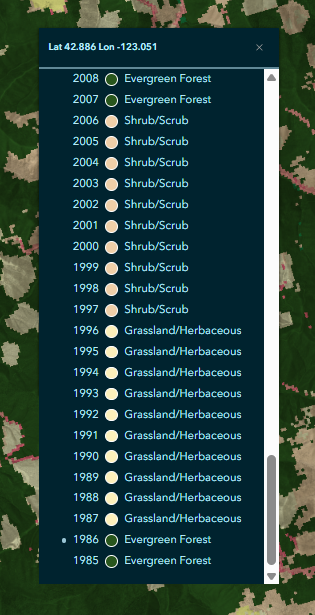
Another quick way to explore the time-series in a location is to simply click on the map, which drills down into all 40 years of land cover in that location. The image on the right shows exactly when the wildfire happened and how long it took to evolve back to Evergreen Forest again.
Are you interested in more analytical workflows that leverage the new Optimized for Analysis capabilities? We didn’t even get to the Date Spectral Change or Impervious Surface datasets! Do you want to use Raster Function Templates to improve the quality of your Flood Simulation model? Or analyze land cover change using Process Raster Collection to generate a tiled imagery layer that can be used by multidimensional analysis tools?
Stay tuned for a follow-up blog on how to get the most from Annual NLCD Land Cover in Online and ArcGIS Pro. Until then, happy exploring!



Commenting is not enabled for this article.