Scene Viewer continues to evolve as a powerful tool for visualizing and analyzing 3D geospatial data. This release introduces exciting new features and updated tutorials designed to enhance your workflows, improve usability, and unlock new possibilities for 3D exploration and spatial analysis. Whether you’re building immersive urban scenes, modeling environmental phenomena, or sharing presentations, these updates will help you do more, faster and with greater precision.
Flow Renderer with Elevation Modes
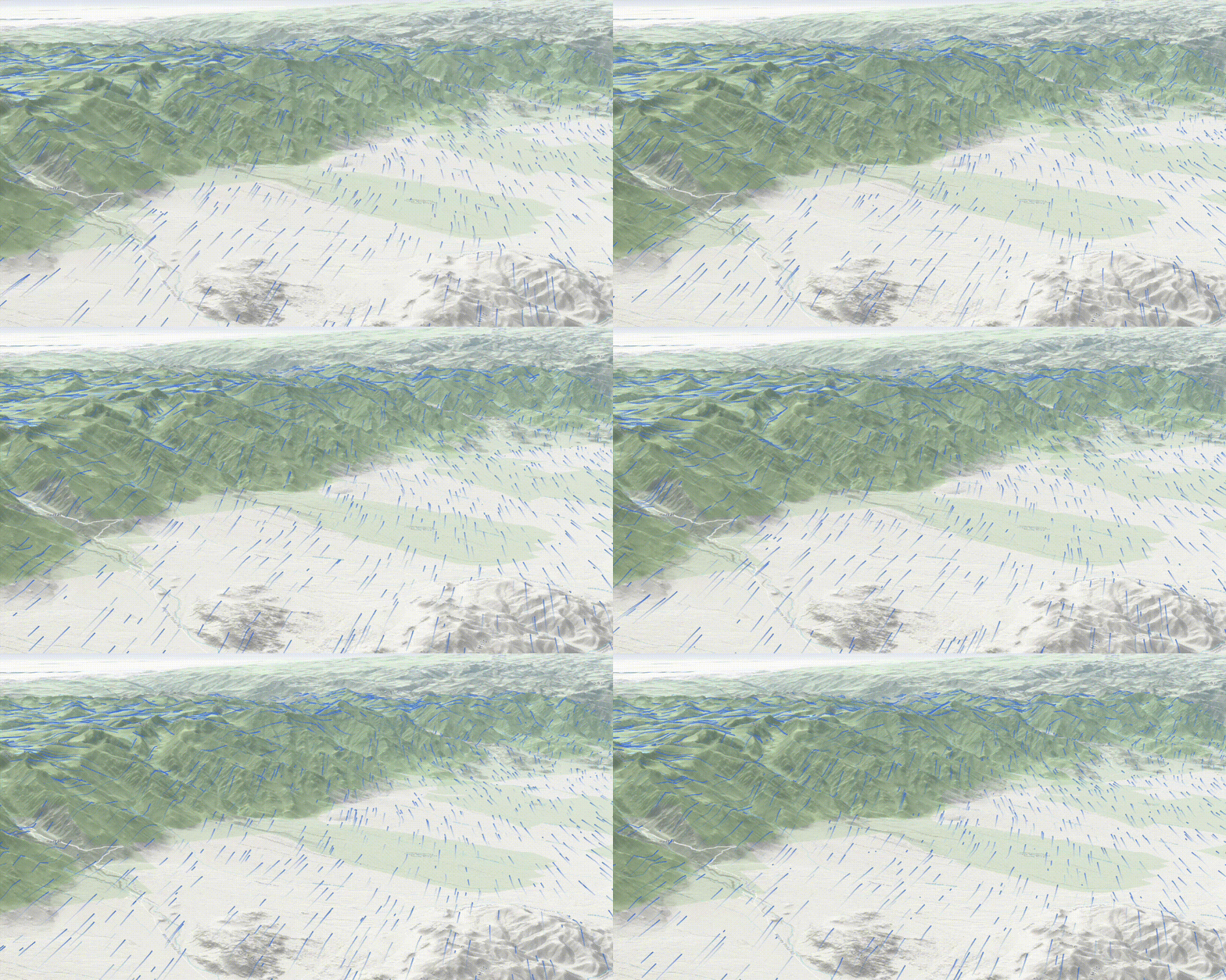
Understanding environmental dynamics in 3D just got easier. The new Flow renderer allows you to visualize directional datasets—such as wind, ocean currents, and flood flows—within your scenes. With support for elevation modes, you can now position flows relative to terrain, sea level, or feature geometry, ensuring accurate spatial placement. Enhanced styling options like color ramps to bring your data to life, making it easier to communicate patterns and intensities to your audience. This feature is especially valuable for environmental scientists, emergency responders, and planners who need to simulate and communicate real-world phenomena in a visually compelling way.
Arcade Assistant (Beta)
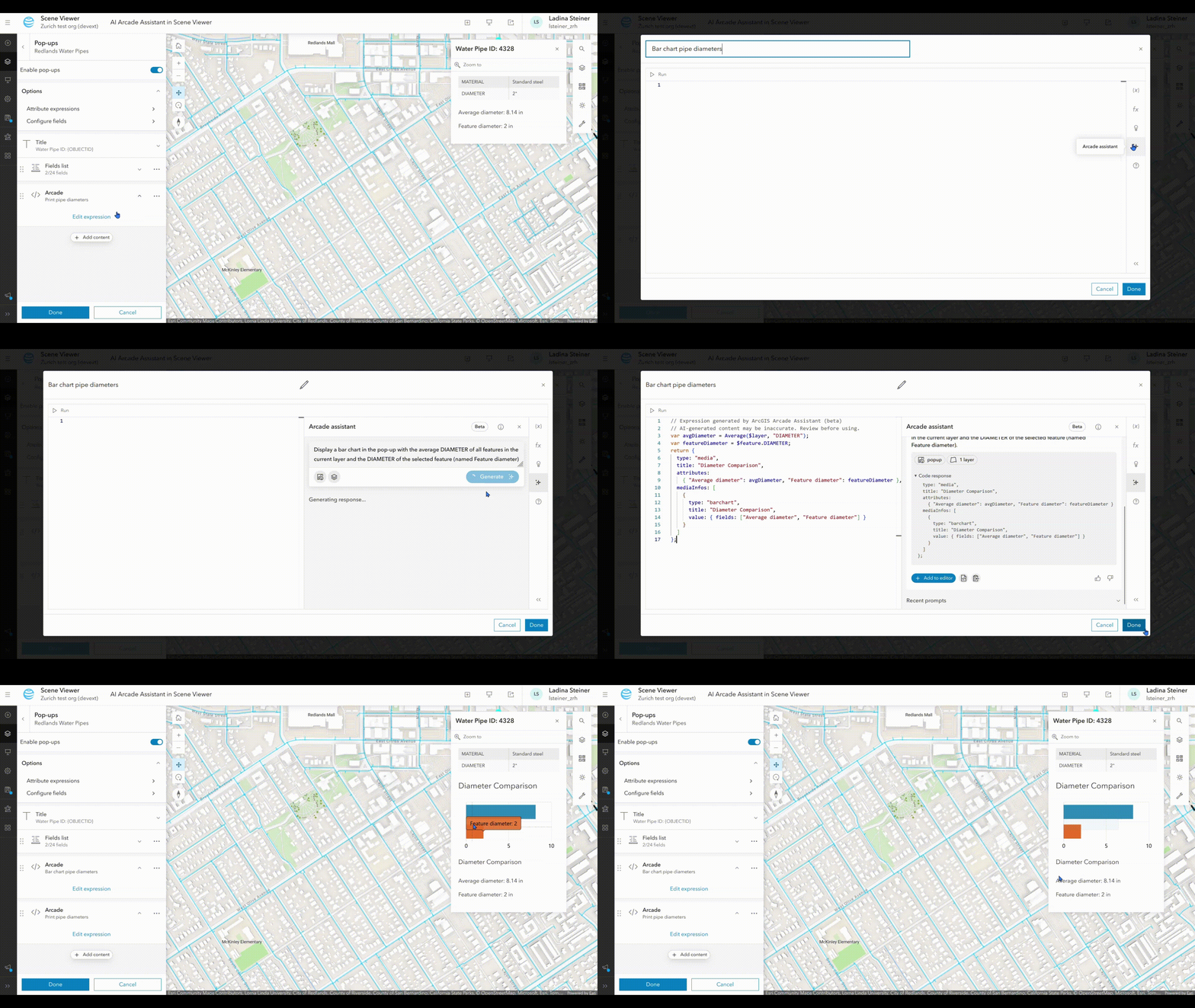
Creating rich, interactive pop-ups in 3D scenes is now simpler with the new Arcade assistant. This beta feature helps users of all experience levels learn how to write Arcade expressions to display key attributes, records, and charts. Whether you’re highlighting building heights, population data, or custom metrics, the assistant guides you through the process—making your scenes more informative and engaging. It’s a great way to add data-driven context to a scene without being a scripting expert. The Arcade assistant is currently available in Scene Viewer, Map Viewer, the Home app’s data tab (in ArcGIS Online), and the Web Editor. Stay tuned for updates to the Arcade assistant in future releases.
Automatic Placement of 3D Models
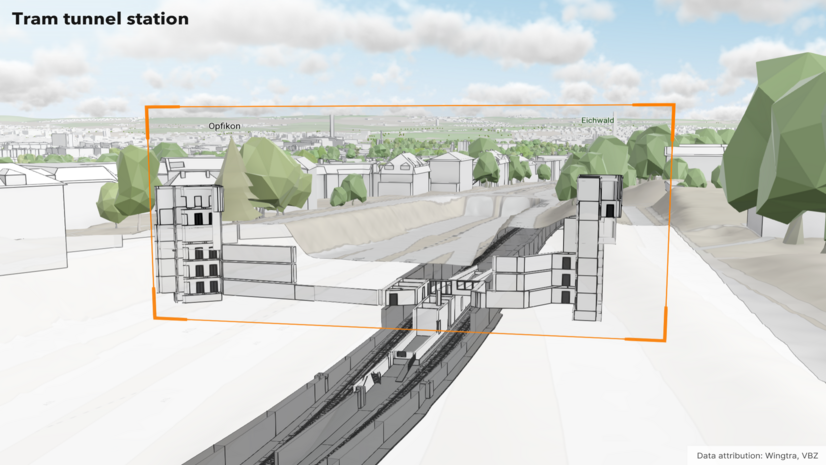
Scene Viewer now supports placing 3D models with georeferencing information directly in their correct location. For example, Industry Foundation Classes version 4 (IFCv4) files are positioned in the scene without manual steps. Other supported formats can also be placed when uploaded as a zip archive containing a world file and an Esri PRJ file. With this update, models appear at their true geographic positions, reducing manual adjustments and saving time for users who need accurate placement. This improvement enhances spatial accuracy and streamlines tasks like preparing design reviews, proposals, or integrating BIM data into GIS workflows. It’s especially helpful for complex infrastructure models and cross-discipline collaboration where precision and efficiency matter.
Web Analysis Custom Tools
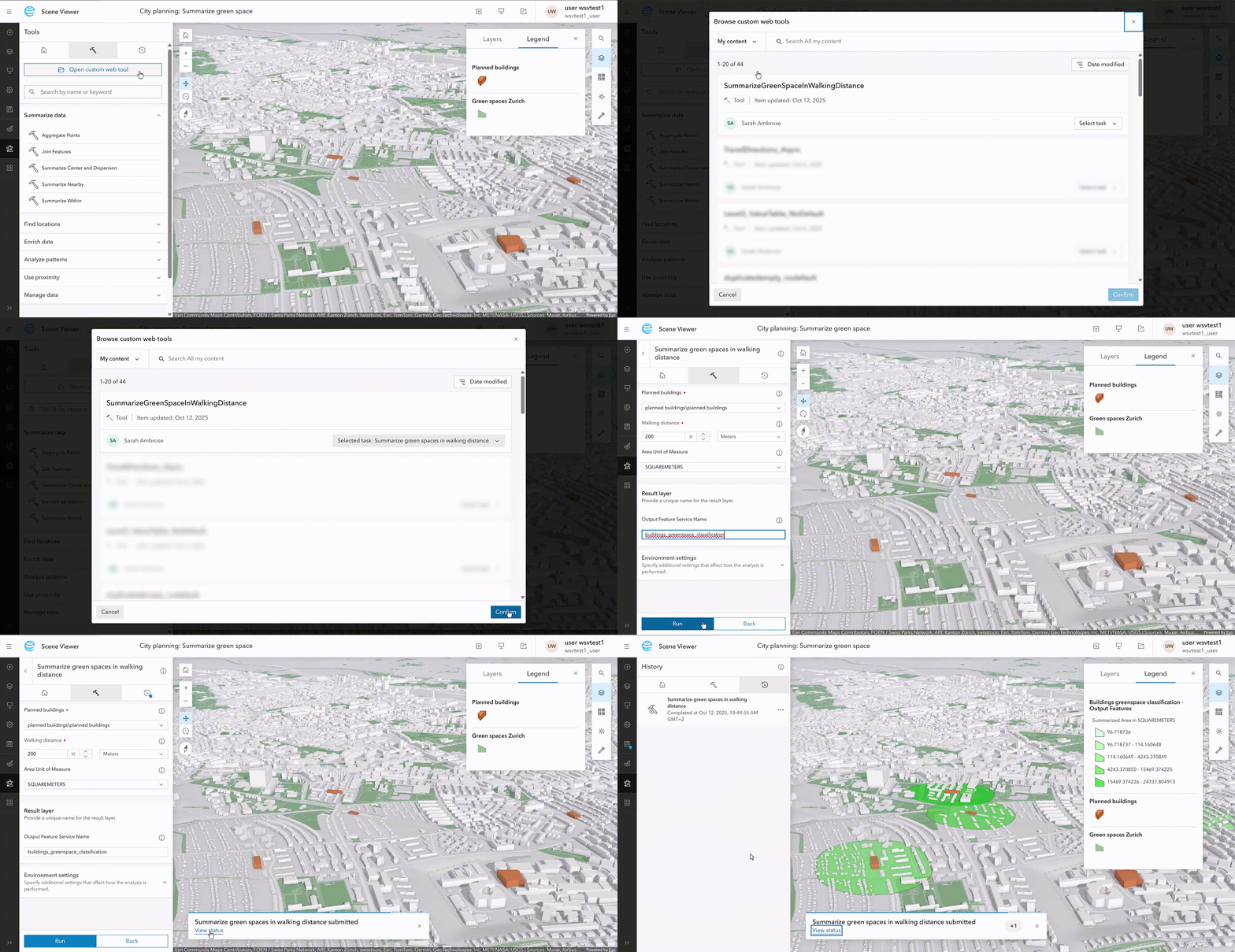
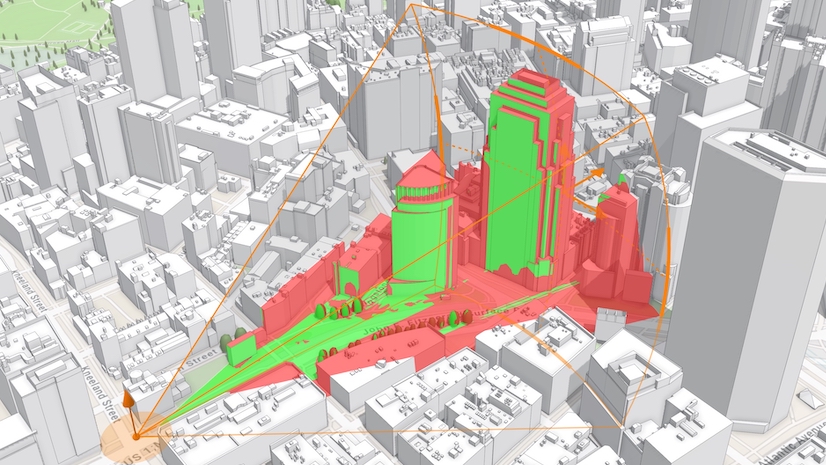
Custom web analysis tools enable you to perform geoprocessing analysis directly within Scene Viewer, so there’s no need to switch to another application. Configure tools to calculate walking distance, buffer analysis, and more, all within the same immersive environment. This empowers planners, designers, and analysts to make faster, data-driven decisions, especially when evaluating urban development scenarios or infrastructure planning. By keeping analysis within the same interface, users can maintain context and reduce friction in their workflows, leading to more confident and timely decisions.
Other Enhancements
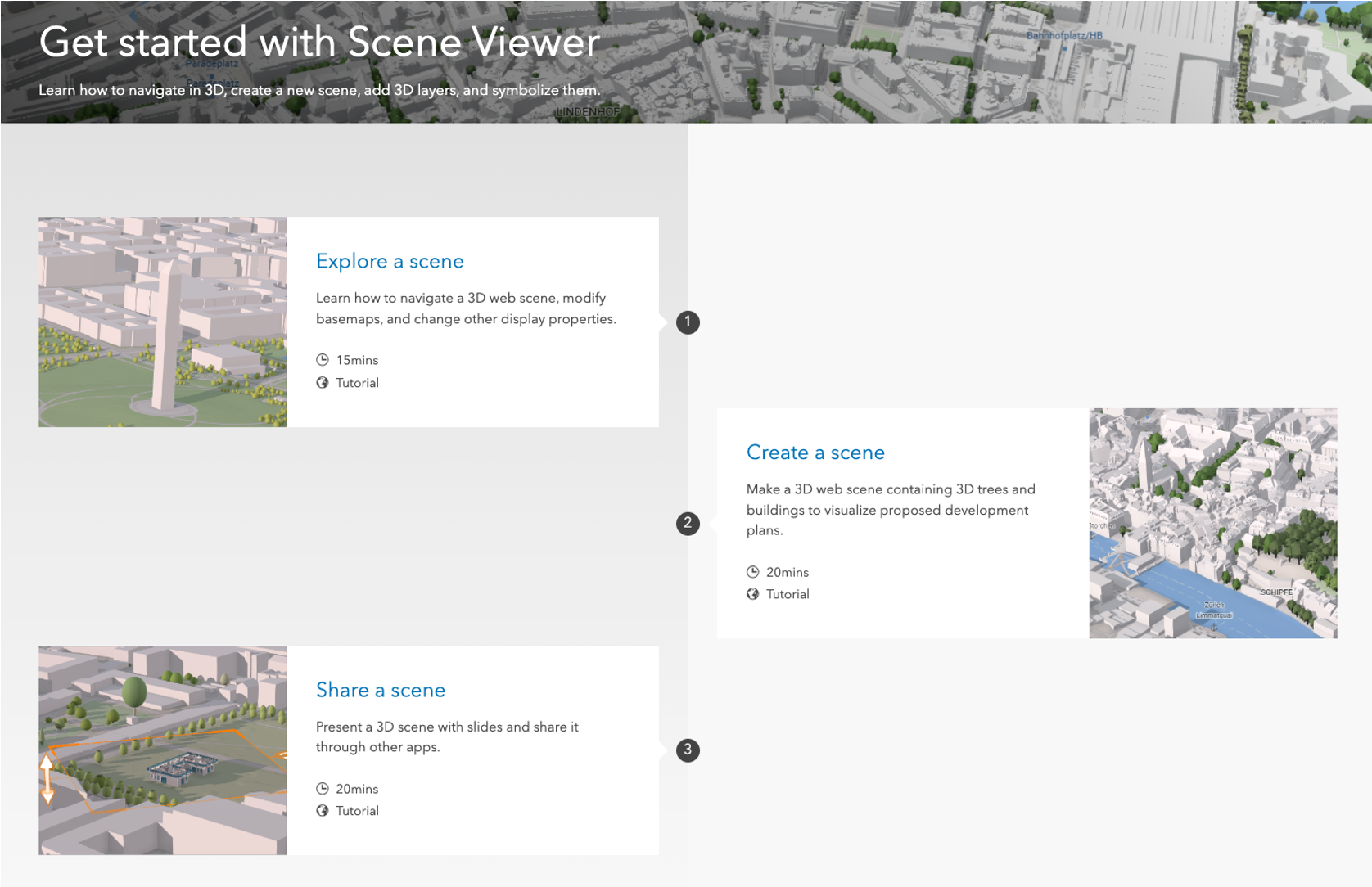
Scene Viewer now offers several usability improvements to help you work more efficiently. You can quickly dismiss multiple warning messages at once, making it easier to manage large or externally hosted datasets without interruption. We’ve also added the ability to duplicate point cloud and integrated mesh layers—perfect for preserving custom styling and carrying forward mesh modifications like cutouts or flattening. To support new users, we’ve enhanced our tutorials with tailored lessons focused on exploring, creating, and sharing scenes. These tutorials now include guidance on key features like presentation mode and slide creation, helping you stay productive and make the most of Scene Viewer’s capabilities. Check out our new tutorial here.
We hope these updates help make your work in Scene Viewer more effective and impactful. We’re always refining things based on your feedback, and we appreciate you being part of the process. Please continue to check out our What’s New for Scene Viewer for the latest improvements and tips.


Article Discussion: