The new Organization Status Dashboard (Beta) in ArcGIS Online delivers a modern interface and enhanced features that give organization administrators better tools for tracking organization’s activity, usage, and credit consumption– making it intuitive and efficient to manage and optimize resources. If you’re currently using the legacy dashboard, this guide will walk you through the transition process, highlight the key differences, and help you make the most of the new experience.
Why use the new beta dashboard?
The legacy dashboard aggregated data hourly, but only at the organization level. This provided high-frequency updates but had limited granular and actionable insights for drilling down into specific items or members. The new beta dashboard addresses these limitations by introducing enhanced features like:
- Streamlined user interface
- Additional filtering and data exploration options
- Credits consumed for storing items by top members
- Individual items consuming the most credits
Using the new beta dashboard ensures your organization benefits from these enhancements and stays aligned with Esri’s evolving platform.
Key Changes and Improvements
Here are some of the areas that have been improved in the new beta dashboard:
User Interface
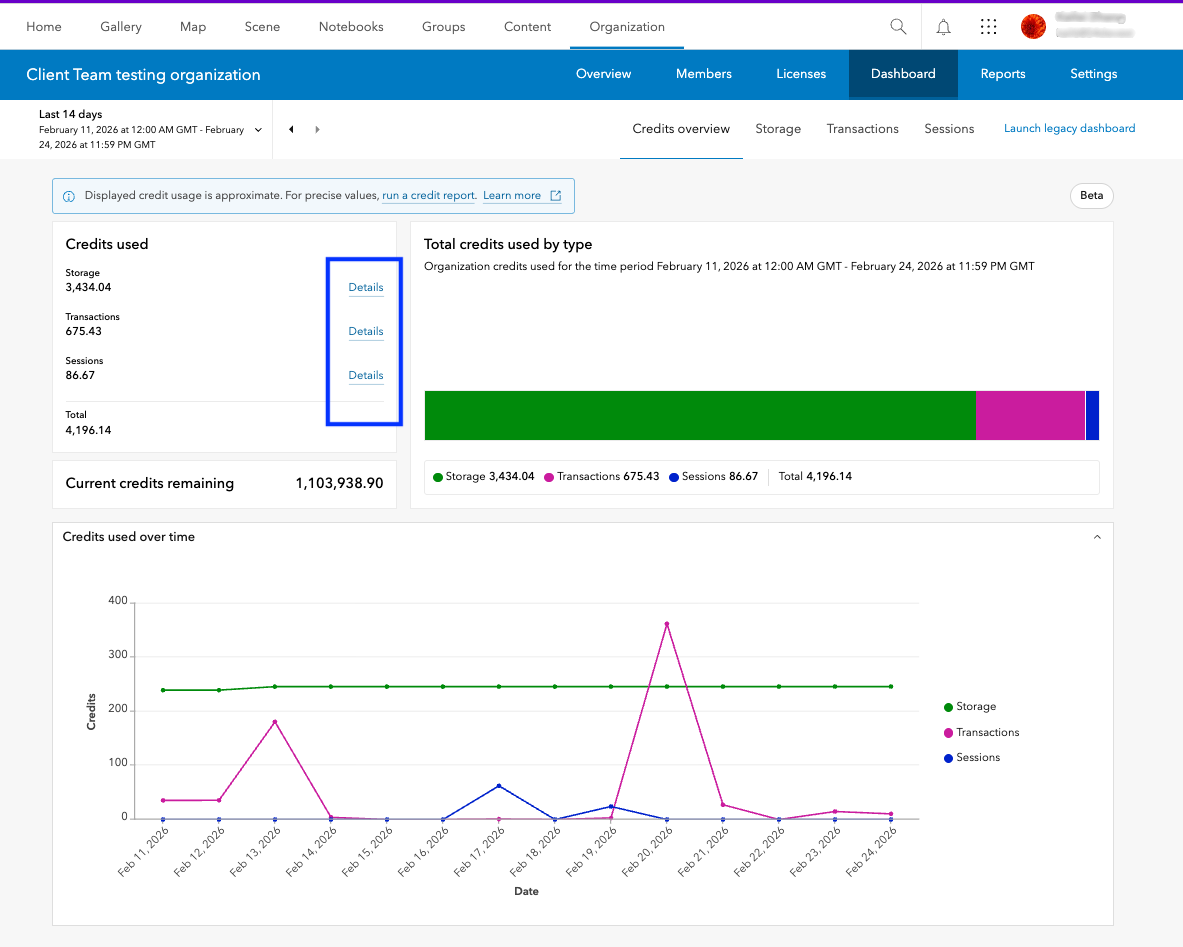
The new beta dashboard features a clean, modern design with improved navigation. Clicking on “Details” for any credit type in the Credit overview tab will automatically redirect you to a separate tab where you’ll find in-depth information about credit consumption for each selected category.
Data Visualizations
The Credits overview tab features improved bar chart and line charts, where each chart component corresponds to a specific category – such as Sessions, Transactions, or Storage – displayed as individual tabs. You can simply click on any component of the bar chart to be automatically navigated to the relevant tab for that category. The line chart shows the trend of credit consumption for each category.
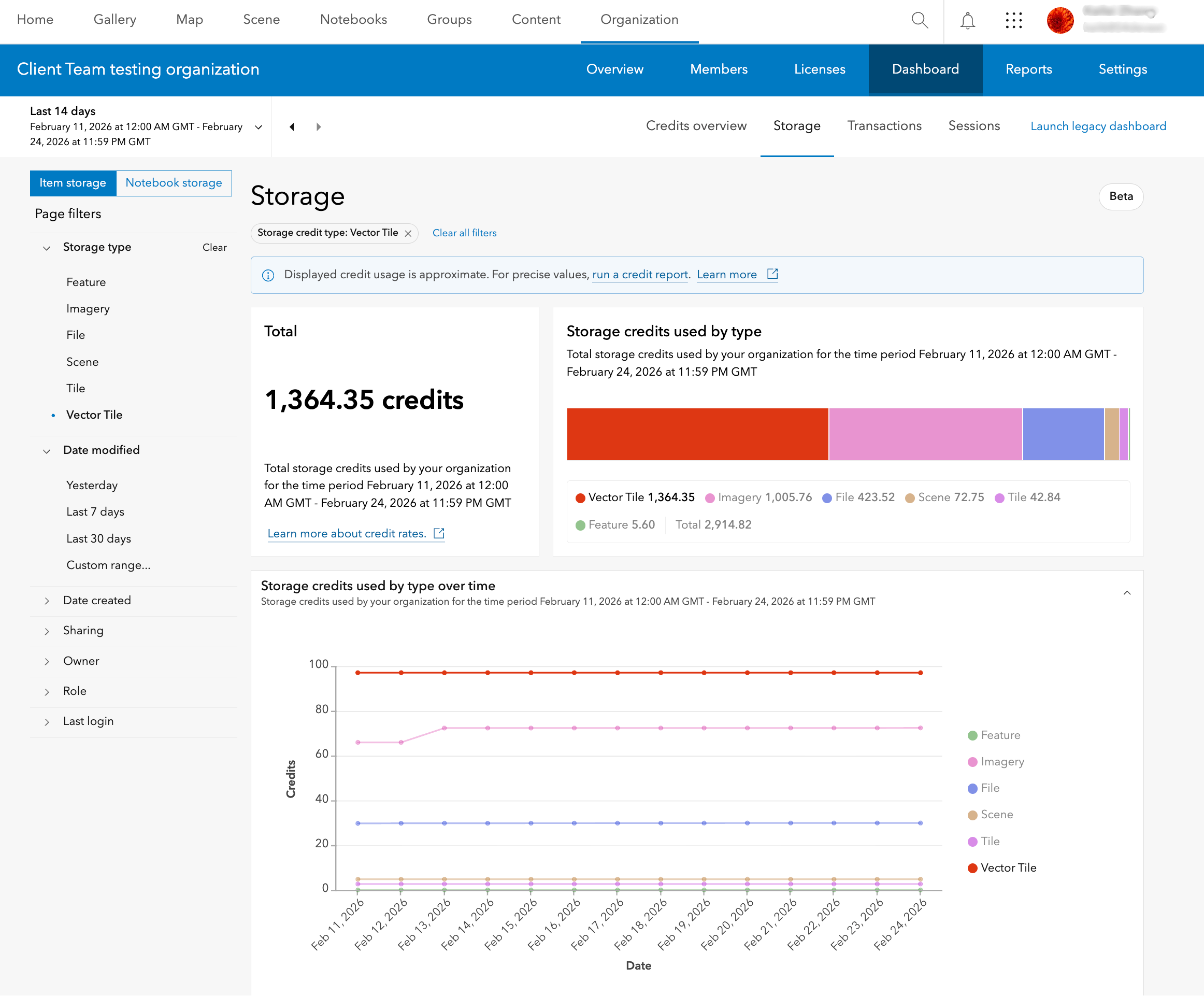
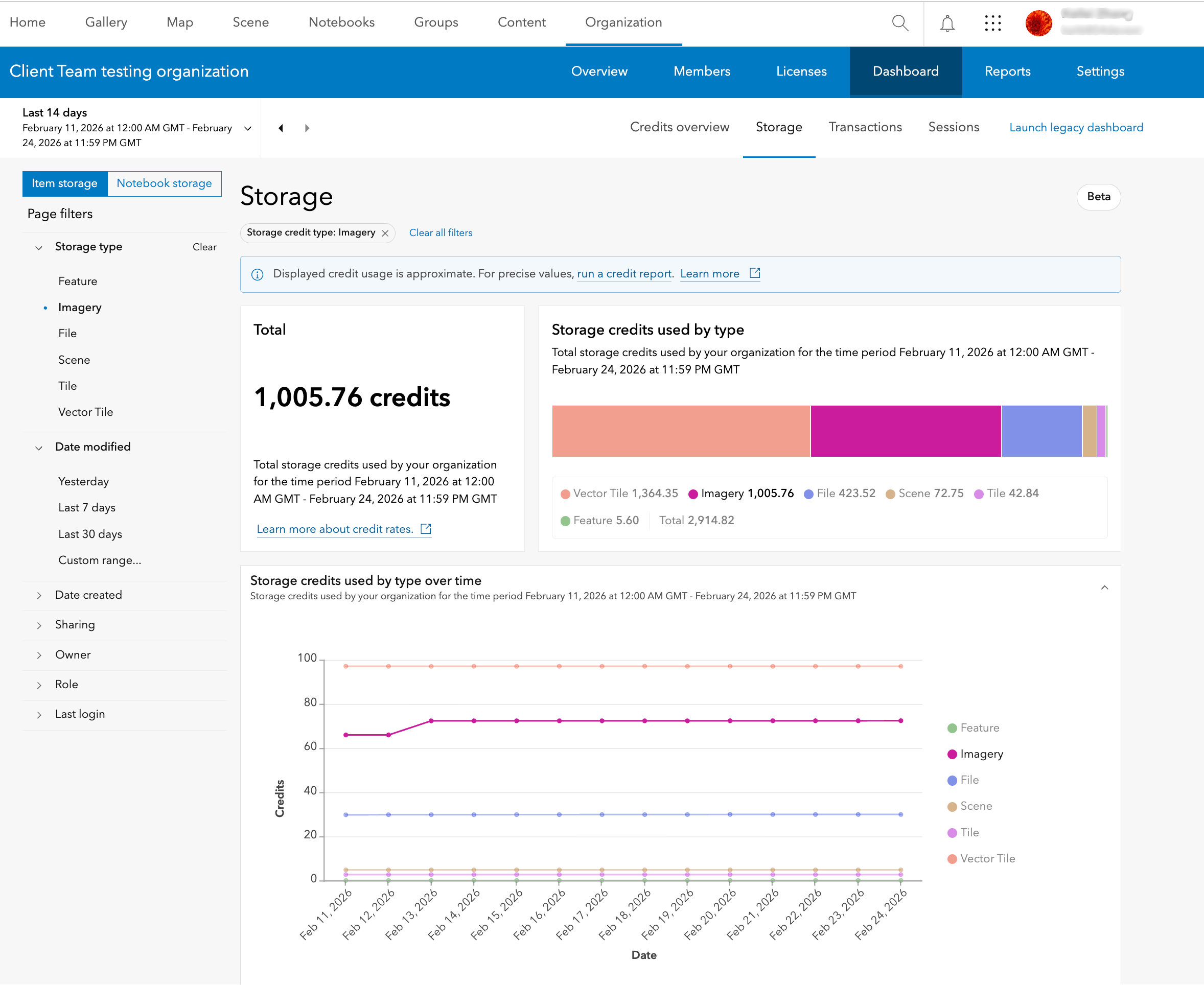
Within the Storage tab, each component of the bar and line charts represent the credits consumed for the storage of items of different types like Feature, Tiles, etc. Clicking on a type from the side panel or on the chart component filters the table showing top credit consuming items of that type. A table showing top credit consuming members who owned the items of that type are also shown.
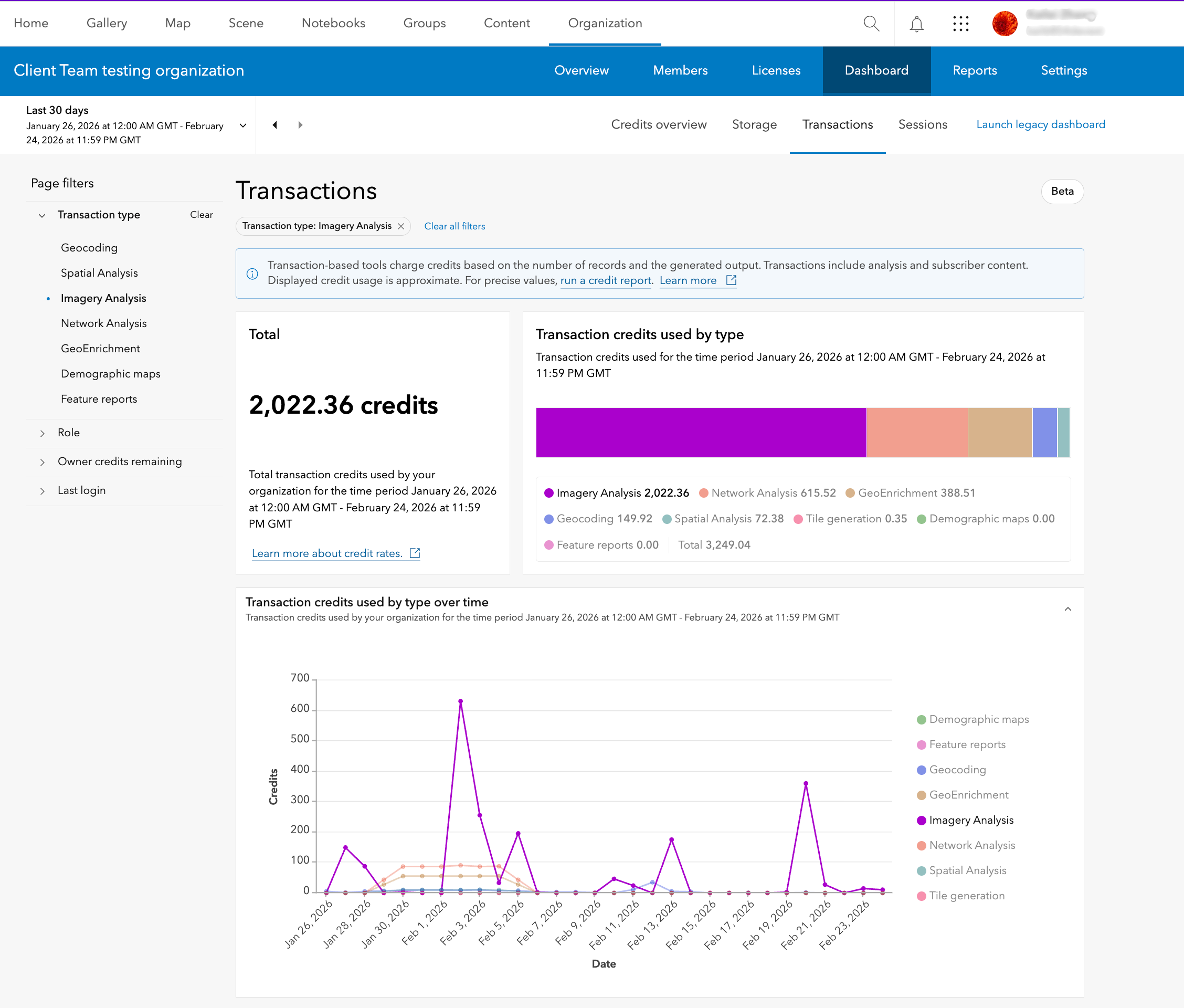
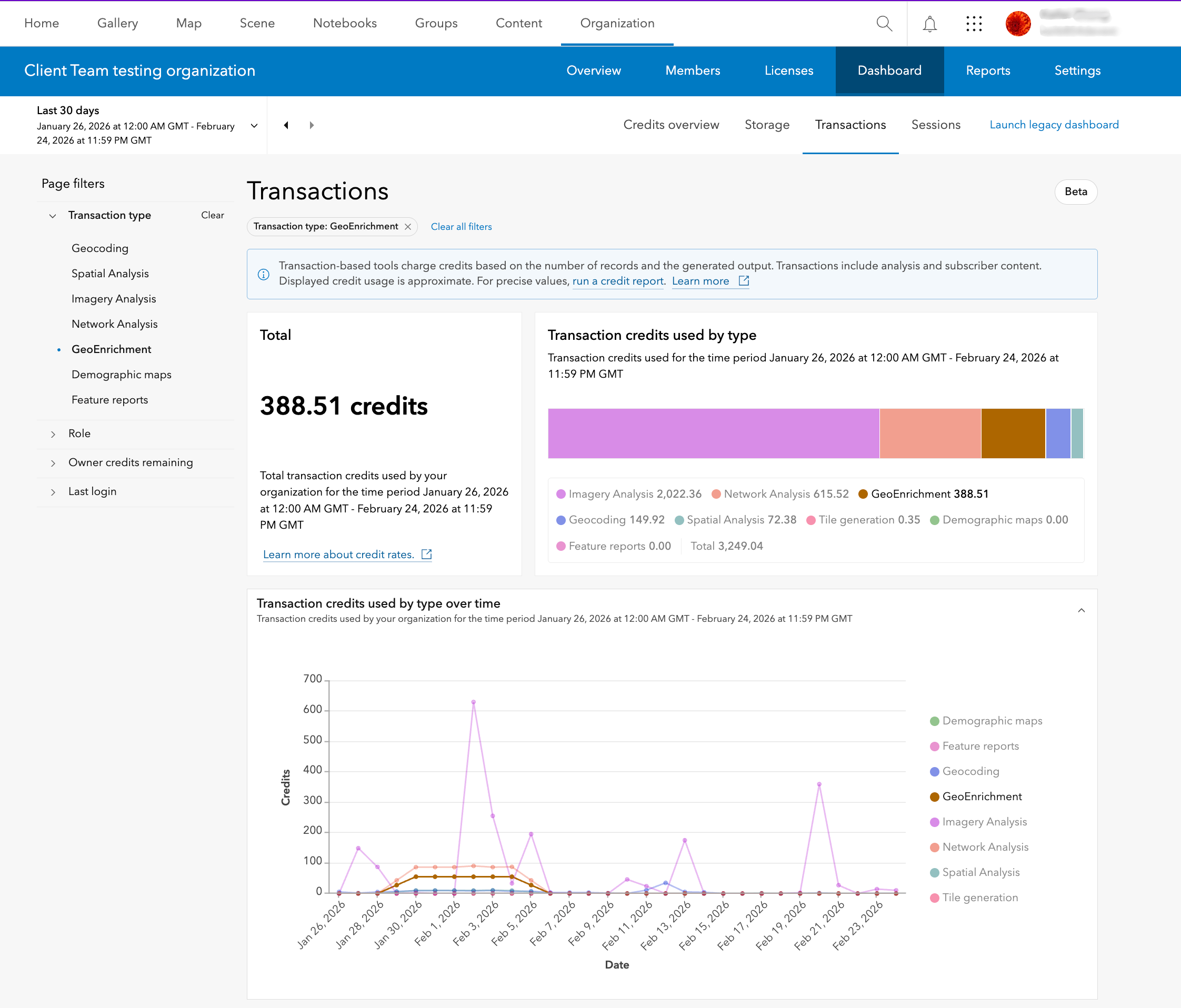
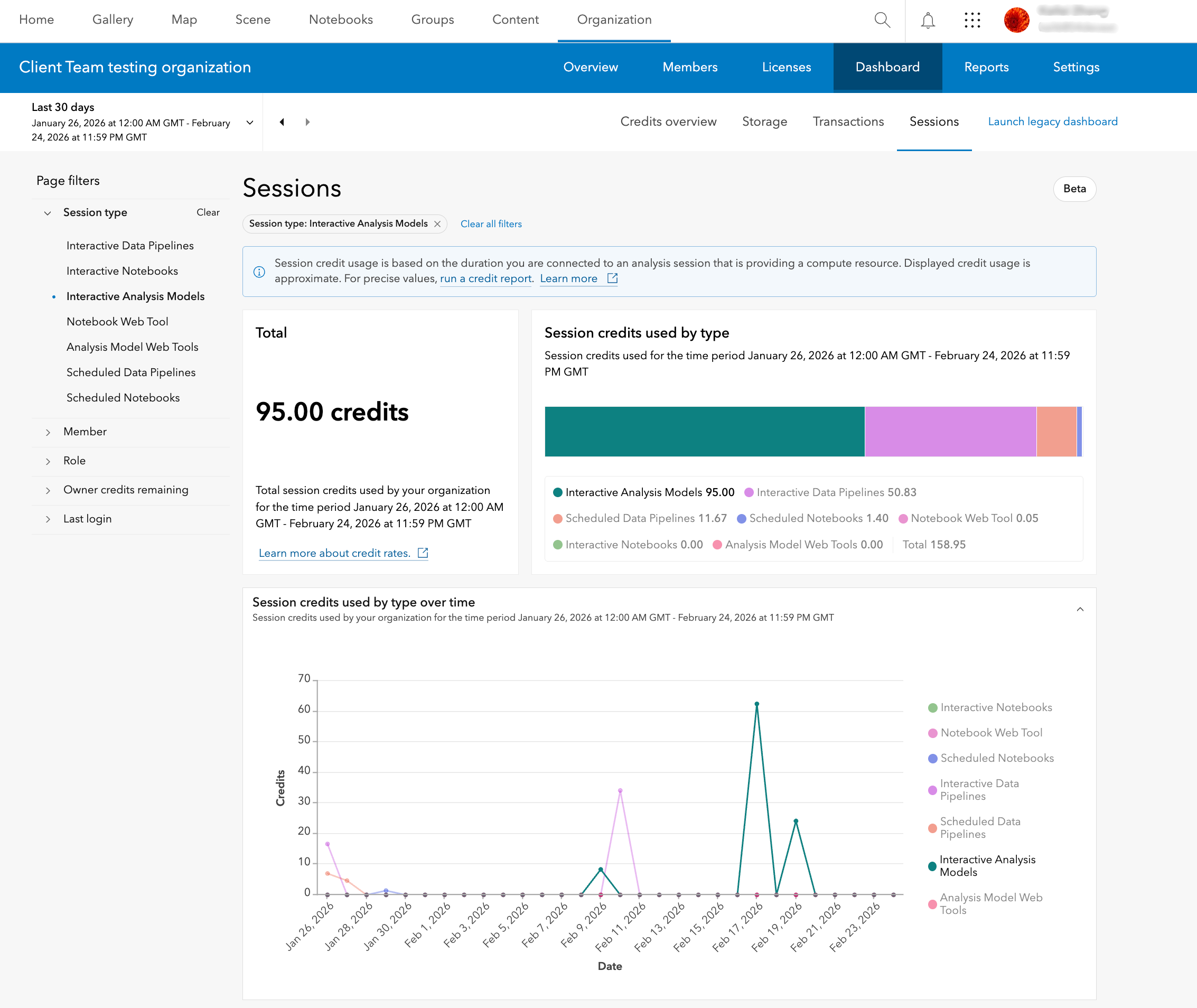
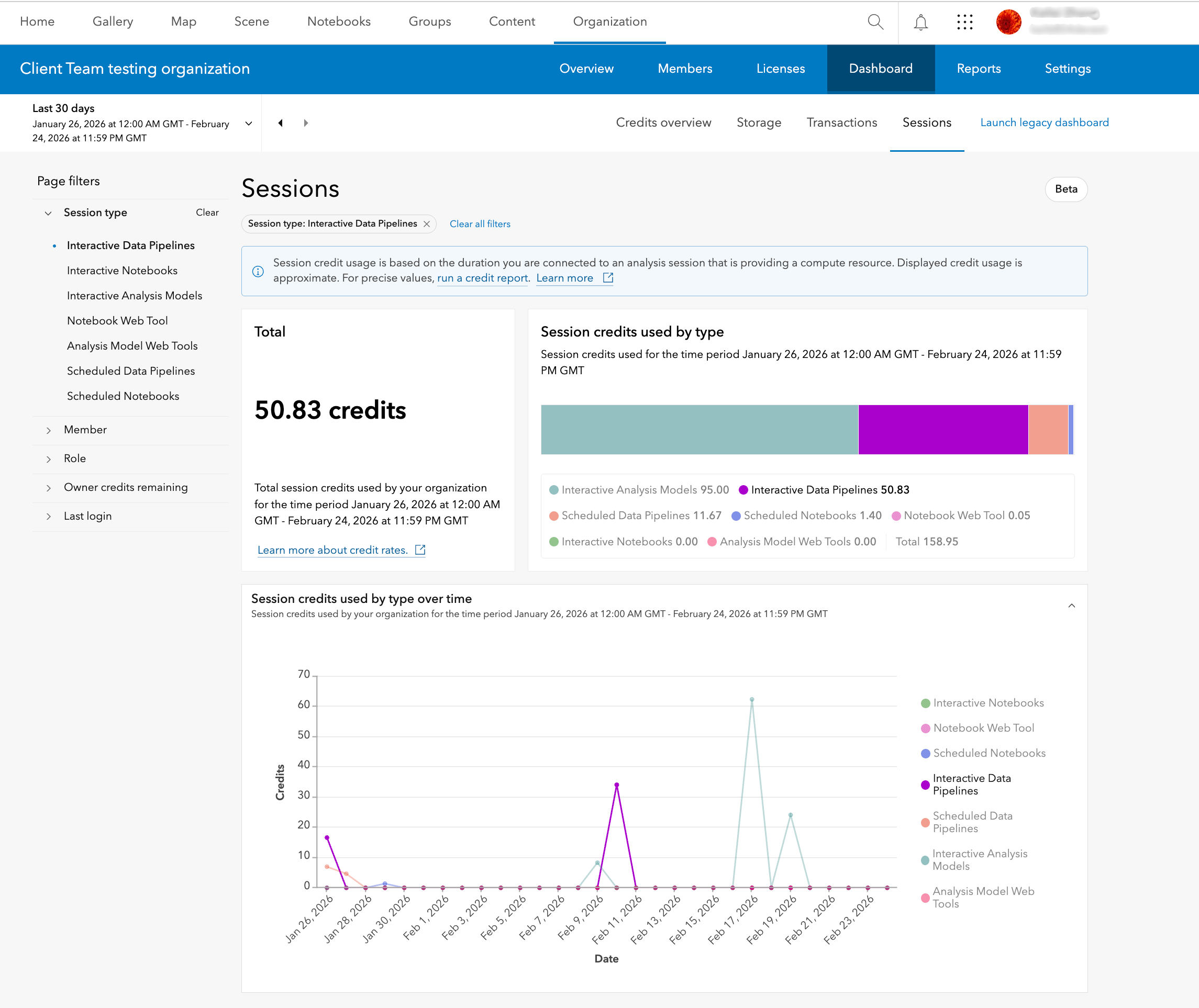
Within the Transactions and Sessions tabs, each component of the bar and line charts represent the credit consumption for different types or operations like Geocoding, Spatial Analysis, etc. Clicking on an activity type from the side panel or on the chart component filters the table showing top credit consuming activities within that type. The members who consumed the most credits performing those activities are also shown.
Additionally, you can seamlessly switch between different types of transactions or sessions on the charts and observe trends over time, making the analysis process both streamlined and insightful.
Enhanced Filters
The new beta dashboard provides further drilldown capabilities into the credit consumption for each category:
| Category | Type filters |
|---|---|
| Storage | Item Storage – Storage type like Feature, Imagery, File, etc., Date Modified.,
Notebook Storage – Owner, Role, etc. |
| Transactions | Transaction type like Geocoding, Spatial Analysis, Imagery Analysis, etc. |
| Sessions | Session type like Interactive Data Pipelines, Interactive Notebooks, etc. |
Frequently Asked Questions
Why do I see different credit values between the legacy and new beta dashboard?
As mentioned in this blog, the legacy and the new beta dashboard have different data aggregation methods, so this could cause a slight variation in credit reporting while the new dashboard is in beta.
The legacy dashboard lets me view historical credit use for the last year. Why does the new dashboard only show historical use from October 2025?
The new beta dashboard introduces more granular reporting which was not available in the legacy dashboard before and hence, you can only see the new data from October 2025. The legacy dashboard will continue to be available as well as the credit reporting tools while the new dashboard is in beta.
The legacy dashboard has categories for Analytics, Subscriber Content, and Published Content. Why can’t I see these in the new beta dashboard?
As mentioned in this blog, all transaction-based analytics activities along with Subscriber and Published Content usage have been included in the Transactions category, while duration-based analytics activities have been included in the new Sessions category.
The legacy dashboard contained summaries for Content, Apps, Members, and Groups. Will these eventually be included in the new dashboard?
The beta dashboard is still evolving. The current version of the beta dashboard focuses on improved credit reporting. Information about Apps, Members, and Groups will be made available either in future versions of the new dashboard or elsewhere in the organization website before the dashboard gets out of beta.
Takeaway
Transitioning to the new beta dashboard in ArcGIS Online unlocks a wealth of new features and provides a more intuitive monitoring experience for organization administrators. We hope you take this opportunity to explore and transition to the new beta dashboard.
Thank you to the following teammates for their contributions to the blog article: Umang Shah, Mike Minami and Shane Eaves.

Article Discussion: