As we look forward to the next release of ArcGIS Pro in Q2 2026, it’s a great time to reflect on the significant updates to the Pro SDK over the last year and share what’s coming in the months ahead.
Since early 2025, we’ve shipped two major updates—3.5 and 3.6—that focused on filling long-standing extensibility gaps and improving developer productivity. However, the most significant milestone is just around the corner: the transition to .NET 10 with the upcoming ArcGIS Pro 3.7 release.
If you’ve been building or maintaining Pro add-ins, most of these updates are incremental—but meaningful. There’s better control over add-in isolation and security, more complete Knowledge Graph APIs, continued refinement of editing and geometry workflows, and some important additions around 3D and map authoring.
Many of the features shipped over the last year started as requests in the ArcGIS Pro SDK Ideas community. We’ve prioritized these to ensure the SDK solves workflow gaps that users like you are most interested in. Below is a summary of the key SDK changes introduced since last year.
Framework
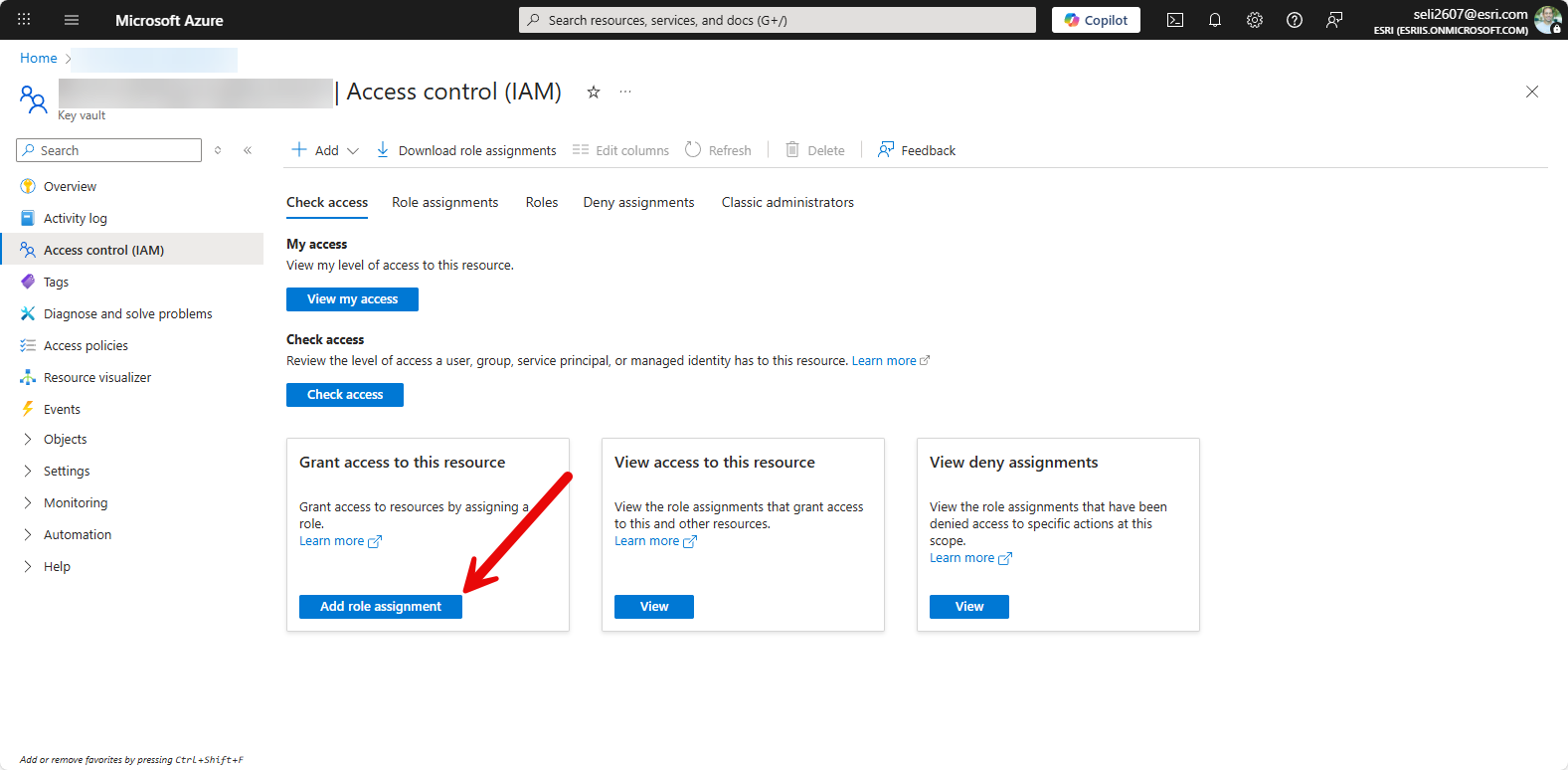
- Add-in sign-in using Azure Key Vault: Support has been added for add-in sign-in using Azure Key Vault. This enables secure management of credentials and certificates and aligns add-ins more closely with enterprise security practices, especially in managed environments. More details: Code signing using certificates stored in an Azure Key Vault
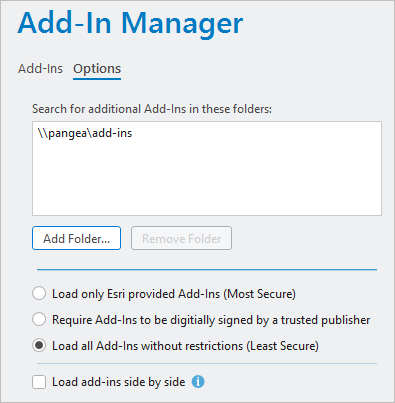
- Enhanced Add-in Isolation (Side-by-Side Loading): Developers now have full support for Side-by-Side loading of add-ins to achieve better isolation and resolve potential dependency conflicts between different add-ins. Furthermore, the side-by-side installation of add-ins is now optional, giving you greater control over your deployment strategies.
Editing
Most of the editing-related updates over the past year are focused on improving workflow efficiency and 3D correctness.
- Activate a default template without changing the active tool: You can now activate a default editing template without forcing a tool switch. This reduces context switching and enables smoother editing workflows where tool state needs to remain unchanged.
- Z vertex changes included in sketch events: Sketch update and modified events now include Z vertex changes. This allows add-ins to correctly respond to elevation edits in 3D scenarios, rather than only reacting to XY changes.
- Single workspace editing mode: The SDK now exposes the ability to activate single workspace editing mode, simplifying edit session management in multi-workspace or multi-user environments.
Map Authoring
- More control during bulk layer creation: When creating layers in bulk, you can now use
LayerCreationParamsderived classes to set additional properties at creation time, reducing the need for post-creation configuration. - Feature drawing order API: The Feature drawing order functionality is now available through the API, allowing explicit control over how features are rendered within a layer.
- Arcade expressions in class break renderers: Class break renderers now support Arcade expressions, enabling more dynamic, calculated symbology driven by runtime logic rather than static fields.
- Non-recycling search cursors: The SDK now supports non-recycling search cursors for advanced scenarios, such as multi-threaded or complex data access patterns.
Geometry and Coordinate Systems
- ProjectEx performance improvements: ProjectEx method has received performance improvements that result in faster projection operations. Add-ins that rely heavily on geometry transformations should see benefits without requiring code changes.
- Grid-based geographic transformations (.gsb): Support has been added for grid-based transformation files (.gsb) when specifying geographic transformations, enabling higher-accuracy coordinate transformations where required.
Knowledge Graph
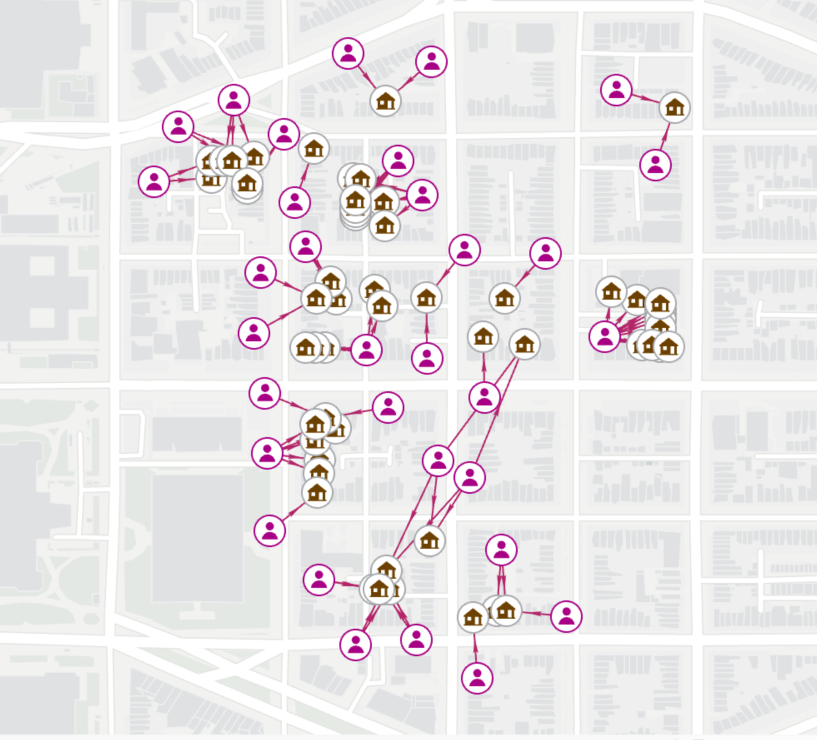
Over the past year, Knowledge Graph support in the SDK has expanded beyond basic access and visualization, with improvements to both analytics and editing.
- The SDK now exposes additional Knowledge Graph analytics, including Compute Centrality & Run Filtered Find Paths (FFP). These APIs make it possible to build more advanced relationship analysis directly into custom workflows.
- Editing support has been expanded to better handle Adding relationships & Capturing provenance information. This is particularly useful for workflows where tracking the origin and lineage of relationships is as important as the relationships themselves.
Watch here a brief introduction to ArcGIS Knowledge, which allows you to organize and analyze the relationships between data entities, offering powerful insights for decision-making.
3D Analyst
- LAS point selection using spatial filters: For 3D and lidar workflows, the SDK now supports selecting LAS points using a spatial filter. This enables more targeted point cloud analysis and tighter integration of LAS data into custom tools.
Layouts and Reports
- Custom report templates: The SDK now allows you to programmatically configure custom report templates, enabling standardized and automated generation of professional, data-driven reports from add-ins.
Assistant Extensibility
A key evolution in the SDK is the opening of the ArcGIS Pro Assistant framework to developers. Currently in Beta, this framework allows you to build Custom Extensions that execute specialized business logic, sitting right alongside the Assistant’s core capabilities to deliver spatial intelligence that wasn’t possible before.
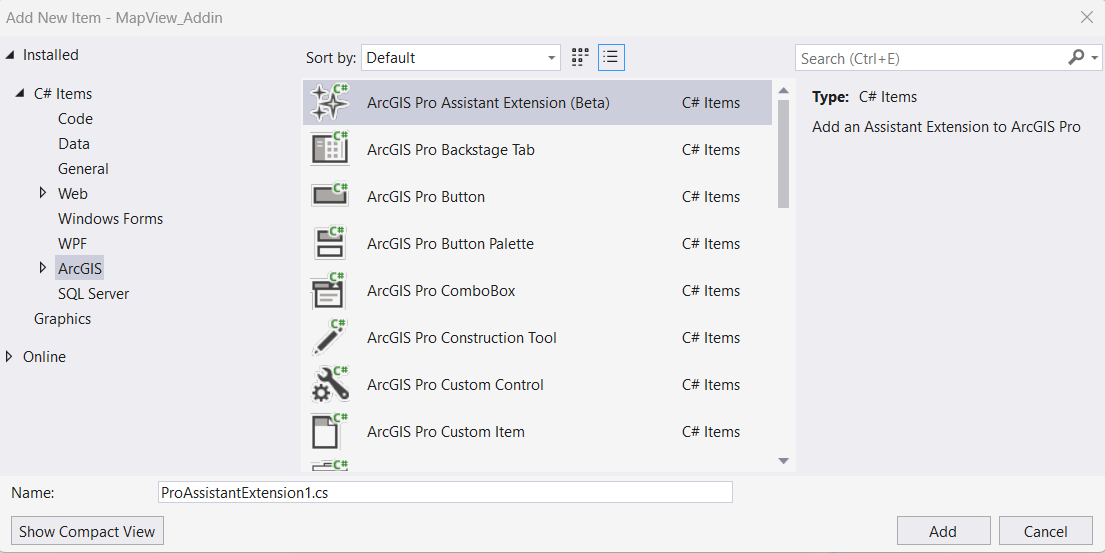
- Custom AI Actions: Using the new ArcGIS Pro Assistant Extension (Beta) item template in Visual Studio, you can register custom skills. These skills allow the Assistant to reason through user requests using LLMs while leveraging the deep analytical power of Pro to calculate the actual impact.
- Context-Aware Workflows: This pattern enables truly context-aware spatial workflows. For example, by merging AI reasoning with Pro’s deterministic logic, a user can use natural language to analyze complex scenarios—like calculating sun shadow impacts on urban parks—while your custom extension handles the rigorous multi-step GIS analysis in the background.
- ProGuide: Create a Pro Assistant Function
- Sample: AI Assistant Community Samples
Learn More about the ArcGIS Pro assistant
The Big Milestone: ArcGIS Pro 3.7 & .NET 10
The upcoming ArcGIS Pro 3.7 (May 2026) will move the application to .NET 10. This transition allows the SDK to leverage the latest performance and security enhancements from Microsoft’s latest Long Term Support (LTS) release.
What to Expect:
- Compatibility: 3.7 remains a minor release (3.x). Most existing add-ins should continue to function without requiring an immediate re-write. Read more here: Migrating to .NET 10 with ArcGIS Pro 3.7
- External Libraries: While the Pro SDK itself remains compatible, you should audit your third-party and external libraries for any breaking changes introduced in .NET 10. Dependencies involving cryptography, JSON serialization, or specific globalization APIs may require updates or recompilation to target the new runtime.
- Tooling Updates: Developing for 3.7 will require Visual Studio 2026 version 18.3.2 or later.
- Resources: For a deep dive into the technical requirements, see the ArcGIS Pro 3.7 Moves to .NET 10 blog post.
Next Steps
If you haven’t looked at the ArcGIS Pro SDK recently, now’s a good time to catch up on what’s changed over the past year and see where you can simplify or improve existing add-ins.
- Explore:Review the latest What’s New in the SDK 3.6 and What’s New in 3.5 documentation.
- Download: Get the latest ArcGIS Pro and the ArcGIS Pro SDK.
- Explore: Review the updated ProConcepts and ProGuide documentation for details and patterns around the new APIs, and check out our Community Samples.
- Engage: Share feedback and what you’re building on the ArcGIS Pro SDK Esri Community.
As always, we’re interested in how these updates are being used in real-world workflows.

Article Discussion: