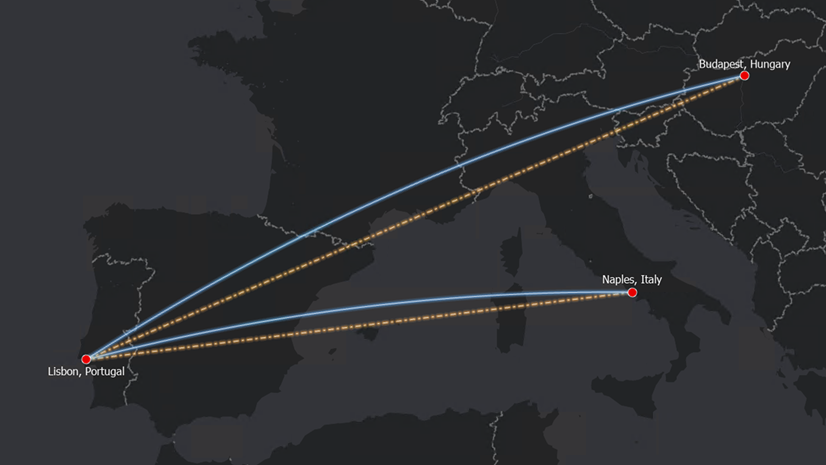
When you measure the distance between two points on a map, you have a choice: measure it as if the map were flat, or account for the fact that the Earth is curved. Measuring distances using the planar method is fast and works well for many cases, while using the geodesic method provides more accurate distances, especially over large areas.
In ArcGIS Pro 3.7, that choice is now available with the Geodesic Flow direction tool for hydrologic analysis.
Determining flow direction is a fundamental step in hydrologic analysis. It forms the basis for extracting stream networks, delineating watersheds, and understanding how water moves across a landscape.
At its core, the tool determines the steepest downhill direction from each cell to its neighboring cells. That calculation depends on knowing the distances between cell centers, which is exactly where geodesic measurement makes a difference, and improves accuracy.
Why Distance Calculation Matters in Flow Direction
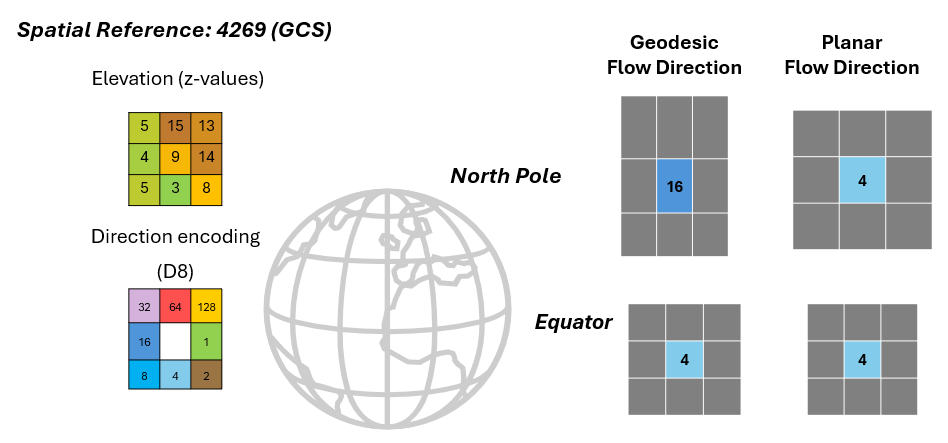
To understand the impact, consider a 3 x 3 grid of elevation cells. Consider the example shown in Figure 1.
At the equator, the cells are consistent in size and shape, so the distances between cell centers are roughly equal in all directions. In that case, whether you use a planar or geodesic method to calculate distance, the result is essentially the same. Flow direction is unaffected.
Now move that same grid to near the North Pole. Here, the cells are distorted; they’re narrower in the east-west direction than in the north-south direction. Distances between cell centers are no longer equal. A planar calculation doesn’t account for that distortion, but a geodesic one does. The result: what would have been a southward flow direction at the equator may now correctly resolve as westward flow at the pole when calculated geodesically.
For a single cell, the difference might seem small, but hydrologic analysis involves thousands or millions of them. At large or global scales, those small per-cell differences accumulate into meaningful errors in stream networks and watershed boundaries.
Nowadays, hydrologic analyses often span continents and rely on diverse elevation datasets that may be in different coordinate systems. Global hydrologic datasets, climate modeling inputs, and continental watershed studies all benefit from flow direction that accurately reflects the Earth’s true surface geometry.
The new Geodesic Flow Direction tool
The geodesic method is available through the new Geodesic Flow Direction tool. You will find it familiar – it offers the same user experience as the Flow Direction tool. No additional steps are required. Simply specify an input elevation raster and hit the Run button. It fits into existing hydrologic workflows exactly where the Flow Direction tool was already being used.
An Example: Iceland
To see the impact clearly, consider a full-extent analysis of northern Iceland. When we compare stream networks derived from planar flow direction (shown in purple) versus geodesic flow direction (shown in blue), the differences are visible across the entire dataset, from where streams originate to the paths, they follow across the landscape. Every one of those differences traces back to how flow direction was calculated.
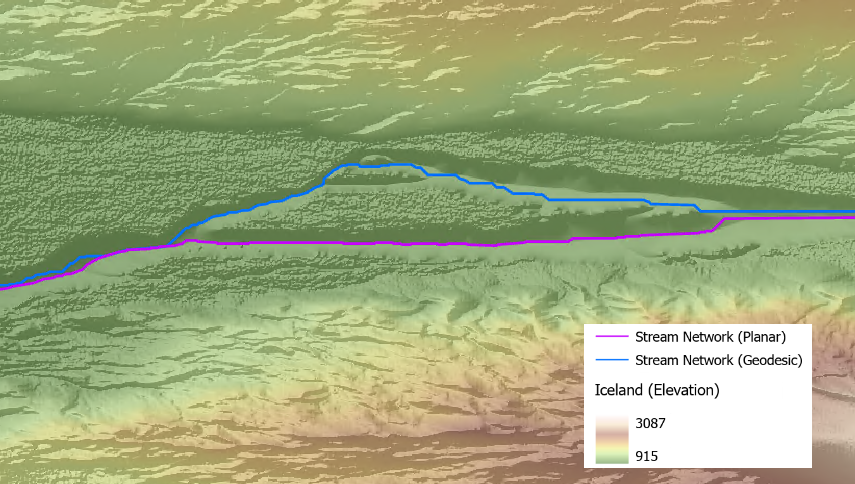
If your analysis uses diverse data with different coordinate systems, spans continents or large-scales or you just want to keep your analysis in geographic coordinate system (GCS), use the new Geodesic Flow Direction tool to ensure the flow direction raster output accounts for the Earth’s curved shape.

Article Discussion: