Managing datasets in an enterprise geodatabase can get complicated when database privileges and identities don’t line up. Ownership in enterprise geodatabases is tied to the database schema, which serves as a logical container for the dataset. The ArcGIS requirement is that the schema and the username match. This creates a roadblock: if the previous data owner’s account is shut down, the dataset remains on their schema. A new data owner can’t take responsibility for it because their database username and default schema don’t match the schema of the existing data.
With modern database security practices such as the use of centralized identity providers and restrictions on shared database accounts, this situation is increasingly common. Organizations could work around this by copying the dataset onto the schema matching the new user’s name. However, archive history, versioning information, and other information associated with the original geodatabase object are not retained when making a copy of a dataset.
New in ArcGIS Pro 3.8, the Change Dataset Schema geoprocessing tool addresses this problem for enterprise geodatabases in SQL Server. Using this tool, a database administrator can move a registered dataset to another database schema while preserving the dataset and updating the geodatabase metadata that describes it.
Moving the dataset instead of recreating it
The Change Dataset Schema tool moves a dataset from its existing SQL Server schema to another database schema. The tool accepts an input dataset and new schema. The input must be a dataset registered with the geodatabase, and the database connection used to run the tool must have sufficient SQL Server privileges to alter the schema of the dataset and its associated database objects.
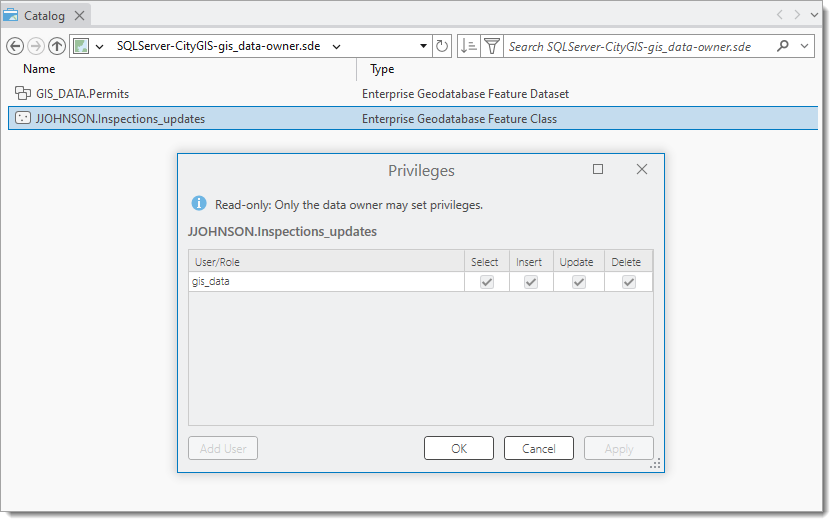
In the following example, JJOHNSON.Inspections_updates is a dataset that resides in the schema of a former employee. Since J. Johnson has left the organization, their database user account has been deactivated. Another GIS staff member assumes responsibility for maintaining the data, using the gis_data database user and schema to manage the data. The gis_data database user has full control over the data on the JJOHNSON schema in SQL Server. But database privileges alone do not make that user the data owner, so managing geodatabase functionality in ArcGIS remains unavailable.
To give the new data owner access, a database administrator can now run Change Dataset Schema to move the data to a new schema. The administrator will select JJOHNSON.Inspections_updates as the input dataset and specify the desired GIS data owner’s schema as the destination.
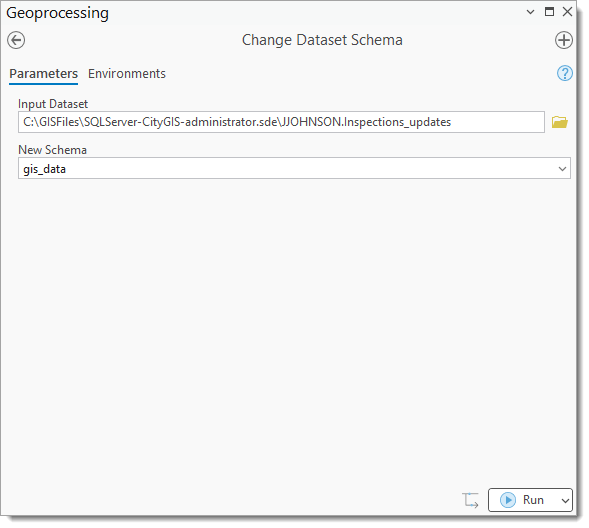
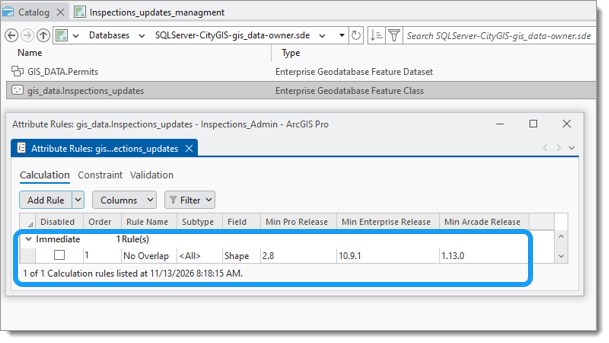
The tool performs the SQL Server schema change for the dataset and then updates the geodatabase metadata. The dataset is now qualified by the new schema and the GIS data owner associated with that schema can once again perform owner-dependent management operations, such as adding a new attribute rule:
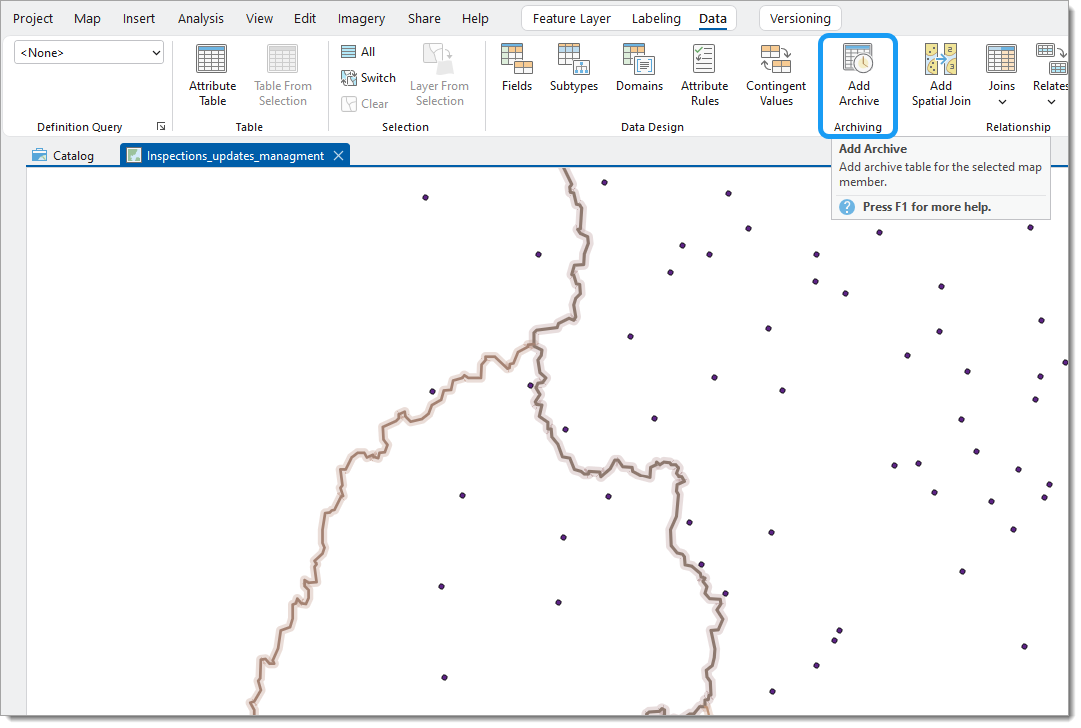
The table’s archive history remains available after the schema is changed. Retaining edit history after moving the dataset is significant for organizations that have operational, auditing, or regulatory reasons to retain historical information.
Schema migration is not trivial, so administrators should evaluate the dataset and its dependencies before running the tool carefully. The new data owner must grant permissions to other users after the change. Services, applications, SQL queries, scripts, or other systems that may refer to a dataset must also be reestablished.
The initial implementation concentrates on simple geodatabase datasets, including tables, feature classes, and feature datasets. The same workflow will eventually be expanded to help administrators migrate increasingly complex datasets and handle more geodatabase identity management scenarios.
Using this new geoprocessing tool, administrators can move responsibility for existing geodatabase datasets to the identities and schemas that should manage them today without resorting to making a copy of the data. For organizations modernizing their SQL Server authentication and identity practices, this capability can be especially valuable.



Commenting is not enabled for this article.