There’s a certain kind of support ticket you learn to recognize quickly. Not because it’s urgent, but because it’s familiar.
It’s the one where everything technically works, but the workflow doesn’t.
The user might ask,
“Is there a way to…?” or soften it with “This might be a silly question…”.
What they really mean is simpler: this process is taking too long, and it shouldn’t have to.
Support teams see these moments repeatedly across industries, datasets, and environments. When the same friction shows up often enough, it stops being just a support issue. It becomes a signal.
That signal matters — and it has to go somewhere specific to be heard.
In ArcGIS Pro, there are two primary ways those signals turn into product change: logging enhancement requests with Technical Support, and engaging with the Esri Community Ideas board. These aren’t competing channels. They serve distinct and complementary roles, and together they form the feedback pipeline that directly influences what gets built next.
Support Analyst Note
The Ideas board captures what users can clearly define and rally around. Technical Support captures something different — friction in real time, often before it's fully formed into a request. Both perspectives matter. But if your team has normalized a workaround and never logged it, that signal never reaches the product team.
The Feedback Loop Is Bigger Than Most People Assume
Support data and the Esri Community Ideas board serve different but complementary roles:
- Ideas show demand and visibility. They demonstrate that a group of users wants something specific.
- Support cases provide validation, reproducibility, and impact. They demonstrate that a problem is real, repeatable, and measurable.
When a clearly stated community idea overlaps with a repeated pattern in support cases, the signal becomes very loud. That’s when it tends to get built.
The scale of what’s been implemented from both channels is worth understanding:
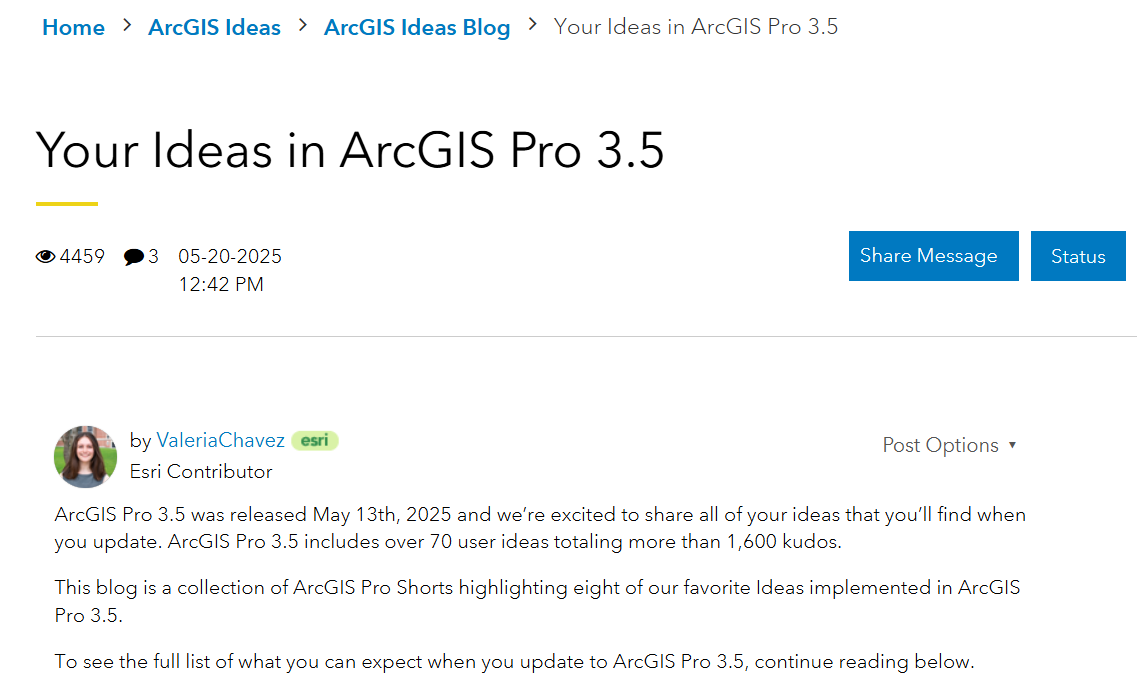
- ArcGIS Pro 3.2 implemented nearly 120 user ideas totaling over 1,500 kudos
- ArcGIS Pro 3.5 included over 70 user ideas totaling more than 1,600 kudos
- ArcGIS Pro 3.6 (released November 13, 2025) included over 60 user ideas totaling more than 600 kudos
Those numbers don’t reflect ideas alone. Behind many of those shipped features are patterns that support teams recognized before anyone posted a formal request.
What Enhancement Support Tickets Actually Look Like (Before They Become Features)
Support cases that end up as enhancements tend to fall into a few recurring buckets:
- “How do I…?” → documentation or discoverability gaps
- “Why does it…?” → expected behavior vs. defect
- “Is there a better way…?” → workflow friction
- “We’ve been doing this workaround forever.” → unofficial standard operating procedure
A customer might add frustrations in their support ticket, such as:

When these patterns and frustrations repeat across users in different industries, regions, and environments, they stop being isolated issues. They become the clearest possible signal for product change.
Feature Examples: How These Signals Became Shipped Improvements
Spatial Clauses in Definition Queries (3.5): The “How Is This Not Built-In?” Moment
ArcGIS Pro documentation now states that definition queries can include both attribute clauses and spatial clauses. That sentence might not look like much to some, but means a LOT to the people that use definition queries.
Before this change, users had to string together multiple steps or rely on workarounds just to keep a map focused on the right features. Spatial clauses collapsed that workflow into a single, more intuitive step.
This is a textbook example of a support pattern intersecting with community demand. The community idea gave it visibility. The support pattern gave it validation. Together, they got it built.
Once released, users immediately began extending the feature with ArcPy and sharing workflows back on the Community. That’s the feedback loop in action.
Support Analyst Note
Spatial clauses are a good example of “small UI change, huge workflow impact.” The support signal isn’t a single feature request — it’s the pattern of people building the same multi-step workaround over and over, often without realizing there could be a cleaner solution.
Portal Projects (3.5): Turning a Collaboration Pain Point Into a Supported Feature
Collaboration issues show up in support in predictable ways:
“We’re trying not to overwrite each other’s work.”
“We need the file on a shared network drive so we can all access it — but we’re seeing issues.”
“Why is this file locked?”
These are not outliers. They are daily friction points for teams. And they were being logged — repeatedly.
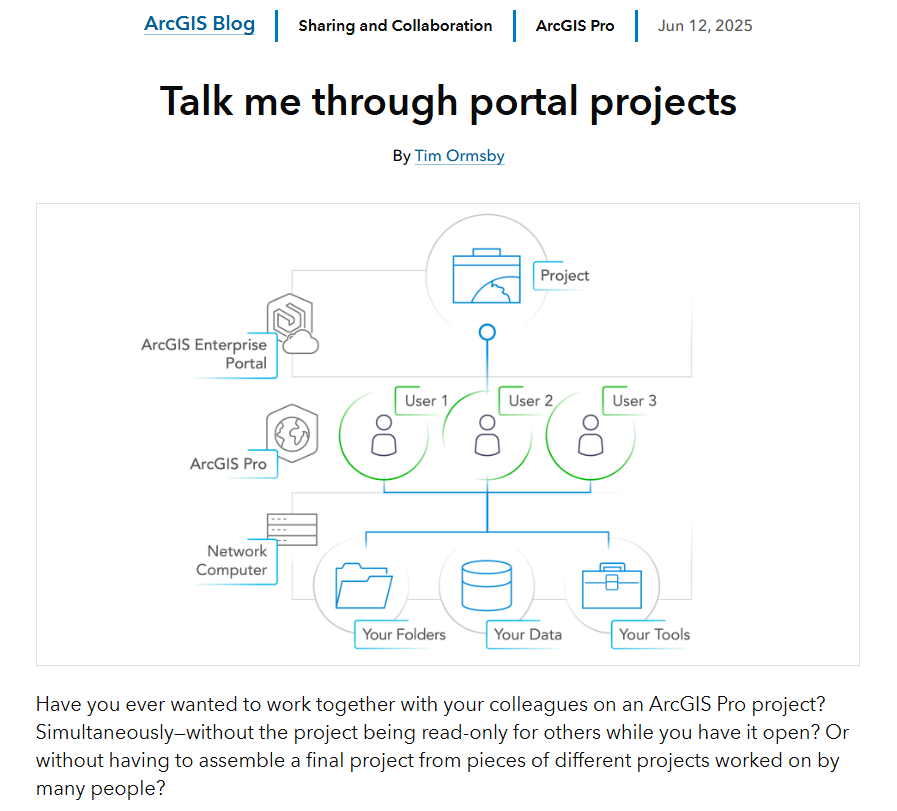
ArcGIS Pro 3.5 introduced portal projects, allowing projects to be created, stored, and managed directly in ArcGIS Enterprise (11.4+). Portal projects use shared update groups, which allow multiple team members to open and save changes to the same project.
No more passing files around. No more version confusion. It shifts collaboration from a workaround to a supported workflow.
Memory Workspace Button (3.5): Making a Power-User Trick Discoverable
This feature rarely shows up as a direct request. Users don’t ask for a “memory workspace button.” They ask for speed, cleaner workflows, and fewer intermediate outputs.
The capability already existed. You could manually define memory paths. But that required insider knowledge — the kind that lives inside teams as tribal knowledge and never makes it into a support case or an idea post.
ArcGIS Pro 3.5 made it visible. A Memory workspace button now appears next to output parameters in geoprocessing tools. Same capability. Completely different accessibility.
Analyze Map (3.7): Answering the Call for Better Troubleshooting Features
You know when you go to publish a layer or project and you have the option to “Analyze”? That trusty option usually catches any issues that need to be resolved and then you can go and fix them. Well, now you have a tool that does that at any time, not just before publishing: Analyze Map.
I can’t tell you the amount of times that customers have called into Support and have asked if there was any tool that could scan for issues, without just stumbling upon them during a workflow. We were listening to the frustration and these requests turned into a tool can ensure your projects are functioning optimally, any time.
Practical Advice: How to Make Your Feedback Count
The most effective feedback uses both channels — and uses them well.
For enhancement requests with Technical Support:
- Log a case even if behavior technically “works.” Workflow friction and inefficiency are valid reasons.
- Be specific about impact: “This adds three hours per dataset and affects 12 analysts weekly” carries far more weight than “this is slow.”
- Describe your current workaround in easy to understand steps. That’s often the clearest signal of what’s missing.
- Don’t assume someone else has already reported it. Frequency matters — repeated cases from different users are more compelling than one.
For the Esri Community Ideas board:
- Search for an existing idea first. Add kudos and contribute your specific use case to strengthen it. Don’t split the vote by creating a duplicate.
- If your idea doesn’t exist, post it — with enough detail that others can recognize their own frustration in it.
- Reference your support case if you have one. The crossover between Ideas engagement and Support documentation is exactly what accelerates prioritization.
Support Analyst Note
A well-documented case with clear reproduction steps, environment details, and business impact moves faster and carries more weight than a vague complaint.
While not all customers have this avenue, but it is worth mentioning that if you have an Account Team, Customer Service Rep, etc., then let them know your woes as well. Your suggestions won't fall on deaf ears.
Quick links for for reference:
- If behavior seems incorrect, inconsistent, or could be improved upon, then log a case with Technical Support.
- Want more insight on how lay out your support case or what details to include? Refer to THIS Community Post!
- Want to go surf the ideas of provided by your fellow ArcGIS Pro users? 👉 Go to the ArcGIS Pro Ideas Community Board.
Final Thought
Don’t let friction become tribal knowledge.
If your team has normalized a workaround — if there’s a multi-step process everyone does but no one has ever formally questioned — that is exactly the kind of signal that needs to be logged. Post the idea. Add your voice. Log the case.
The features highlighted here didn’t appear randomly. They came from users who spoke up, from patterns support teams recognized, and from feedback that was specific enough to act on.
The strongest feedback isn’t the loudest. It’s the clearest — and it travels through both channels.

Article Discussion: