ArcGIS Solutions helps you make the most of your GIS by providing purpose-driven, industry-specific configurations of ArcGIS.

We launched the ArcGIS Solutions app five years ago and it has been used by more than 20,000 organizations to deploy 150,000 solutions in ArcGIS Online and many more in ArcGIS Enterprise.
Earlier this year, we introduced a powerful new capability in the ArcGIS Solutions app: the solution diagram.
This interactive diagram visually represents all the items included in a solution and shows how they depend on one another. It’s now available in ArcGIS Online and ArcGIS Enterprise 11.5. From the My Solutions page in the ArcGIS Solutions app, you can open the diagram for any deployed solution by clicking View diagram.
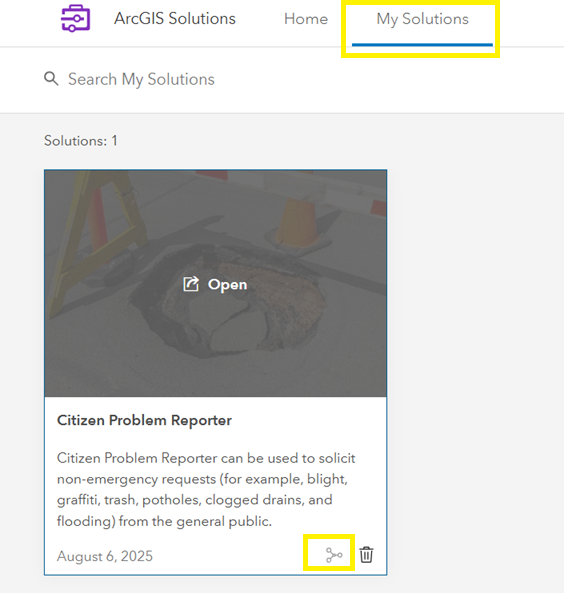
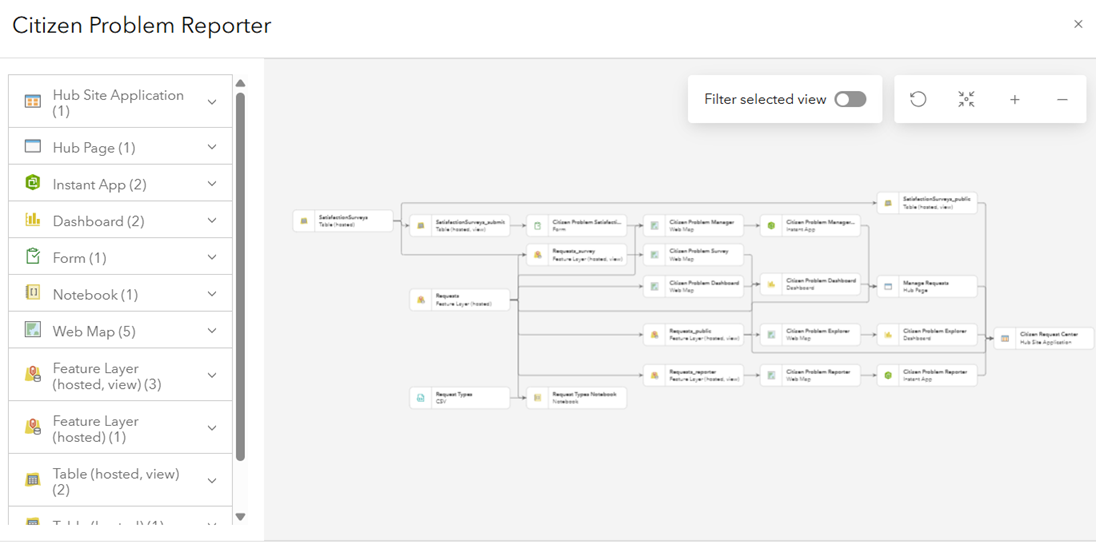
Once open, you’ll see a clear, connected view of your solution’s items making it easier than ever to understand how everything works together. The solution diagram helps you answer questions like:
- What maps or apps use a particular feature layer?
- What web maps are powering a specific dashboard?
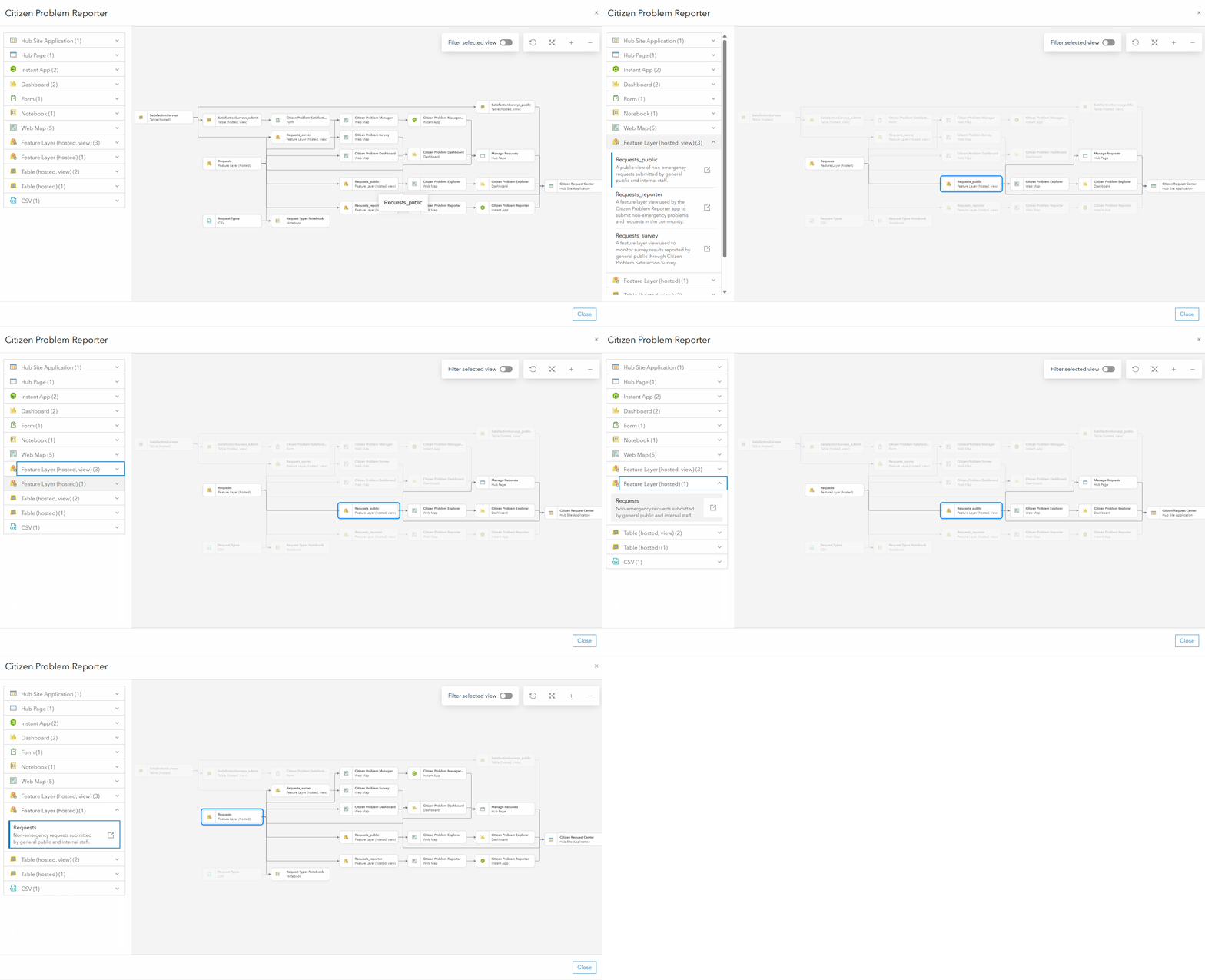
When you click on an item in the diagram, it highlights all related dependencies. For example, selecting a feature layer shows all the maps and apps that reference it. This helps you quickly identify where changes to the layer might have an impact.
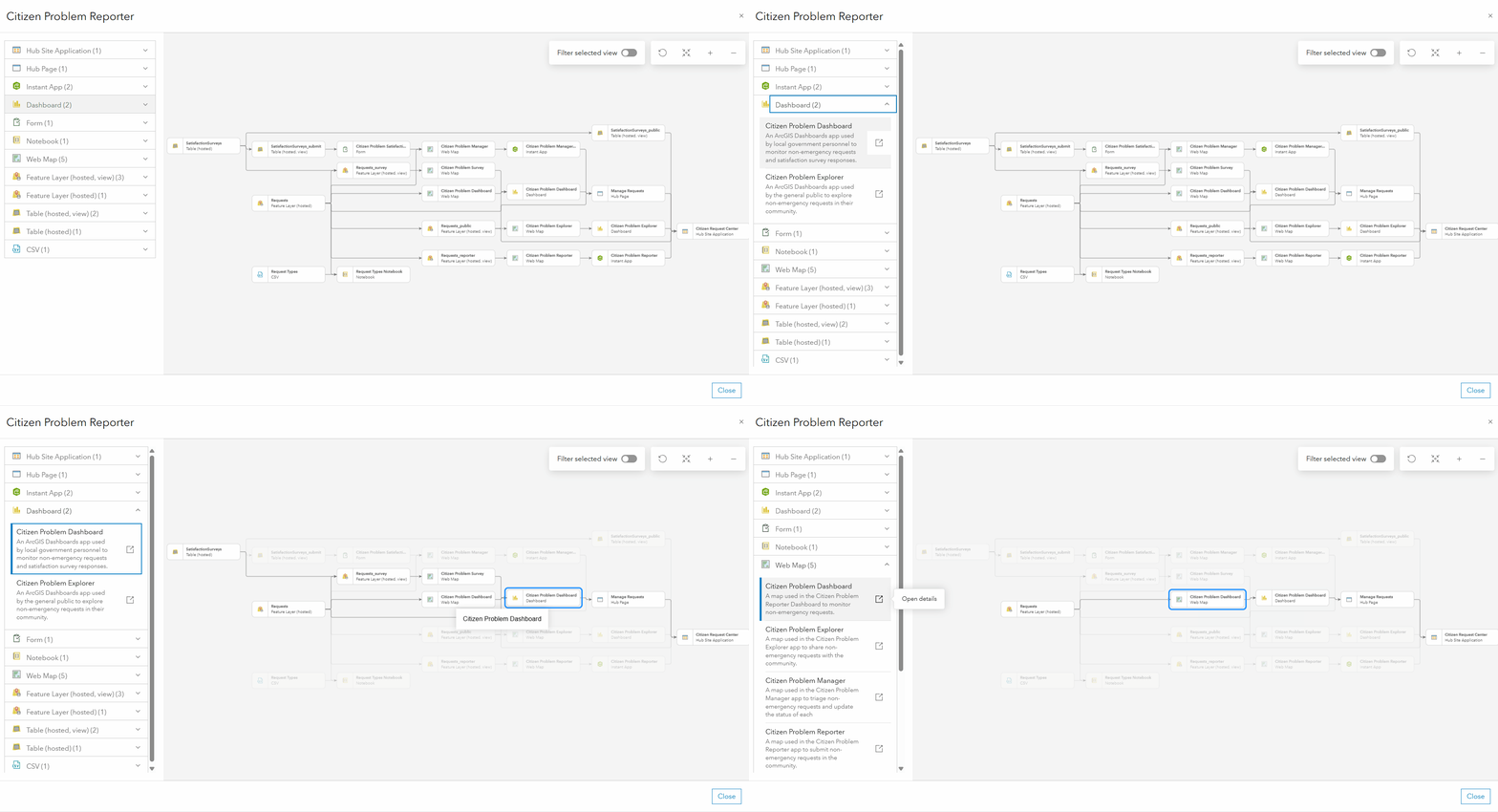
Need to update a dashboard? Select it in the diagram to see the dependent web maps, then jump directly to the map in your content to make changes such as updating the basemap, adjusting layer symbology, or refining pop-ups.
In larger solutions with many items and complex relationships, toggle on the Filter selected view to isolate a single item and visualize only its related components. This makes it easier to work on specific parts of your solution without distraction.
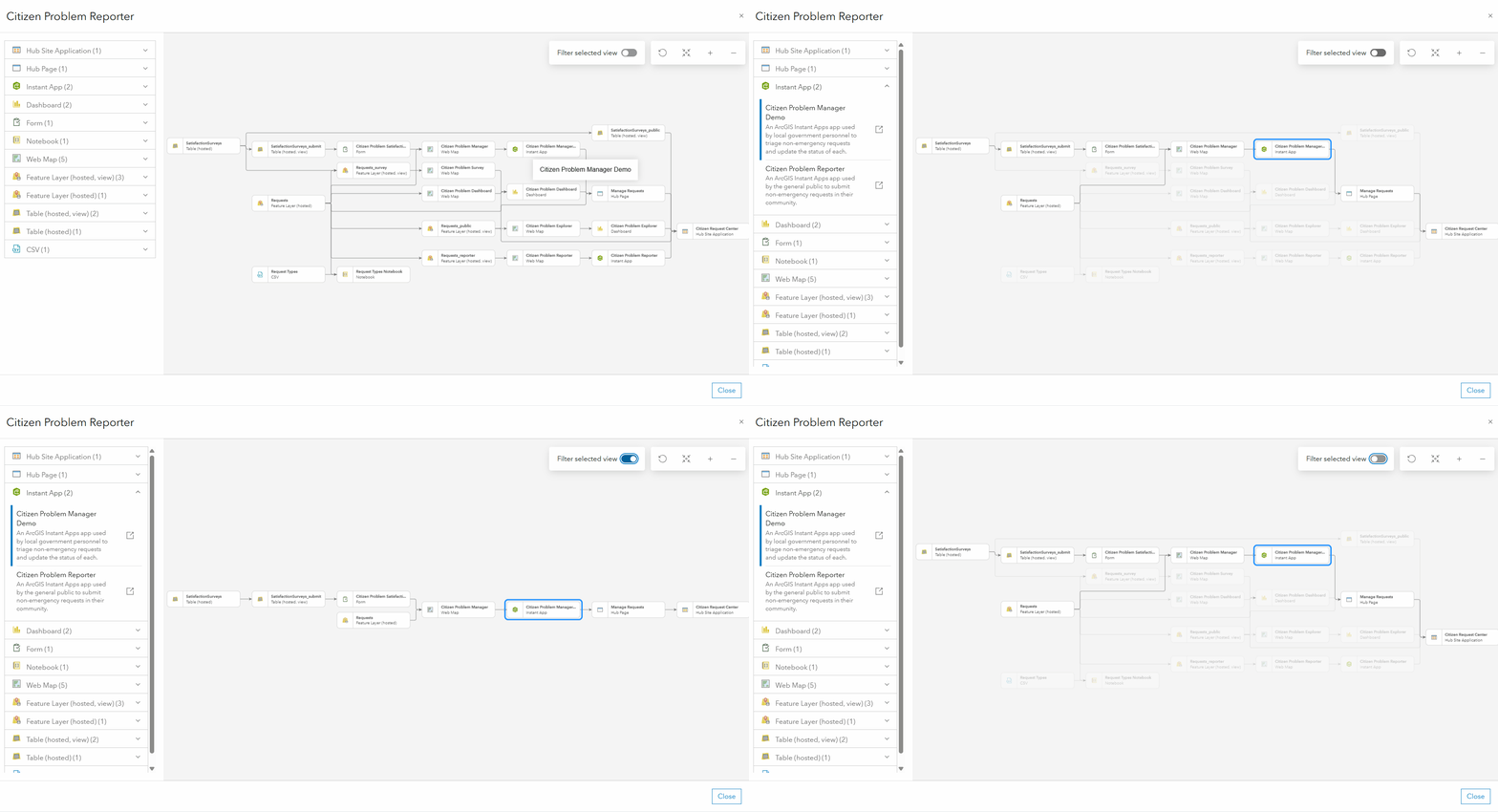
The new solution diagram gives you a clear, interactive view of your solution’s architecture, helping you understand, manage, and customize your solution.
By making dependencies visible, it streamlines troubleshooting, accelerates updates, and saves valuable time. Ready to explore your solutions in a whole new way?
Log in to the ArcGIS Solutions app, open one of your deployed solutions, or deploy a new solution, and click View diagram to start visualizing and managing your solution like never before.
Learn more
For more information about ArcGIS Solutions, check out the following resources:
- Explore the ArcGIS Solutions gallery.
- Learn more about ArcGIS Solutions.
- View the full collection of solution demo videos available to the community.


Article Discussion: