ArcGIS Solutions helps you make the most of your GIS by providing purpose-driven, industry-specific configurations of ArcGIS.
When disaster strikes, how do you know which shelters are open, which are nearing capacity, and where demand is increasing? The new Emergency Shelter Management solution helps you keep a clear picture of shelter status, occupancy, and guest activity, even in rapidly changing conditions.
This picture can be hard to maintain if shelter occupancy is tracked in spreadsheets (or not tracked at all), leaving you without up-to-date, reliable information. Without spatial awareness of where shelters are located or how many people they’re serving, it becomes harder for you to determine which shelters to open and how to plan resources and staffing.
Here’s how the Emergency Shelter Management solution helps streamline shelter operations:
Streamline shelter operations
Emergency management agencies need accurate information about shelters and must coordinate with each shelter manager to ensure that demand matches capacity.
Map shelters
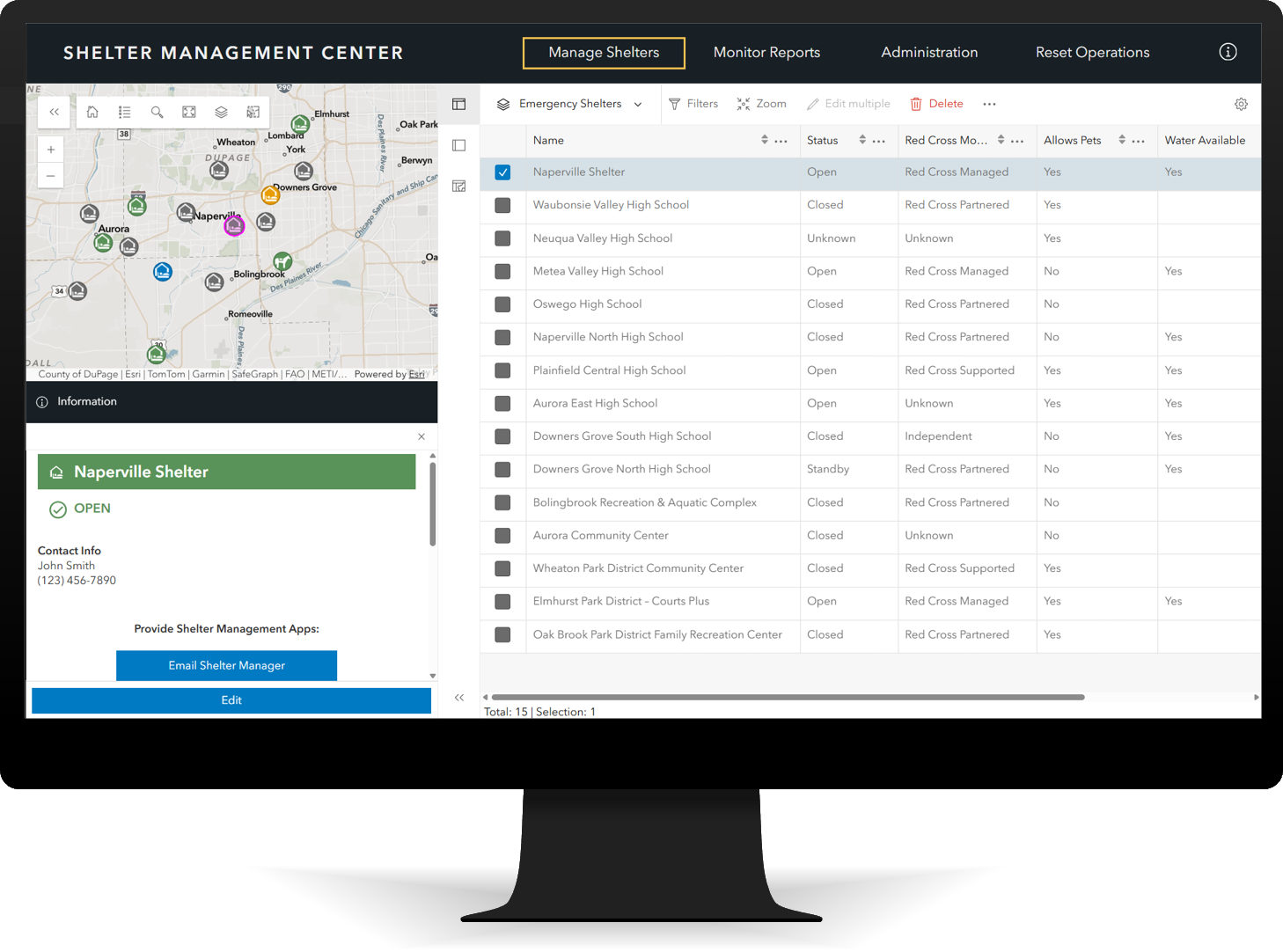
Creating an inventory of shelters helps you prepare for an incident so you can open shelters quickly when conditions change. If you’re working at an Emergency Operations Center (EOC), the Shelter Management Center allows you to add shelters, update status, and coordinate occupancy reporting and guest registration.
Update occupancy
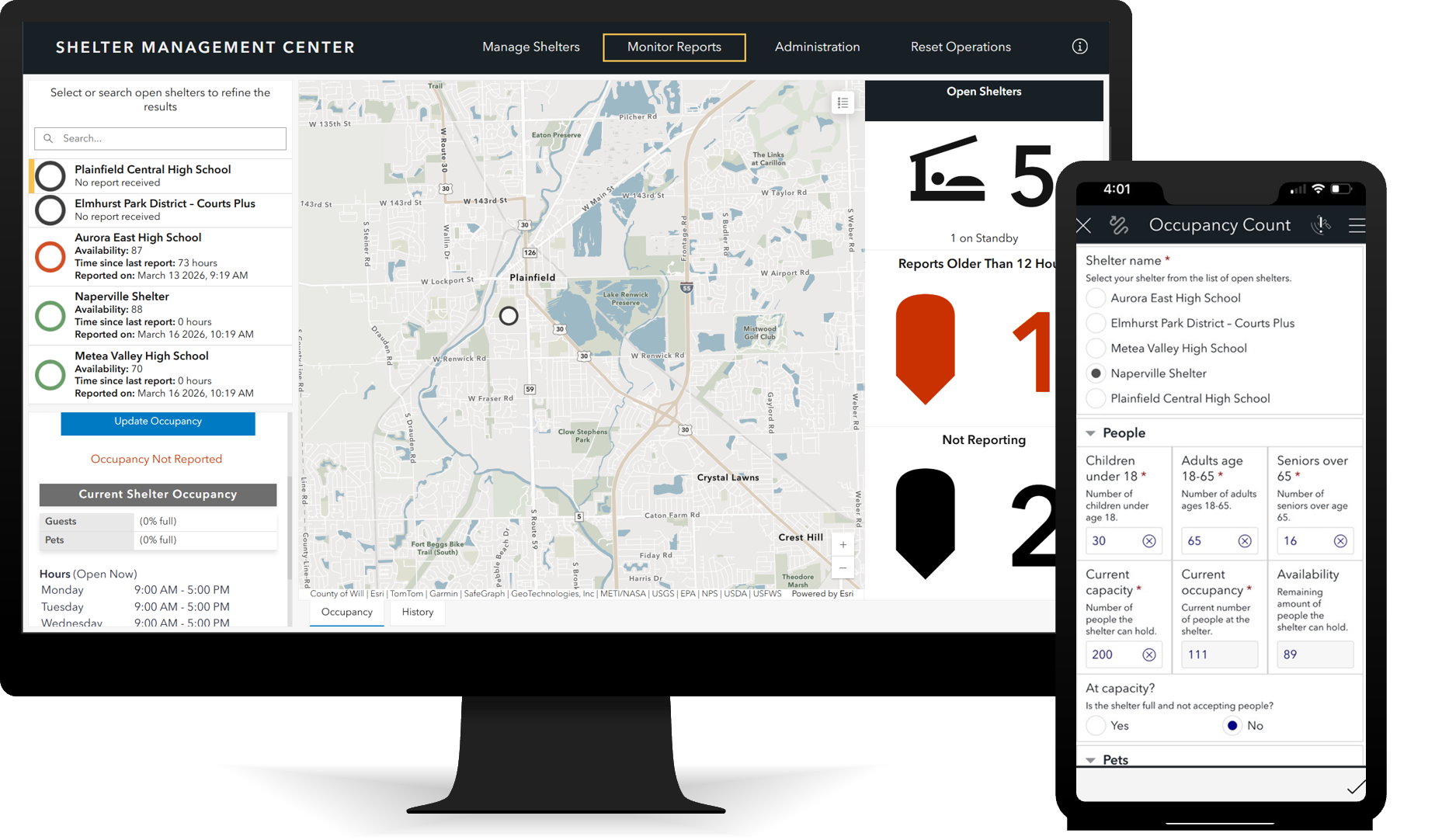
To manage shelter capacity effectively during an emergency response, you need timely, reliable occupancy information. Shelter staff report counts using the Occupancy Count form, providing visibility into how many people are being served at each location. Often these reports are expected twice a day, so you can monitor the timeliness in the Shelter Management Center, using the information to determine demand and adjust staffing and resources as needed.
Manage guest registrations
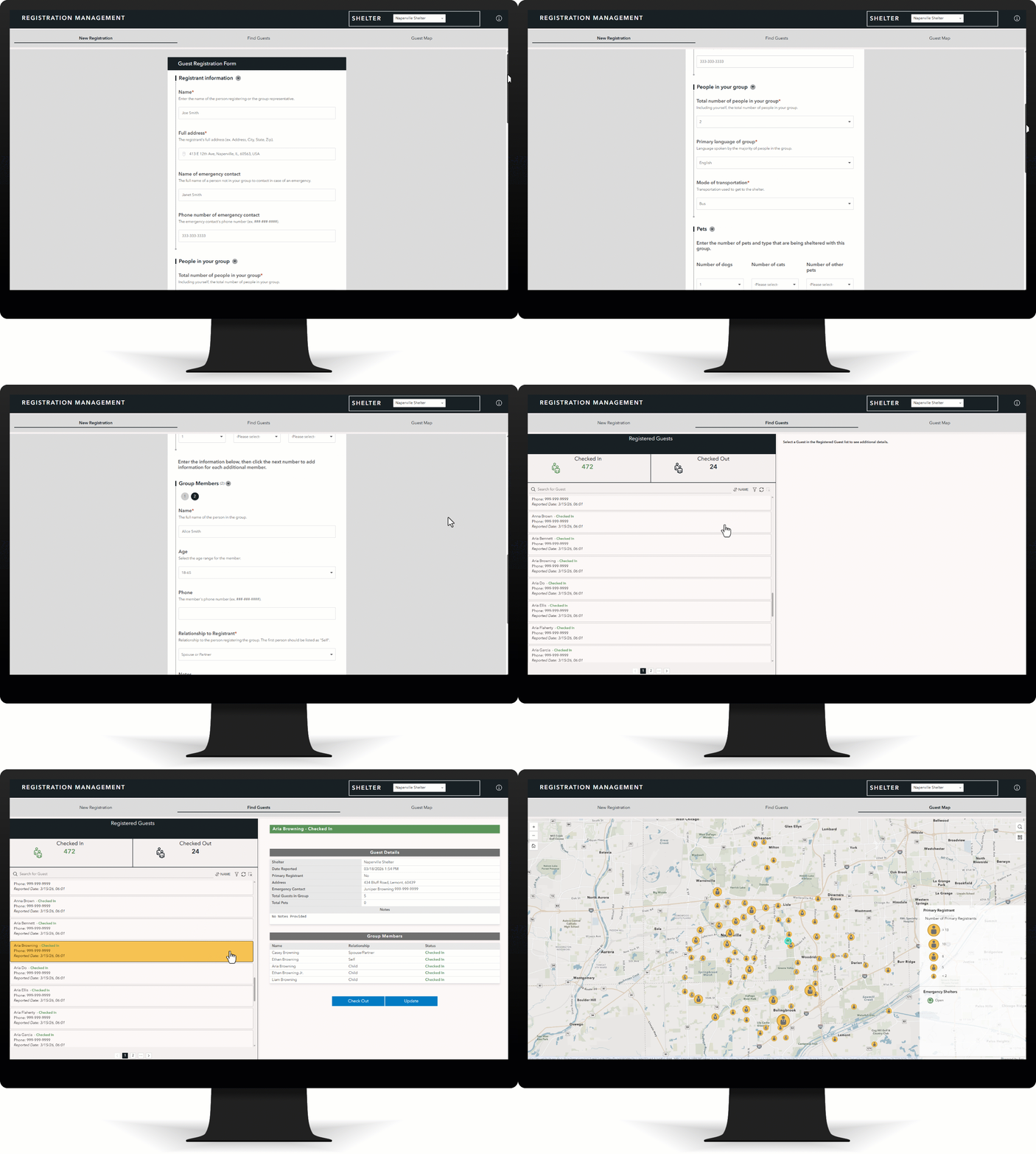
The solution also helps you maintain visibility into the individuals who are being served at each shelter. With the Registration Management app, shelter staff record guest arrivals and departures, ensuring that you have reliable information that supports both accountability and family reunification. A map to visualize where guests live is useful in coordinating consolidation of shelters.
Visualize shelter occupancy
Monitoring occupancy through up-to-date reports is essential for effective emergency shelter operations. Knowing how many people are currently being served helps staff prevent overcrowding, meet safety and regulatory limits, and plan staffing, supplies, and space appropriately.
Monitor shelter status
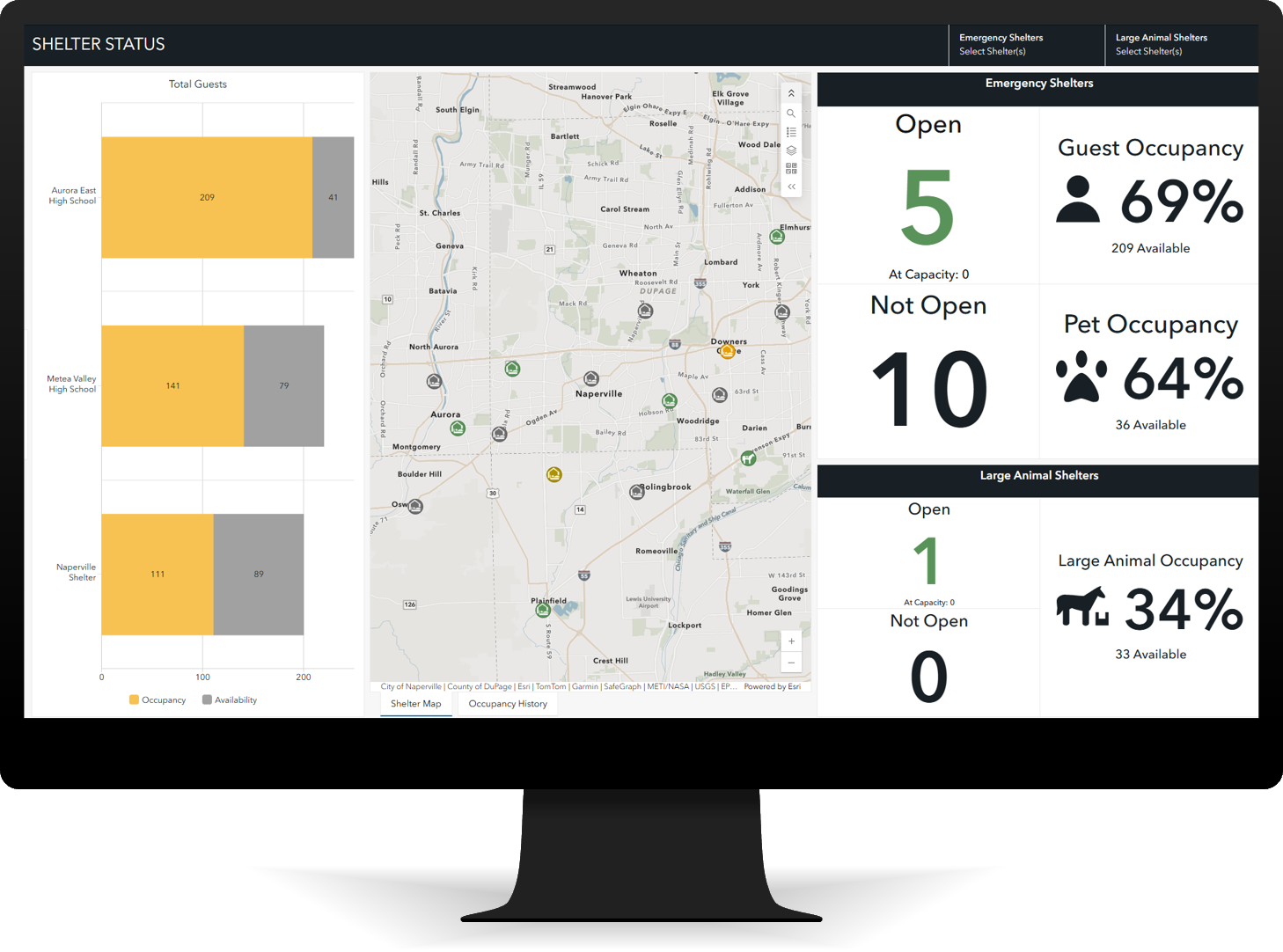
During an active response, you need a clear, real-time view of which shelters are open or approaching capacity. The Shelter Status Dashboard app helps you visualize shelter status so you can assess conditions and quickly determine when you should open or close shelters or redirect guests to a different facility.
Plan for shelter resources
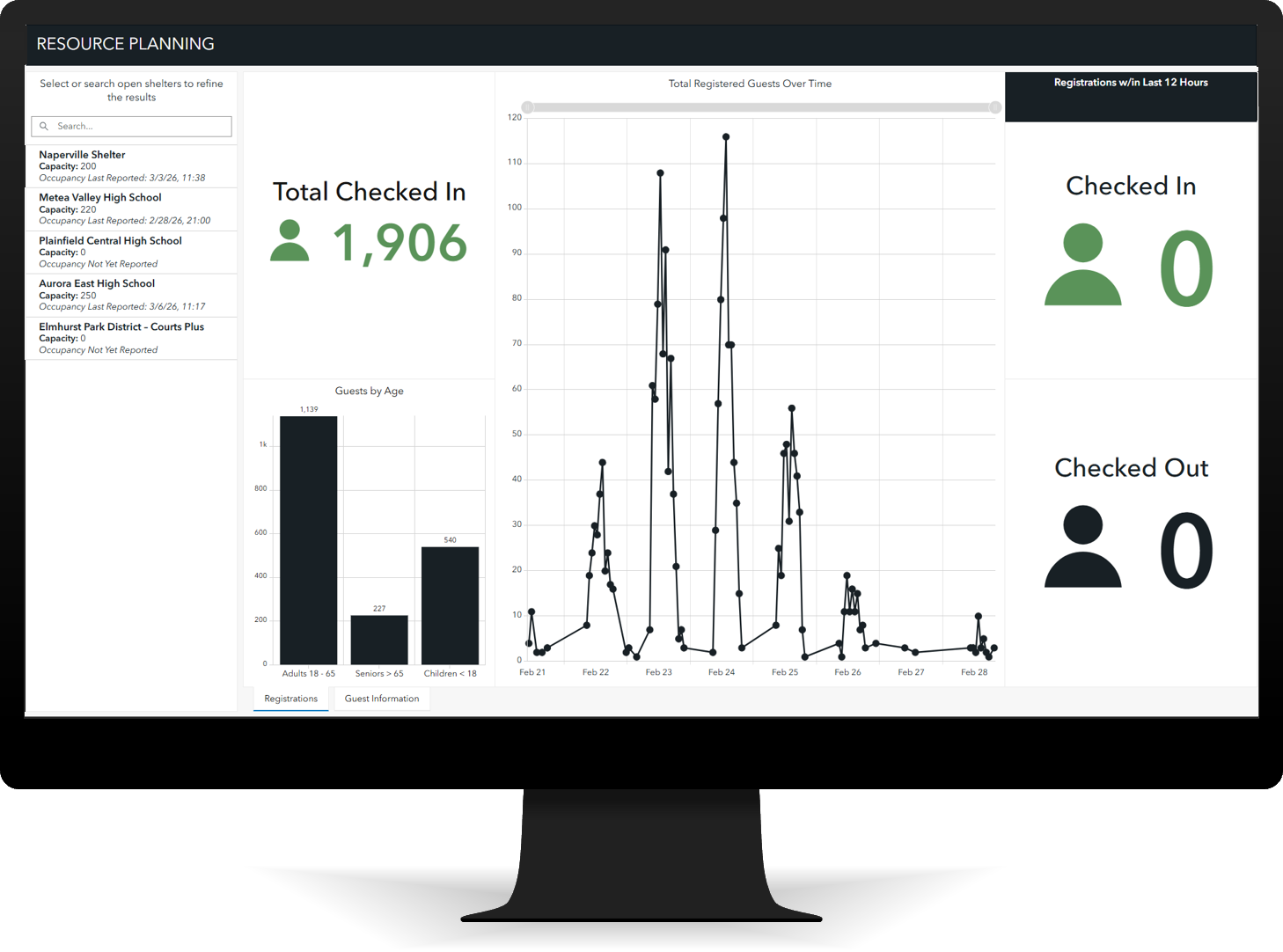
Planning beyond current conditions is also important in a dynamic environment. The Resource Planning Dashboard app allows you to track and analyze shelter trends, helping you anticipate surges, estimate food needs, and adjust supply and distribution plans to keep shelters adequately supported as conditions change.
Learn more
- Learn how to deploy, configure, and use the solution.
- View a demo video.
- Learn more about ArcGIS Solutions.


Article Discussion: