Environmental reviews involve a lot of moving pieces, with manual processes and disconnected workflows often creating delays. From screening projects to preparing reports and keeping stakeholders informed, it’s easy for staff to get bogged down in administrative work. As project volumes grow, these tasks can become difficult to manage and create delays throughout the review process.
The latest update to the Environmental Review solution helps organizations work more efficiently. Automated screening, streamlined reporting, and built-in notifications reduce repetitive tasks and improve consistency. As a result, staff spend less time managing processes and more time evaluating projects and making informed decisions. Let’s walk through the enhancements that make this possible.
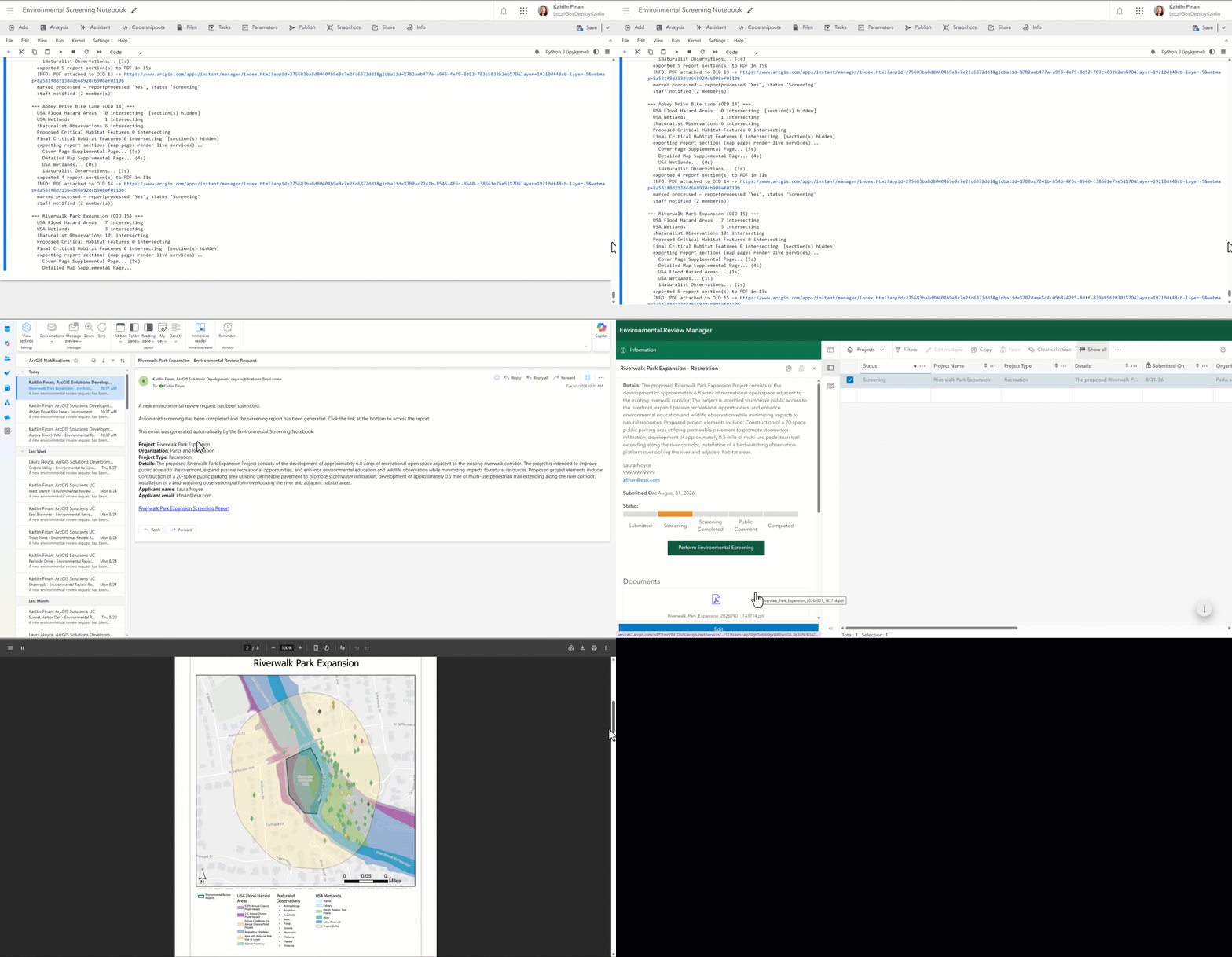
Environmental Screening Notebook
This ArcGIS Notebook automates screening, report generation, and staff notifications. After an applicant submits a project, the notebook evaluates the project location against environmental datasets, generates a summary report, and sends an email to the staff reviewer group. To learn more about the workflow and technical implementation, read this Esri Community article Automating Environmental Reviews with the Environmental Screening Notebook.
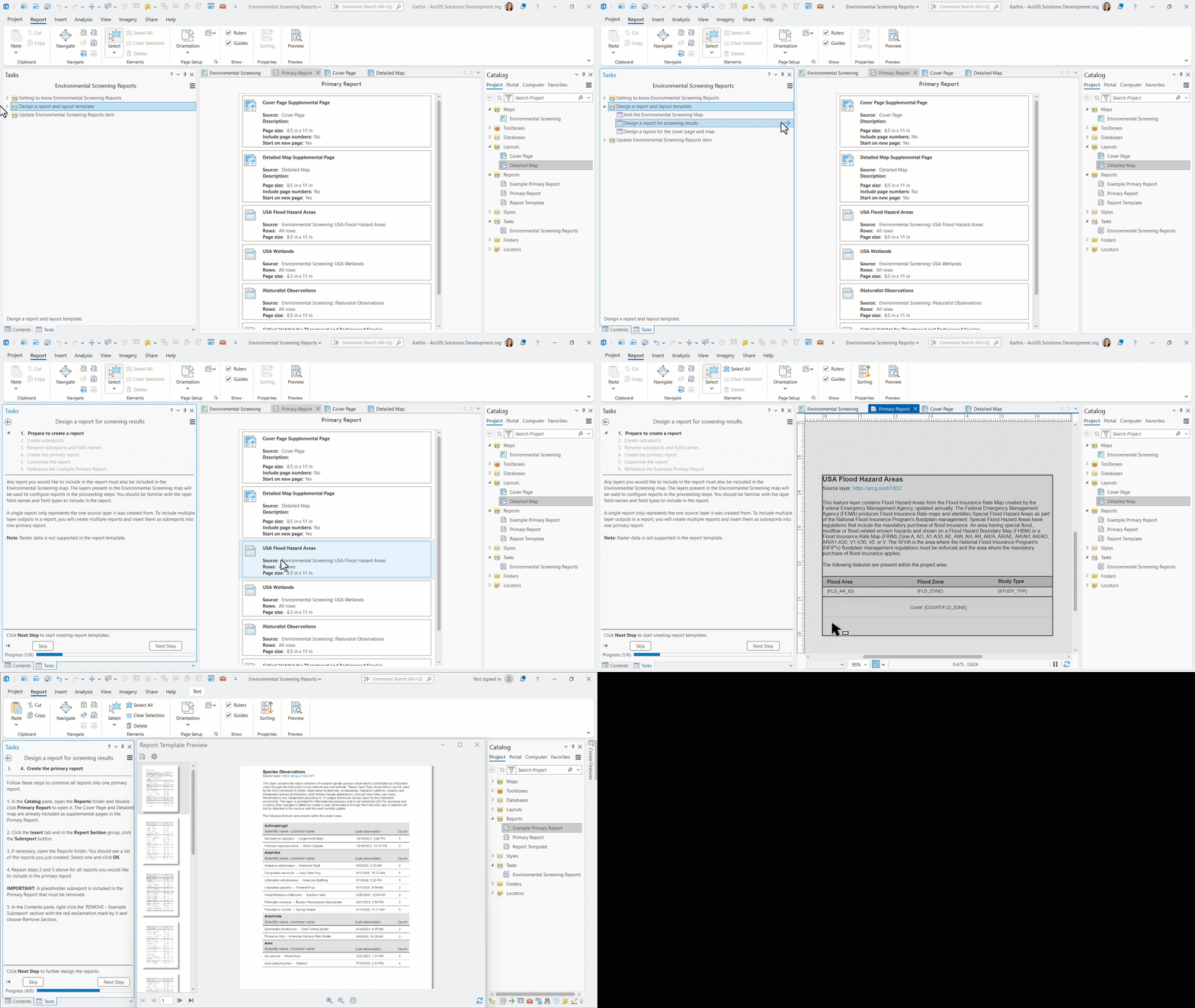
Environmental Screening Reports
This ArcGIS Pro project package helps GIS analysts create and manage environmental screening report templates for the Environmental Screening Notebook. Analysts follow step-by-step task guidance to design reports that include maps, project details, screening results, and supporting information tailored to their organization’s review requirements. View the sample environmental screening report PDF that was designed in ArcGIS Pro and automatically generated by the Environmental Screening Notebook.
Environmental reviews don’t have to be slowed down by manual work. With automated screening, customizable reports, and built-in notifications, the Environmental Review solution helps teams work more efficiently and keep projects moving forward. Ready to get started? Deploy the updated solution today and begin building a more efficient and transparent environmental review process.
Learn more
For more information about the Environmental Review solution, check out the following resources:
- Learn how to deploy, configure, and use the solution.
- View a demo video.
- Learn more about ArcGIS Solutions.
- Chat with us on Esri Community.

Article Discussion: