ArcGIS Solutions helps you make the most of your GIS by providing purpose-driven, industry-specific configurations of ArcGIS.
Are you interested in the Environmental Review solution, but not sure where to begin? Don’t worry, we’ve got you covered! In this blog, we’ll talk about the different ways that the solution can be configured, based on the needs of your organization. If you need a refresher about the solution, there are several resources included at the end of the blog.
The Environmental Review solution offers a complete system for processing environmental review requests – from the initial project application to public comment. It is designed to streamline communication between project applicants and the organization responsible for reviewing requests. It incorporates ArcGIS Hub Premium to facilitate this process, allowing applicants to create community accounts and sign in to the Environmental Review site to submit projects, track status, and receive documents. While we recommend that organizations have an ArcGIS Hub Premium license to take advantage of this functionality, we offer the flexibility to take different approaches and still implement other components of the solution.
Environmental Review can be configured in several ways; the approach that you choose will depend on your organization’s needs. Check out the following scenarios to help you decide which approach is right for you.
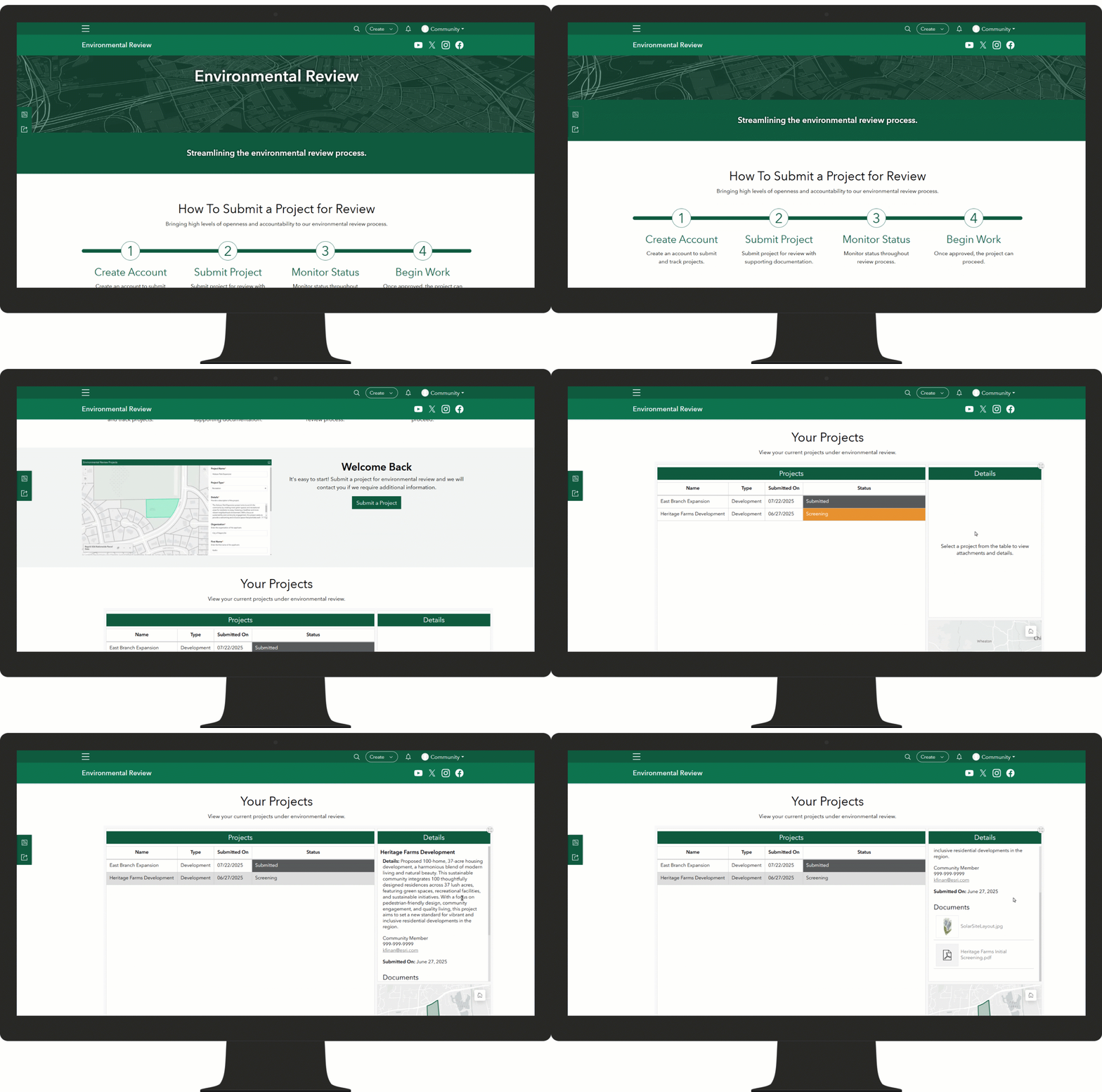
Your organization wants a complete environmental review system with applicant accounts
Use the Environmental Review site with ArcGIS Hub Premium functionality to enable community accounts for project applicants. Applicants can sign in, submit applications, upload documents, and monitor the status of their requests through the My Environmental Review dashboard on this site. This is the recommended approach to take full advantage of the solution capabilities.
Your organization only performs internal reviews and does not have public applicants
You can still use the Environmental Review site and the applicants may be staff with existing ArcGIS accounts. Alternatively, the staff may enter project information on behalf of an applicant. This scenario does not require an ArcGIS Hub Premium license but still allows you to take advantage of the other components offered in the solution like the Environmental Review Manager and Environmental Screening apps.
Your organization already has an application management system but wants to incorporate spatial screening capabilities
If your organization has an existing system for managing applications but is interested in the spatial screening capabilities, you can configure the Environmental Screening app to work with your data or draw project areas on the fly to perform analysis. You aren’t required to use the Environmental Review site for project applications if you don’t need to!
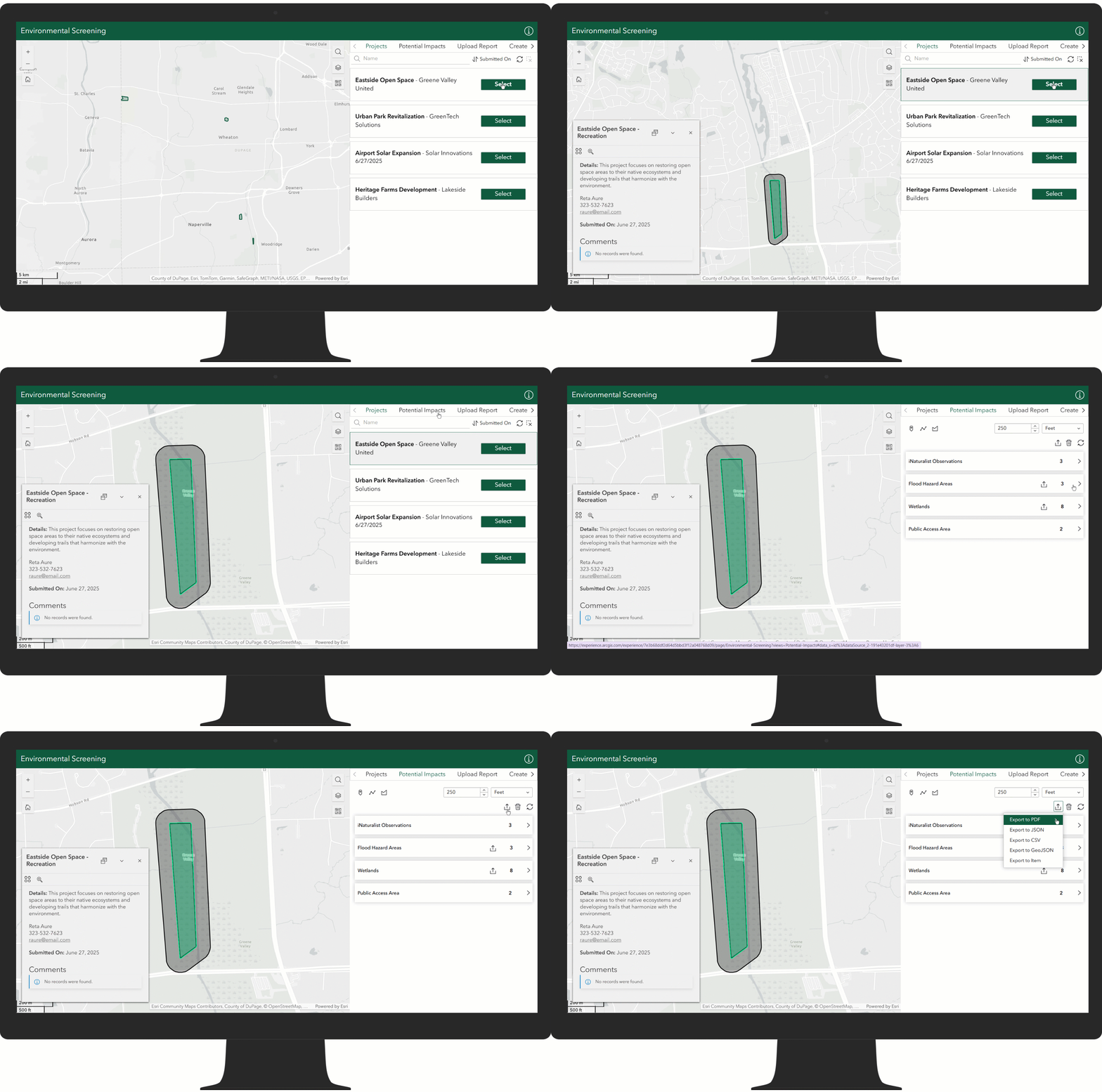
Your organization uses ArcGIS Enterprise
When the solution is deployed to ArcGIS Enterprise, it includes the Environmental Review ArcGIS Enterprise Site site. In this case, your organization could enter project information on behalf of the applicant or receive applicants from a different system and still take advantage of other components offered in the solution. Note: The Environmental Review solution is available in ArcGIS Enterprise 11.5 or later.
As you can see, the Environmental Review solution offers a versatile approach to managing and streamlining the environmental review process for various organizations. By understanding the different deployment patterns, your organization can tailor its approach to best suit specific needs and workflows.
Learn more
For more information about the Environmental Review solution, check out the following resources:
- Learn how to deploy, configure, and use the solution.
- View a demo video.
- Learn more about the solution: Transform the review process with the new Environmental Review solution.
- Learn more about ArcGIS Solutions.
- Chat with us on Esri Community.

Article Discussion: