ArcGIS Solutions helps you make the most of your GIS by providing purpose-driven, industry-specific configuration of ArcGIS.
As urban development accelerates and infrastructure projects grow in complexity, outdated workflows and disconnected tools often slow progress, inflate costs, and limit decision-critical insights. But what if you had the tools to easily turn raw data into lifelike 3D cityscapes?
Esri’s latest release of the 3D Buildings solution streamlines the creation of 3D buildings and smoothly integrates with existing planning and design systems. This means that you can quickly extract building footprints from lidar and visualize interiors down to individual floors. The solution also includes enhancements for sharing 3D content across ArcGIS to help members of your organization collaborate effortlessly. Here’s what’s new:
Simplified task workflows
The 3D Buildings ArcGIS Pro project now offers a more intuitive experience that simplifies the process and saves time. We’ve grouped tasks into more logical workflows, making it easier for you to turn your raw data into finished 3D models. This new structure ensures consistency, improves usability, and helps your team stay focused on outcomes rather than processes.
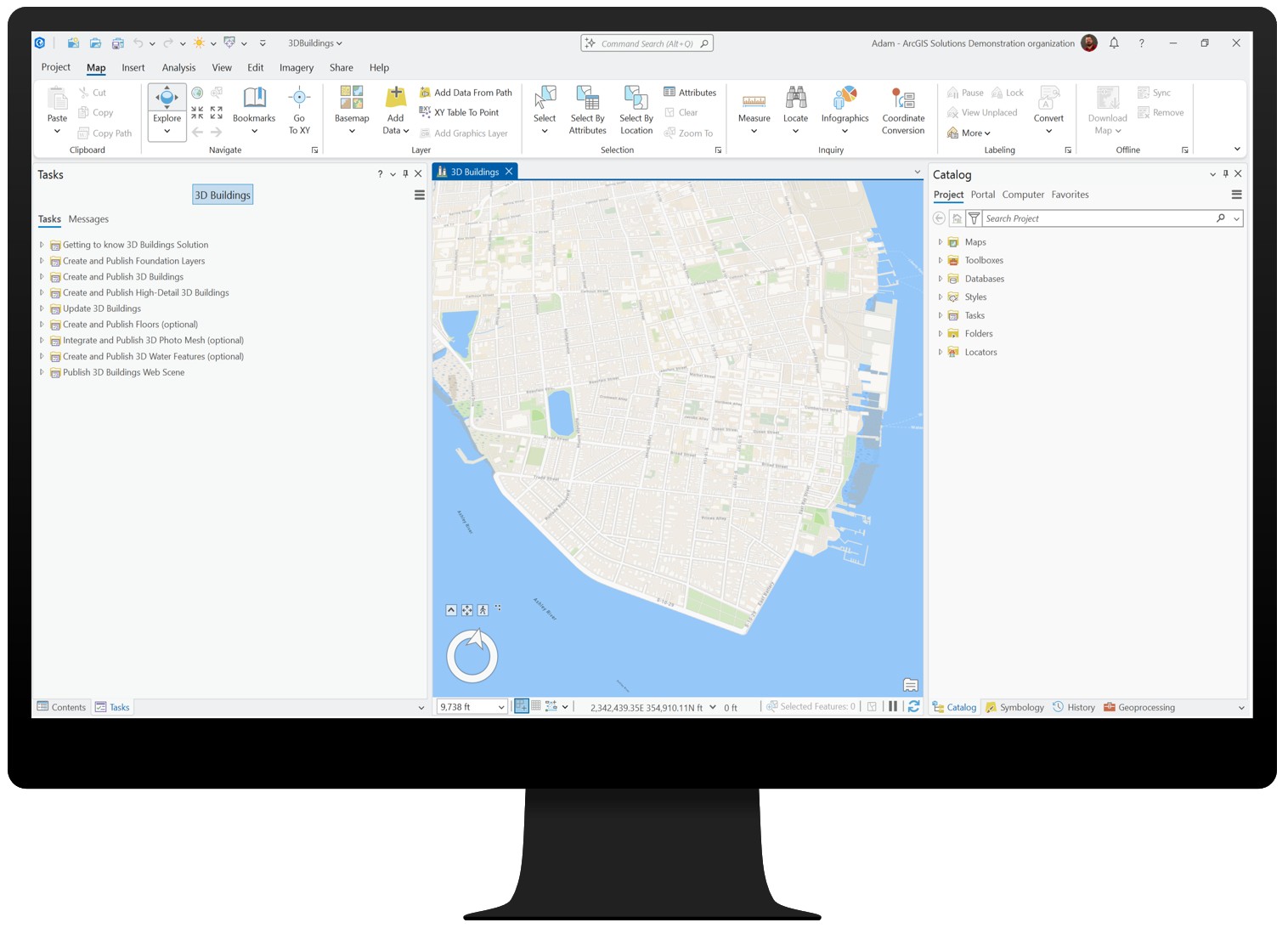
The first task group is the most foundational. It guides you through creating detailed elevation surface layers, which are required for creating 3D buildings in a later workflow. Subsequent tasks build on these surfaces, progressively adding complexity and realism to your project.
LOD2 building extraction
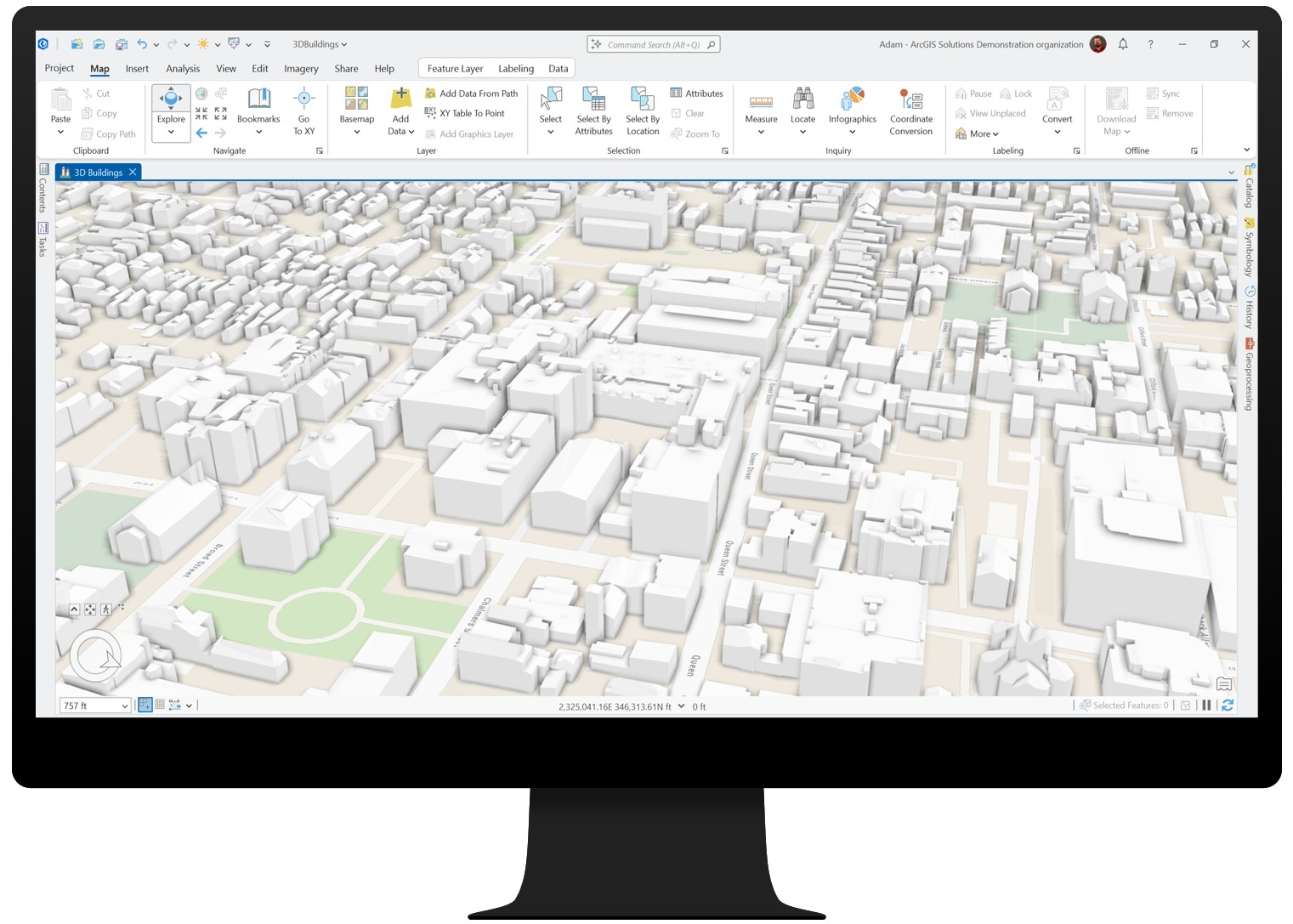
If you’re already using the solution, you’ll recognize steps such as Create and Publish 3D Buildings, but you’ll also notice a major enhancement new with this release: the Extract LOD2 Buildings tool. This new tool condenses what was once a multistep process into a single workflow. You can now generate LOD2 models complete with realistic roof forms directly from lidar and building footprints.
That said, this approach isn’t ideal for every dataset. Its success depends on two key factors:
- Lidar quality and classification: Well-classified lidar, especially building points, is critical for accurate roof shapes.
- Building footprint accuracy: Clean, precise footprints ensure proper alignment and realistic geometry.
If your lidar has a point spacing greater than 35 centimeters, is poorly classified, or your footprints require significant cleanup, the Create and Publish 3D Buildings task workflow may still be the better choice. While the new tool reduces complexity, processing large areas can take time, so plan for city-scale projects by working in smaller sections.
Floor visualization
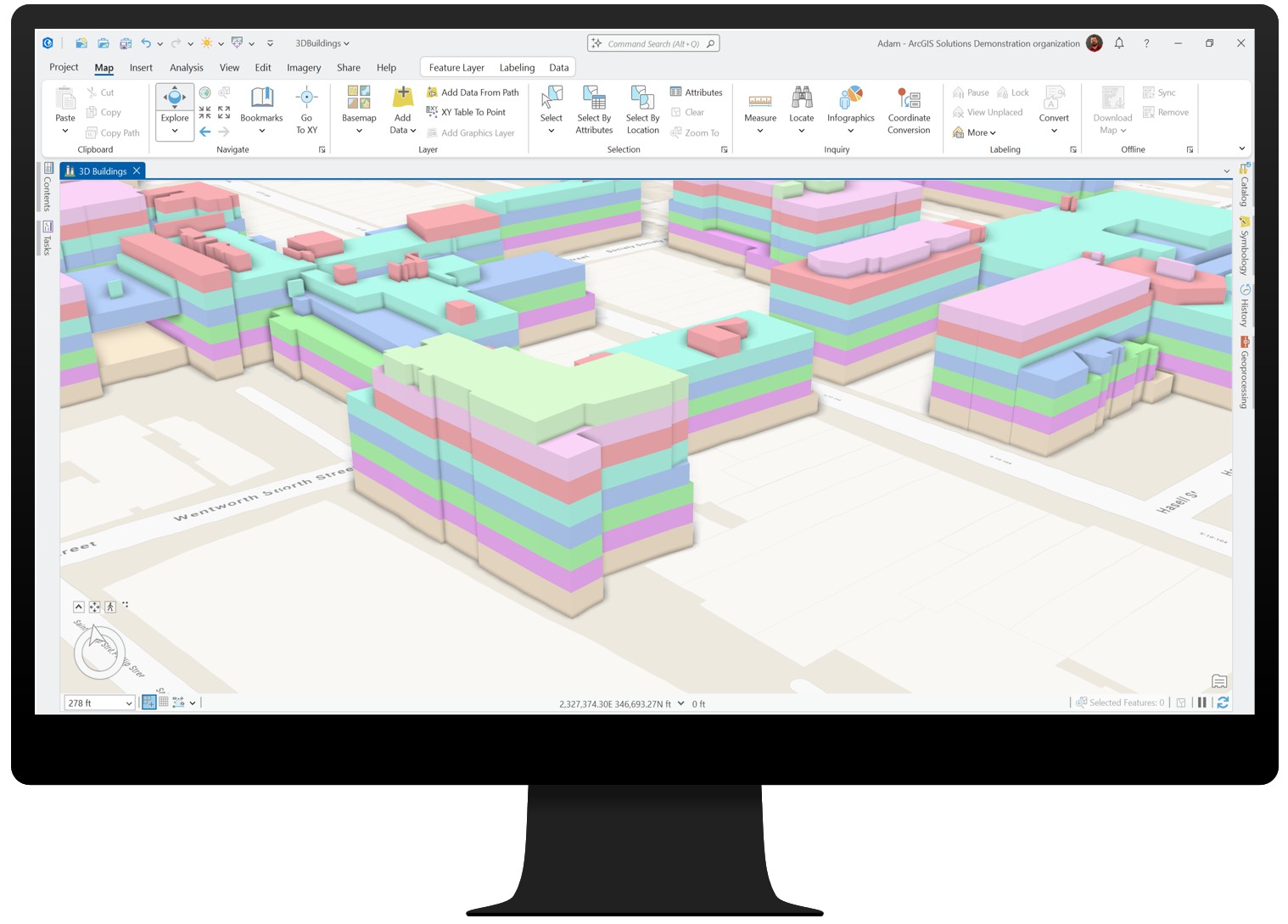
The Create Building Floors task can divide buildings into individual floors using a space-use table or, if a table isn’t provided, by applying generally accepted standards as defaults. After the floors are created, the Create Floor Volumes task generates 3D volumes for each floor, which can then be symbolized based on attributes such as space-use, floor number, or custom attributes — perfect for occupancy analysis, emergency planning, or energy modeling.
Best of all, this workflow has been enhanced to align with the ArcGIS Indoors Information Model, ensuring smooth integration for indoor mapping and facility management.
Integration across the platform
Your 3D buildings aren’t just standalone models; they’re part of a connected ecosystem. You can share them as a web scene for use in ArcGIS Urban to support zoning and development scenarios, for example, or combine them with existing meshes from ArcGIS Reality for rich, contextual city views. And indoors? Floor-aware buildings integrate with ArcGIS Indoors, streamlining space management and wayfinding. One dataset, multiple workflows—from city planning to detailed floor-level analysis.
With streamlined workflows, detailed floor visualization, and seamless integration across the ArcGIS platform, the enhanced 3D Buildings solution makes it easier than ever to design, analyze, and share your vision.
Learn more
For more information about the 3D Buildings solution, check out the following resources:
- Learn how to deploy, configure, and use the solution.
- View a demo video.
- Learn more about ArcGIS Solutions.
- Chat with us on Esri Community.

Article Discussion: