ArcGIS Solutions helps you make the most of your GIS by providing purpose-driven, industry-specific configurations of ArcGIS.
Local governments and planning authorities rely on zoning ordinances, development applications, building permits, and public notices to manage land development and communicate requirements to the community. As communities grow and land use regulations become more complex, property owners, developers, and real estate professionals often struggle to navigate fragmented development regulations and processes. Limited access to clear, authoritative information can introduce uncertainty, slow development timelines, and increase frustration for everyone involved.
The Land Development Outreach solution is here to help address these challenges. Land Development Outreach is designed to help organizations manage and share land use data, development regulations, and building activity in a single, geographically-enabled destination.
Maintain authoritative land use and zoning data
Accurate outreach depends on authoritative data. The Land Development Outreach solution includes tools to help staff create and maintain land use, zoning, and overlay datasets that support public-facing applications.
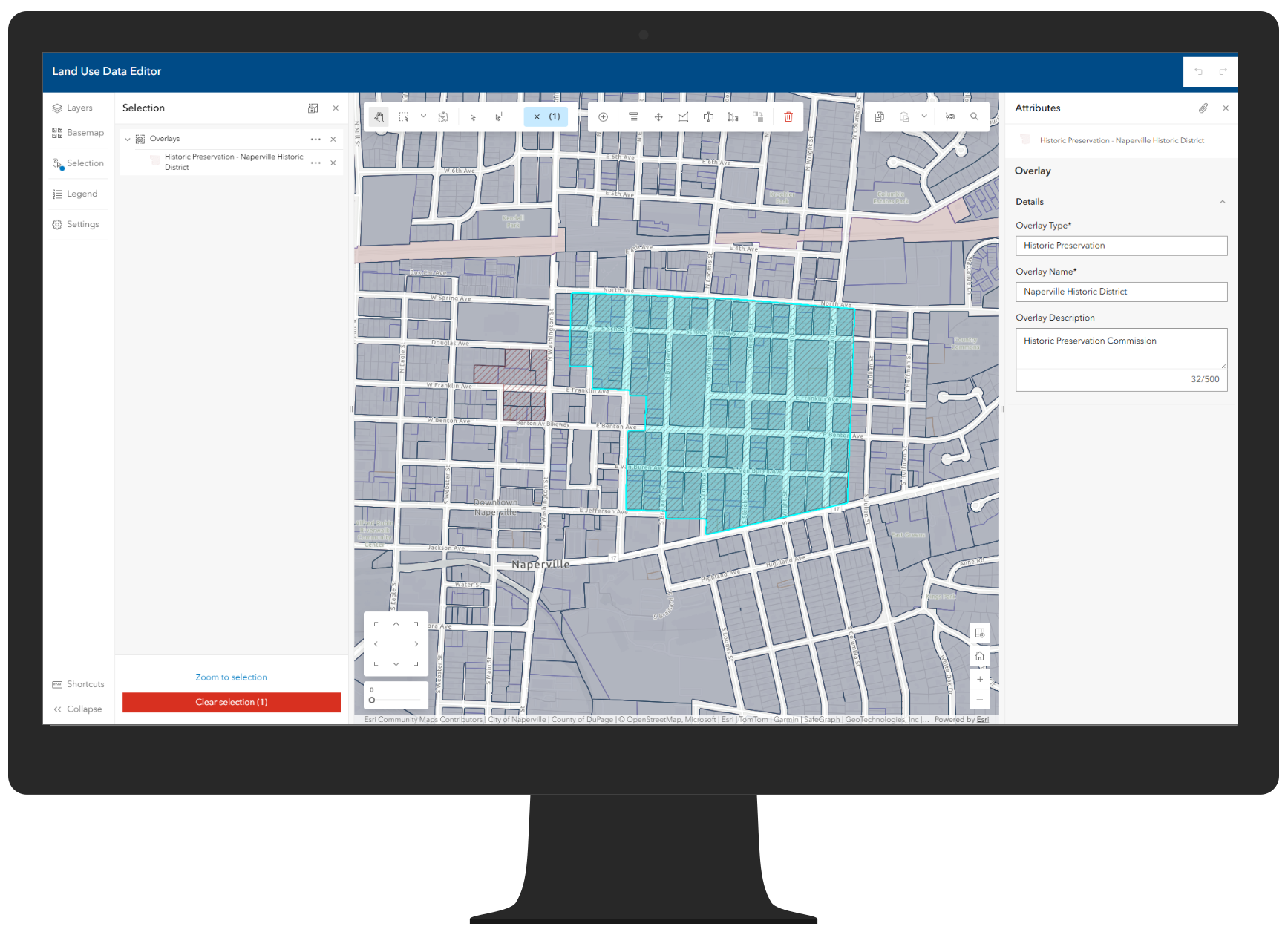
The Land Use Data Editor app provides mapping technicians with an easy way to update zoning and land use information using ArcGIS Instant Apps. Staff can review existing features, make updates, and ensure zoning data remains current and authoritative for internal use and public consumption.
Accelerate zoning regulation outreach with LLM-assisted data preparation
Zoning ordinances are often lengthy, complex, and written in highly technical language that can be difficult to translate into clear, structured, public‑facing information. Preparing zoning and development regulations for public outreach can be quite tedious. To help organizations share detailed zoning regulations tied directly to local ordinances, the solution also includes a Zoning Outreach Data Loading workflow built with ArcGIS Data Pipelines. This workflow processes a standardized spreadsheet and joins it with zoning features, making it easier to publish and maintain detailed regulatory information in a consistent structured format. To support this effort, organizations can populate the zoning outreach spreadsheet manually or with assistance from a Large Language Model (LLM).
Using an LLM, planning staff can accelerate the process of extracting zoning district information and development standards directly from adopted zoning ordinances and organizing that information into the ZoningOutreach Loading spreadsheet. This approach can significantly reduce the time required to prepare zoning regulations for outreach—especially for jurisdictions with a large number of zoning districts or highly detailed development standards.
When using LLM assistance, organizations retain full control over accuracy and policy interpretation. Staff define zoning district names and intent, provide authoritative ordinance sources, and review all generated content before it is published. The resulting dataset reflects local terminology, adopted regulations, and organizational standards, while benefiting from a more efficient data preparation process.
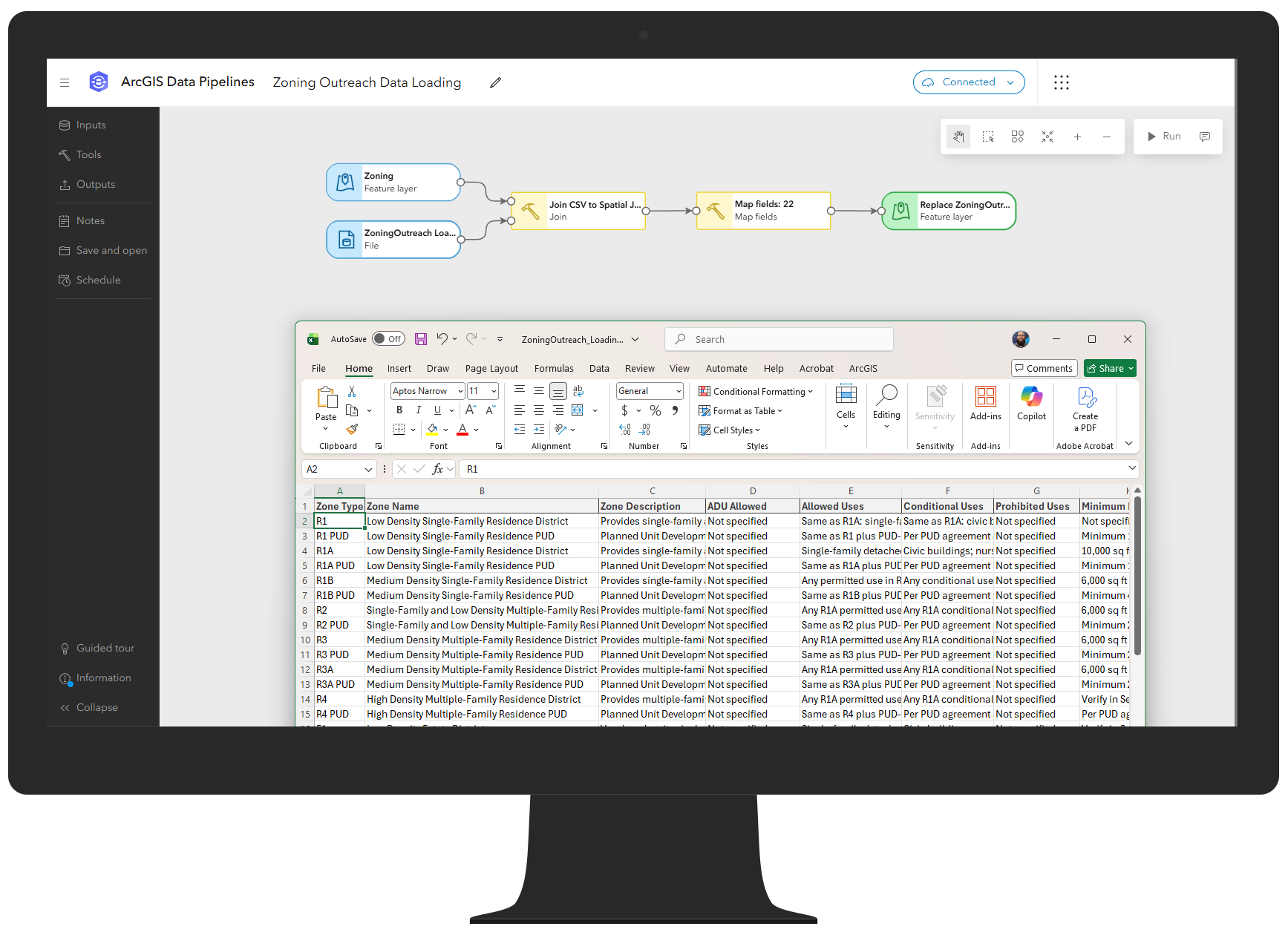
Once finalized, the Zoning Outreach Data Loading pipeline joins the regulation information with zoning boundaries, populating a spatially enabled zoning outreach layer that is accessed through the Land Development Inquiry app. This allows users to explore zoning regulations in plain language, directly tied to specific locations on the map.
Provide clear access to development regulations
Many organizations maintain zoning ordinances, overlays, and development regulations across multiple systems, documents, and websites. While this information may be authoritative, it is often difficult for the public to discover, interpret, and apply to a specific property.
The Land Development Inquiry app allows property owners, developers, and real estate professionals to identify how zoning regulations, land use designations, overlays, and flood zones impact what is possible on a parcel. By selecting a property on the map, users can quickly understand permitted uses and applicable regulations, reducing uncertainty early in the development process.
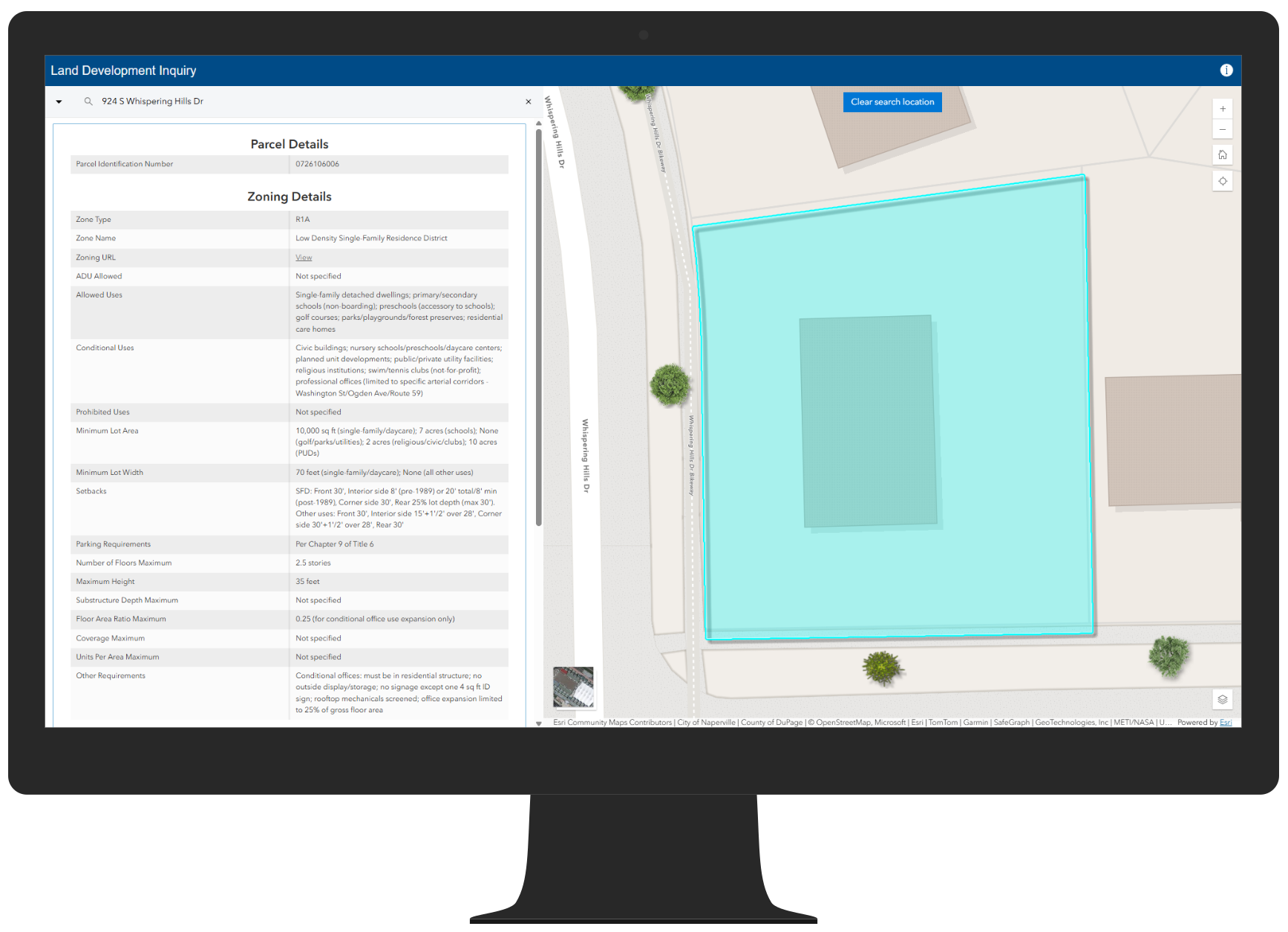
By bringing authoritative land use data together in one place, organizations can improve transparency, reduce confusion, and help users make more informed decisions before submitting development applications.
Share building activity and increase transparency
In addition to development regulations, communities are often asked to provide better visibility into current and proposed building activity. Residents want to understand what is happening in their neighborhood, while developers want insight into the status of projects across the community.
The Building Activity Explorer app provides a simple way for the public to review the status of building activity and track development across a community. Users can explore projects on a map, review key details, and better understand how development is progressing over time.
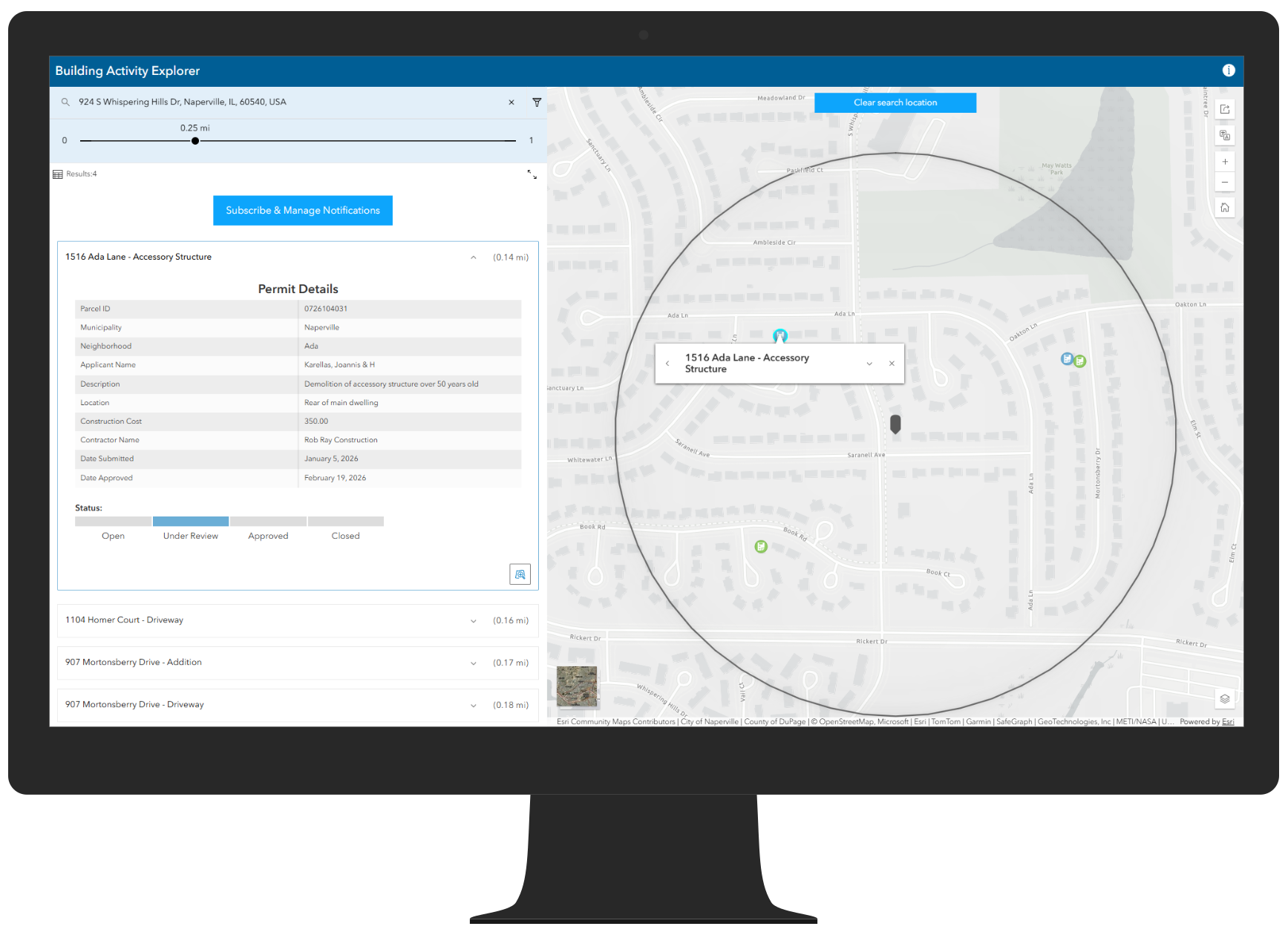
For organizations looking to go a step further, the solution includes a building activity notification workflow that enables residents to stay informed about activity that matters to them.
Enable building activity notifications
Using ArcGIS Hub, Survey123, Dashboards, and ArcGIS Notebooks, organizations can allow community members to subscribe for notifications when new building activity occurs. This workflow helps improve communication, build trust, and reduce the need for ad hoc status requests.
The Building Activity Notification Sign Up ArcGIS Hub site makes it easy for the public to subscribe, while the My Building Activity Subscriptions dashboard allows users to manage their subscription preferences from any device.
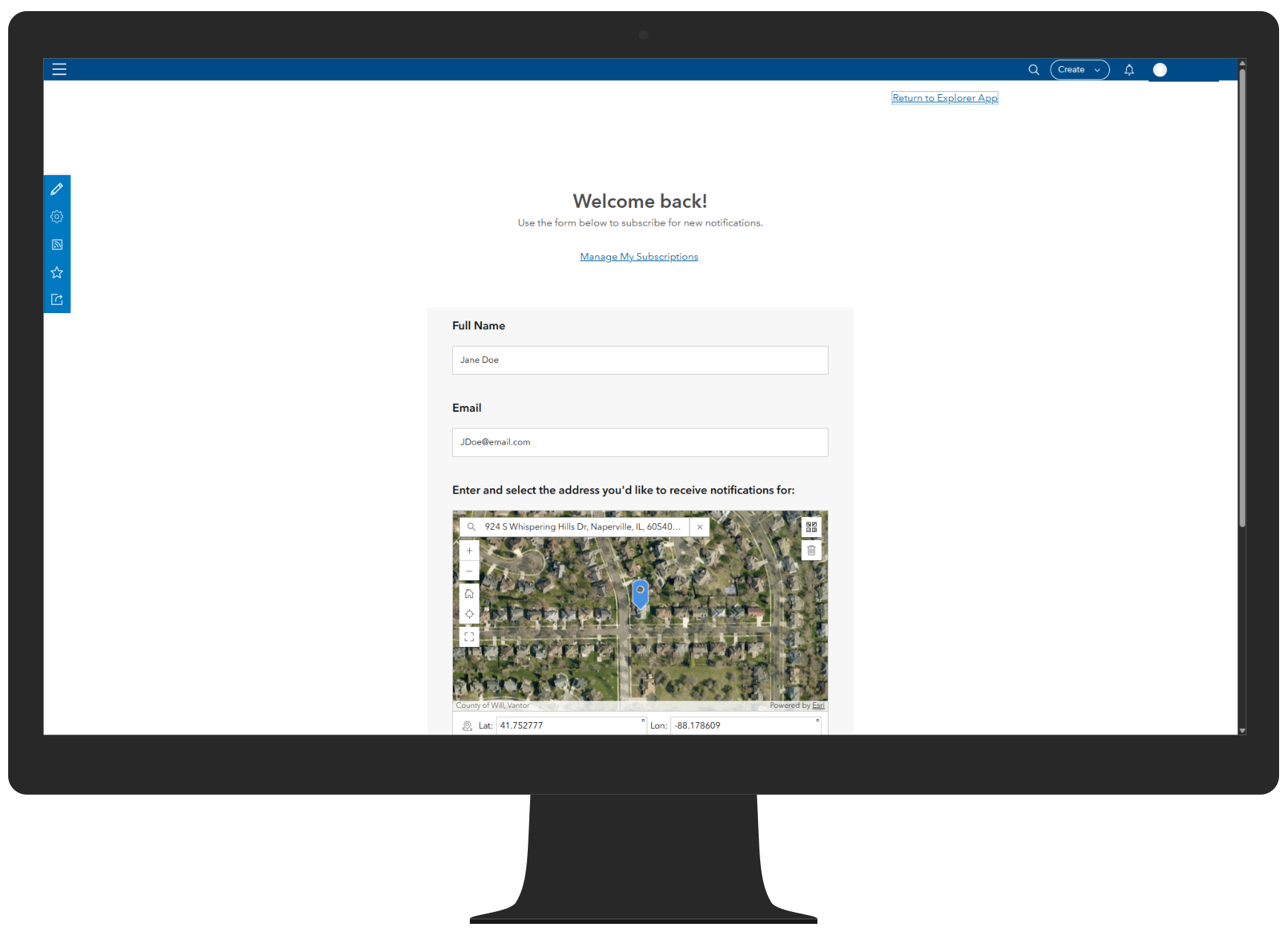
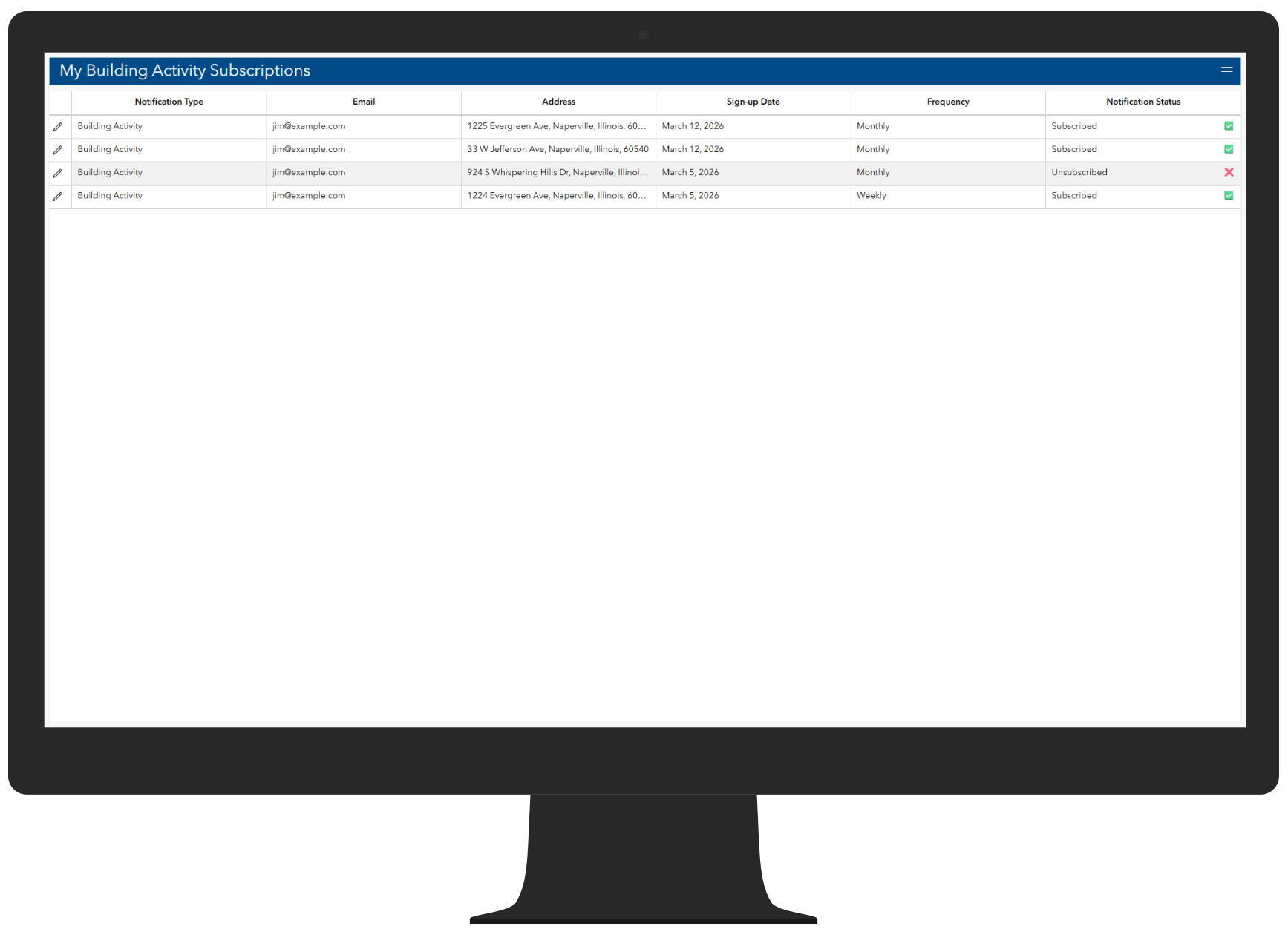
The Building Activity Notification Notebook can be scheduled to send notifications when there is newly proposed or approved building activity near community members’ subscribed locations.
Learn more
For more information about the Land Development Outreach solution, check out the following resources:
- Learn how to deploy, configure, and use the solution.
- View a demo video.
- Discover related solutions: Environmental Review, Public Notification
- Learn more about ArcGIS Solutions.


Commenting is not enabled for this article.