This blog was updated to reflect the updates to the Pre-Incident Planning solution in the September 2026 release.
Every year, firefighters and building occupants are injured or killed in structure fires. When a structure fire occurs, every second counts, and effective pre-incident planning can mean the difference between life and death. Fire pre-incident plans document building hazards, operational considerations, and critical site information, providing firefighters with essential intelligence before they arrive on scene.
Fire agencies have used industry guidance for developing pre-incident plans with a consistent approach for documenting risks within their communities. However, traditional paper-based plans often lack the spatial awareness needed to understand risk and can limit the speed and quality of decision-making during an incident. Understanding where pre-incident plans are needed can streamline plan maintenance, while mapping building hazards and site information enables real-time access to critical building information during an emergency.
Manage pre-incident plans
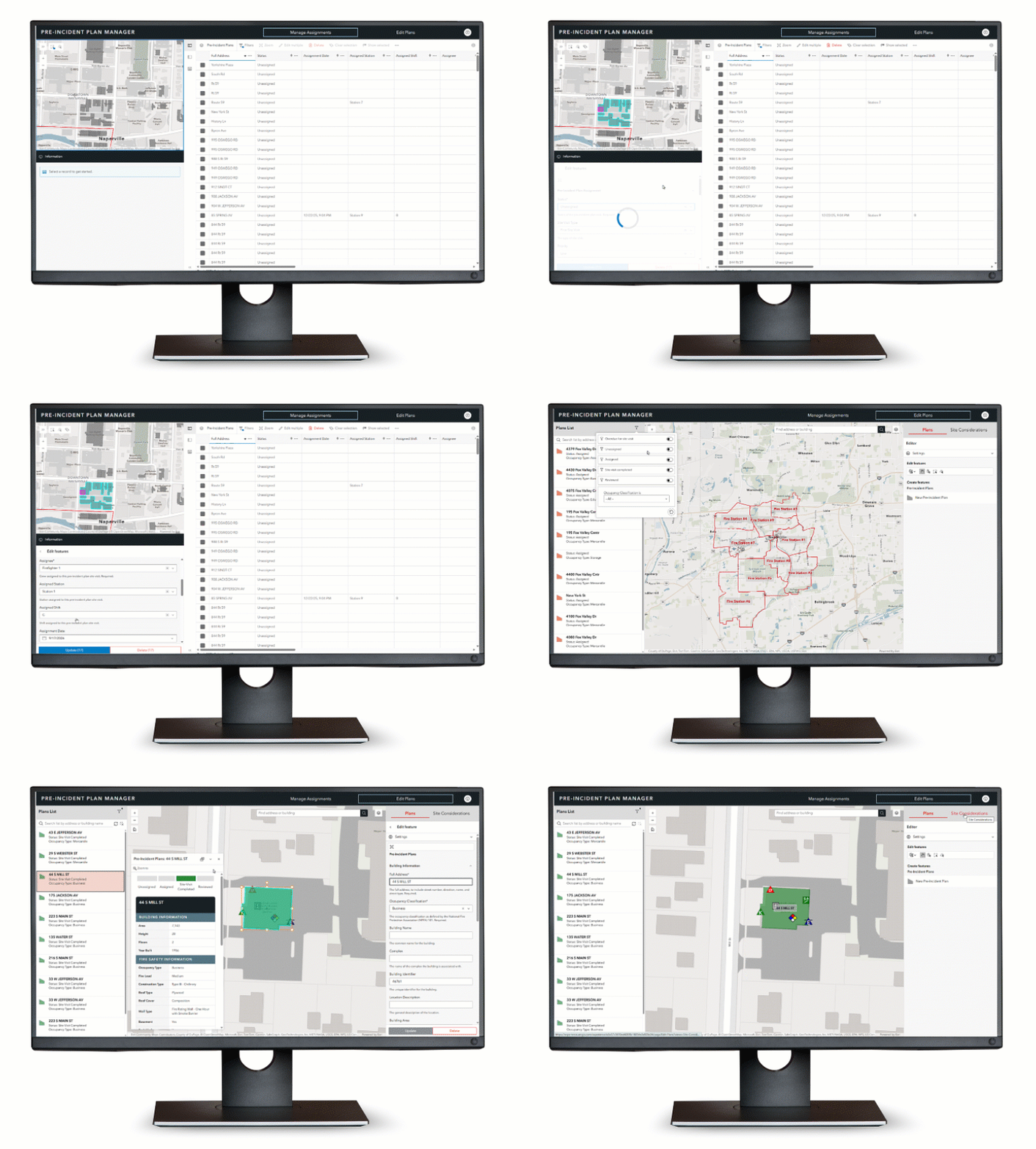
Pre-Incident Planning can be used to inventory pre-incident plans, conduct routine site visits, collect site considerations, and understand hazards and risks that affect responding personnel and building occupants.
The solution includes an app that helps pre-incident plan program managers assign site visits, monitor site visit status by location and station, and review assignments. Once the site visit is complete, the pre-incident program manager can validate the information collected in the field and mark the plan as reviewed.
Conduct site visits
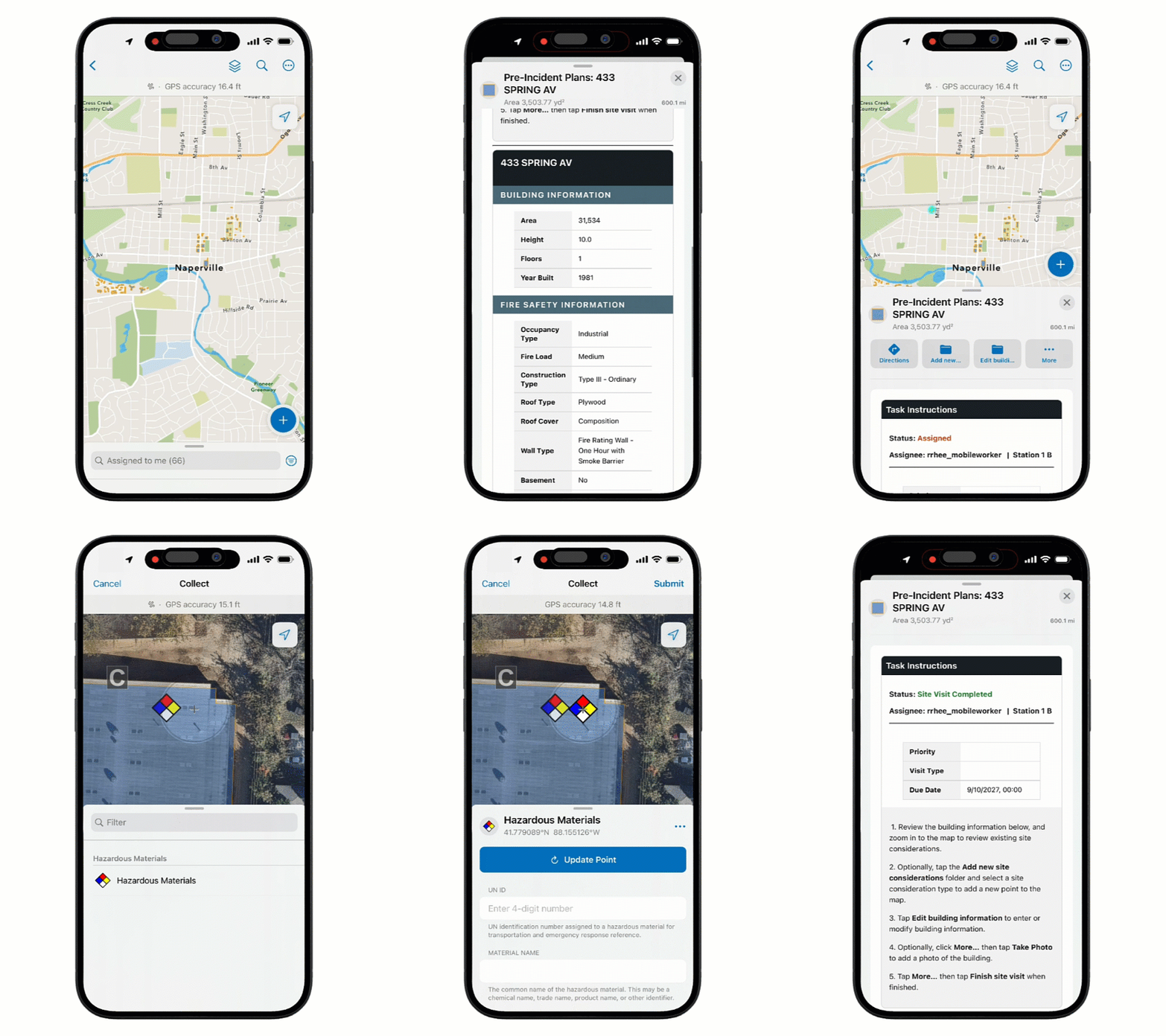
The Pre-Incident Plan Site Visit map allows crews to complete pre-incident plans while onsite. Tasks in ArcGIS Field Maps make assignments easy to view and complete, including a step-by-step task list for each site visit. Fire crews can add site considerations such as key boxes, utility shut offs, and alarm control panels, as well as update building information. Attachments, like floor plans and pictures of site considerations, can be added for additional detail and to assist with meeting Insurance Services Office (ISO) metrics. When a site visit is marked as complete, the information is seamlessly updated across the other apps.
Understand hazards and risks
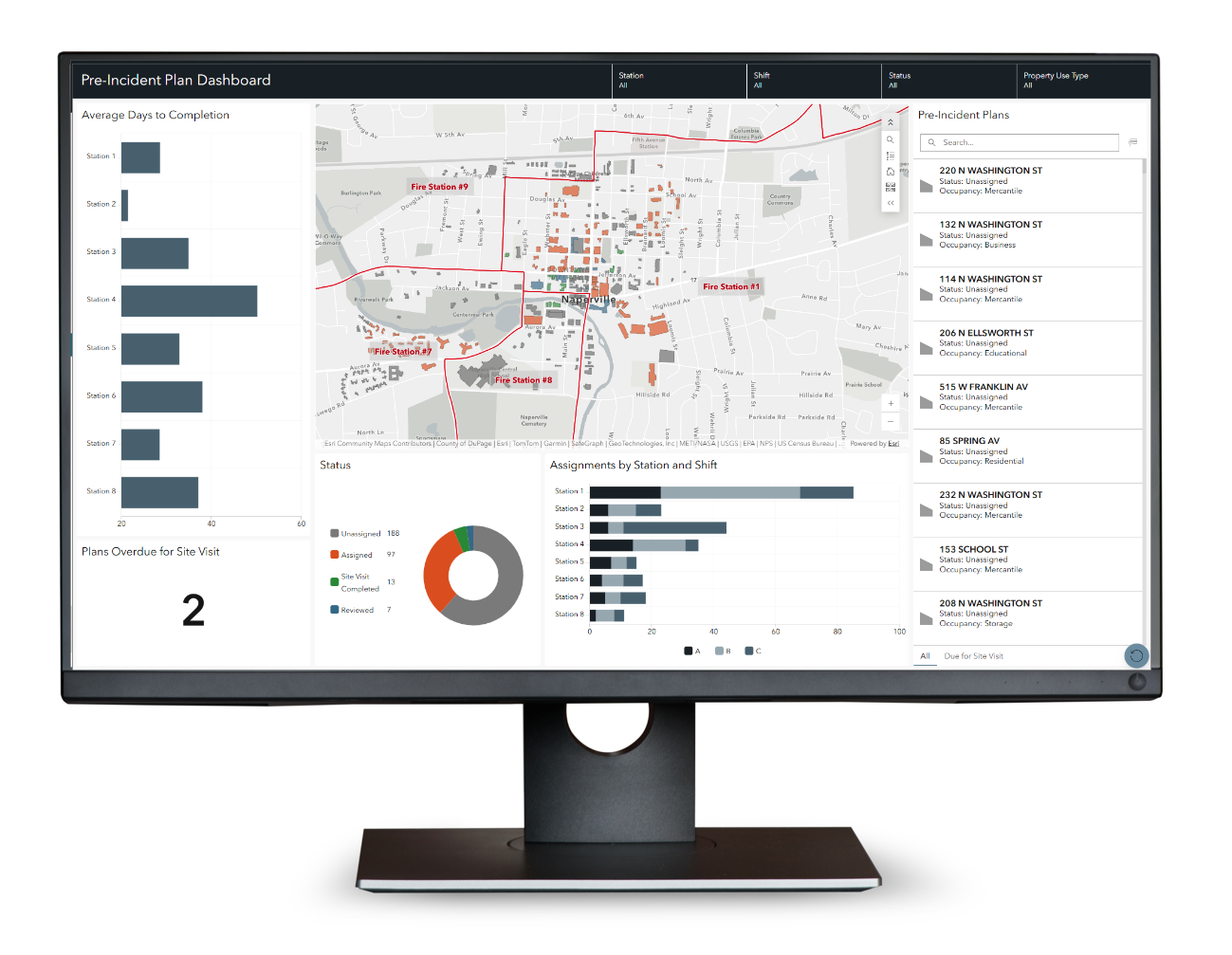
The Pre-Incident Plan Dashboard gives operations staff and program managers a way to quickly view key metrics related to the department’s pre-incident plan program. The dashboard can provide a quick at-a-glance, and the various filters can be used to further explore details on the program’s status. Filters can be used to track buildings where a site visit has not been documented in the last year to ensure industry standards and program goals are met.
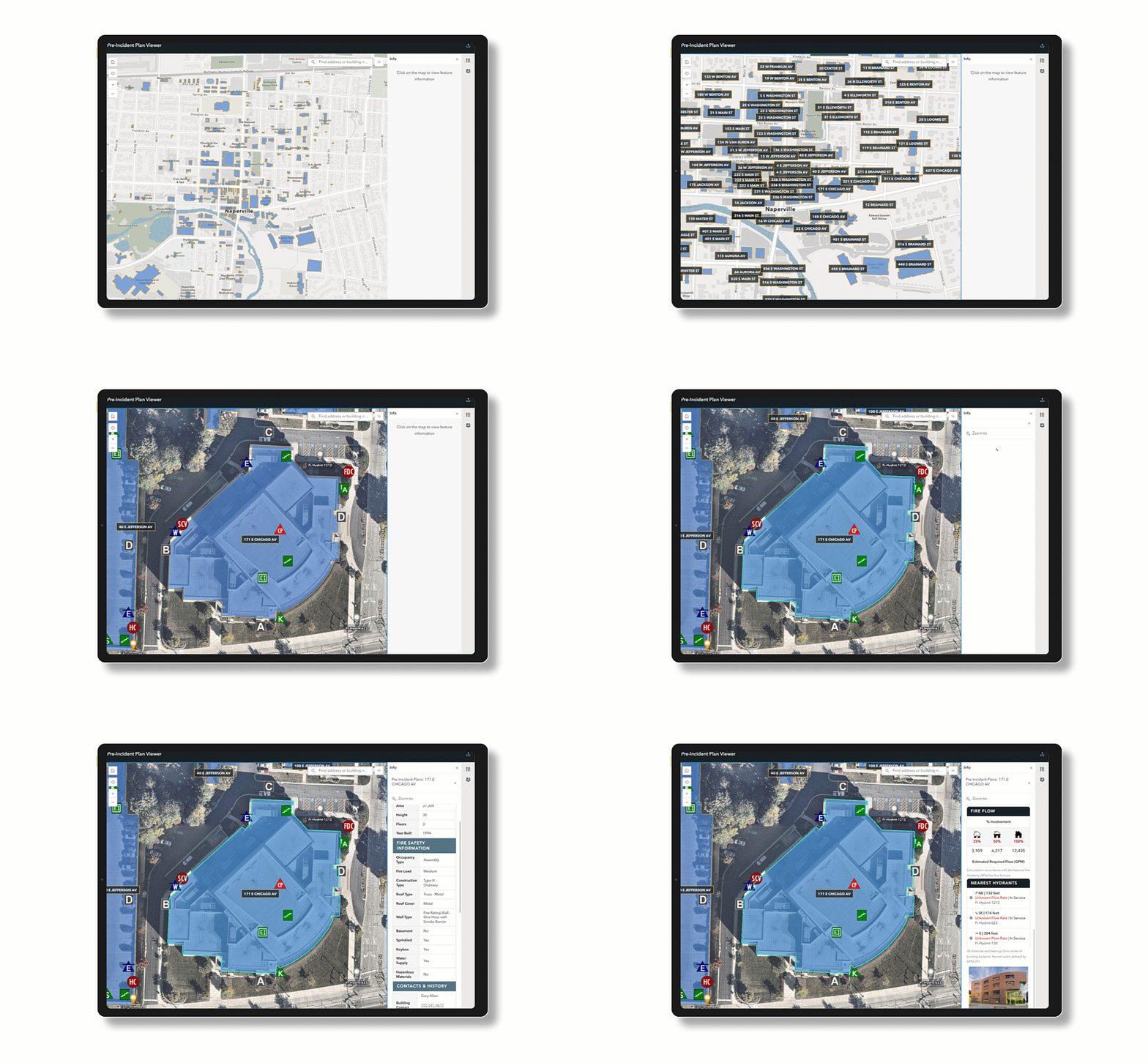
When an emergency occurs, the Pre-Incident Plan Viewer app can be utilized by responding personnel to gain insights on the building, its hazards, and its fire protection systems. First responders can also view related information and attachments such as floor plans or photos. This key information is crucial for ensuring quick response, firefighter safety, and informed decision making by incident command staff.
Learn more
For more information about the Pre-Incident Planning solution, check out the following resources:
- Learn how to deploy, configure, and use the solution.
- Watch the demo video.
- Learn more about ArcGIS Solutions.
- Chat with us on Esri Community.


Article Discussion: