Introduction
ArcGIS Reality Studio was built around the ideas of flexibility, scalability, and precision to support professionals working with diverse geospatial data. Whether you’re fine-tunning workflows for city-scale, managing national-scale mapping campaigns, optimizing alignments across massive datasets, and want to integrate reality mapping into your existing GIS workflows; Reality Studio is built to support your production needs efficiently and reliably.
Flexibility across sensor types
Reality Studio supports a wide range of sensors and auxiliary data, independent of the manufacturer, including:
- Frame cameras, in single or multi-head configuration.
- Lidar sensors.
- Navigation and inertial data from different GNSS/IMU systems.
- Various camera calibration models.
As sensor technology evolves, Reality Studio remains ready. Its open architecture and commitment to industry standards (e.g., EXIF, LAZ, GeoTIFF, SOL, SBET) ensure:
- Long-term compatibility with evolving data ecosystems.
- Easy integration with third-party tools and platforms.
- Support for innovation and experimentation without vendor lock-in.
In short, Reality Studio allow you to focus on your projects independently of the sensors you’re using now. You could update them to their new generation, rent a different brand or use an older replacement, while your workflows remain unaffected. That’s the flexibility that Reality Studio’s sensor-agnosticism has at its core.
Intuitive Map-Centric enablement
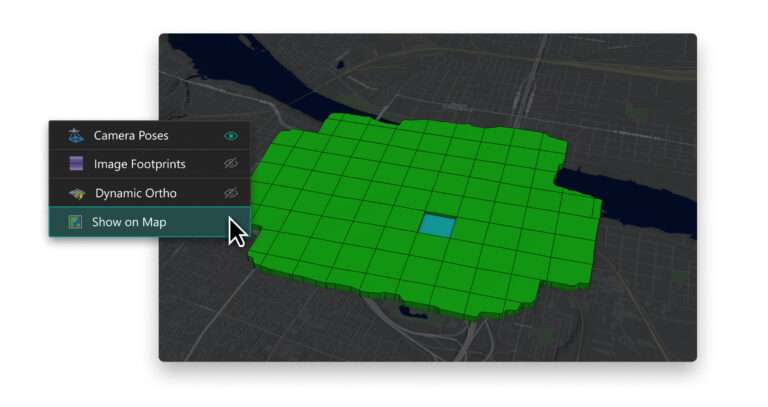
Reality Studio’s map-centric interface makes navigation, editing, and project management intuitive. This enables you to:
- Visualize and interact with data in a geographic context.
- Understand the location of your projects easily, in an intuitive way.
- Check out your flight patterns and orientations of your cameras at the exact position where they were made.
- Interactively select the elements you want to inspect, such as footprints or camera frustums.
- Monitor your progress while the jobs are being processed.
- Inspect your results right at the exact geolocation they should be.
With the map-centric approach you’ll easily be able to gain a quick, natural, and intuitive way of navigating your projects and analyzing their results.
Integrated with the Esri ecosystem
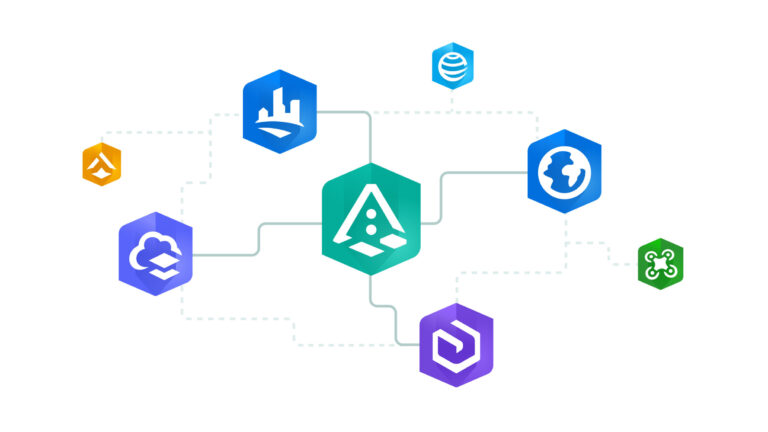
As part of the ArcGIS system, Reality Studio integrates seamlessly with ArcGIS Pro, ArcGIS Online and ArcGIS Enterprise, and leverages the Esri Projection Engine for maximum accuracy when handling different spatial references. This means users can move from reality mapping to analysis, visualization, and sharing without friction.
Being part of the Esri Ecosystem opens a giant portfolio of possibilities: you can apply geographic Artificial Intelligence with GeoAI on your produced results, visualize and measure on your Oriented Imagery directly, create your own online dashboard with your data, collaborate through online portals, and develop your urban planning in ArcGIS CityEngine.
Whether you’re publishing 3D meshes, streaming orthophotos, or combining outputs with GIS layers, Reality Studio fits naturally into your existing workflows, expanding them.
Scalable for Projects of any size
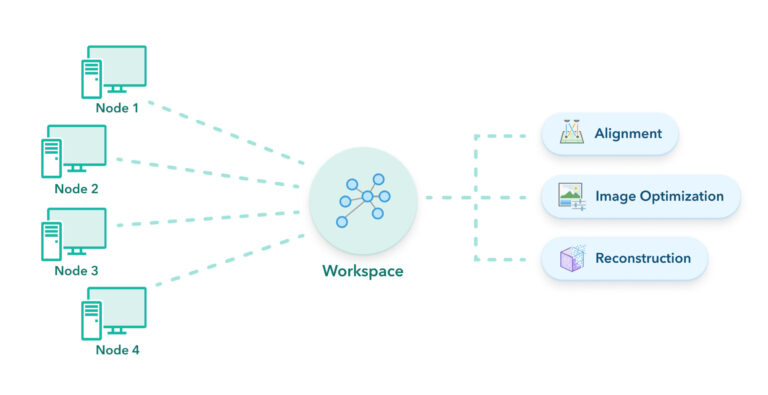
Distributed processing within Reality Studio focuses on simplicity, robustness, and productivity. It helps you to maximize the usage of your IT infrastructure and quickly react to changes in your project timelines.
By distributing the workload across multiple computers (nodes), you gain several benefits:
- The system remains stable, even if a single computer fails, ensuring uninterrupted processing.
- Distributed processing significantly reduces time to completion by utilizing the combined power of several processing nodes
- By queueing up multiple projects, processing nodes will continue to process around the clock.
- You can configure your projects with different priorities to allocate more resources to the more pressing jobs.
- Options for cloud compatibility and virtual machines, which enables teams to scale up and manage their production from a different physical location.
You can monitor your progress at all moments by leveraging the Workspace Monitor and the Jobs Monitor, together with the previously mentioned map-centric progress.
Ready for Global Teams
Being part of Esri’s ecosystem also means Reality Studio supports diverse teams working across borders, languages, and infrastructures.
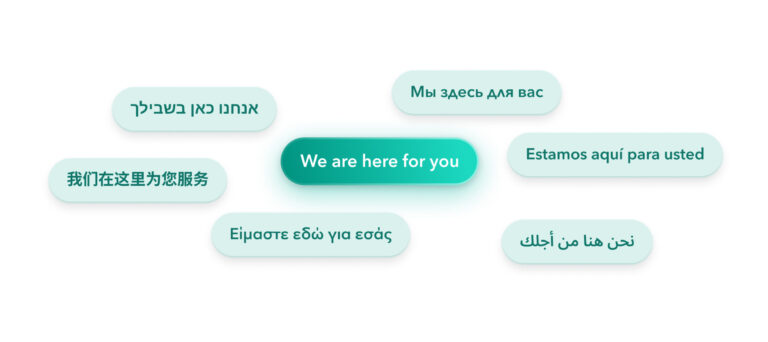
Reality Studio is available in multiple languages, both in the user interface and the documentation, making it easier for teams around the world to adopt and use the software effectively; reducing onboarding time, minimizing miscommunication, and ensuring that users can work in their preferred language without compromising functionality.
With Esri’s global presence, users benefit from localized training materials, community forums, and technical support tailored to regional needs and workflows.
Whether you’re working with different coordinate systems, metadata conventions, or regulatory requirements, Reality Studio is flexible enough to accommodate local mapping standards and practices.
Together, these capabilities make Reality Studio a powerful choice for international organizations, government agencies, and global service providers who need a reliable, adaptable, and collaborative reality mapping solution.
Conclusion
In a world where geospatial data is growing in volume, variety, and velocity, Reality Studio’s sensor-agnostic flexibility it’s beneficial to keep up with that pace. By removing the barriers of hardware dependency, Reality Studio opens the door to operational freedom. Organizations can choose the best tools for the job, integrate new technologies as they emerge, and maintain consistent quality across all projects. Whether you’re a national mapping agency, a city planner, or a private firm building digital twins, you’ll have the versatility to scale, and keep up innovating.
Reality Studio is more than a photogrammetry tool. It combines flexibility with precision, integrates effortlessly into your GIS workflows, and supports scalable, production-ready workflows. Whether you’re migrating from other platforms or starting fresh, you’ll find the tools to generate your geospatial products from the initial data, manage complex projects, and deliver results with confidence.
Stay connected
To learn more about Reality Studio, you can visit our product page, check the resources, or the technical documentation.
If you have any questions or ideas, we’d love to hear from you! Visit the Esri Community page and let us know what you think.
If you’re interested in any of our Reality solutions, please check out our webpage and contact us for more information.

Excellent, Powerful tool, the best engine and software for photogrammetry