In the November 2025 release of ArcGIS Enterprise 12.0, Creator and above user types have access to Business Analyst Web App Standard included as one of the apps that come with your license. This means you may be exploring Business Analyst products for the first time and are wondering what you can do with them.
This article provides information on workflows and data now available to you, steps to access this powerful application, and necessary configurations to use it for ArcGIS Enterprise.
What is Business Analyst Web App?
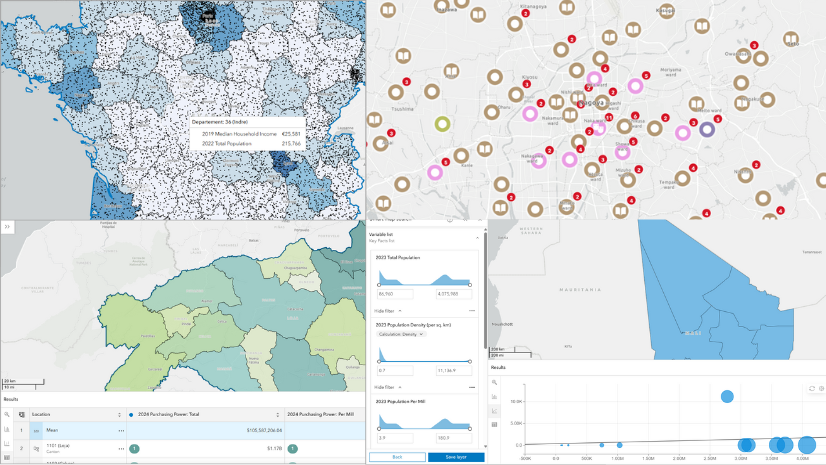
Business Analyst Web App is a web-based application that applies GIS technology to extensive demographic, consumer spending, and places data to deliver on-demand analysis and presentation-ready infographics, reports, and maps. But it is not just for the commercial sector. By using the thousands of variables available in Business Analyst Web App, you can understand and compare communities to make more informed, data-driven decisions.
There are two types of Business Analyst Web App licenses: Standard and Advanced. Business Analyst Web App Standard, included with your creator and above user types, allows you to perform in-depth market analysis and demographic research. Using predefined information products, you can easily understand market trends and customer demographics. Business Analyst Web App Standard also enables site selection analysis, helping businesses identify optimal locations based on various criteria.
For more information on Business Analyst Web App, see the following learning resources:
- Business Analyst Web App license levels
- Business Analyst Web App help documentation
- Business Analyst Learn tutorials
- Business Analyst ArcGIS Blog articles
How can I access Business Analyst Web App Standard?
Business Analyst Web App is an included app in ArcGIS Enterprise starting at 12.0 which does not require a separate installation. However, the minimum requirement for using Business Analyst Web App Standard in ArcGIS Enterprise is GeoEnrichment. Your administrator will need to configure the required GeoEnrichment service by following the instructions in the What does my ArcGIS Enterprise Administrator need to configure? section.
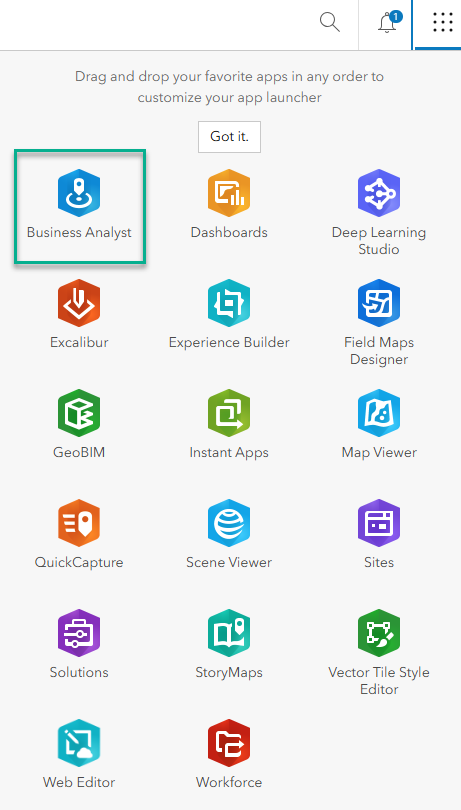
Once your administrator has configured the desired ArcGIS Online utility services, you can access Business Analyst Web App by signing into your ArcGIS Enterprise portal by clicking the App launcher. Any user with a Creator or above user type can see Business Analyst in the App Launcher. Select Business Analyst to run Business Analyst Web App Standard.
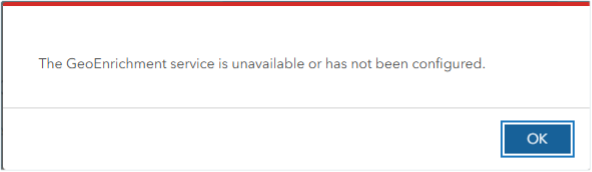
If the app does not launch when trying to open Business Analyst app and you receive this error, “The GeoEnrichment service is unavailable or has not been configured.” it is an indication that the GeoEnrichment utility service has not been configured by your administrator. Please contact your administrator and share the information in this article.
What does my ArcGIS Enterprise administrator need to configure?
Business Analyst Web App uses a combination of Esri’s location utility services, such as GeoEnrichment, Geocoding and Routing. In a Business Analyst Enterprise deployment, these services are deployed on-premises as ArcGIS Server roles and extensions and use downloadable data for the U.S. In order to run Business Analyst Web App Standard and consume online data, ArcGIS administrators should configure these services from ArcGIS Online.
When configuring the ArcGIS Online utility services, you will be required to use an ArcGIS Online organizational account; the account must have credits associated with it and the correct permissions to use the services. Using these services in ArcGIS Enterprise will consume credits from the specified ArcGIS Online account. Configuring utility services from ArcGIS Online is not supported in disconnected environments in which there is no internet connection.
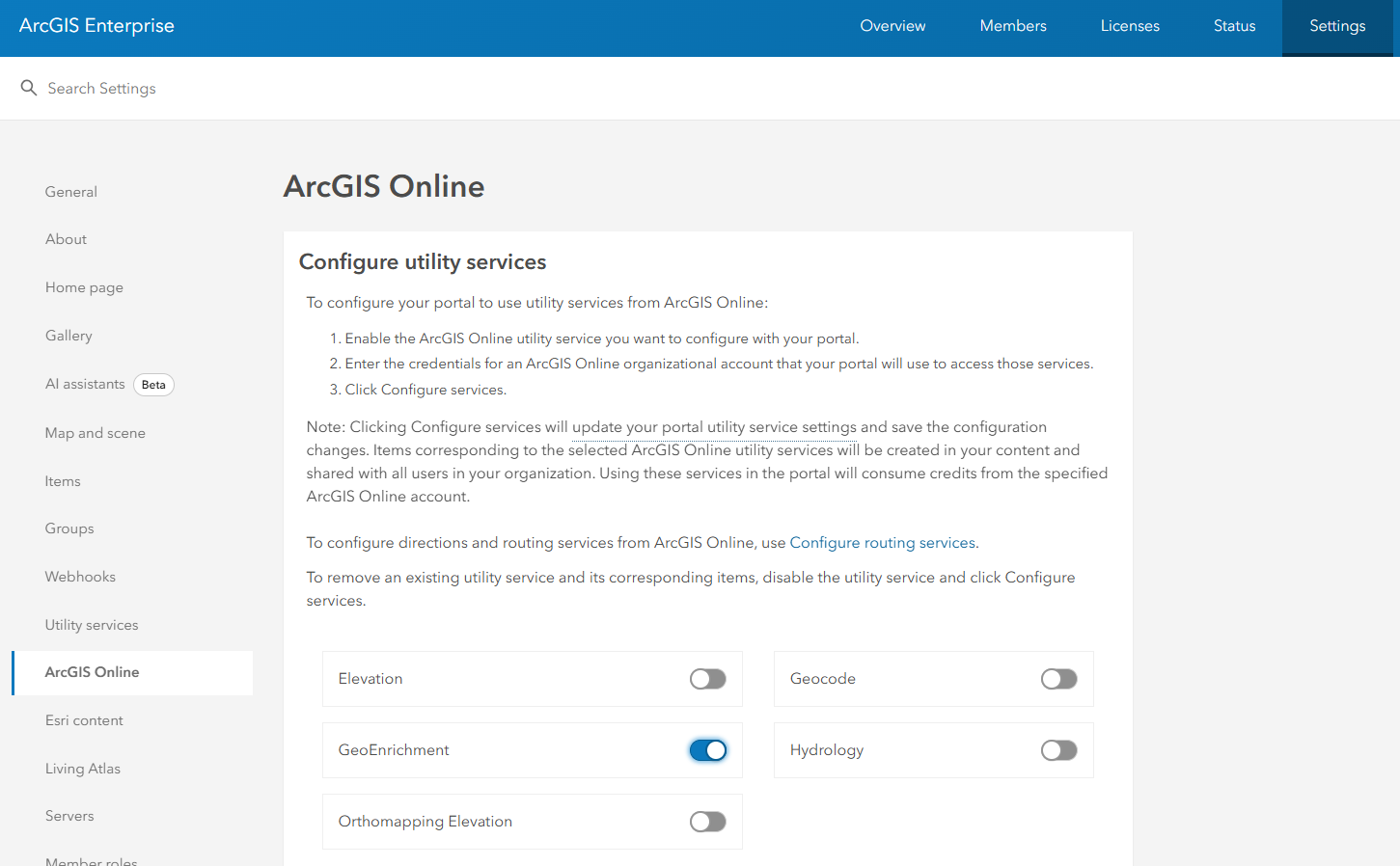
The minimum ArcGIS Online utility service configuration requirement for using Business Analyst Web App Standard in ArcGIS Enterprise is GeoEnrichment. If desired, Geocode service can be configured for importing files of X,Y coordinates or addresses and Routing service configuration is needed to support the creation of study areas based on driving or walking. However, Geocode and Routing services are not required to launch the app.

FAQ
I am an ArcGIS Business Analyst Enterprise user, what should I be aware of regarding user types?
My organization has deployed Business Analyst Enterprise, and I am a user of Business Analyst Web App Advanced for ArcGIS Enterprise. Should I request any changes from my administrator regarding Business Analyst Web App Standard being included with Creator and above user types?
Because Business Analyst Enterprise comes with an equal number of Creator user types and Business Analyst Web App Advanced licenses, you do not need to take any action. You should continue to take advantage of the additional features of our more sophisticated Business Analyst Web App Advanced that has been associated with your Creator user type.
Can my ArcGIS Enterprise Administrator limit credit usage for Business Analyst Web App Standard?
My organization is concerned about credit usage. What can my administrator do to ensure we are not using too many credits through the ArcGIS Online organizational account?
To aid in understanding credit consumption and provide tips and tricks for credit management, please refer to this blog: Estimating Credit Consumption in Business Analyst Web App. Specific to this ArcGIS Enterprise utility service configuration, you can also consider the below options.
Credit allocation: The ArcGIS Online account used to configure utility services can have credit budgeting enabled. If this account exceeds its allocated limit, GeoEnrichment and other location services will be suspended until the administrator updates the allocation.
Share the service item with a group: When configuring ArcGIS Online utility services, an item is created that stores the credentials for the service. This item can be shared with a group, thereby limiting access only to members who belong to the group.
We are so excited for more users to have access to Business Analyst!
Let us know what you’re most interested in using the feedback option at the bottom of this blog article or post on Esri Community.
Article Discussion: