If you’re working through the transition from ArcGIS Web AppBuilder to Experience Builder, you may want to bookmark this page. We’ve gathered information on the retirement timeline extension, all the recent parity updates, as well as resources to help you get there smoothly.
Retirement Timeline
The retirement date for ArcGIS Web AppBuilder in ArcGIS Online has been pushed from Q1 2026 to Q2 2027—giving you more runway to migrate on your own terms. In the meantime, you can keep updating existing apps through Q4 2026 and viewing them until retirement. After that, all existing Web AppBuilder apps will stop functioning.
Here are the key dates to keep on your radar:
- Q1 2026: New Web AppBuilder app creation is no longer available.
- Q4 2026: Updates to existing Web AppBuilder apps will no longer be possible.
- Q2 2027: Web AppBuilder will be fully retired, and all existing apps will stop functioning.
These milestones align with the ArcGIS Online releases in February 2026, November 2026, and June 2027. Worth noting, Please note that this retirement affects only ArcGIS Web AppBuilder in ArcGIS Online.
Esri Technical Support will be available right up until retirement, so you won’t be navigating this on your own.
Parity Updates
A lot of ground has been covered on the road to parity. Numerous planned parity features are now complete, giving you the tools to match (and in many cases improve) your workflows. A few widgets won’t have a direct replacement, like Emergency Response Guide and Threat Analysis, but two web tools are available as alternatives, along with migration guidance to point you in the right direction.
Here’s a look at some of the recently added features:
Copy and paste
You can now copy and paste features within the same layer or into another layer with the same geometry type, just as you could in Web AppBuilder. This makes it easy to duplicate features quickly, even from non-editable layers.
Batch attribute editing
Many users asked for the ability to configure fields for bulk attribute updates in the Edit widget—something you had in Web AppBuilder. Good news, it’s here. Now when batch editing is turned on, you can configure which specific fields are available for editing.
Show your location
The Locate tool in the Map widget lets you display your real-time location as you move, similar to the tool you were used to in Web AppBuilder. This is especially useful for construction crews, environmental inspectors, or anyone in the field who needs live positioning.
Add data by URL
You can now add data by URL from a Web Feature Service (WFS) or Web Map Service (WMS), connecting to more external data sources. You can also predefine the size of the Add Data window by dragging its corners, which is similar to the floating panel in the Widget Controller widget, so you can tailor it to your workflow.
Split and Merge
The Split and Merge geometry editing tools are now available in Experience Builder, just as they were in Web AppBuilder. These tools help you clean up field-captured data and create more accurate representations of what’s on the ground. Just keep in mind that Batch editing needs to be enabled to use them.
Zoom scale limits
You can now limit the zoom scales available to users by customizing a scales list in the Map widget settings, bringing back a familiar capability from Web AppBuilder. The new Level URL parameter lets you set the map’s initial zoom level for easier navigation—for example, zoom level 10 for a city view or zoom level 18 for a street or building view. You can also choose different styles and units for the scale bar to suit your map’s needs.
Removing runtime layers
Runtime layers—such as results from Analysis and Query widgets or Draw sketches—can now be removed directly from the Map Layers widget. Previously, this required tracking down a small trash icon on the map itself. It’s a small change, but a meaningful one for day-to-day usability.
Restore app state
Experience Builder can now restore an app to its previous state when reopened, picking up where you left off with the same layer visibility and map extent—just as Web AppBuilder did. This is especially helpful when you’re working with a lot of layers and don’t want to reconfigure your view every time. App state captures the currently open page, view, or window; the map viewpoint; and layer visibility—all stored in your browser cache. When the Experience state setting is turned on in the builder, a “Restore experience state” banner will appear when you launch the app and automatically disappear after 10 seconds.
Emergency Response Guide (ERG) web tool
The Emergency Response Guide (ERG) web tool allows users to visualize and analyze hazardous material spills and can be operated through the Analysis widget. This tool offers the same functionality that was previously available through the Emergency Response Guide widget in ArcGIS Web AppBuilder. For more information about the tool, visit the ArcGIS Blog and Esri Community.
Identify equivalent widgets
A Python scrip tool for identifying equivalent widgets from Web AppBuilder to Experience Builder is available for download. It helps organizations make informed decisions on migration strategies.
Resources
Here are some resources to help you get moving:
- Identify equivalent widgets from Web AppBuilder to Experience Builder using a Python script
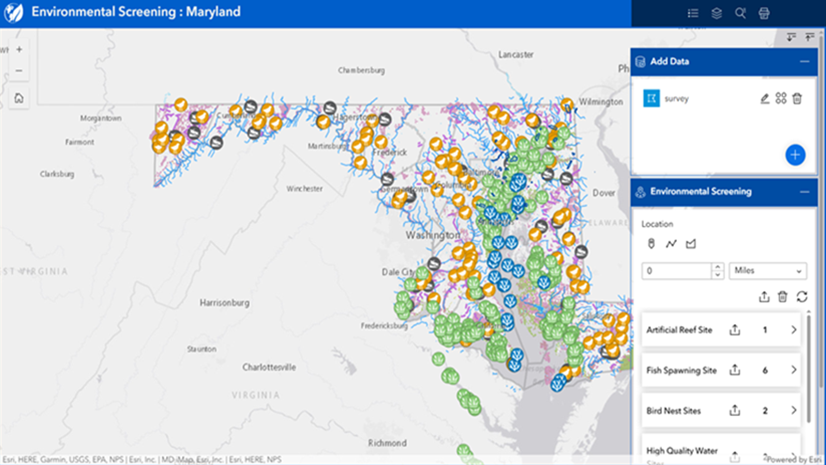
- Re-creating environmental impact analysis workflow of Web AppBuilder Screening widget in Experience Builder
- Re-creating Web AppBuilder Situation Awareness widget workflows in Experience Builder
- ArcGIS Web AppBuilder Migration Webinar
- Esri community
- Get started with ArcGIS Experience Builder
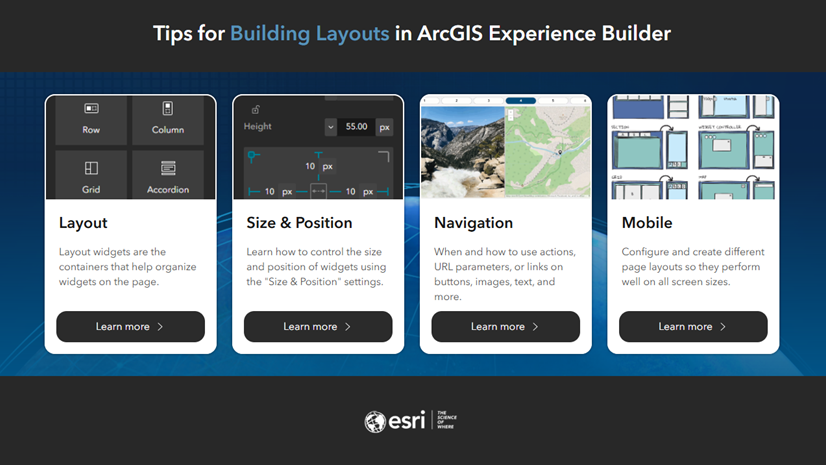
- Tips for Building Layouts in ArcGIS Experience Builder
- Designing responsive layouts
- Best practices for using Windows
The Q2 2027 deadline gives you room to migrate thoughtfully—but it will come faster than you expect. Start your migration journey today.

Commenting is not enabled for this article.