2025 was a transformative year for ArcGIS Field Maps, headlined by the 25.2.0 release. This update included a new task management capability, offline utility network viewing and tracing, significant enhancement to data capture and editing workflows and much more.
Followed by a series of quality improvement updates to close 2025, the first release of 2026 is upon us and it includes several new capabilities.
March updates
A small but mighty update, the March release of ArcGIS Field Maps includes several new features:
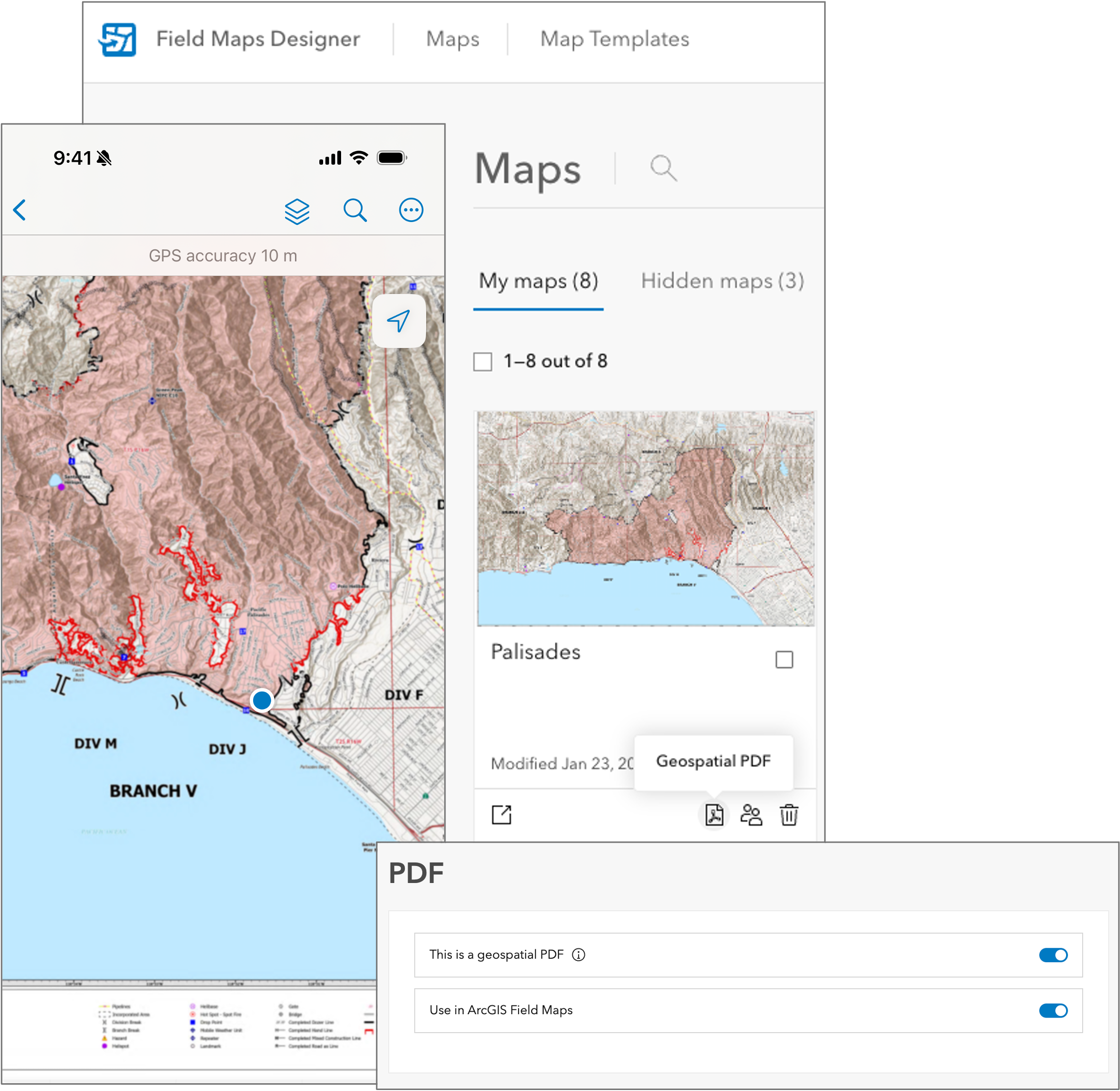
- Offline support for geospatial PDFs – geospatial PDF documents and items are a new type of offline map and local basemap format.
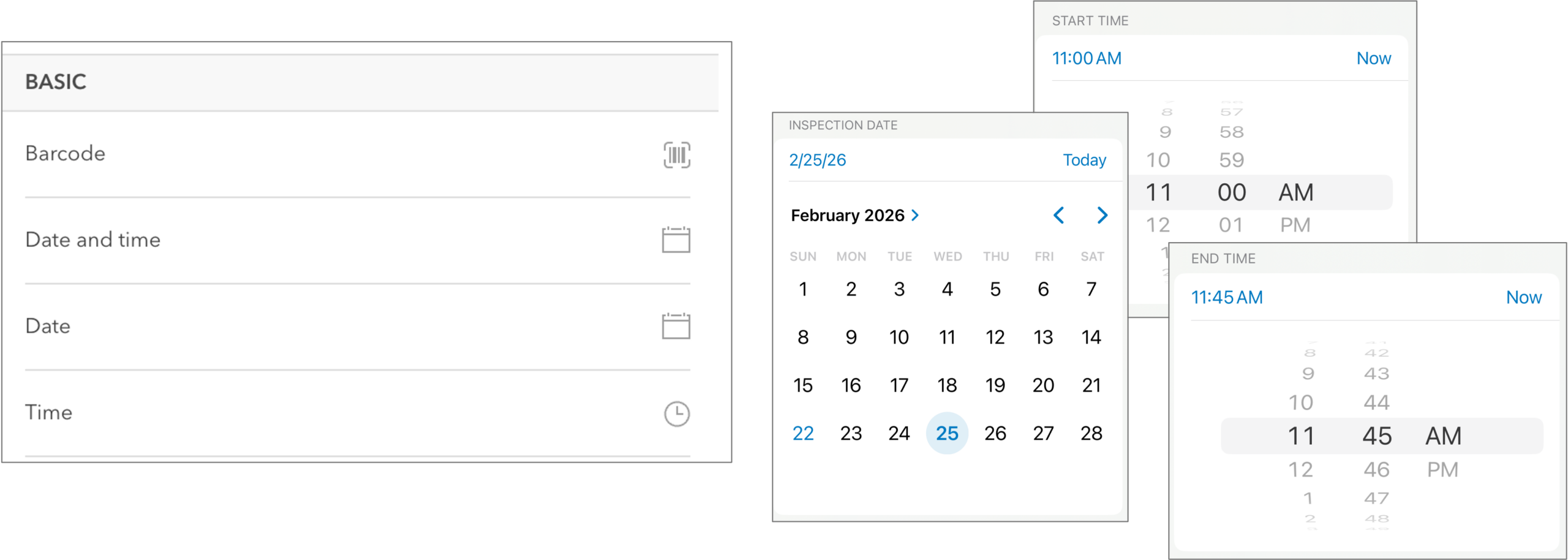
- New and improved form elements -new date only and time only form elements support these new field types.
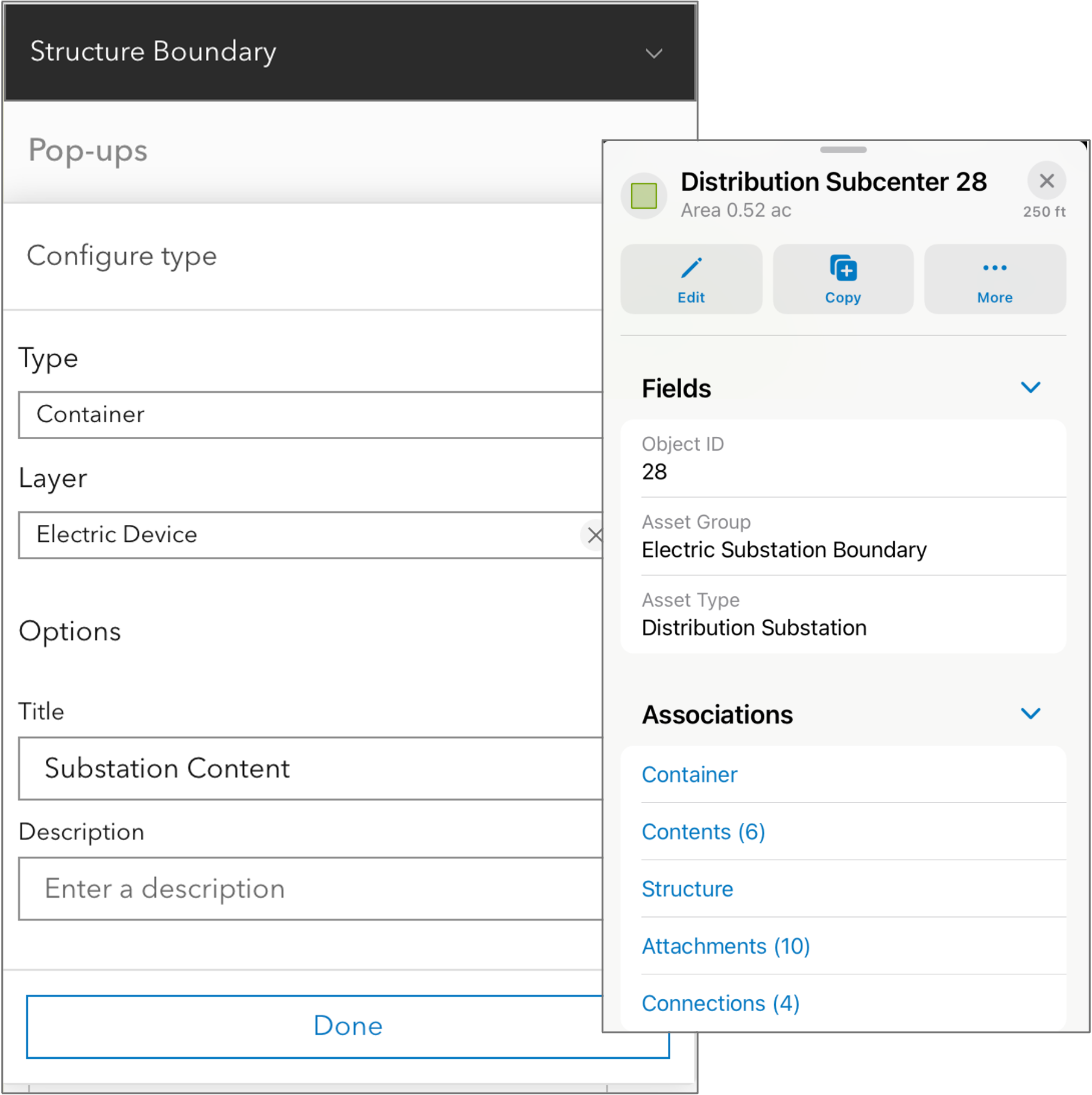
- Association pop-up elements -navigate utility network associations when configured in your pop-ups.
- Field Maps Designer support for the Arcade assistant (beta) – use a natural language prompt to create Arcade expressions in your forms and with tasks.
In addition to these highlights, there are several minor additions along with stability and performance improvements in this release.
Geospatial PDF support
A geospatial PDF document is a standard PDF document that has been enriched with information to reference geospatial data. There are several ways to create a geospatial PDF for use with ArcGIS Field Maps including the Export to PDF capability in ArcGIS Pro, the Print widget in Experience Builder, or using TerraGo Technologies GeoPDF® Publisher for ArcGIS Pro.
PDF documents can be added as PDF items in ArcGIS Online and with the March release PDF items have new item settings that qualify a PDF as a geospatial PDF and it’s use in ArcGIS Field Maps. In Field Maps Designer, map authors can configure a geospatial PDF item and share it with mobile workers for download and use in the Field Maps mobile app. It’s also possible to download PDF documents directly to a device and use them in Field Maps.
There are two ways a geospatial PDF can be used:
- As an offline map – browse and download a shared PDF item as a read-only offline map or open a PDF document in Field Maps on your device where you can view your location and tracks, measure distances and areas, and use the personal markup capabilities.
- As an offline basemap – within the offline configuration settings of Field Maps Designer, PDFs can be referenced as either a basemap item or side-loaded document in web maps.
New and improved form elements
New field types that improve the way you work with dates and time were introduced into ArcGIS and with this update we’re adding them to Field Maps too:
- Date only – store date values of day, month, and year but do not store time. Recording the install date of equipment, expiration date of a warranty, or next inspection date are good examples of where the time of day is not needed.
- Time only – can store time values in local time without a date value. Time only form elements can record separate task “Start Time” and “End Time” values used to easily calculate the duration of an inspection.
Please note that Field Maps does not support form capture of Timestamp offset fields yet. This is planned for a future release.
Association pop-up elements
Associations in the ArcGIS Utility Network are non-spatial, logical relationships that connect, contain, or attach network features, allowing for advanced modeling without requiring strict geometric coincidence. With the Field Maps mobile app, mobile workers can view the following associations within the network: connectivity, structural attachments, and containment.
ArcGIS Enterprise 11.5 added support for adding Associations as a new type of pop-up element . Supported in this update of Field Maps, you can navigate connectivity, containment, or structural attachment associations between non-spatial and non-coincident network features.
Arcade Assistant (beta)
The Arcade assistant (beta) is now available inside Field Maps Designer where the Form Constraint and Field Calculation profiles are used. The assistant uses artificial intelligence (AI) to generate ArcGIS Arcade expressions from instructions typed in natural language. With Designer, the assistant can help improve the efficiency of writing expressions that apply conditional visibility rules and calculated expressions in forms and tasks.
For example, when a mobile worker successfully completes a high pressure inspection, it is required to set the due date for the next inspection to 3 months in the future. The due date needs to be scheduled for a business day and not on a weekend. Using the following natural language prompt, the Arcade assistant can construct the code required to execute this calculated expression.
Prompt: Get the current date and return a date 3 months into the future on the nearest business day. Do not consider Saturdays or Sundays.
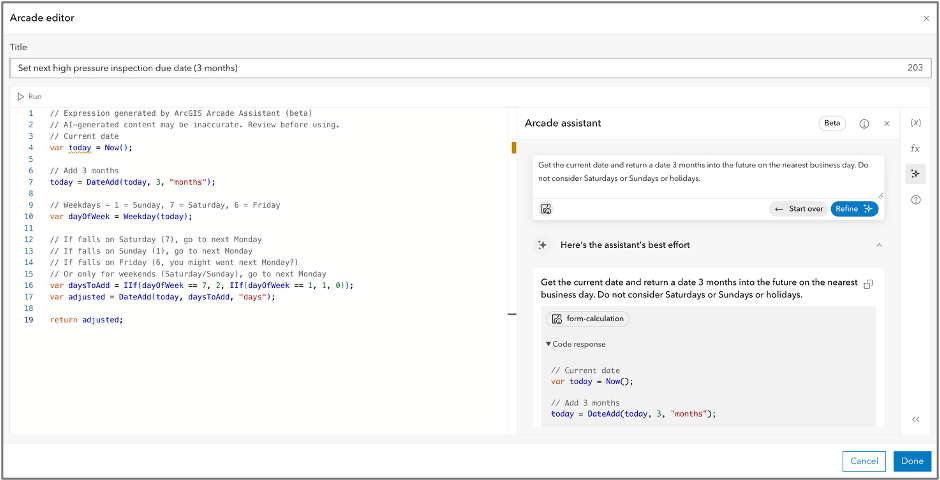
The Arcade assistant is in beta for use with ArcGIS Online only. Please read the assistant documentation for details on how to enable or disable use in Field Maps Designer, general guidelines, and security and privacy details. We’d appreciate your feedback on responses so that we can improve it’s usefulness over time as well so please make sure to click the thumbs up or thumbs down when testing!
Minor improvements
In addition to the key features mentioned above, there are a couple of minor improvements worthy of mention.
- App Links improvement to AddRelatedFeature reference context – now you can target a specific related table when adding a new related record.
- New GPS receiver support – added support for Sparkfun SparkPNT TX2 and Emlid Reach RX and Reach RX2 GNSS receivers on the iOS platform.
- Edit multiple support for subtype group layers.
- Improved messaging in Field Maps Designer provides more context on why a map can’t be taken offline and the adjustments needed to do so.
The following, public facing, bug fixes have been addressed in this release as well:
Field Maps mobile app:
- BUG-000181581
- BUG-000180687
- BUG-000180292
- BUG-000180105
- BUG-000180042
- BUG-000142695
- BUG-000180537.
- BUG-000182396, BUG-000182165
Field Maps Designer:
A big THANK YOU to all the beta testers of this release. We appreciate your feedback and are looking forward to working closely with you in 2026.
If you have questions about ArcGIS Field Maps or feel passionate about needed improvements, please reach out to us from the Esri Community page. If you would like to connect with and learn from your fellow users, please join our LinkedIn group.

Unless I’m unclear on the behavior that was reported, I can still replicate the behavior from BUG-000180292.
Hi Craig.
Are you reproducing this issue with iOS 26? If so, can you please submit a support ticket. We are tracking a separate, yet related issue for iOS 26 that manifests in a very similar way.
Thank you!
I am still having issues with Date Only fields in field maps on 25.3.0. My blog post: https://community.esri.com/t5/arcgis-field-maps-questions/quot-start-date-quot-not-populating-when-user/td-p/1697624
https://support.esri.com/en-us/knowledge-base/error-arcgis-field-maps-domain-com-esri-arcgis-runtime–000031889
Do you have an estimated timeline for the next Field Maps update? Several of us are experiencing significant challenges collecting data in the field after updating to iPadOS 26. The new keyboard behavior is not working well with Field Maps and is making data entry difficult.
I understand that this issue has been addressed in an upcoming release. If possible, it would be very helpful to know when that update is expected so we can plan accordingly.
For reference, this is the discussion thread where the issue has been reported:
https://community.esri.com/t5/arcgis-field-maps-questions/is-this-tiny-numerical-keyboard-quot-feature-quot/td-p/1688198
Thank you!
Tilt compensation was going to be implemented near the end of 2025. Is it now active in this release? If so, with compatibility with which manufacturers?