The ArcGIS Architecture Center site contains information on strategies and best practices for designing and deploying ArcGIS systems. One of its key pillars is observability, which is a commonly used information technology (IT) term to describe the availability of information about the internal workings of a system. Examples include: the compute usage of a host machine, the storage input/output metrics for a provider, or the number of requests and activity across different apps or services.
ArcGIS Monitor provides observability by collecting metrics on the health, performance, and usage of your enterprise GIS. It is designed to help system administrators and GIS managers ensure their ArcGIS Enterprise deployments and underlying infrastructure are working efficiently. Monitor enables proactive management and helps reduce and prevent system downtime, resulting in operational cost savings.
For organizations that have multiple ArcGIS Enterprise deployments (e.g., dev | staging | production environments or in different locations) and/or using different release versions, ArcGIS Monitor provides a single console where you can view key performance indicators (KPIs) across all deployments to help you manage and optimize your enterprise GIS and its underlying infrastructure.
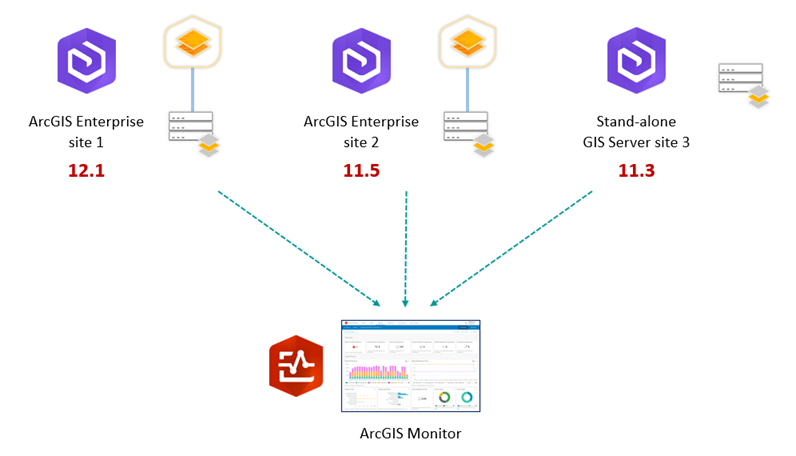
At the Esri 2026 User Conference, the ArcGIS Monitor team presented two 1-hour technical workshops. If you are an ArcGIS Enterprise user and would like to learn more about enabling observability with ArcGIS Monitor watch these videos.
ArcGIS Monitor: An Overview
This introductory session provides an overview of ArcGIS Monitor, which complements ArcGIS Enterprise by providing tools that monitor the health, performance, and usage of your enterprise GIS implementations. Learn how to set up and configure ArcGIS Monitor, configure alerts and notifications, and create analysis views. Familiarity with ArcGIS Enterprise is recommended.
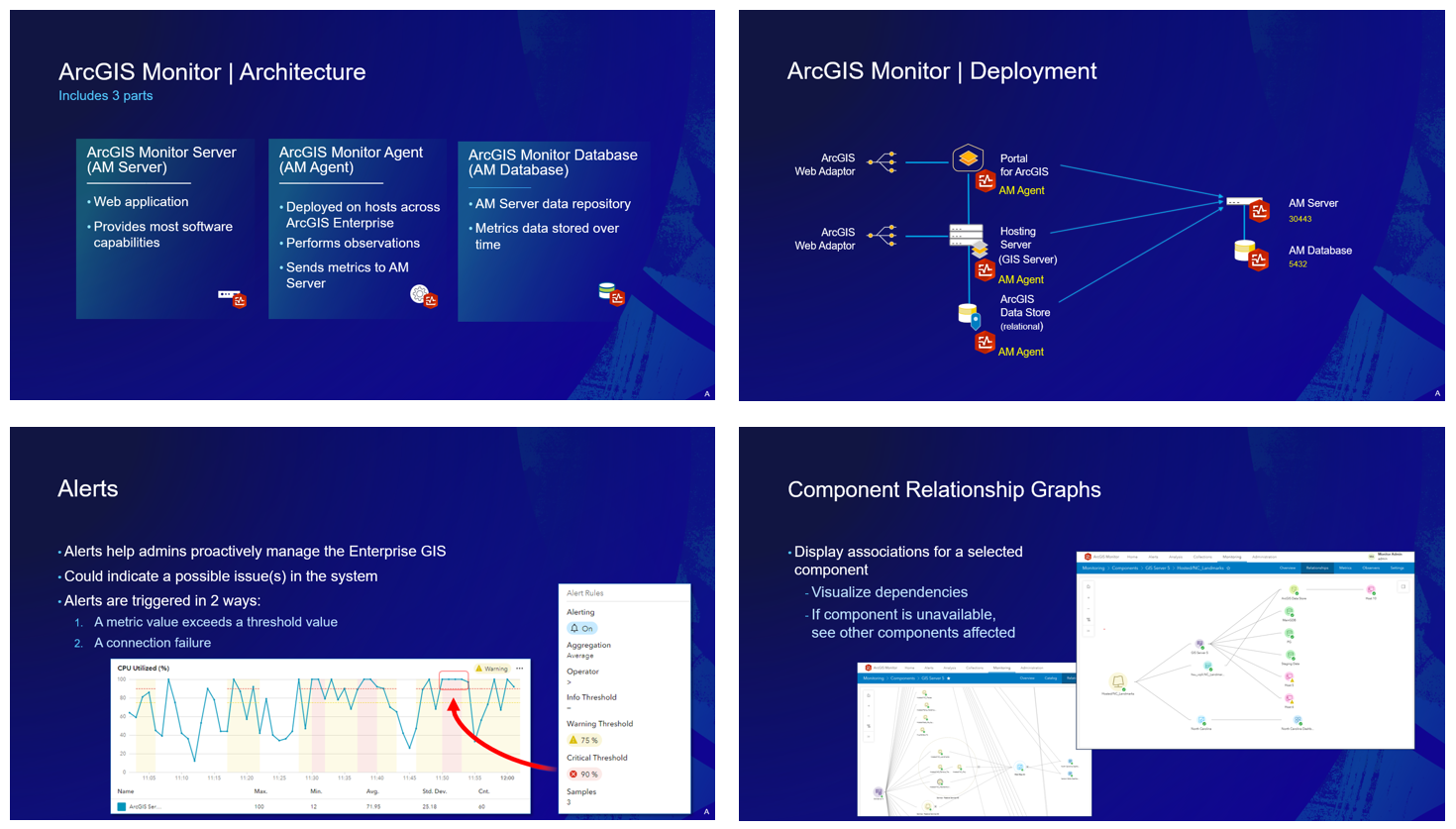
ArcGIS Monitor: Enabling Observability in ArcGIS Systems
This intermediate session builds on the content in the overview session. It discusses challenges managing an enterprise GIS, observability concepts, and explores techniques and strategies with analysis views and component relationship graphs. A preview of the Model Context Protocol (MCP) for ArcGIS Monitor which enables AI functionality is shown.
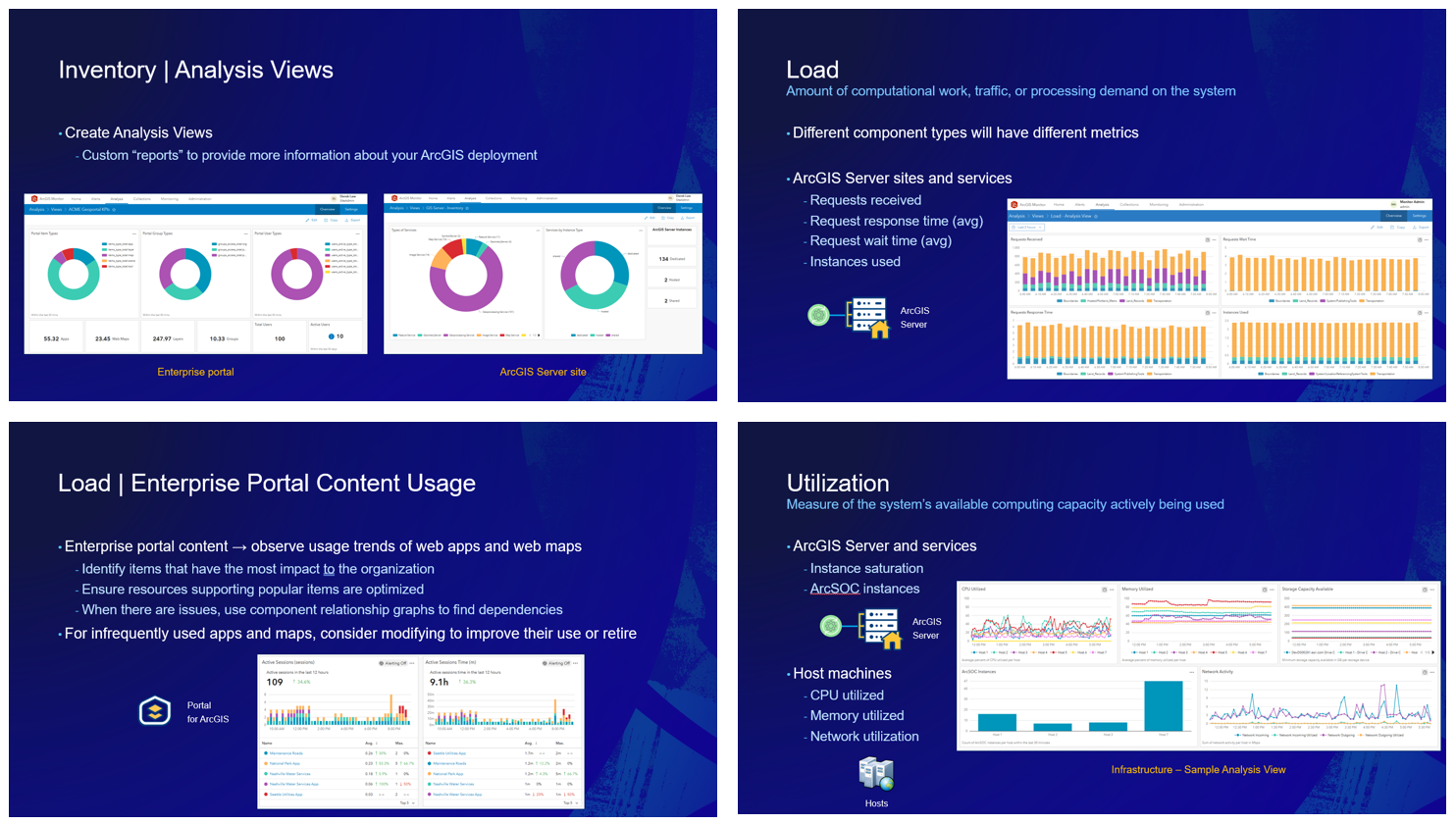
Some other resources to help you learn more about ArcGIS Monitor:
- Product page
- Customer success stories
- ArcGIS Monitor essential resources blog
- ArcGIS Monitor videos playlist
- ArcGIS Monitor help documentation
- ArcGIS Monitor on Esri Community
Sincerely,
The ArcGIS Monitor team

Article Discussion: