
Last updated on September 28, 2026
ArcGIS Monitor is designed to help organizations optimize their enterprise GIS implementations. It provides metrics into the health, performance, and usage of ArcGIS Enterprise, allowing GIS and IT managers and administrators to proactively identify and address issues before they impact system operations.
Additionally, ArcGIS Monitor offers configurable alerts and notifications, allowing administrators to stay informed about critical events and performance thresholds. By leveraging Monitor, organizations can ensure their enterprise GIS is optimized, ultimately enhancing productivity and user satisfaction across the board.
To help you get started with and make the most out of ArcGIS Monitor, we’ve put together a curated list of resources.
Jump to a specific section.
Overview
- ArcGIS Monitor One-Min Teaser
Watch this 75-second teaser of ArcGIS Monitor. - Five Reasons to Use ArcGIS Monitor
Discover five compelling reasons why everyone with an ArcGIS Enterprise deployment should use ArcGIS Monitor. - Learn about ArcGIS Monitor Service Partners
Explore the network of Esri Partners who can help you implement ArcGIS Monitor. - Get Started with ArcGIS Monitor for Windows
Learn how to begin using ArcGIS Monitor on Windows, add components, create collections, and configure alerts and analysis views. - Get Started with ArcGIS Monitor for Linux
Learn how to begin using ArcGIS Monitor on Linux, add components, create collections, and configure alerts and analysis views. - Esri User Conference 2025: An Overview
Review the latest User Conference technical workshop recording that introduces ArcGIS Monitor and its key functionality. - Join the ArcGIS Monitor Community
Connect with other users, share insights, and get support from the ArcGIS Monitor community. - Review the ArcGIS Monitor Product Page
Get an overview of ArcGIS Monitor, its benefits, and features. - ArcGIS Monitor Now Available on Esri Store
Purchase ArcGIS Monitor from the Esri store.
Latest Release
ArcGIS Monitor 2026.0 includes two new features to help administrators better manage their enterprise GIS deployments:
- Enterprise portal web app and web map usage metrics
- Enhanced service utilization metrics for web services in multi-machine ArcGIS Server sites
Read the what’s new in ArcGIS Monitor 2026.0 blog.

ArcGIS Monitor User Group Meeting #7 – An International Perspective | Sept 16, 2026
In this seventh user group meeting, technical experts from Esri Spain and Esri Global will share their experiences using ArcGIS Monitor. Esri Spain will provide strategies and tips for proactive management of an enterprise GIS, while Esri Global will discuss how ArcGIS Monitor can be leveraged to support and enhance the success of ArcGIS Enterprise migration projects.
Esri Academy
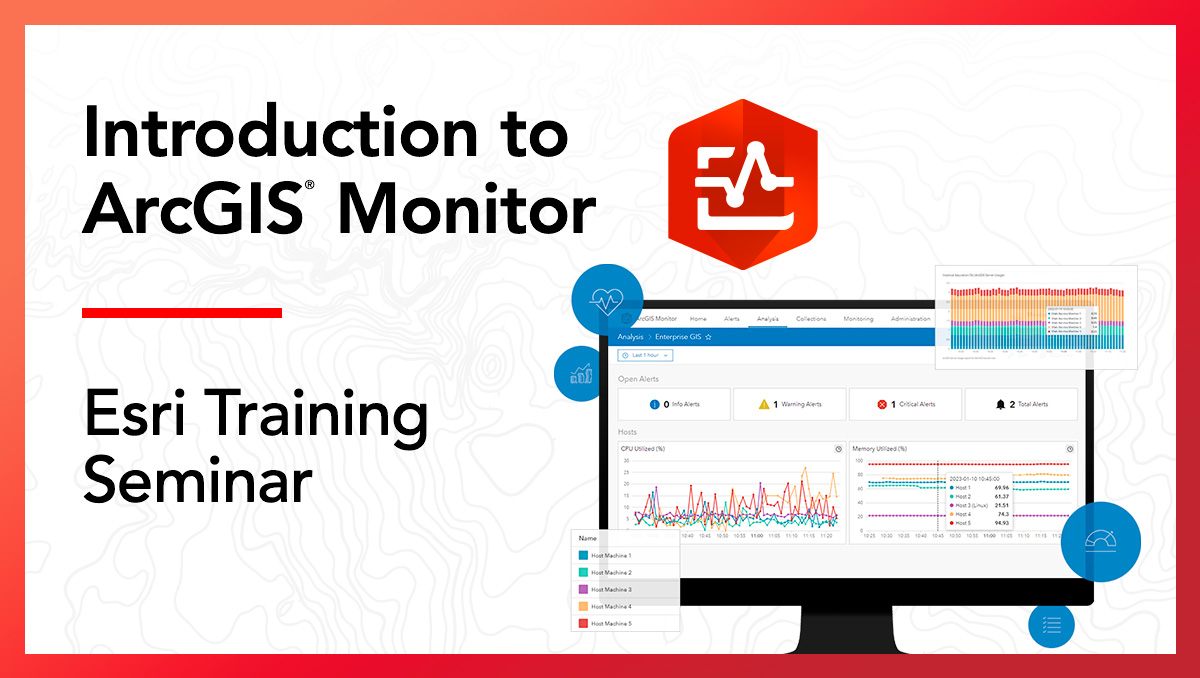
Introduction to ArcGIS Monitor Training Seminar
This training seminar provides an introduction to ArcGIS Monitor, including its value statement and benefits, an overview of its functionality and capabilities, and a tour of the next-generation release. You will learn how you can use ArcGIS Monitor to monitor databases, networks, and ArcGIS software; detect and resolve problems with your enterprise GIS; and report usage and metrics with stakeholders.
Blogs
- Getting Started with ArcGIS Monitor
You’ve logged into the ArcGIS Monitor and can see the Home page. What should you do next?
- Five useful analysis metrics for ArcGIS Server
Learn how to build five useful charts that provide insight into your ArcGIS Server sites.
- Analysis Elements for Enterprise portal content
Review the steps to build useful charts and indicators that provide insight into your ArcGIS Enterprise portal content.
- Analysis Elements for Enterprise portal performance
Construct useful indicators that provide insights on your ArcGIS Enterprise portal performance metrics.
- Quickly compare component metrics
Create a new analysis view without having to configure a new dataview query for quickly comparing metrics of similar component types.
- Geodatabase analysis views
Configure some useful charts in ArcGIS Monitor to report key metrics for an enterprise geodatabase.
- Explore the Check-Service Observer
Discover practical use cases for Check-Service observer in ArcGIS Monitor.
- Understanding component status and alerts
Learn how a component’s status is determined by the most severe metric and how alerts are triggered when pre-defined thresholds are exceeded.
Blogs by Esri Business Partners
- Cloudpoint Geospatial Inc.:
- Setting up ArcGIS Monitor webhooks for instant alerts
This blog explores how to set up notifications in ArcGIS Monitor and connect them to Slack via webhooks, ensuring that critical updates reach your team without delay.
- Setting up ArcGIS Monitor webhooks for instant alerts
- Dymaptic:
- Webhook Messages in Teams
This blog describes using the ArcGIS Monitor webhooks to integrate with Microsoft’s Power Automate and send chat messages into MS Teams. - Set-up and configuration of Monitor webhooks in Teams
Building on the previous blog, this blog discusses how you can configure ArcGIS Monitor webhooks to work with MS Teams, Discord, and Slack with just Python.
- Webhook Messages in Teams
- Onneer:
- What New ArcGIS Enterprise Administrators Need to See First
This blog is for new ArcGIS Enterprise admins, discusses the importance of observability and highlights how ArcGIS Monitor can enable observability for ArcGIS.
- What New ArcGIS Enterprise Administrators Need to See First
- Timmons Group:
- Tailored Observability for ArcGIS Enterprise: Unlocking the Potential of ArcGIS Monitor
This blog explores how ArcGIS Monitor can support service level agreements (SLAs) with key performance indicators (KPIs) to assess the health and performance of ArcGIS Enterprise.
- Tailored Observability for ArcGIS Enterprise: Unlocking the Potential of ArcGIS Monitor
Videos
- User Group Meeting #1: Recording of ArcGIS Monitor Analysis Views Discussion
Representatives from Stark County, OH and Halff discuss how they use analysis views in ArcGIS Monitor to help manage their enterprise GIS deployments. - User Group Meeting #2: Recording of ArcGIS Monitor Analysis Views Discussion
Representatives from Arizona Department of Environmental Quality and Forsyth County, GA discuss how they leverage analysis views to optimize their enterprise GIS. - User Group Meeting #3: Recording of Troubleshooting Strategies for ArcGIS Monitor Discussion
Representatives from Esri Technical Support team discuss common issues that ArcGIS Monitor users encounter as well as outline troubleshooting strategies to resolve those. - User Group Meeting #4: Recording of Getting Started with ArcGIS Monitor
Representatives from City of Grimes, Iowa and Madison County, Illinois shared strategies and guidance on how to get started using ArcGIS Monitor. - User Group Meeting #5: Recording of Key Performance Indicators for an Enterprise GIS
Representatives from Esri Professional Services take a closer look at example key performance indicators for managing and optimizing enterprise GIS deployments. - User Group Meeting #6: Recording of Esri Partners Leveraging ArcGIS Monitor for Observability
Esri partners Cloudpoint Geospatial and dymaptic will share their experiences using ArcGIS Monitor, and discuss leveraging AI to extend ArcGIS Monitor. - Esri User Conference 2025: Recording of ArcGIS Monitor: An Overview
Watch the recording to learn how to set up and configure the product, add components, create collections, configure alerts, and understand analytics. - Esri Dev & Tech Summit 2026: Recording of ArcGIS Monitor – Observability for Your Enterprise GIS Infrastructure
Watch the recording to see how easy and impactful observability can be for your enterprise GIS.
Other Videos
- Esri Canada’s Spatial Report: ArcGIS Monitor Highlights
Hear Product Manager, Derek Law, discuss what ArcGIS Monitor is and the new features in the 2024.1 release. - Cloudpoint Geospatial: Keeping An Eye On Your Enterprise GIS
This 30-min video goes over the basics of ArcGIS Monitor including installation, creating analysis views, registering components, setting up notifications, and organizing collections.
User Stories
Explore ArcGIS Monitor customer success stories across multiple industries.
City and County Government
- ArcGIS Monitor Brings New Insights to New Complexities at North Central Texas Council of Governments
NCTCOG manage their significantly expanded ArcGIS Enterprise infrastructure by tracking uptime, performance, and alerts across all production components from a single console. - City of Seguin Improves Enterprise GIS Operations
Seguin, Texas, transitioned to ArcGIS Monitor to find issues in real time, enhancing collaboration and transparency. - City of Grimes Monitors GIS Deployment
The City of Grimes, Iowa, monitors performance of large multimachine GIS deployment with an enterprise-grade monitoring solution. - City of Round Rock Resolves Critical System Outages
The City of Round Rock, Texas, leverages ArcGIS Monitor to reduce system outages and improve user experience for city staff and residents. - Stark County Improves Enterprise GIS Maintenance
Stark County’s GIS team used ArcGIS Monitor to improve monitoring of the County’s 355 web services and maintenance of its enterprise GIS system. - Forsyth County Monitor Enterprise GIS Health
Forsyth County used ArcGIS Monitor to transform monitoring and troubleshooting capabilities and enable better decision-making. - City of Calgary Monitors System Health
The City of Calgary uses ArcGIS Monitor to manage system health; reducing work hours, enhancing troubleshooting, and decreasing system outages.
Public Safety
- Dallas Police Department Ensures Data Availability with ArcGIS Monitor
DPD’s implementation of ArcGIS Monitor has been transformative. With real-time monitoring, alerts, and a centralized view of their GIS server health and performance, they are able to provide high-quality services to the community.
State Government
- Arizona Department of Environmental Quality Improves Enterprise System Performance
The Arizona Department of Environmental Quality uses ArcGIS Monitor to greatly reduce downtime while improving system reliability and efficiency.
Federal Government
- Ardent Management Consulting Boosts System Availability For Large Federal Agency
Esri business partner, Ardent Management Consulting Inc., boosts system availability with an enterprise-grade monitoring solution.
Public Works
- Houston Public Works Manges Enterprise GIS
Houston Public Works deploys ArcGIS Monitor with the help of Esri Partner, Dymaptic, and improves performance and overall user experience, enhances troubleshooting, and increases usage.
Utilities: Electric, Oil, and Gas
- ExxonMobil Manages Global Operations
With operations in more than 60 countries, ArcGIS Monitor helps the fuel giant proactively identify and address system issues. - Williams Keeps An Eye On The Future
A natural gas pipeline company uses ArcGIS Monitor to track their enterprise GIS resource utilization, service usage, and performance. - The Utility of ArcGIS Monitor: Featuring Rochester and Moorhead
Two utilities incorporate ArcGIS Monitor into day-to-day activities, helping streamline the operations of their GIS and IT departments. - Enerjisa Increase Enterprise GIS Performance
Turkey’s Enerjisa leverages ArcGIS Monitor to enhance system performance, better manage its enterprise GIS, and improve IT business workflows. - South Jersey Monitors Enterprise GIS
South Jersey Industries uses ArcGIS Monitor to enhance asset management, improve customer service, and boost operational efficiency.
Business
- Inside Woolpert’s Observability Strategy with ArcGIS Monitor Running 24/7
Woolpert achieves near 24/7 uptime for their enterprise GIS by proactively detecting performance issues, reducing system downtime, and enabling their 400+ GIS users and field crews across global projects to work efficiently. - Langan Engineering Optimizes Enterprise GIS
Esri business partner, Langan Engineering, uses metrics and reports in ArcGIS Monitor to optimize its enterprise GIS system health.
User Stories Published by Esri Partners
- Quartic: ArcGIS Monitor: Troubleshooting and Tracking GIS System Performance for Organizations of All Sizes
This article highlights three different ways ArcGIS Monitor is being used by Quartic’s customers, as well as best practices we recommend for ArcGIS Monitor configuration. - Blue Raster: Improving ArcGIS Enterprise Performance for Orange County, Virginia with ArcGIS Monitor
ArcGIS Monitor aids in monitoring the county’s GIS infrastructure to ensure that it stays up and running. - Blue Raster: ArcGIS Monitor At Collin County
ArcGIS Monitor aids in monitoring the county’s GIS infrastructure to ensure that it stays up and running. - CyberTech Systems and Software Inc: ArcGIS Monitor At Rayburn Electric Co-Op
ArcGIS Monitor provides the foundation of Rayburn Electric Cooperative’s future-proof enterprise GIS system. - EBA Engineering, Inc.: ArcGIS Monitor At Municipal Authority of Westmoreland County
ArcGIS Monitor helps troubleshoot performance issues at the Municipal Authority of Westmoreland County. - Onneer Pty Ltd: ArcGIS Monitor At Digital Atlas of Australia
ArcGIS Monitor enhances GIS administration for the Digital Atlas of Australia. - NV5 Geospatial: KBC Advisors Keeps Mission-Critical GIS Running with ArcGIS Monitor and NV5
KBC Advisors, a real estate advisory firm, relies on ArcGIS Enterprise to deliver location-driven insights to its national network of brokers and clients. NV5 and ArcGIS Monitor help them stay ahead of potential system issues. - Langan: Using ArcGIS Monitor to RightSize THE CITY OF HANFORD’s ArcGIS Enterprise on AWS
ArcGIS Monitor was used to help understand how the enterprise GIS was being used and turned operational data into concrete architecture decisions.
Socials
- Sign Up for the ArcGIS Enterprise Newsletter
Stay informed with the latest news by subscribing to the ArcGIS Enterprise monthly newsletter.
- Follow Derek Law on BlueSky
Connect with Derek Law, Product Manager for ArcGIS Monitor.
Whether you’re a beginner or a seasoned pro, there’s always something new to learn! We hope this guide serves as your one-stop shop for all things ArcGIS Monitor. Happy monitoring!



Article Discussion: