With technology advancing rapidly, developers need efficient systems that will help them maintain uninterrupted service and enable them to focus on innovation. ArcGIS Location Platform has recently received two updates: a revamped Billing page with enhanced features and a refreshed Dashboard page featuring new onboarding videos. The new Billing page now includes four intuitive tabs (Summary, Payment methods, Transaction history, and Pay-as-you-go), while the Dashboard page has been enriched with video content designed to help users get started with confidence.
Billing page updates
Summary tab
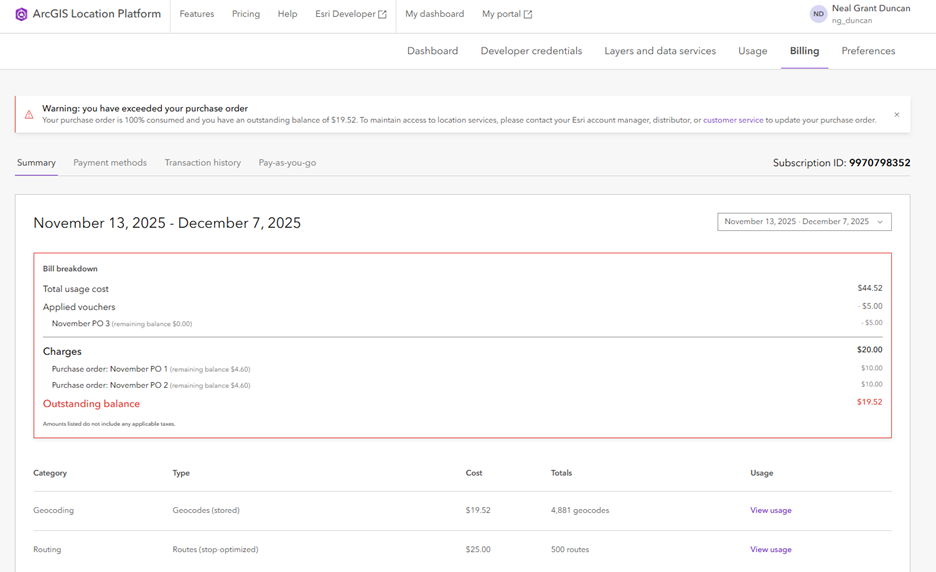
Changes to the Summary tab focus on providing users with greater visibility in their billing history. Key enhancements include:
-
- Past Billing Cycles: Users can now review an itemized list of services from past billing cycles as seen in the image above. A drop-down menu allows users to select the desired billing cycle, and a detailed summary of the services billed is displayed below, enabling them to review records with ease.
- Upcoming Bill Breakdown: The Upcoming bill section now includes a ‘Bill breakdown’ feature. This enables users to see how payments made by voucher or purchase orders have been applied to their bill, making it easier to track account activity. If users have exhausted their purchase order, they will be notified of their outstanding balance with a warning notification and red outline surrounding the billing details.
Payment methods tab
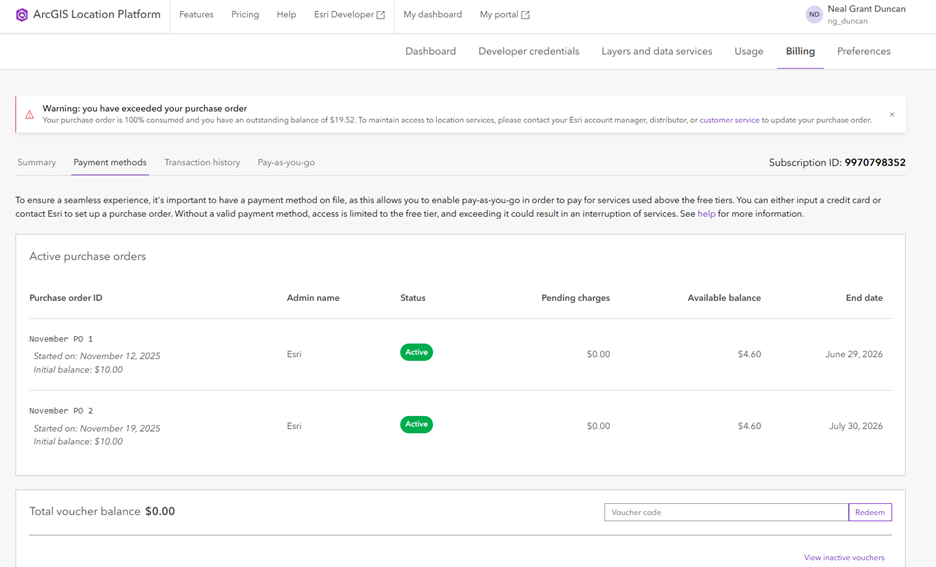
The Payment methods tab now provides better visibility on purchase orders and vouchers associated with the account:
-
- Enhanced Payment Method Visibility: The tab now includes sections to view not only the credit card on file but the balance of vouchers and purchase orders as well. Users can also review the purchase orders that have been consumed or expired. This consolidated view provides users with a comprehensive understanding of their payment methods and associated account activity.
- Multiple Purchase Orders: Users can now have multiple purchase orders applied to their account at the same time. When the balance is close to being consumed, another can be applied in anticipation by contacting the account manager. This ensures continuous access to essential services without interruption.
Transaction history & Pay-as-you-go tabs
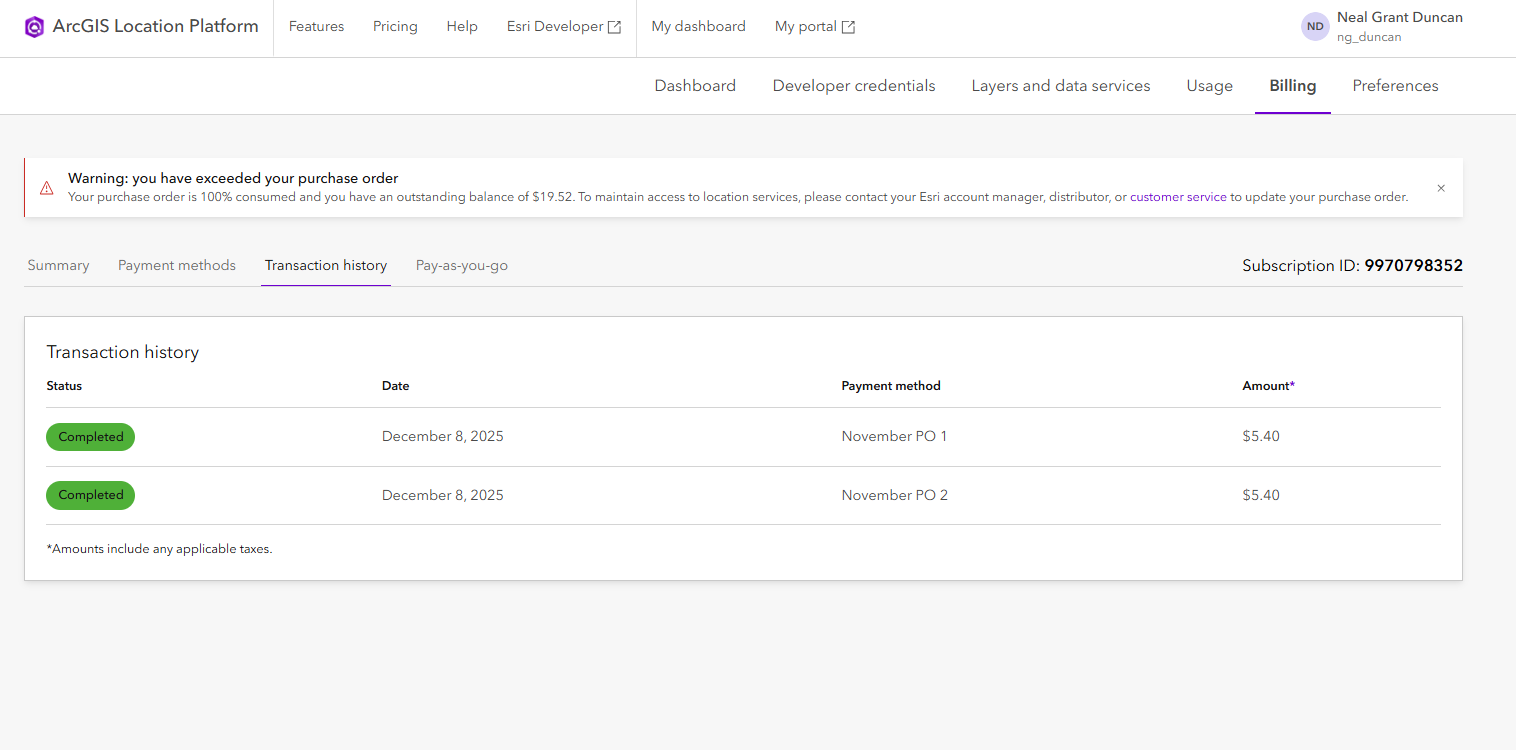
The ‘Transaction history’ tab has not received any changes and continues to display past transactions for users awareness. The ‘Pay-as-you-go’ tab is new to ArcGIS Location Platform and provides helpful organization to the Billing page.
-
- Pay-as-you-go: When users have consumed the monthly free tier of services, they can enable pay-as-you-go to pay only for what they use. The new ‘Pay-as-you-go’ tab provides a detailed description of what users can expect when enabling or disabling the feature.
The new Billing page for ArcGIS Location Platform is a step forward in enhancing user experience by providing a more transparent and intuitive billing process. With features like detailed billing history, enhanced payment method visibility, and the ability to apply multiple purchase orders, users can now manage their accounts with greater ease, efficiency, and confidence.
Dashboard page – new videos to get you started
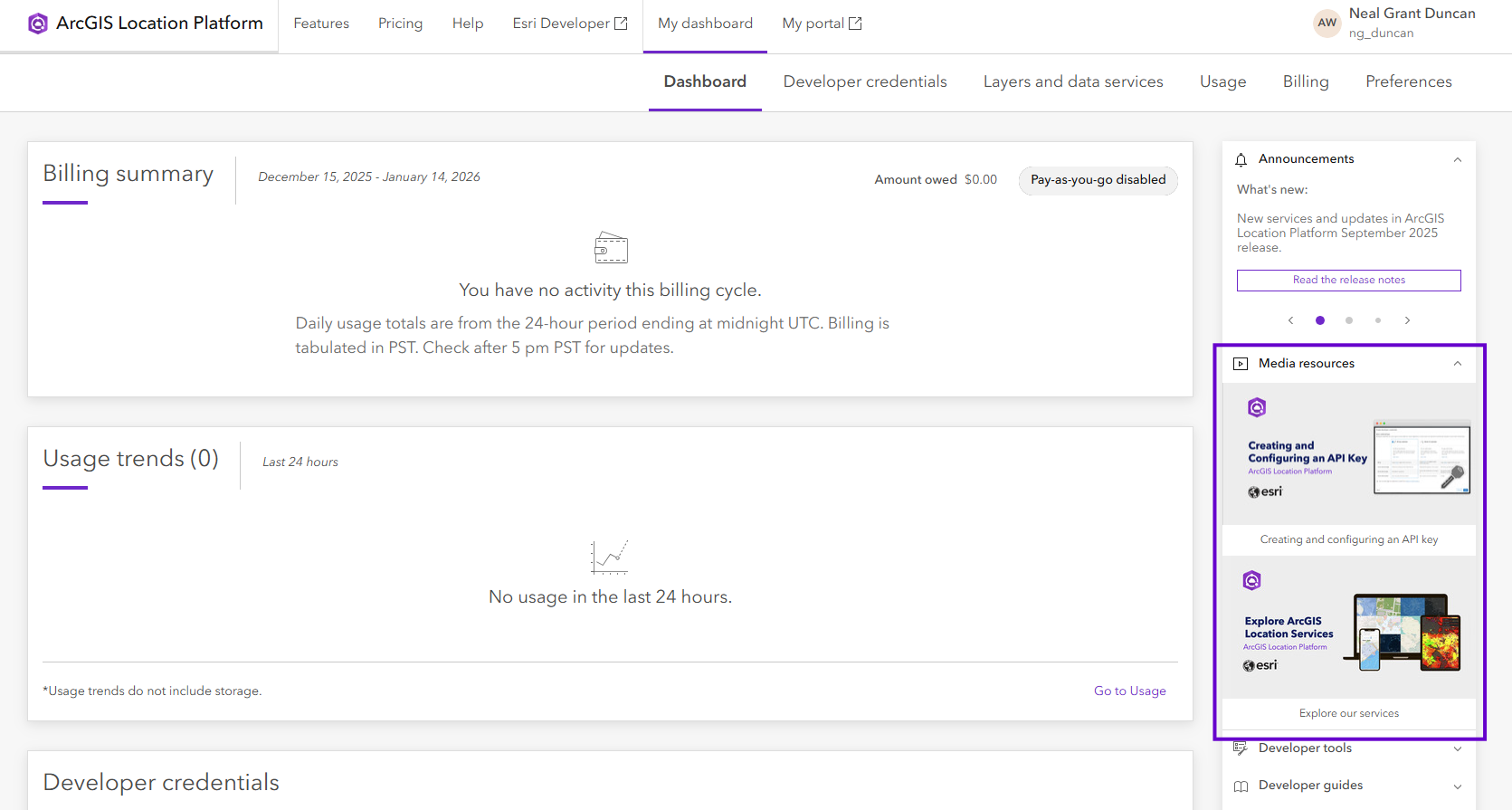
To further enhance the onboarding process, ArcGIS Location Platform has also introduced two new videos on the side panel of the Dashboard page. The current videos are designed to show users how to create API keys and provide an overview of the available services.
- Creating and Configuring an API Key – Learn how to create and configure an API key to securely access services such as basemaps, geocoding, and others.
- Explore ArcGIS Location Services – Discover the wide range of ArcGIS services at your fingertips.
Conclusion
With the introduction of the new Billing page and the addition of onboarding videos on the Dashboard page, ArcGIS Location Platform continues to enhance the developer experience. These updates not only make account management a more transparent process byproviding more details around payment methods and history, but they also provide a comprehensive onboarding process. ArcGIS Location Platform continues to empower developers to focus on what matters most — innovating and delivering value to their users.
Learn more about ArcGIS Location Platform.
Interested in furthering your knowledge and staying current with what’s happening with Esri Developer Technology? Sign up for the Esri Developer Newsletter and follow @EsriDevs on X to get the latest.


Commenting is not enabled for this article.