This ArcGIS Urban release focuses on giving planners a clearer and more accurate picture of existing conditions — from realistic 3D context to better representation of existing buildings, to more meaningful and parameter-driven metrics. Together, these updates support the practical realities of planning in evolving cities around the world.
To illustrate the impact of the new functionality in this release, we use a real transformation area in Zürich, Switzerland called MFO-West, a former industrial site transitioning into a mixed-use urban quarter.
More realism to illustrate the impact of planning
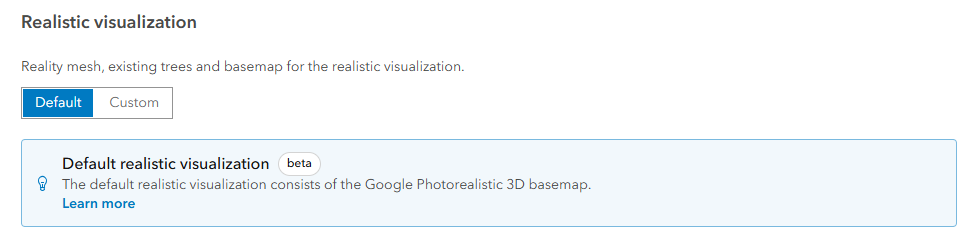
Urban now uses the Google photorealistic 3D basemap (beta) as the default realistic visualization. This makes it easier to understand how proposed buildings relate to their surroundings, such as existing infrastructure, vegetation, and key mobility nodes.
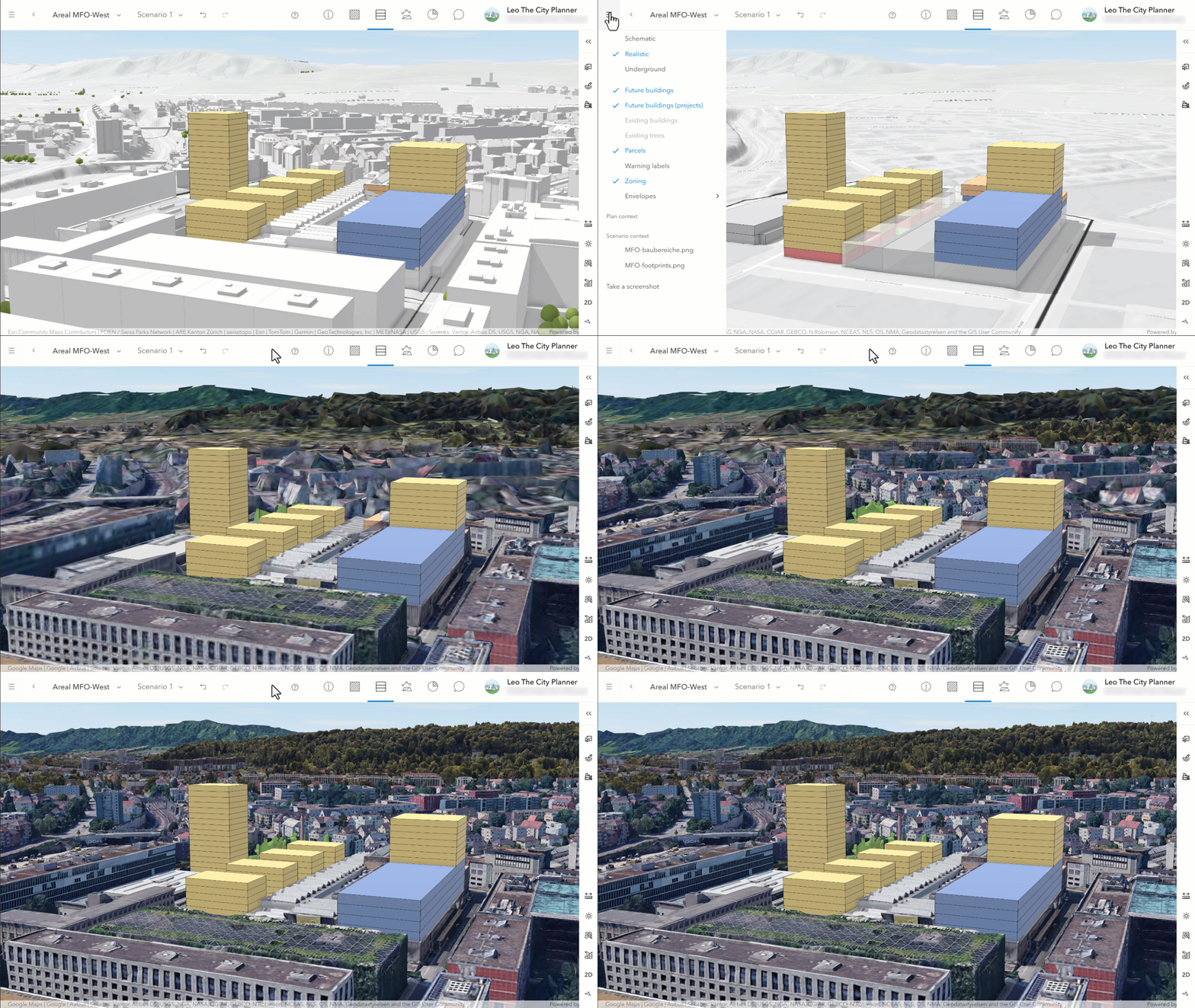
Google photorealistic 3D basemap is available in beta for global Urban models. Make sure that your ArcGIS Online administrator enables the maps and scenes setting to make use of the Google photorealistic 3D basemap.
Plan with and within existing structures
This release introduces the first set of densification workflows, enabling planners to capture existing buildings more accurately and explore infill and repurpose scenarios that combine reused structures, extensions, and new additions.
In the MFO-West example, planners can trace existing industrial halls to generate existing spaces in the existing scenario, allowing them to represent and quantify current conditions. They can then copy these existing spaces into a design scenario, and test strategies such as repurposing existing spaces and adding upward extensions.
This reflects a common redevelopment pattern for densification: combining preserved structures with new uses to create vibrant, mixed-use areas.
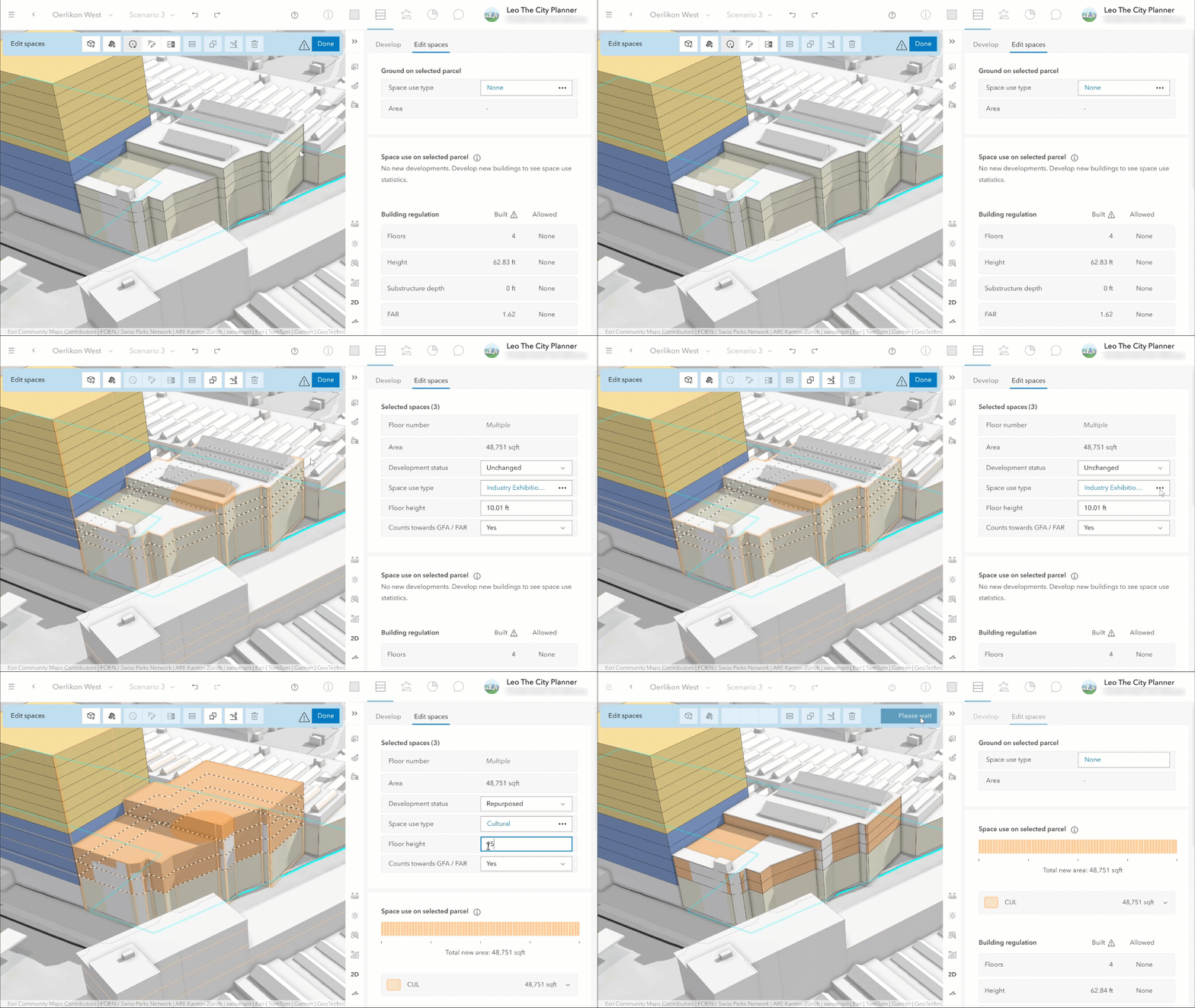
As planners refine the scenario, they can mark building spaces as Unchanged, Repurposed, or New. These distinctions now feed directly into exported spreadsheets, web scenes, and metrics—to include the contribution of existing buildings in the decision-making process. Additionally, it becomes easier to compare design scenarios against existing conditions through the dashboard by switching between scenarios.
Stay tuned for more densification-related features to come in upcoming releases and learn more about the densification workflows in this blog post.
Use zoning and overlay parameters for metrics
Urban now supports parameters on zoning types and overlay boundaries to inform parcel–based metrics. This allows users to model variables that are spatially located like modal split and tax rates, or parameters that are based on zoning types such as usage distribution or regulatory limits. Together with the recently released parcel parameters, these capabilities are making metrics even more flexible.
In the MFO-West scenario, planners apply a public transport modal split based on access quality classes to generate a more accurate daily public transportation trips metric. Areas closer to public transport stations receive higher values, while peripheral areas receive lower ones.
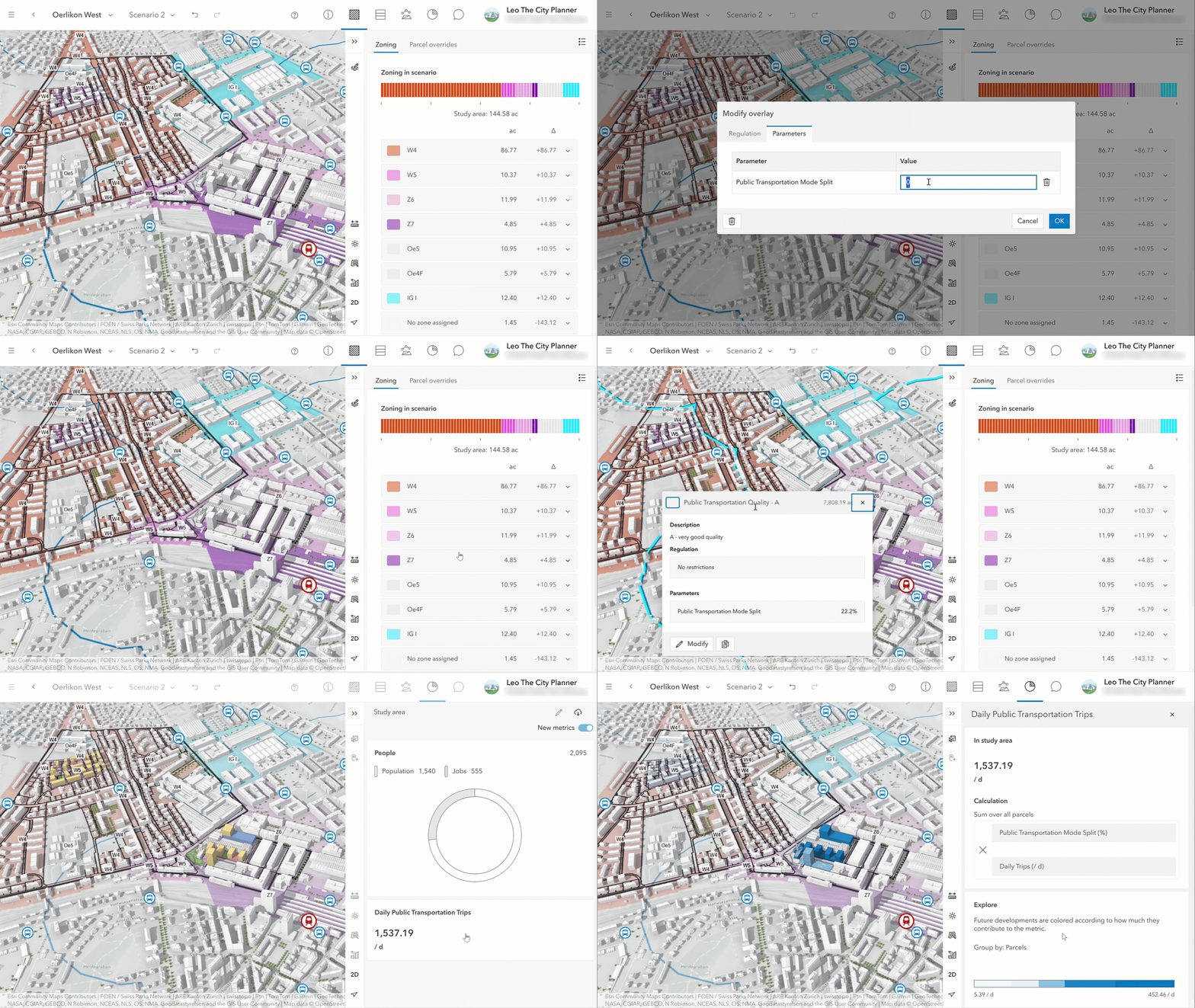
The daily public transportation trips show how the overlay parameter influences mobility outcomes. Parcels with excellent transportation access result in higher trip totals, supporting decisions on where to plan for which type of usage.
What else is new
The Overview now features an improved navigation layout with a clearer header structure. The redesigned Layers and Daylight tabs also help you switch between visualizations and lighting conditions more quickly. And if you are looking for the data manager: you can now access it through the dropdown in the city name menu by clicking on ‘Configure Urban Model’.
The Analysis mode has been enhanced as well: analyses now display scene‑based thumbnails for instant visual recognition, and users can manually sort items to structure the analysis list in a way that reflects real planning processes.
For the full list of new features and enhancements in ArcGIS Urban, check out the release notes.
Additional news and updates
Old metrics in plans are deprecated and will be removed with the next release. For your existing plans, now is the time to convert your old to new metrics, see Convert old to new metrics for details. For projects, you can continue using old metrics beyond the next release.
ArcGIS Urban API
With this release, the Urban API supports the new zoning and overlay parameters introduced, enabling developers to work with the same extended metric logic used in the Urban app.
Analyses have been improved as well: custom display ordering and thumbnail storage allow external applications to align perfectly with the user experience in Urban, making it easier to organize and visually distinguish analyses across multiple plans.
In addition, the API now includes an Upload capability for sending files—such as thumbnails—through GraphQL mutations. The upload follows the GraphQL multipart request spec, which is typically supported by GraphQL client libraries e.g., apollo-upload-client.
Configuration options for schematic and realistic visualizations have been added to the Urban model configuration, ensuring consistency between custom integrations and the new basemap controls in the Urban interface.
You can read the release notes for the Urban API here.
Watch the video
Check out this short 2-minute video to see these new updates in action.
As always, let us know if you have any feedback or questions by connecting with us on the ArcGIS Urban Esri Community page.
Register for upcoming webinar
- Set up a 3D model of your city, municipality, or county in minutes
- Test planning ideas in 3D and instantly measure their impact
- Review developer submitted projects in full 3D context
- Maintain a single, up to date view of what’s planned where



Commenting is not enabled for this article.