ArcGIS Indoors

Comprehensive indoor mapping software for space and building management

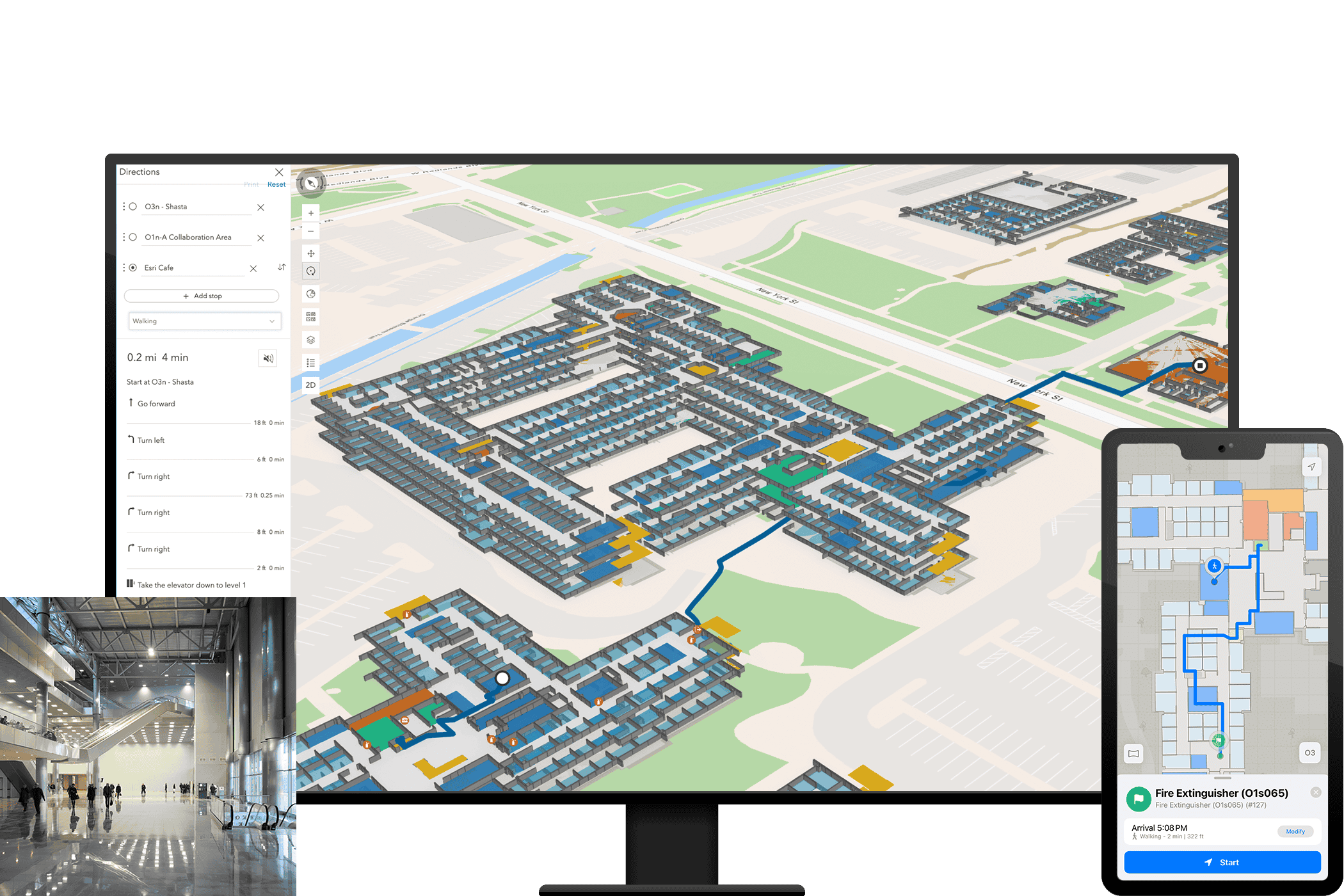
Monitor displaying 3D indoor mapping software, a smartphone showing a 2D map routing to a fire extinguisher, and inset of a building interior.

Map, manage, and navigate your indoor spaces

ArcGIS Indoors provides powerful data management tools and focused apps to enhance operations, maintenance, safety, security, and wayfinding within your facilities. Visualize people, spaces, assets, and incidents on floor-aware 2D and 3D maps, modernize asset and space management, improve situational awareness in emergencies, and transform occupant and visitor experiences.

Bring your facilities to life on a digital map

Create an indoor geographic information system (GIS)—powered by dynamic maps of your facilities—for smarter, safer indoor spaces.

Aerial view of a dense city with skyscrapers and car-filled streets overlaid with a central play button

Why use ArcGIS Indoors?

ArcGIS Indoors is a complete system for foundational indoor mapping that extends the power of ArcGIS, delivering a common operating picture across your facilities.

Visualize your indoor data in one place

Bring together your CAD, BIM, lidar, and other facility data into a single, comprehensive map to better visualize your indoor spaces.

From meeting rooms to maintenance zones, you’ll gain a clearer understanding of how your facilities are being used to optimize floor plans, streamline operations, and make faster, data-driven decisions.

Conference room with a large white table, chairs, whiteboard, and wall-mounted monitor with an inset showing a digital floor plan.

Locate, manage, and monitor building assets

Assets and equipment need regular maintenance. Empower IT, facilities, and security personnel to quickly locate indoor assets on a shared interactive map. Map the indoor locations of assets, then find and navigate to them for work orders. Visualize local conditions of the work environment for inspections and maintenance with 360-degree photos. 

Capturing accurate asset locations also enables organizations to link them back to third-party asset and work order management systems.

Split screen of a water leak report form over a floor plan and another view of the building with purple icons for assets

Enhance your building’s safety and security

Having up-to-date location intelligence is essential for safety and security operations. Create, maintain, and share interactive indoor maps that show locations of people, spaces, assets, building ingress and egress points, as well as marked exit and evacuation routes. Use web maps to plan emergency response. Users can also map and integrate security camera feeds.

Equip emergency dispatchers, first responders, safety and security personnel, and building administrators with improved situational awareness—delivering the right information at the right time to improve response times.

Split screen of a 2D route map and a 3D multi-floor building floor plan showing the same route

Manage and reserve your space

Empower business units with the space they need to operate effectively. Effortlessly assign and reserve workspaces and plan for relocations or reconfigurations.

Identify areas to expand, consolidate or reallocate, and support hybrid work models, and confidently plan back-to-office strategies.

Facility management software displaying a color-coded building floor plan and data table listing departments, people, units, and more.

Improve navigation for visitors and occupants

Building visitors and occupants can easily find people, places, assets, work orders, and events using Indoors Mobile, Viewer, and Kiosk. Enable turn-by-turn navigation to points of interest such as meeting rooms, restrooms, elevators, and stairs.

Users can visualize their locations on a digital map and access calendar-linked appointments. Indoors Mobile interfaces with indoor positioning to enhance wayfinding and navigation with the user’s live indoor location, available with an additional purchase of ArcGIS IPS.

Person using a touch screen monitor displaying a detailed facility floor plan for indoor navigation

How ArcGIS Indoors works

Build an indoor system of record

Bring your floor plan information from various source data, such as BIM, CAD, and point clouds, into a geospatial system of record using ArcGIS Pro—the premier desktop GIS software—or ArcGIS Online if you are a non-GIS professional.

Person working in an office on a laptop with insets showing a digital floor plan, a 3D building model, and a building interior

Create digital, easy-to-navigate indoor maps

Create intuitive and interactive floor-aware indoor maps that show the locations of people, places, and assets.

Indoor mapping software showing a building floor plan with blue walking routes and turn-by-turn directions.

Improve operations, decision-making, and the occupant and visitor experience

Equip building owners, operators, security staff, occupants, and visitors with indoor maps and location intelligence to support their daily and strategic operational decision-making.

Workspace management dashboard displaying details like net square footage, annual lease costs, vacant and occupied offices, and a facility map.

ArcGIS Indoors license levels

Previous
Next

Contact sales