Transitioning to a new incident management system (IMS) is one of the most consequential decisions an emergency management director can make. It impacts every facet of response—from situational awareness to resource coordination to the confidence of the people using it under pressure. Whether you’re modernizing legacy tools, moving to the cloud, or consolidating multiple platforms, the process requires clarity, discipline, collaboration, and proactive communication.
But where do you start? The task can seem daunting because emergency managers aren’t technologists. And how do you effectively implement large-scale change management like this, while managing daily incidents and emergencies?
I recently sat down with David Topczynski, director of the Virginia Beach Department of Emergency Management to talk about his experiences. Following a 2023 F3 tornado that struck during an outdoor music festival, Dave and his team advocated for investment and support from city leadership to complete a system transition. Their previous system hindered efficiency by not fully integrating data and systems across the city, resulting in extended production times for intelligence gathering and the distribution of situation reports. It was outdated and bifurcated, often requiring the emergency management team to gather and share information on paper with a pen.
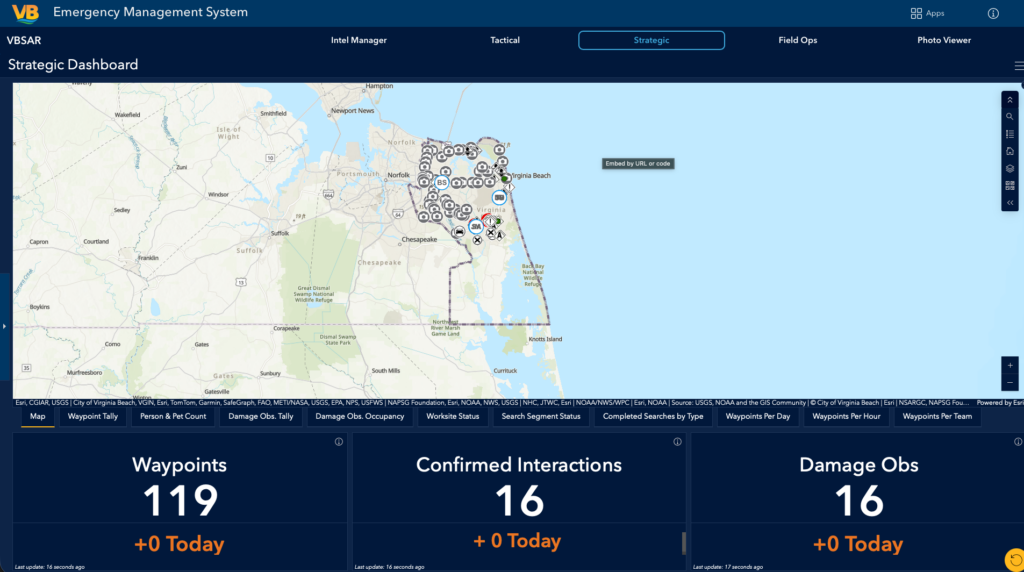
After successfully receiving support and the funds necessary to complete the work, Dave and his team designed and built a state-of-the-art IMS. The new system is based solely on ArcGIS technology and was developed in partnership with Esri Professional Services experts. Following the successful test launch of the IMS in September 2025 during the NAS Oceana Air Show, I asked Dave to share his advice and lessons learned with the greater emergency management community. How did they go about switching systems? Why did they choose ArcGIS? What should emergency managers not do when transitioning systems?
Here are 10 things to consider to ensure your system transition is strategic, sustainable, and genuinely supportive of the people doing the work.
1. You Don’t Need to Solve the World’s Problems
Don’t let the noise of the technology market drown out your real operational needs. Your IMS doesn’t have to manage an entire disaster from start to finish—including a decades-long recovery process. Instead, focus on the pre-incident, initial response, and the period before state or federal support arrives. Know your escalation timelines and build your system to excel where you are accountable.
2. Prioritize Needs Over Aspirations
It’s tempting to build for edge cases, black swan events, or political pressure. But designing to solve everything usually solves nothing well.
Start with core use cases. If your organization can’t master the basics—alerting, resource tracking, situation reporting—adding advanced layers won’t help.
3. Don’t Try to Fit Everything in Your Carry-On
Avoid over-scoping and over-complicating things. Your IMS does not need every bell and whistle. Identify essential requirements first, then capabilities that meaningfully enhance your mission. Everything else? Let it go. Overpacking a system leads to complexity, cost overruns, and user frustration.
4. Someone Already Knows the Answer—and They’re Probably Not in Emergency Management
Somewhere in your organization sits the person who understands the workflow you’re trying to digitize—and they probably don’t have “emergency management” in their title.
Let’s face it, not everyone understands emergency management, so don’t force them to be emergency managers when using a solution. Step outside your normal sphere of influence and seek input from those who would rarely use the solution. Logistics, HR, finance, IT, public works—they’re the ones with answers to questions you haven’t even asked yet.
They’ll provide you with the feedback and answers you need without an emergency management lens. Bonus, you’ll look like a genius when the solution integrates across your organization.
Pro tip: Bring them in early, and you’ll end up with a solution that works across the organization, not just within your program.
5. Keep It Simple Because Everything Will Change
As the TV series The Big Bang Theory wisely puts it: “The only thing that actually stays the same is that things are always changing.”
You’ll never design a system that fits every future scenario—so don’t try. Choose simplicity and consistency over customization overload. Build a stable foundation that’s adaptable, not brittle. Systems like ArcGIS are designed with this ethos in mind.
6. Mirror Daily Behavior to Encourage Adoption
A system people only touch during disasters is a system destined for poor adoption.
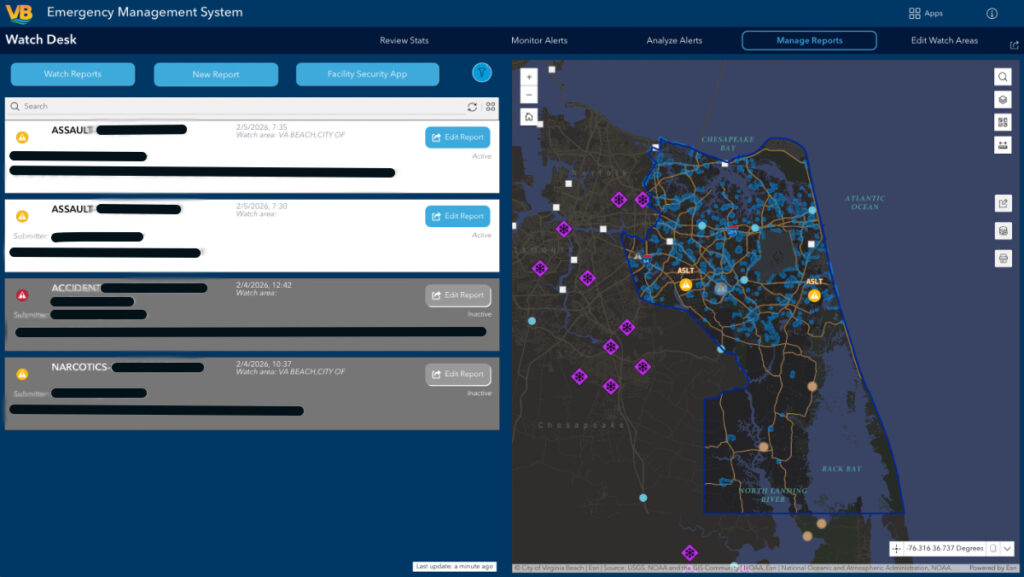
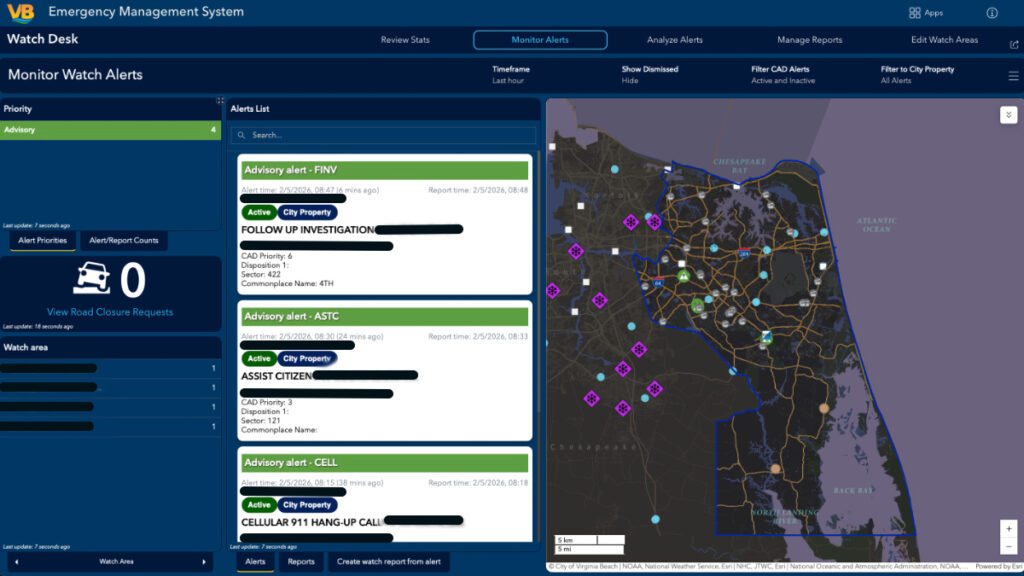
Make your IMS feel familiar: integrate with Active Directory, use common interfaces, mirror workflows people already know. If daily operations look and feel like disaster operations, the system becomes muscle memory—and muscle memory saves time when it counts.
7. Don’t Build Alone—Build with Your Users
Transitioning to an IMS is a human-centered change management project, not just a technical one. Create user groups, do early demos, solicit feedback, and include skeptics as much as champions. People don’t resist technology; they resist surprise. The earlier they see themselves in the solution, the smoother the transition.
8. Understand Your Information Ecosystem
Your IMS is just one piece in a larger information ecosystem.
Before implementing anything new, map out your data flows: where information originates, how it moves, who uses it, and where it gets stuck. Align the IMS with these flows rather than forcing new ones.
A system aligned to reality almost always performs better than one built against it.
9. Plan for Training as if It’s Part of the Project—Because It Is
Training isn’t an afterthought or a final step before launch—it’s a strategic investment.
Build a sustainable training program: onboarding for new staff, refresher sessions, micro-trainings, and quick references.
A great system that no one knows how to use is no system at all.
10. Transitioning Isn’t a Moment—It’s a Life Cycle
Your IMS transition doesn’t end at go-live. Document lessons learned, maintain an enhancement backlog, set review cycles, and evolve as your operations grow. The most resilient organizations treat their IMS as a living capability, not a static tool.
Why ArcGIS?
Choosing and transitioning to a new incident management system is one of the clearest opportunities a director has to shape the future of their program. Choosing ArcGIS allows organizations to stay grounded in their mission, stay connected to their people, and stay focused on what truly matters: building a system that helps their community weather its worst days with clarity and confidence.
“Our world entirely relies on technology for everyday life, even after a disaster. Having a dynamic, modern, and streamlined IMS is no longer a luxury for emergency management programs; it is a core requirement for collecting and analyzing incident data and communicating to the public and community leaders. Let’s be honest, the first mission undertaken post-disaster is to establish temporary power, communications, and data. There is no need to add data collection and analysis to the chaos when a user-friendly IMS is in place pre-disaster and used to manage everyday activities, saving critical time and significantly reducing workloads and confusion.” —Dave Topczynski, Virginia Beach Department of Emergency Management
For questions or to request a demo, email: emergencymanagement@esri.com.
Interested in learning more about ArcGIS solutions for emergency management? Check out this site.