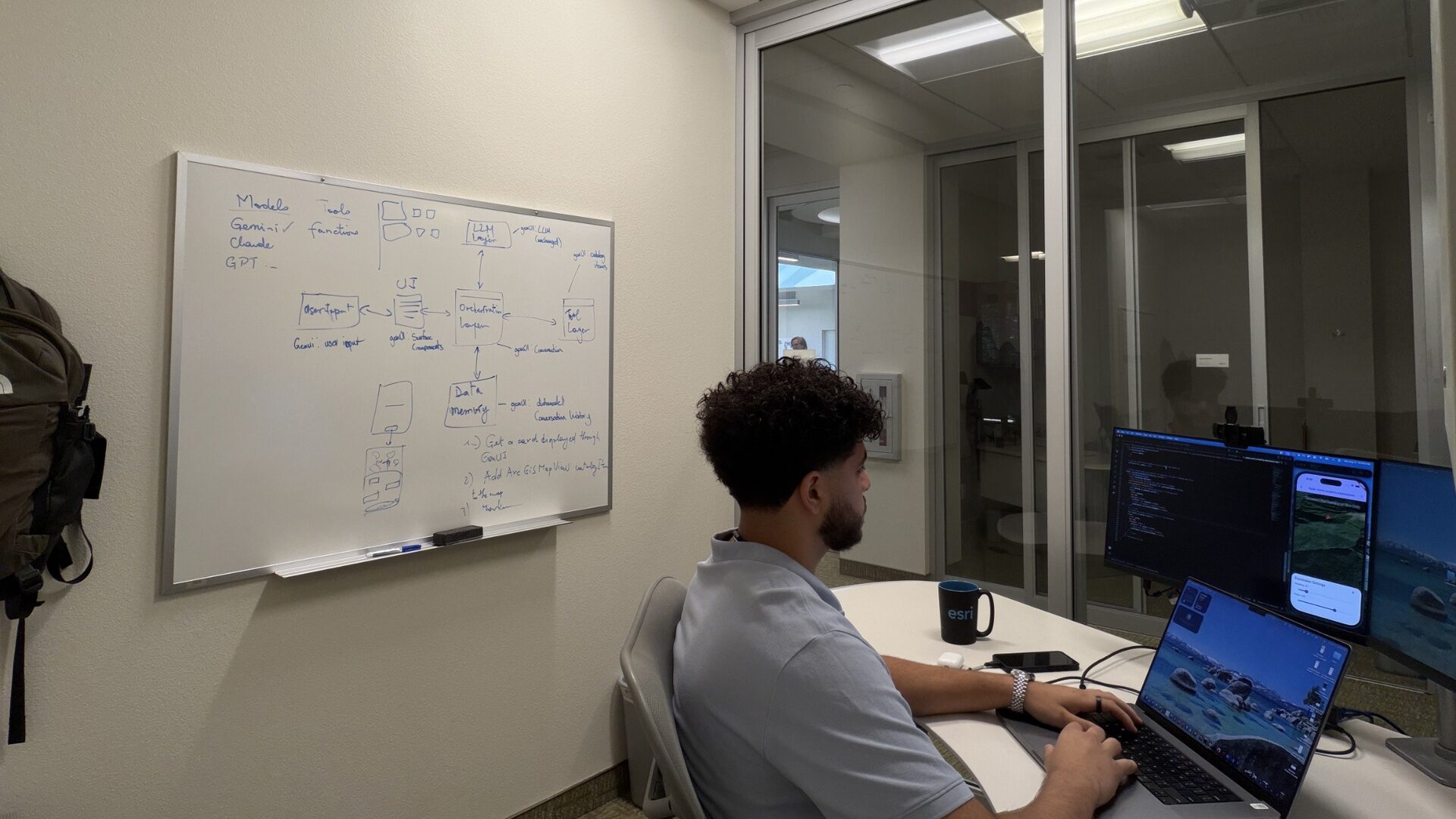
Most of our engineering blogs take a deep dive into one or more technologies or architectural approaches. This one is about the journey of learning them. In a single summer internship at Esri, Kareem went from having no Flutter experience to contributing directly to a real product, ArcGIS Maps SDK for Flutter. Along the way, a few key lessons changed how he approached the framework and accelerated his learning. Whether you’re just getting started with Flutter or tackling an unfamiliar technology stack, his experience offers practical insights for getting up to speed quickly.
Coming from a Python and Java background, I knew almost nothing about Flutter when I started my internship at Esri. I was excited to contribute, but I wasn’t sure how long it would take before I could become productive in a completely new framework and SDK codebase.
A few months later, I found myself developing samples for the ArcGIS Maps SDK for Flutter and contributing to resources used by developers learning the SDK. Looking back, there were three moments that completely changed how I thought about Flutter and helped the framework finally click for me.
- The first was that the app my mentor had me build my first week was perfect for ramping up quickly (I’ll share it where I discuss it below).
- The second is that widgets are basically the end-all-be-all in Flutter and they are part of the build.
- Third–I learned that SDK samples are not only good to help you jump-start your development for a specific workflow or area of the API, but they are also a critical learning tool for fast ramp-up if you’re willing to experiment and even break a few things.
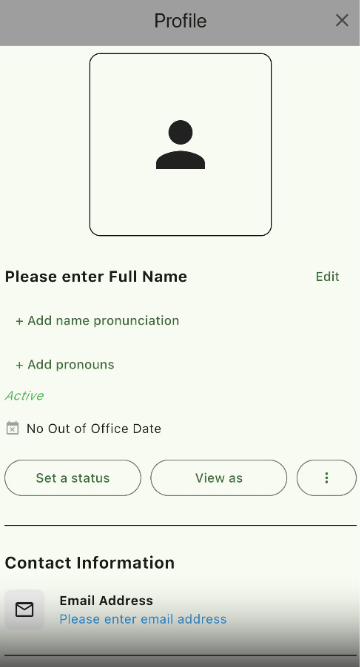
Slack mock profile page
The app my mentor recommended, a Slack mock profile page, was an excellent way I could have started because it exposed me to many of Flutter’s core concepts, including widgets, layouts, state management, and building user interfaces. The project was simple enough that I could focus on learning the framework itself, but broad enough that I was constantly working with concepts that I would later use when contributing to the ArcGIS Maps SDK for Flutter. I highly recommend starting with such an app to learn Flutter. You can even use my mock profile project if you like: Mock Profile Repo
The application included changing aspects such as your name, title, office location, and even an out-of-office date. While relatively simple, it gave me an opportunity to experiment, make mistakes, and become comfortable with the workflow before moving into larger mapping applications.
Widgets run the joint
Coming from a background in Python and Java, I was used to thinking about applications differently. When I first started learning Flutter, it felt like everything I looked at was a widget. Need a button? Widget. Need spacing? Widget. Need a layout? Widget. Need to display information on the screen? Widget.
At first, I did not fully understand why Flutter was built this way. The more I worked with the framework, however, the more I started to see the value of breaking an application into smaller pieces. Instead of focusing on an entire page at once, I could focus on building one section at a time and then combine everything together.
Another thing that helped me understand widgets was learning what actually happens inside the build() method. Early on, I thought widgets were simply visual components that appeared on the screen. Once I understood that Flutter uses widgets to describe what the UI should look like every time the build() method runs, it started making much more sense why everything seemed to be a widget.
Once those ideas clicked, Flutter became much easier to understand. What originally felt unfamiliar ended up becoming one of my favorite parts of the framework because it allowed me to organize code in a way that was both easier to read and easier to maintain. That was a key moment where Flutter really began to click for me.
Use samples to learn, and then break them!
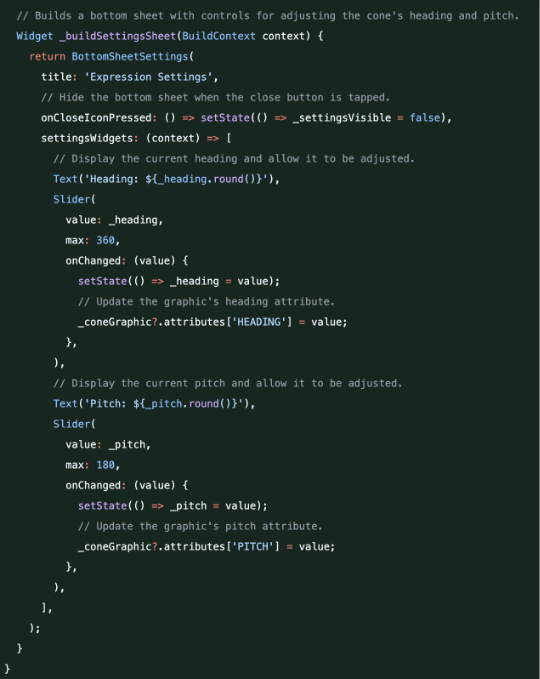
While working with the Apply Scene Property Expressions sample, I found myself constantly experimenting with the code. Rather than simply reading through the implementation and moving on, I wanted to understand why everything was written the way it was. Sometimes I would remove an Expanded widget just to see what happened to the layout. Other times I would move widgets around or modify values and observe how the application reacted.
What surprised me was how much I learned from these small experiments. Seeing a layout break after removing a widget taught me more about Flutter’s layout system than simply reading documentation. Every change gave me immediate feedback and helped me understand the relationship between different parts of the UI. Over time, I stopped being afraid to experiment because I realized that making mistakes was actually one of the best ways to learn.
When I first started working with the ArcGIS Maps SDK for Flutter samples, my mindset was simply to understand the sample and move on. As I became more comfortable with Flutter, that mindset changed. Instead of asking myself how to finish a sample, I started asking why the sample worked in the first place.
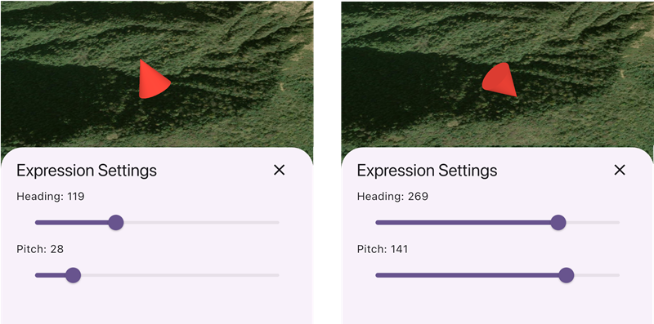
The Apply Scene Property Expressions sample was a great example of this. Adjusting the heading changed the direction that the cone faced, while modifying the pitch altered its vertical angle. Seeing these changes reflected in real time helped me understand how geographic data could be used to dynamically control visualizations.
More importantly, it changed the way I viewed maps. Before working on the sample, I mostly thought about maps as something that displayed geographic information. This sample showed me that maps and scenes can also communicate information visually through movement, orientation, and other dynamic behaviors. Features such as renderers, graphics overlays, and attribute-driven visualizations opened my eyes to the many ways geographic data can be customized and presented to users.
Esri’s spirit of support
Esri’s spirit of support was evident from my very first day as an intern. Coming into the internship, I knew almost nothing about Flutter, and there were definitely moments when I felt outside of my comfort zone. Fortunately, the ArcGIS Maps SDK team was incredibly welcoming from day one.
Whether I had questions about Flutter widgets, SDK patterns, or general development practices, there was always someone willing to help. The supportive environment made it much easier to learn, ask questions, and take on challenges that initially felt intimidating. Looking back, a big part of my growth during the summer came from being surrounded by people who genuinely wanted to see me succeed.
One of the most rewarding parts of my internship was knowing that the work I contributed would be used by real developers learning the ArcGIS Maps SDK for Flutter. Many internships focus on isolated intern projects that may never be used outside of the summer program. At Esri, I had the opportunity to contribute directly to SDK samples that are part of the developer experience, giving me a sense of ownership and purpose from the very beginning.
At the beginning of the summer, I knew almost nothing about Flutter. A few months later, I was contributing samples, participating in code reviews, and working with technologies that were completely unfamiliar to me when I first started. If you are currently learning Flutter, my biggest piece of advice is simple: do not worry about understanding everything immediately. Do embrace widgets. And pick a sample from the many samples available, experiment with it, break a few things, and see what happens.
For me, that was when Flutter finally clicked.
If you’re considering an internship at Esri, I highly encourage you to apply here!