The ArcGIS Earth 2.7 release continues to expand how you explore, present, and analyze 3D geospatial data across desktop and mobile environments. This update introduces new workflows for delivering structured briefings in disconnected settings, improves how you interact with complex data, and extends support for working with time-based imagery from ArcGIS Enterprise.
Along with these updates, we want to hear how you’re using ArcGIS Earth to solve real-world challenges. We’re looking for real-world success stories—share yours here or see details at the end of the blog.
Here’s a closer look at what’s new.
Features and Enhancements
Deliver Dynamic Briefing Content Offline Across Desktop and Mobile
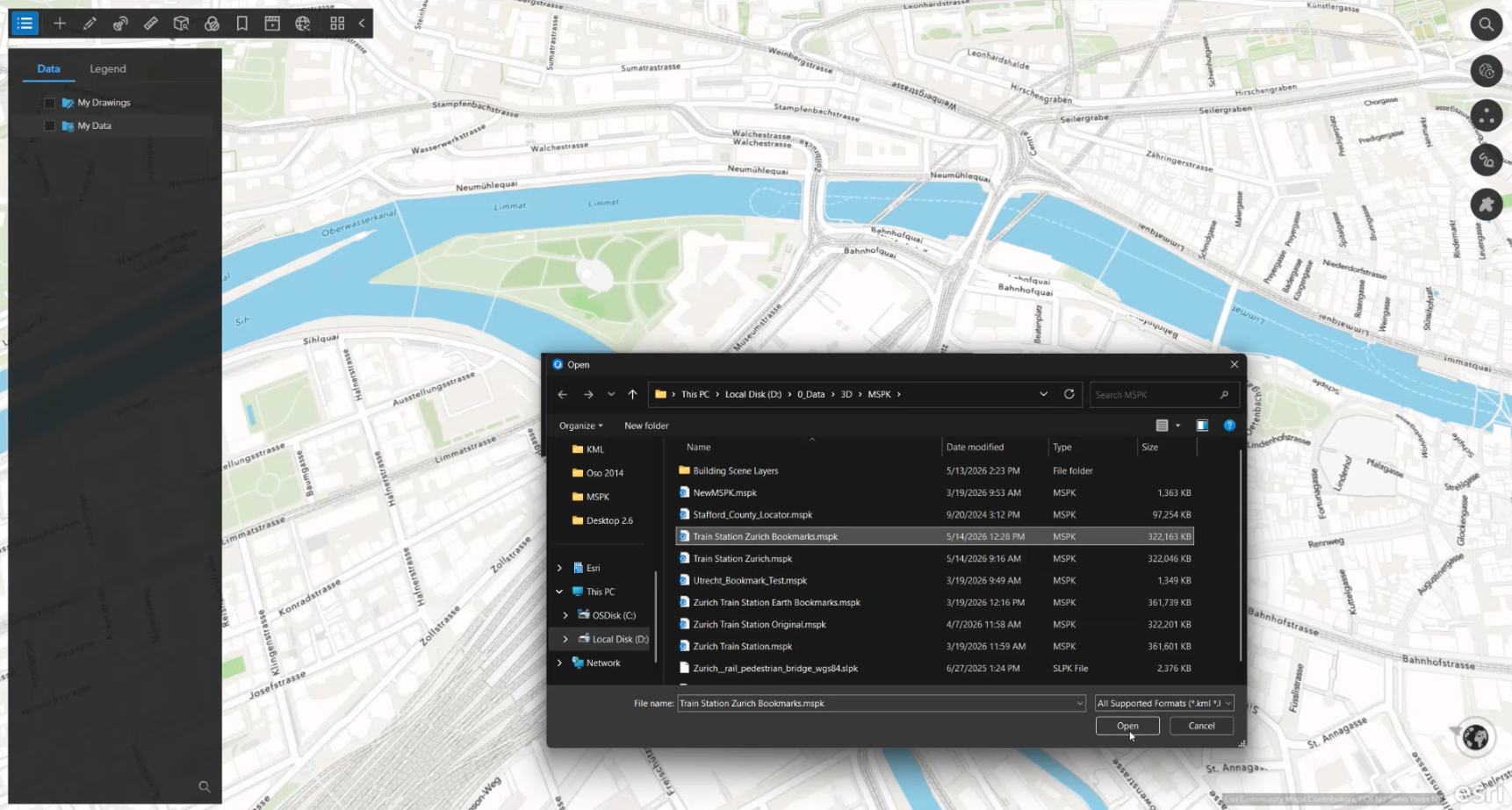
ArcGIS Earth 2.7 introduces a more complete workflow for preparing and delivering presentations in disconnected environments. You can create and refine presentation content in ArcGIS Earth desktop and share it with mobile users—knowing it will work without a network connection.
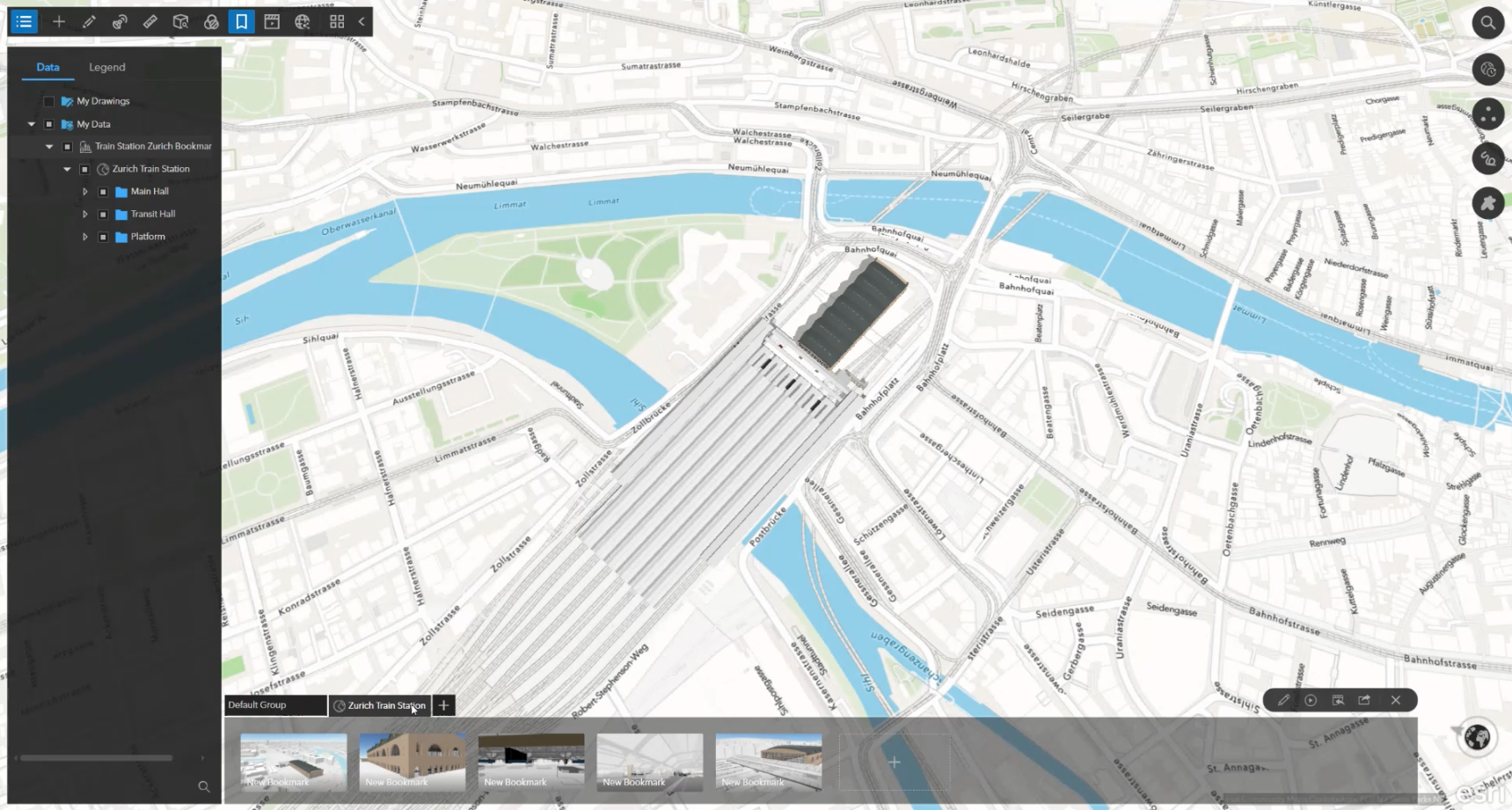
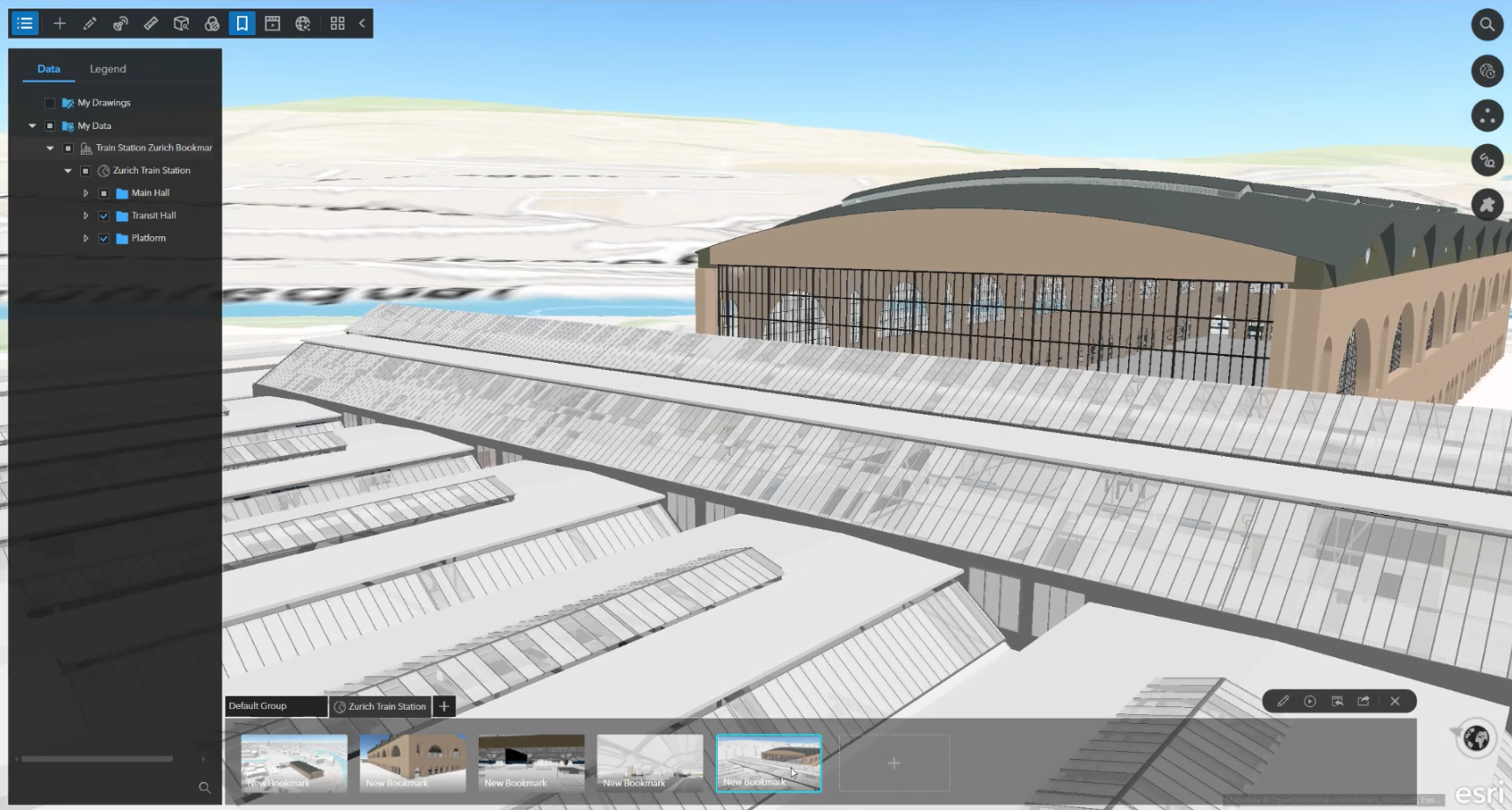
This release adds support for presentation-ready bookmarks embedded in Mobile Scene Packages (MSPKs). On desktop, you can organize key views of a site as slides, capturing camera position, layer visibility, and visual context. These updates can be saved directly into the package, creating a portable briefing artifact.
In the field, ArcGIS Earth mobile opens the same MSPK and presents those slides through a dedicated experience. Users can step through predefined views to review layouts, explore specific areas, or communicate project context without navigating complex menus.
Together, this workflow helps carry presentation intent from desktop to mobile, supporting more consistent and reliable briefings for project reviews, site planning, and other time-sensitive scenarios.
Identify and Compare Features More Efficiently with a Side Panel
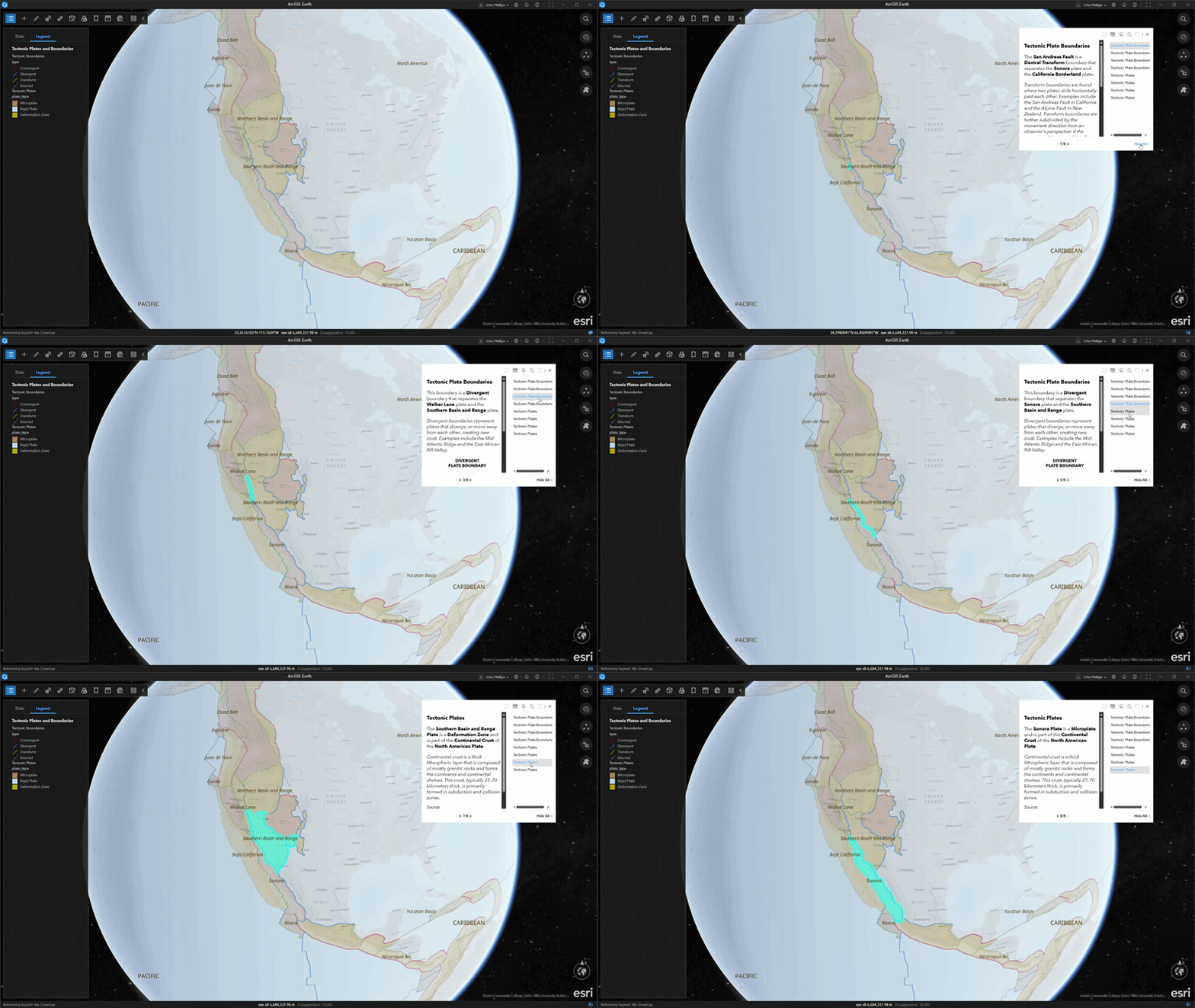
ArcGIS Earth 2.7 introduces an improved pop-up experience on desktop for working with dense or overlapping data. When multiple features are identified, you can now view them together in a persistent side panel instead of cycling through them one at a time.
The side panel provides a scrollable list of identified features, giving you a clear view of the full selection at a glance. You can quickly choose a feature from the list to view its details while keeping the rest of the data in context.
This update reduces time spent navigating pop-ups and streamlines analysis in complex scenes. Whether reviewing layered boundaries, infrastructure, or environmental data, it’s easier to locate and inspect the right feature with confidence.
Explore Enterprise Imagery Over Time with the Historical Imagery Explorer
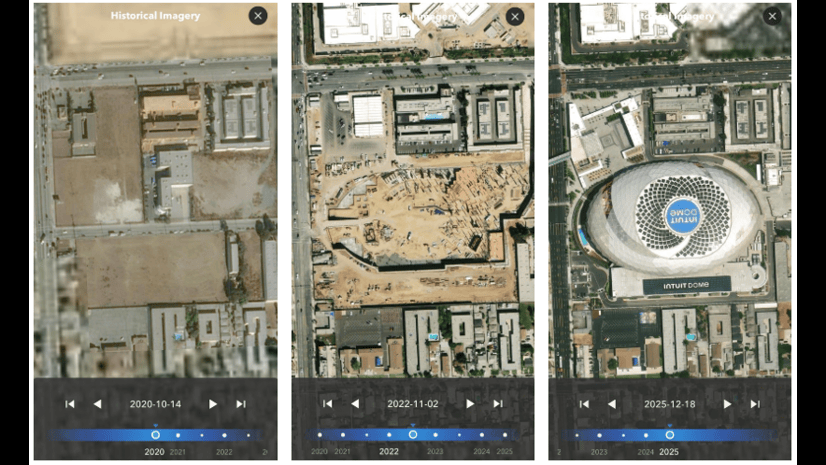
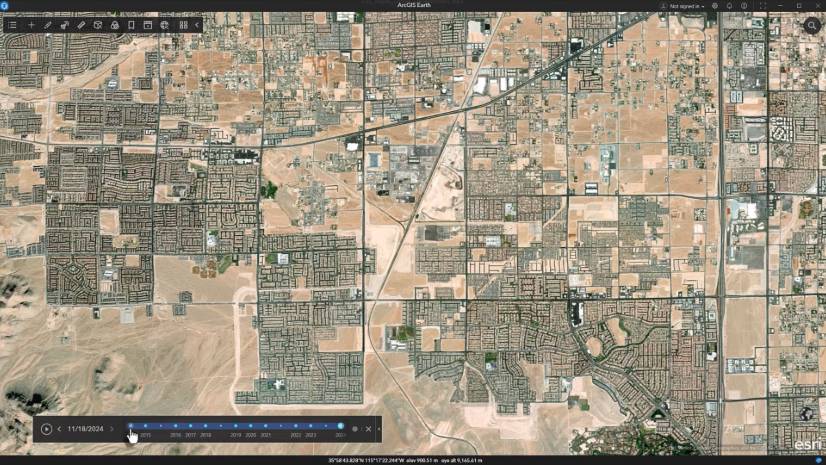
ArcGIS Earth 2.7 extends the Historical Imagery Explorer to support time-enabled image services from ArcGIS Enterprise, making it easier to explore change over time using your organization’s imagery.
You can add and visualize time-enabled imagery services directly in ArcGIS Earth and browse them through an interactive timeline. As you navigate the scene, the timeline updates to show available dates, allowing you to step through time periods and compare how an area has evolved.
This approach provides a clearer way to work with multi-date imagery, helping you analyze patterns such as land cover change, urban growth, or environmental impact using large, time-based datasets.

Learn More
Whether you’re preparing briefings, analyzing data, or exploring change over time, ArcGIS Earth 2.7 helps you work more efficiently across desktop and mobile.
To explore additional details about this release, check out our technical documents at What’s New in ArcGIS Earth on desktop, and What’s New in ArcGIS Earth on mobile.
Share Your ArcGIS Earth Story
We want to hear from you. Tell us how you’re using ArcGIS Earth to solve real-world challenges—whether that means improving understanding, supporting decisions, streamlining operations, or tackling complex workflows.
We’re especially interested in stories that show how ArcGIS Earth is making a difference in practice. Selected submissions may be featured in customer success stories, case studies, or showcased at Esri events.
Fill out this short survey to share your story:
Submissions are open from May 28 to August 31, and the ArcGIS Earth Product Team will follow up if your story is a strong fit.



Article Discussion: