Starting the pre-design stage of a project can be daunting. Architects, engineers, and designers must juggle site analysis, client requirements, regulatory compliance, and environmental factors, while still leaving room for creativity and practicality. Even with careful planning, defining the project’s scope and limitations can be difficult. Having the right tools can simplify this process by making requirements and considerations clearer, and helping teams make better-informed decisions from the start.
In this article, we will show how ArcGIS for Autodesk Forma brings geographic context directly into your design environment during the pre-design phase. Using a hypothetical project, we will demonstrate how architects, engineers, and designers can leverage map layers and other GIS data to inform their decision-making process from the very beginning. With access to critical data at the onset, teams can gain deeper insight into site conditions, reduce uncertainty, and make more confident design choices. We will also highlight how ArcGIS for Autodesk Forma streamlines design workflows by seamlessly integrating geographic context into every stage of the process.

What is ArcGIS for Autodesk Forma
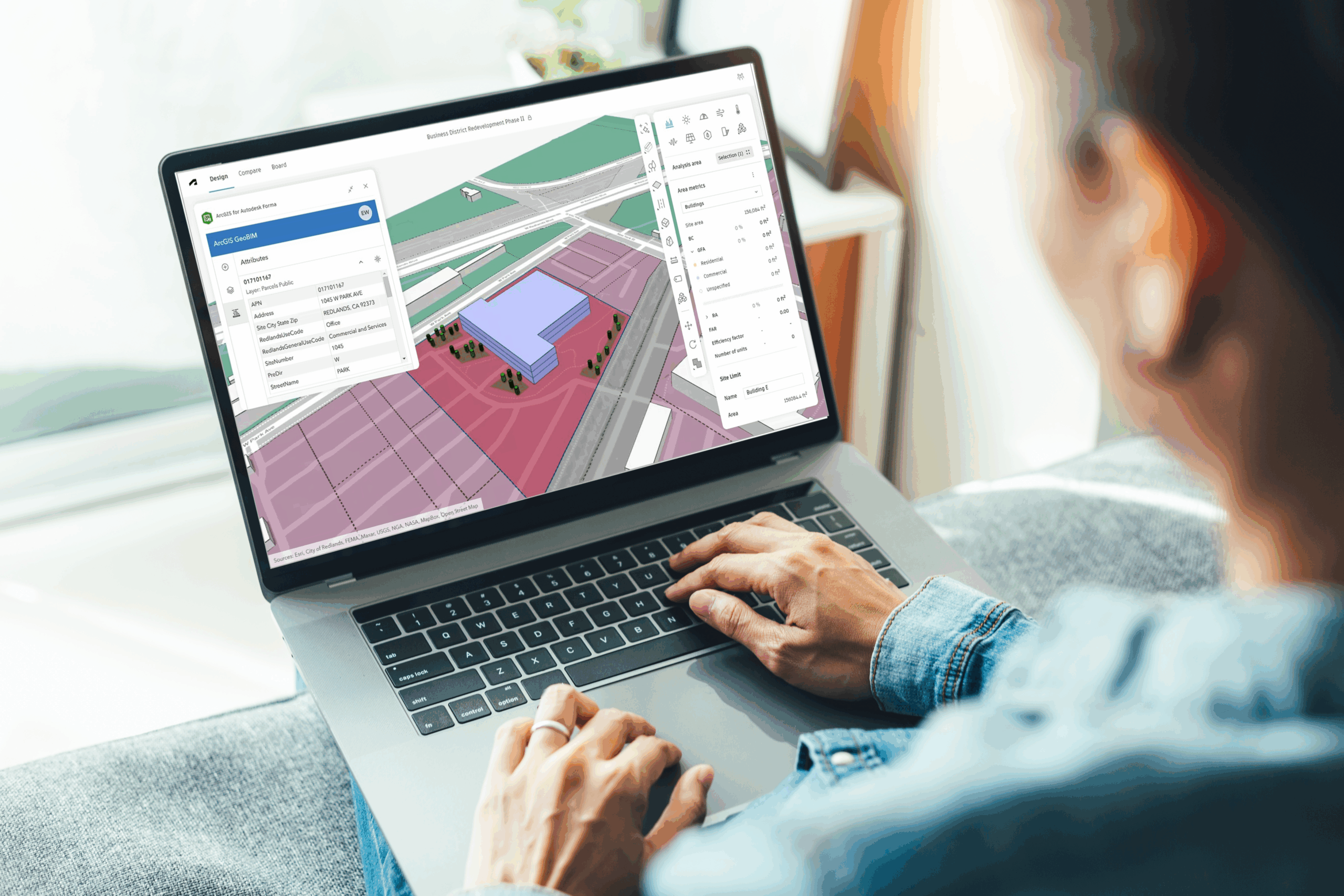
ArcGIS for Autodesk Forma is an easy-to-use app that provides architects, engineers and designers with the ability to incorporate ArcGIS’s authoritative data into their Autodesk Forma environment. It provides them with a simple solution to visualize geospatial data within Forma, providing spatial context and enriching their early-stage designs with geographic content. With it, Forma users are able to create more comprehensive designs by incorporating real-world geographic context and environmental factors, contributing to the overall quality and fidelity of their work.
Scenario
For this hypothetical project, we will be stepping into the shoes of an architectural firm based in Austin, Texas. A local developer has approached the firm to design a downtown mixed-use development. The client’s requirements include approximately 150 residential apartments, a communal area featuring greenspace that supports stormwater management, and ground-floor retail with structured parking for both residents and retail customers. Because the client already owns the parcel, they are eager to move quickly. It’s essential for the design team to evaluate the site’s constraints, zoning regulations, and surrounding context while shaping a plan that meets both functional needs and long-term community goals.
Getting Started
During the pre-design and early design phases of the project, the design team needs to know as much about the project area as possible. This is necessary so that they can draft several iterations of their design, exploring the building’s form, size, and orientation within the property. To do this, the design team uses ArcGIS for Autodesk Forma to bring in information about the surrounding environment into their Autodesk Forma design. They start by incorporating their own GIS data that they have accumulated over the past few years and then supplement that with additional data sets from ArcGIS Living Atlas of the World.
Some of the data that they can bring into their Forma design includes:
- Flood plains
- Zoning
- Land Use
- Walking and Bike Paths
- Surrounding Greenspace
- Canopy Coverage
Along with this data, the design team is able to incorporate the City of Austin’s urban renewal plan, which includes the development of pedestrian walkways, community greenspace initiative, and available tax-credits for new construction. With all of this information, the design team is able to move forward with mapping out their design for the client’s property.
The Design
Using ArcGIS for Autodesk Forma, the design teams starts by adding land use and property boundary layers to their Forma design. This allows them to experiment with the initial form and orientation of the buildings. After that, they add data layers from the City of Austin’s Small Areas Recommendation Plan to help inform their design based on the city’s initiatives and future developments. This included the city’s plan to develop several east-to-west connections and some new north-to-south links, influencing the form and orientation of the buildings.

Once the building’s form and orientation has been decided, the design team brings in several environmental layers that show greenspace distribution and tree canopy coverage throughout the surrounding area. This allows them to see where the ideal location should be for the project’s own greenspace and communal area, including tree placement.
At this point, the design team is ready to export their project into Autodesk Revit to further refine their design; however, they decide to run an analysis within Forma before moving forward. That analysis reveals that their initial design creates a wind tunnel between some of the buildings, as well as casting a significant shadow over the communal area and greenspace. After careful consideration, the design team reorients the layout of the property, eliminating the wind tunnel and creating more sunlight in the communal area.
Using the Flood Plains layer to provide additional insight, they further refine their design by extending the greenspace area along the river. This provides a buffer between their building and possible flood waters. To ensure the stability and longevity of their design, the first floor of the building is also designed to withstand flooding by increasing the size of the supports and including proper drainage.
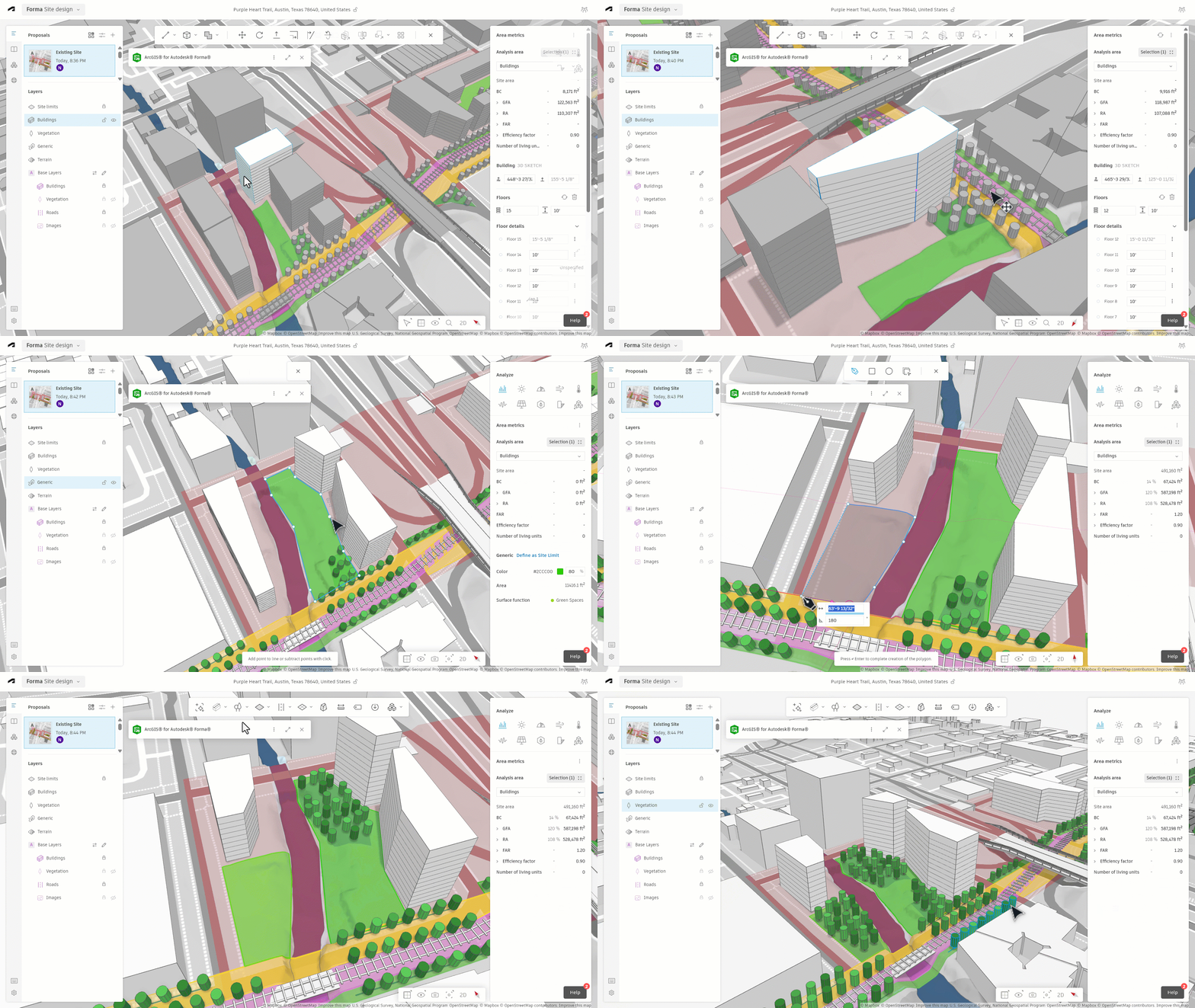
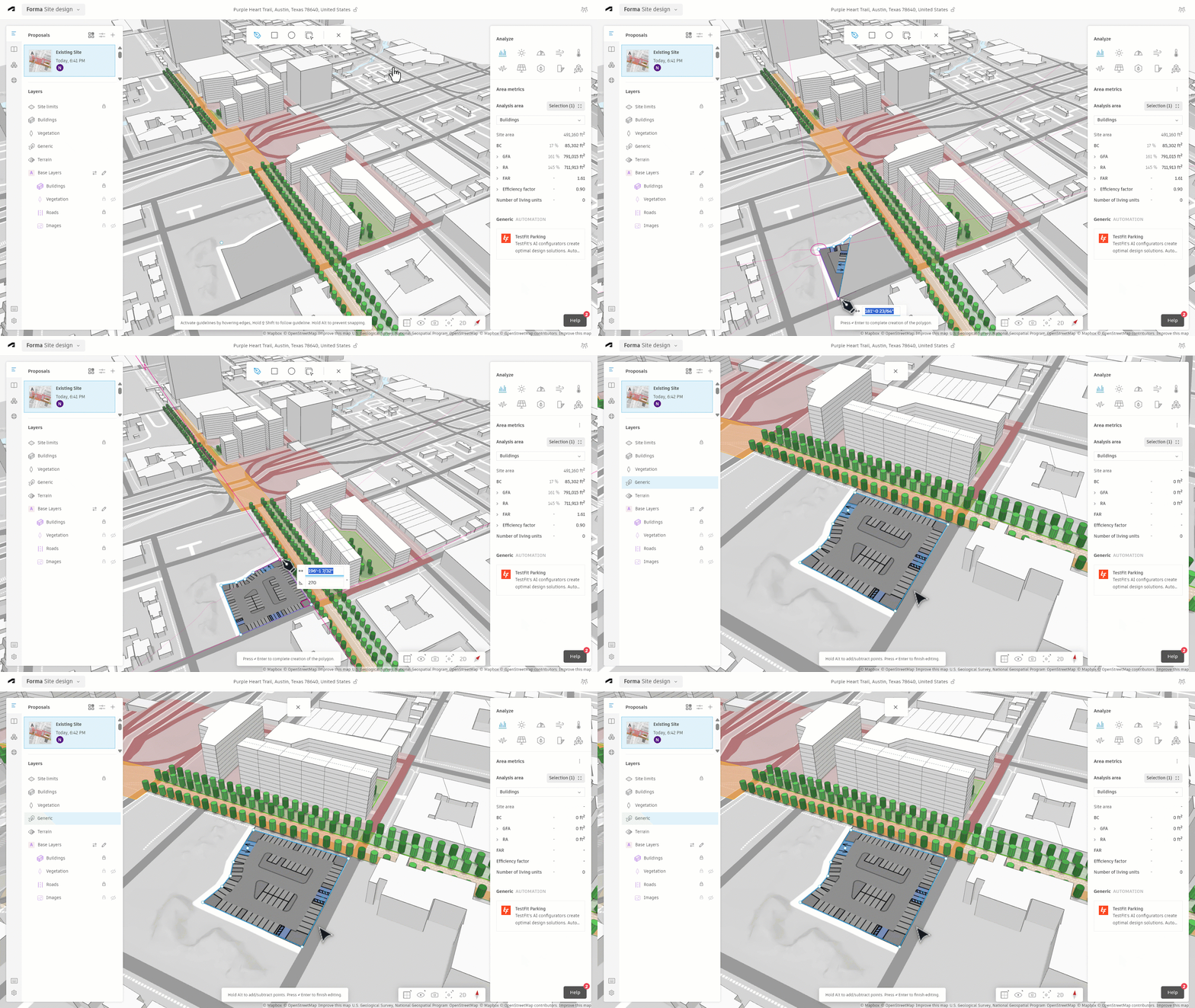
Since ArcGIS for Autodesk Forma works with other Forma extensions, the design team is able to enhance their designs by using extensions like TestFit to design the parking lot area for residential and retail areas. After another analysis is run, the design team is confident that their design addresses all pertinent issues and is ready to move forward to the next phase of their project.
Further Development
After finalizing their design in Forma and running several analyses, the design team is ready to export the project into Autodesk Revit. By including geographic context in Forma, all GIS content transfers seamlessly to Revit. This automatically establishes the design’s location, saving time and preventing the need to add location data manually.
As the design team continues to develop and refine their design, they can continue to take advantage of the partnership between Esri and Autodesk. Tools like ArcGIS for AutoCAD, ArcGIS GeoBIM, ArcGIS Urban, and ArcGIS Pro can all play a significant role in the design process. These resources help reduce costs, minimize the number of design revisions and enhance both the fidelity and sustainability of the final design.
With the help of ArcGIS for Autodesk Forma, our hypothetical design team was able to integrate comprehensive geographic or spatial data into their design from the very beginning of the project. This enabled them to make quick and reliable decisions during the early design stages of their project, preventing costly revisions and alterations later on. By incorporating geographic context when it mattered most, the team gained critical insights to guide their design choices.
While this scenario is hypothetical, the benefits of ArcGIS for Autodesk Forma are very real. With it, architects, engineers, and designers can incorporate authoritative GIS data into their designs, enabling them to make informed decisions quickly and decisively. It helps to eliminate the need for costly revisions and provides the information necessary to create a successful and accurate design.
If you would like to learn more about ArcGIS for Autodesk Forma, please visit our webpage, our Esri Community website, or contact your local Esri representative. You can also share your thoughts about ArcGIS for Autodesk Forma with us by taking a short survey.





Article Discussion: