The November 2026 update to ArcGIS Online brings new improvements to Reporter, including the general availability of AI-powered capabilities and support for voice input when reporting issues. These enhancements simplify how users describe issues and provide information when submitting reports.
AI-powered capabilities are out of beta
The AI-powered capabilities in Reporter are now out of beta and generally available. AI-powered image and text extraction help streamline the reporting process by extracting relevant information to assist users when submitting reports.
To learn more about these capabilities, see the previous updates:
Requirements for using AI features
To use the AI-powered capabilities in Reporter, users must sign in with their ArcGIS organizational account.
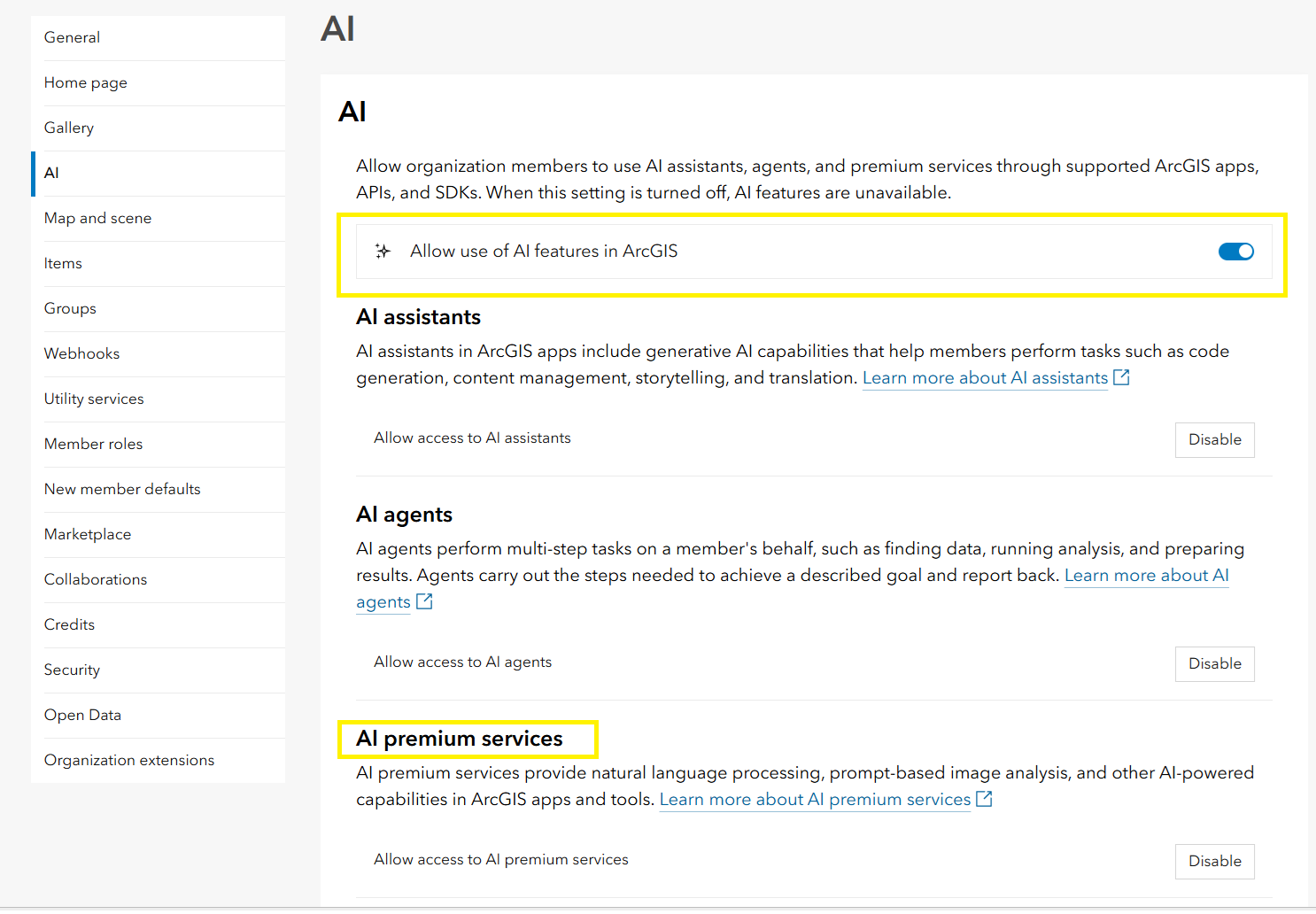
Organization administrators must also enable the following settings:
- Allow use of AI features in ArcGIS
- Allow access to AI premium services
Both settings must be enabled for organization members to use the AI-powered capabilities in Reporter.
Credit usage
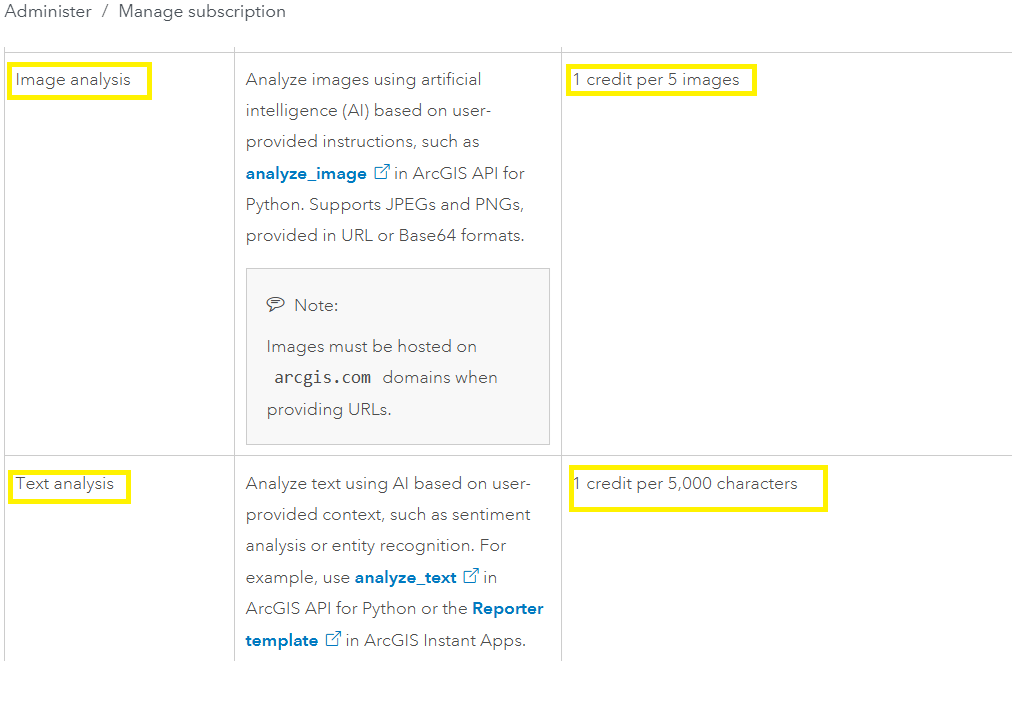
AI-powered image and text extraction in Reporter consume ArcGIS credits. Image analysis costs 1 credit per 5 images, while text analysis costs 1 credit per 5,000 characters.
For more information about credit consumption, see Understand credits in the ArcGIS Online documentation.
Report an issue using your voice
Reporter now offers an additional way to report issues using your device’s built-in voice recognition and transcription capabilities. Instead of typing a description, you can simply speak about the issue, review the transcribed text, and continue with your report.
Voice input is enabled by default in Reporter. To take advantage of AI-powered text extraction and automatically populate report fields from your description, configure the AI text description option in the app settings. For configuration instructions, see What’s New in Reporter Instant App (June 2026).
To report an issue using your voice:
- Open the Reporter app and click the microphone icon in the description field to start recording. Describe the issue and click the microphone again when you’re done speaking.
- Review the transcribed description and make any necessary edits. Click Next to continue.
- If your description includes a location, Reporter automatically places a point on the map. Otherwise, add the location manually and continue.
- Notice that the report form is automatically populated with information extracted from your voice description when AI text extraction is enabled.
Review the populated fields, make any necessary changes, add images if needed, and submit your report.
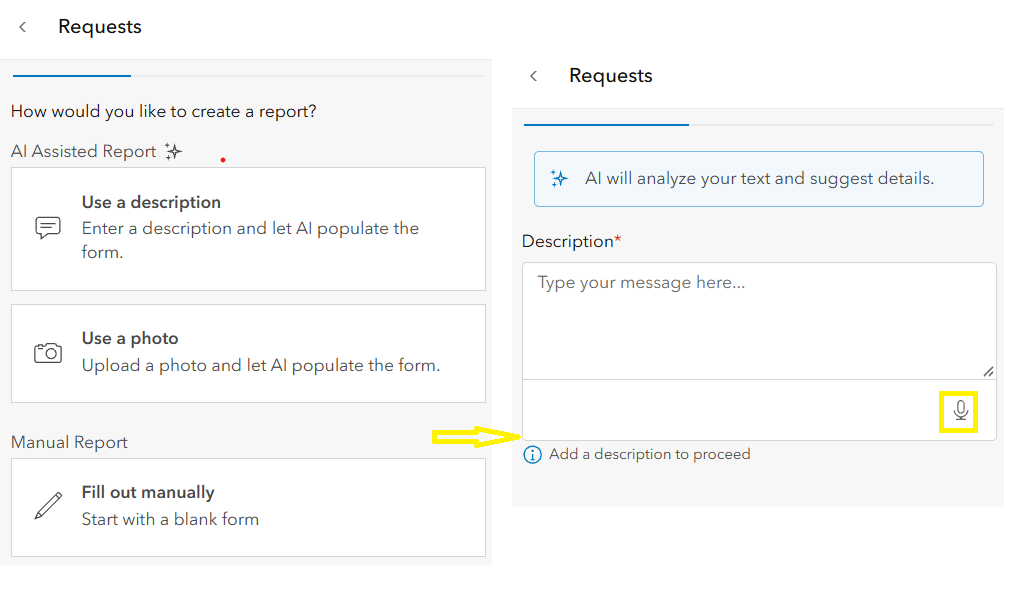
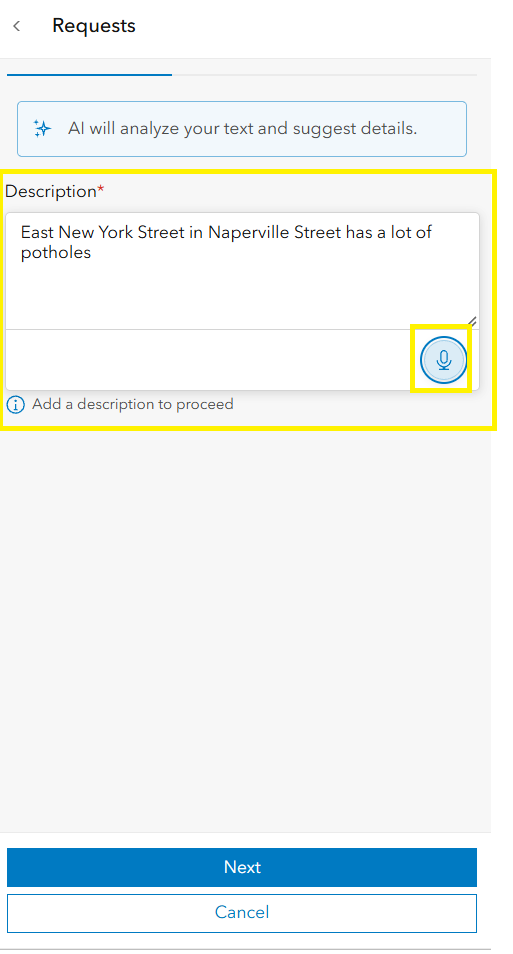
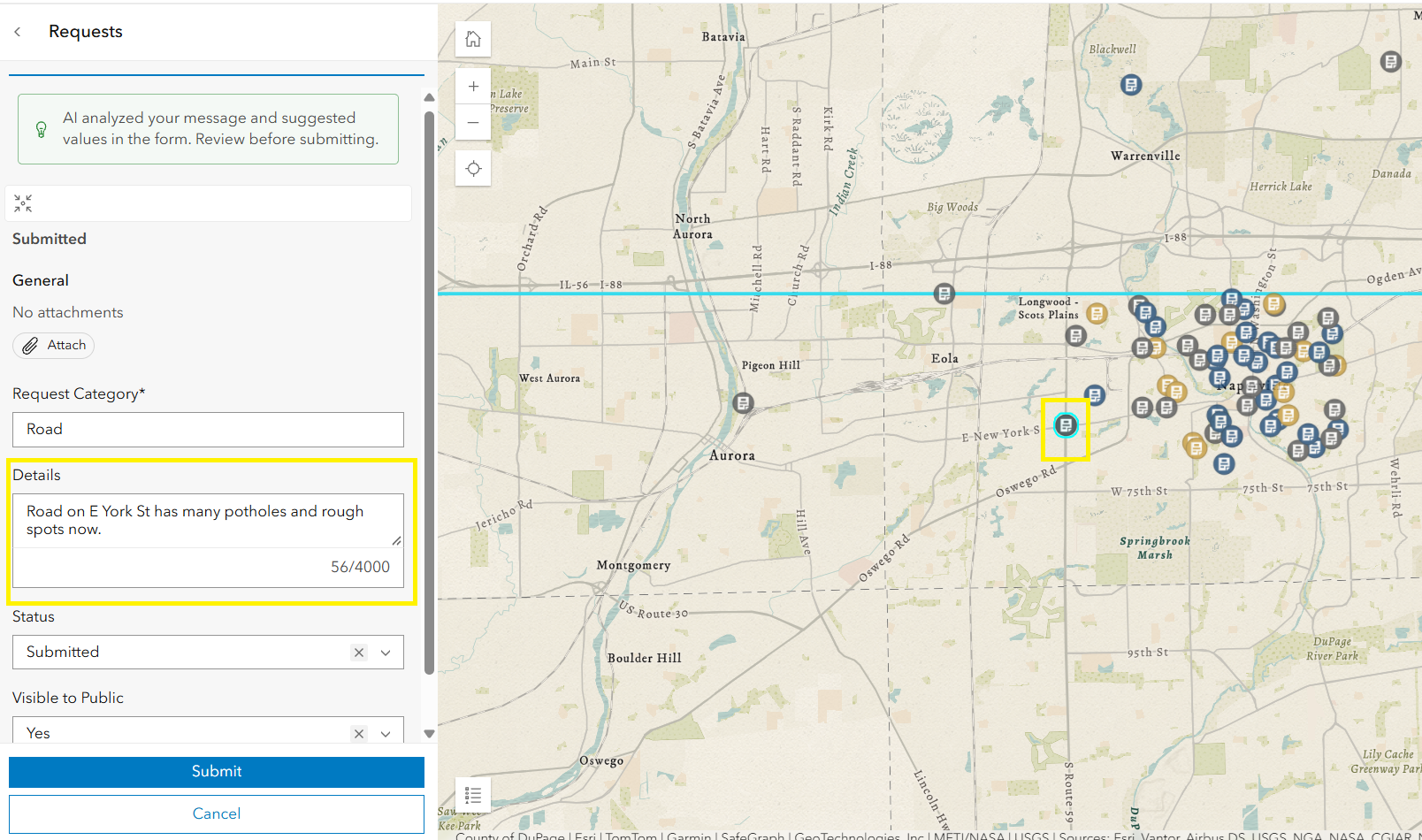
This enhancement provides a convenient alternative to typing, especially when reporting issues in the field or providing detailed descriptions.
Note: Voice input is not supported in Firefox.
Looking ahead
These enhancements provide additional ways to capture information and submit reports using Reporter. Explore the latest capabilities in ArcGIS Instant Apps and configure Reporter to support your organization’s reporting workflows.

Article Discussion: