Imagery is critical data for geographic information system (GIS) analysis—not just a background layer. It reveals patterns, enables change detection, supports AI-powered analysis, and provides the ground truth that validates other forms of spatial analysis – ultimately to help drive informed decisions. Last year, Esri launched Content Store for ArcGIS in ArcGIS Online with a clear goal: to give ArcGIS users a streamlined way to buy premium imagery for your GIS projects from multiple providers—all in one place.
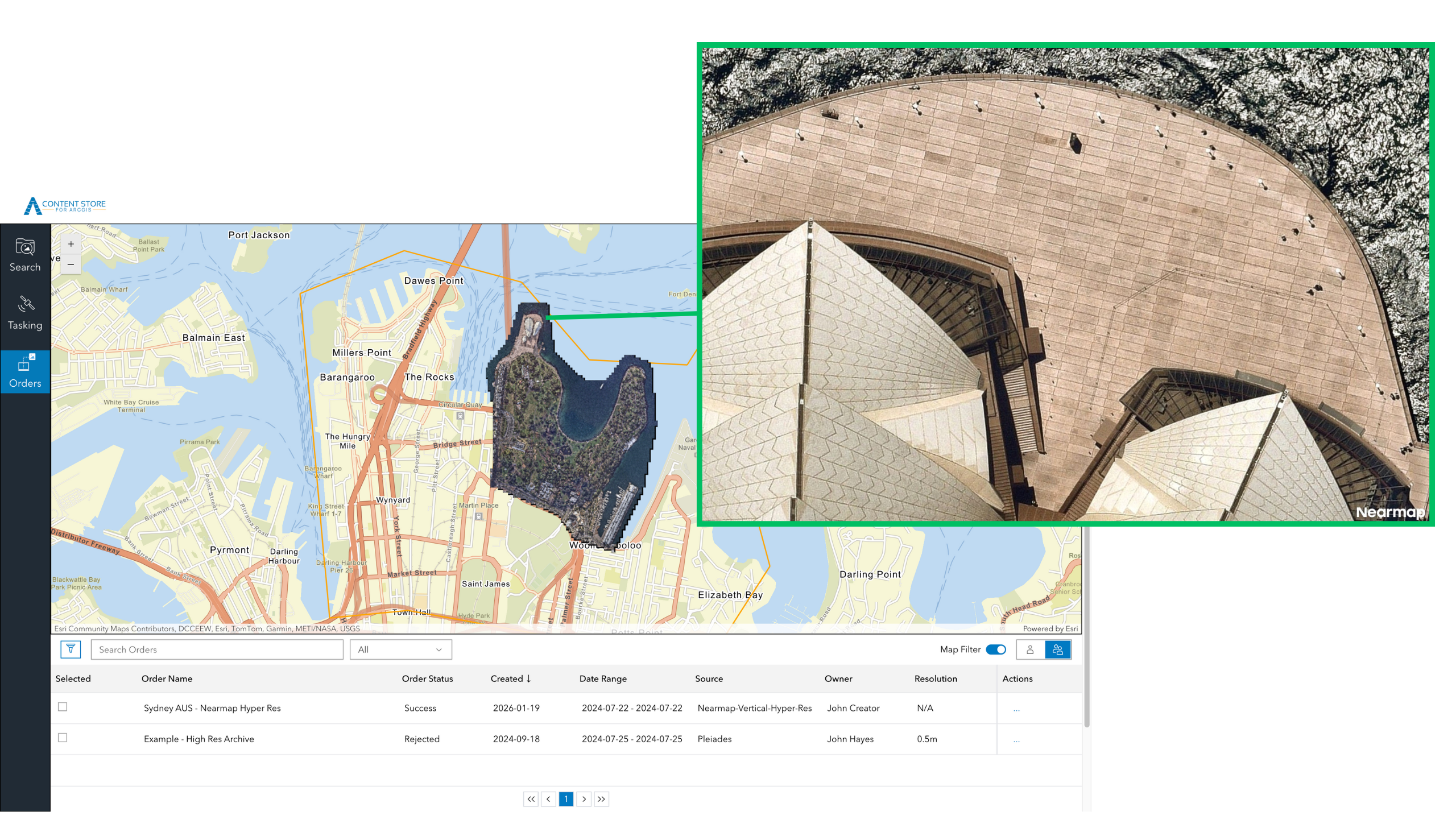
Content Store is an app that allows you to discover, purchase, and publish premium commercial imagery directly within ArcGIS. Initially offered with satellite imagery from leading providers Vantor (formerly Maxar), Airbus, and Planet, the app was expanded in June 2025 to include aerial imagery from EagleView. Today, we’re excited to announce another new tool that’s available to you: aerial images from Nearmap are now available in Content Store for ArcGIS.
Expanding Your Aerial Imagery Options
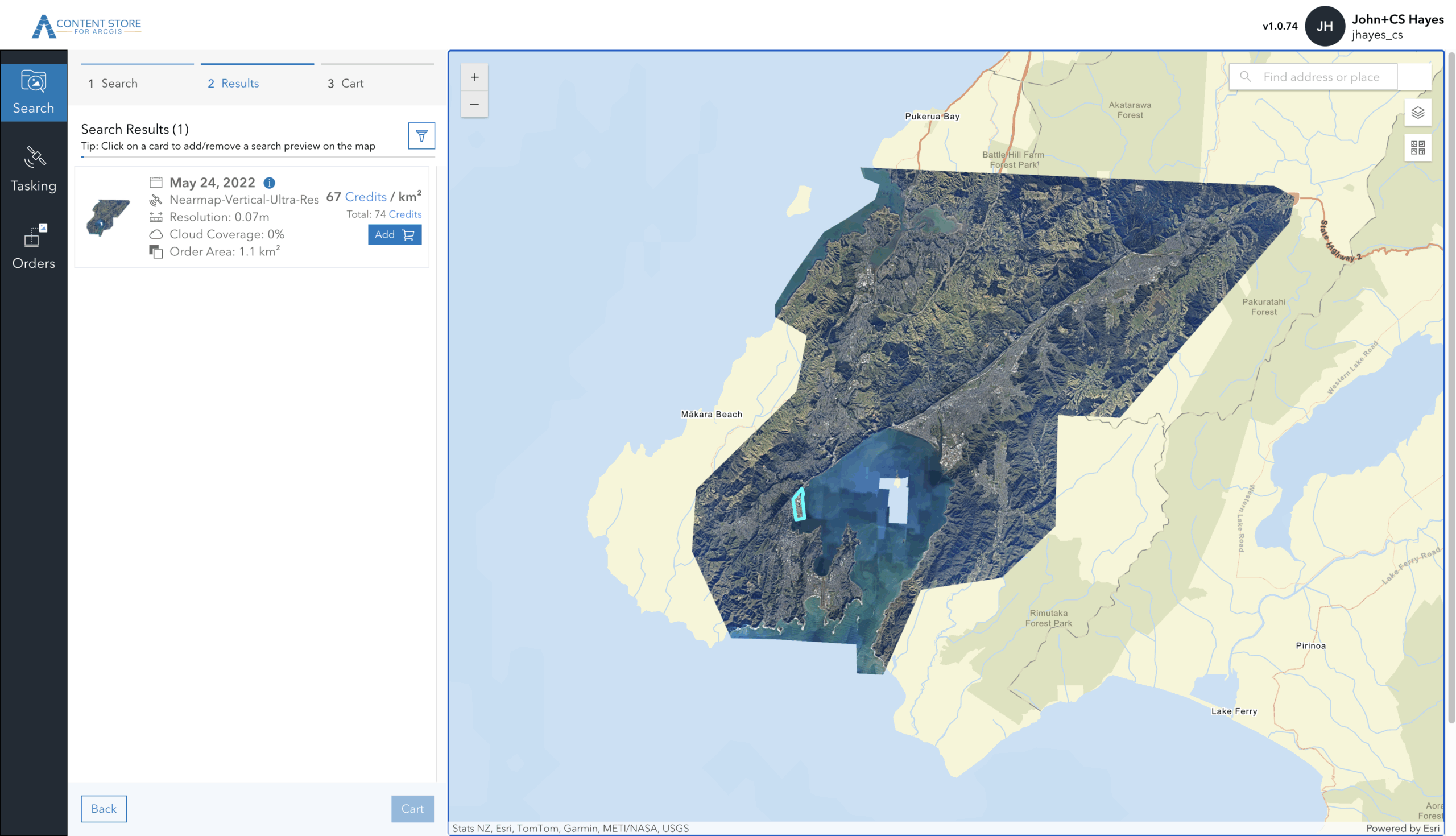
With Nearmap now part of the Content Store for ArcGIS lineup, you can choose from even more aerial imagery providers—all in one convenient location. Each provider offers distinct characteristics designed to meet diverse project needs. Whether you prioritize high resolution for detailed analysis, frequent updates for change detection, or broad coverage for regional projects, having multiple providers ensures you can match the right imagery to your requirements.
Nearmap stands out for frequent, regular aerial capture, delivering one of the most consistent update schedules in the industry. They capture imagery up to three times a year in North America and up to six times a year in Australia and New Zealand, providing a reliable, predictable refresh cycle. This frequent updating makes the imagery particularly valuable for projects requiring change detection, infrastructure management, and urban planning, or when recovering from natural disasters and other impactful events.
Nearmap Aerial Imagery in Content Store for ArcGIS
Aerial imagery from Nearmap is captured at 1.7–2.8” (that’s just 4.4–7 cm) ground sample distance (GSD)—meaning each pixel in the image represents just 1.7–2.8 inches on the ground. This high-resolution detail enables property-level analysis, asset inspection, and change tracking with the clarity needed for localized projects. The company also delivers broad coverage across its core regions. Current coverage includes approximately 87 percent of the U.S. population, 66 percent of Canada, 95 percent of Australia, and 81 percent of New Zealand—ensuring access to current, high-resolution imagery where people, assets, and development are most concentrated.
In addition to expanding your aerial imagery options, Nearmap’s availability in Content Store for ArcGIS introduces a new way for you to buy aerial imagery for GIS projects: the ability to purchase Nearmap imagery on a per-area basis. While Nearmap continues to offer subscription-based access directly, this per-area option provides your team members with flexibility when an individual project arises. Additionally, Content Store streamlines your workflows by allowing you to publish imagery from Nearmap – and all of the imagery providers in the app – directly to ArcGIS Online or your cloud platform.
Choosing the Right Imagery for Your Project
-
Urban Planning and Environmental Monitoring
Use aerial imagery to analyze fine‑grained land use and development changes, alongside satellite imagery to compare conditions over time, assess regional trends, and monitor environmental or seasonal variation across larger areas.
-
Construction and Development
Use high‑resolution aerial imagery to capture site‑level detail and monitor visible changes over time, while leveraging satellite imagery to understand broader site context, surrounding infrastructure, and regional development patterns.
-
Emergency Response and Planning
Combine recent aerial imagery for detailed damage assessment with satellite imagery to quickly understand the full extent of an incident, evaluate impacted areas at scale, and prioritize response efforts based on coverage and recency.
-
Transportation and Infrastructure Management
Apply aerial imagery to inspect assets such as roads, bridges, and corridors in detail, while using satellite imagery to evaluate network‑wide conditions, identify risk areas, and support long‑term infrastructure planning.
-
Utilities and Asset Management
Leverage aerial imagery to assess individual assets and right‑of‑way conditions, and pair it with satellite imagery to monitor large service areas, detect broader changes, and support prioritization across the network.
Getting Started with Content Store for ArcGIS
Content Store for ArcGIS gives you a place to search, compare, and buy satellite and aerial imagery for GIS projects from multiple providers.
To begin exploring your satellite and aerial imagery options, download Content Store for ArcGIS. Your ArcGIS Online administrator can grant you the necessary permissions to access the app. To find your administrator:
- Sign in to your account at ArcGIS Online
- Click Organization, then the Members tab to see the list of members in your organization
- Identify users with administrator privileges.
- Ask them to give you access to the Content Store for ArcGIS app.
Looking Ahead
The addition of Nearmap to Content Store for ArcGIS reflects Esri’s ongoing commitment to providing you with flexible access to diverse imagery sources. By bringing together multiple providers in one platform, we’re making it easier to find the right imagery solution for your specific needs.
Ready to explore your imagery options? Download the Content Store for ArcGIS app to get started.

Article Discussion: