
The release of ArcGIS Pro 3.7 for ArcGIS Aviation Charting and ArcGIS Aviation Airports includes enhanced tools to further support your airport, charting, data management, migration, and design needs. This blog article contains more information about these updates.
ArcGIS Aviation Charting
Resize Aviation Annotation
The Annotation command, Aviation Resize, helps you quickly change the size of a selected annotation feature while working on a cartographic chart. The process of generating an aeronautical chart using an automated workflow can sometimes lead to cluttered chart annotation, and the Aviation Resize command significantly simplifies the process of manual adjustments, especially when charts in a series have varying map scales.
For example, in this chart, the “Palm Springs” label is overlapping features, making the chart difficult to read.
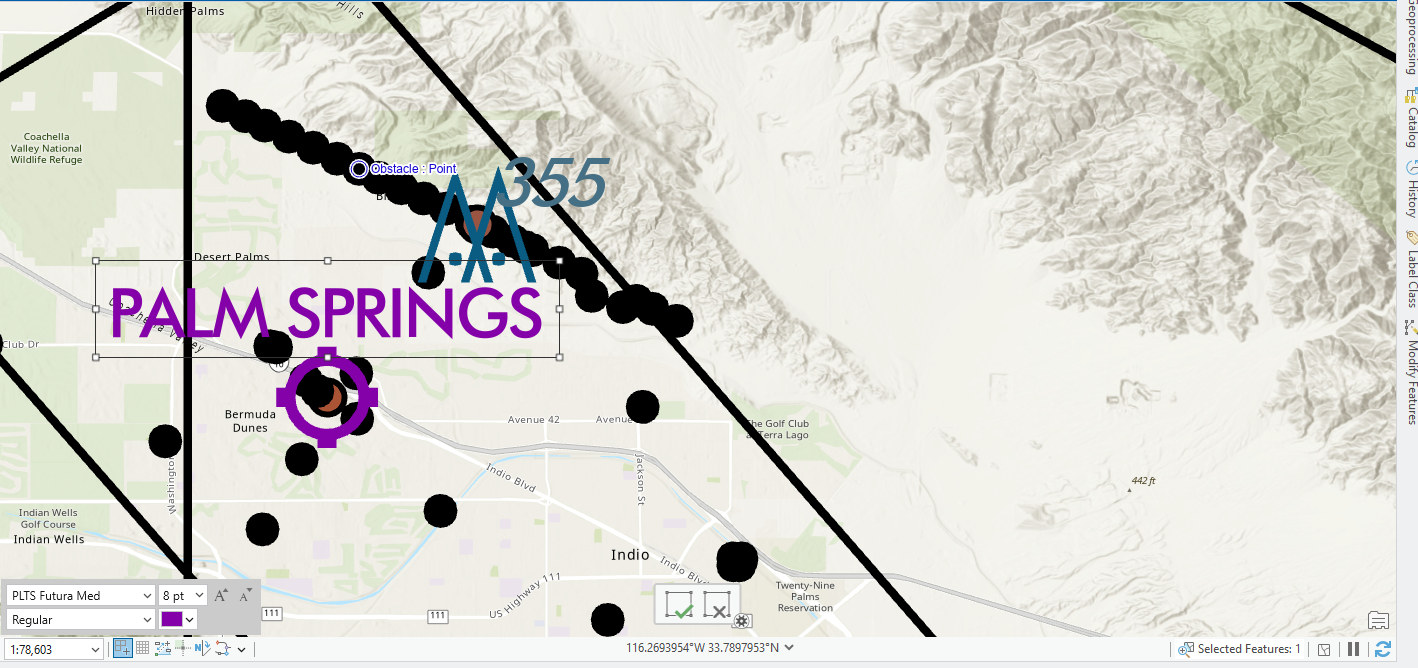
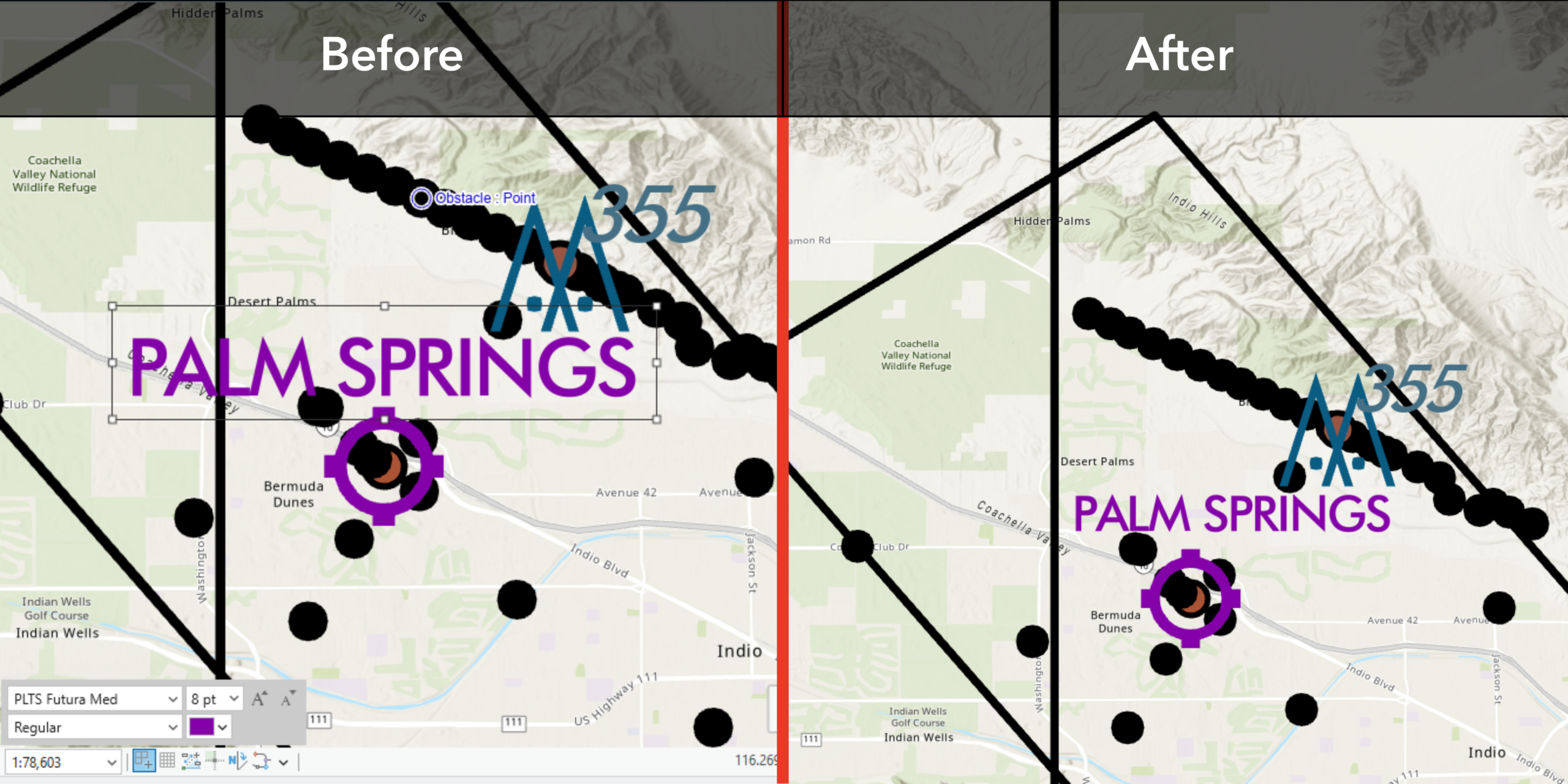
Using the Aviation Resize command, the scale of the selected annotation feature can be increased or decreased by a preset or user-specified amount. You can fine-tune the scale of specific annotation features until they no longer visually interfere with other chart features.
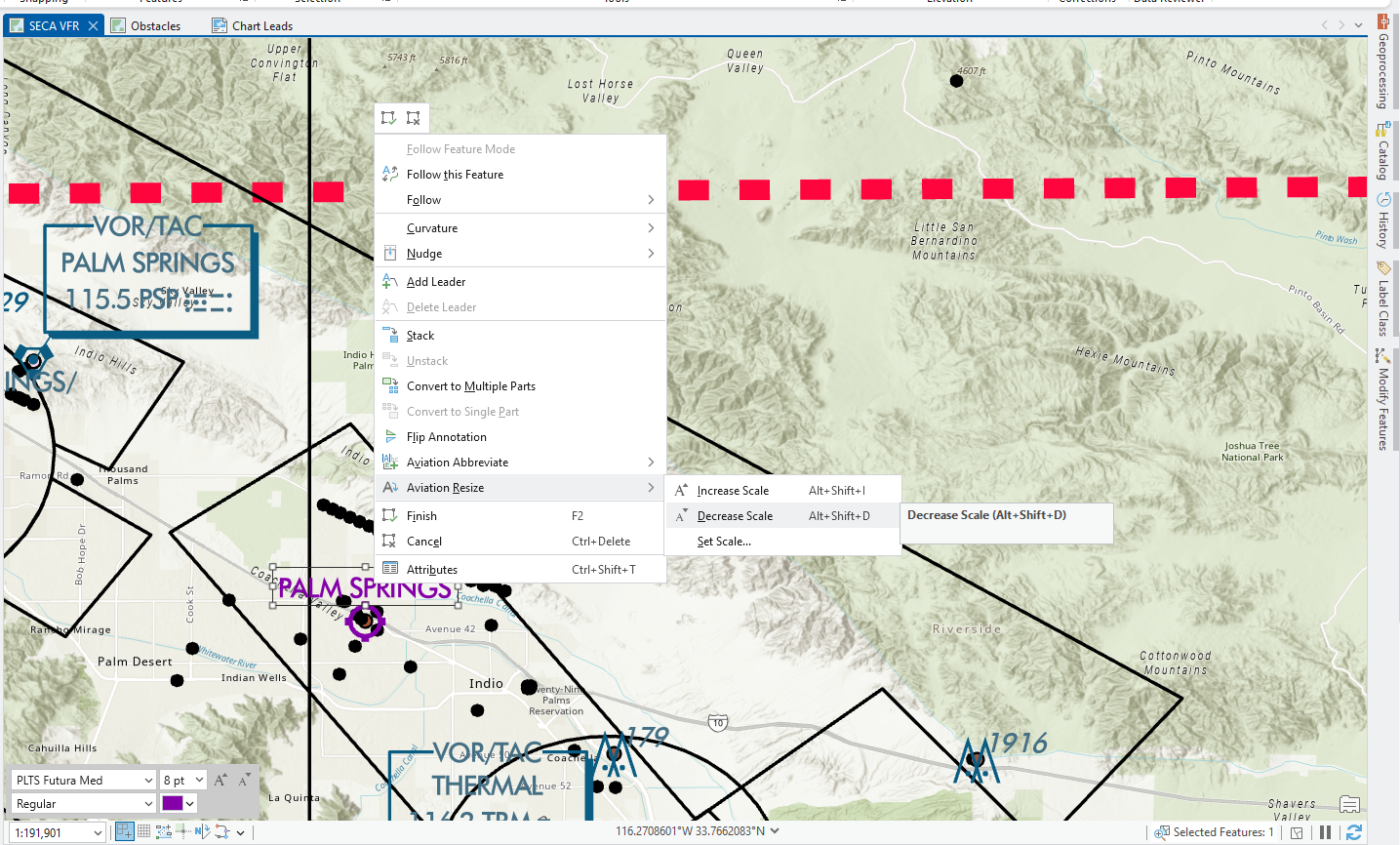
Any annotation feature can be resized as needed to improve the chart’s visibility.
Import AIXM 5.1 Message
This tool, for importing Aeronautical Information Exchange Model (AIXM) version 5.1 data into an aviation geodatabase, now includes two new parameters. The first allows fields to be set to null during updates, while the second allows the use of customized configuration files. These new parameters give you more control over how the data is updated and mapped. This helps the database stay clean and accurate during updates while allowing flexibility to tailor AIXM imports to your specific workflows without having to modify the default configurations.
Product data files updates
The ArcGIS Aviation Charting product data files include the following updates:
ICAO (SID and STAR) template
This new template in the product files comes preconfigured with layouts, symbology, and labeling rules to quickly create standardized terminal procedure charts. It outlines how to streamline the workflow so you can go from raw data to an ICAO-compliant chart with minimal setup.
ArcGIS Aviation Airports
The following ArcGIS Aviation Airports tool has been added to the Obstruction Identification Surfaces toolset:
ICAO Annex 14 OFS OES
This tool is now available with updated parameters in the Obstruction Identification Surfaces toolset. The ICAO Annex 14 OFS OES tool creates obstacle-free surfaces (OFS) and obstacle evaluation surfaces (OES) based on International Civil Aviation Organization (ICAO) Annex 14 OFS OES specifications. These surfaces define the airspace around aerodromes to be free of obstacles so flight operations can be performed safely. ICAO adopted new Obstacle Limitation Surfaces (OLS) specifications in 2025. The ICAO Annex 14 OFS OES tool can support airports and contractors in meeting these new requirements.
Product data files updates
The ArcGIS Aviation Airports product data files include the following updates:
To better support airport master plan workflows, this release adds three new templates in our data package along with an updated Airports style, making it easier to create consistent maps and layout plans. The Airports styles have been updated to include over 20 more styles in point, line, and polygon symbols, and added text and grid symbols. These styles provide standard symbology, improving readability, and consistency.
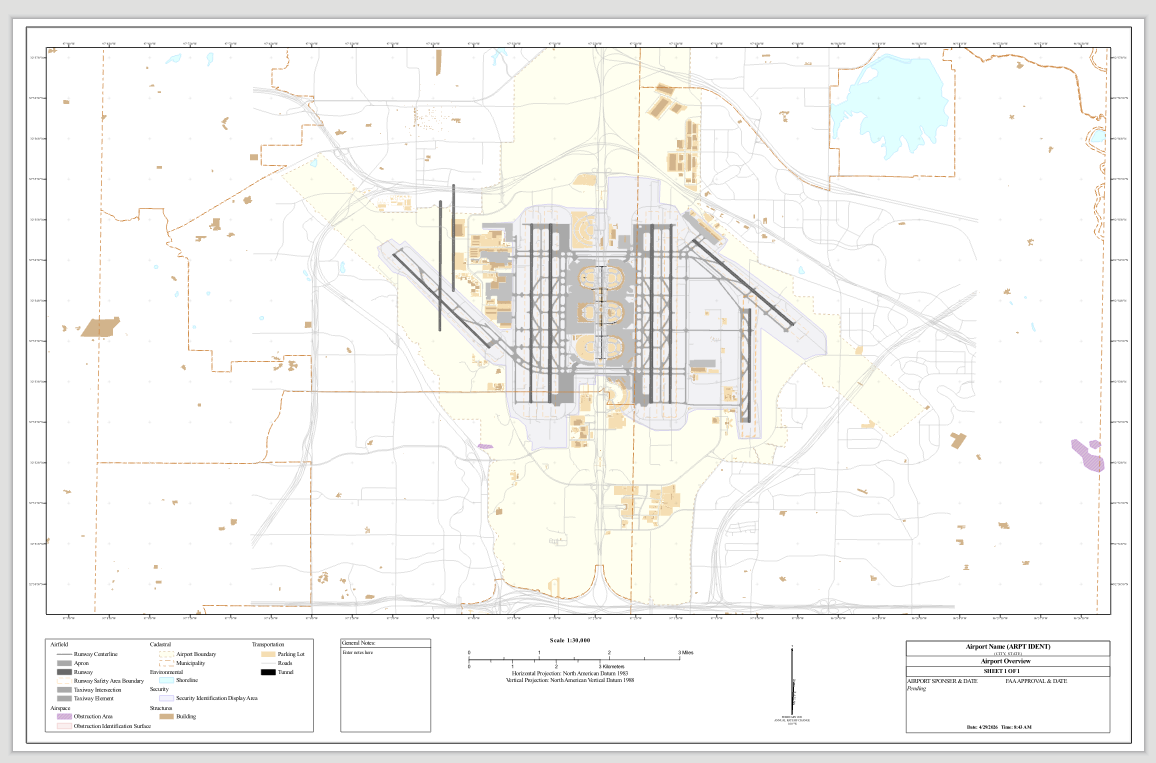
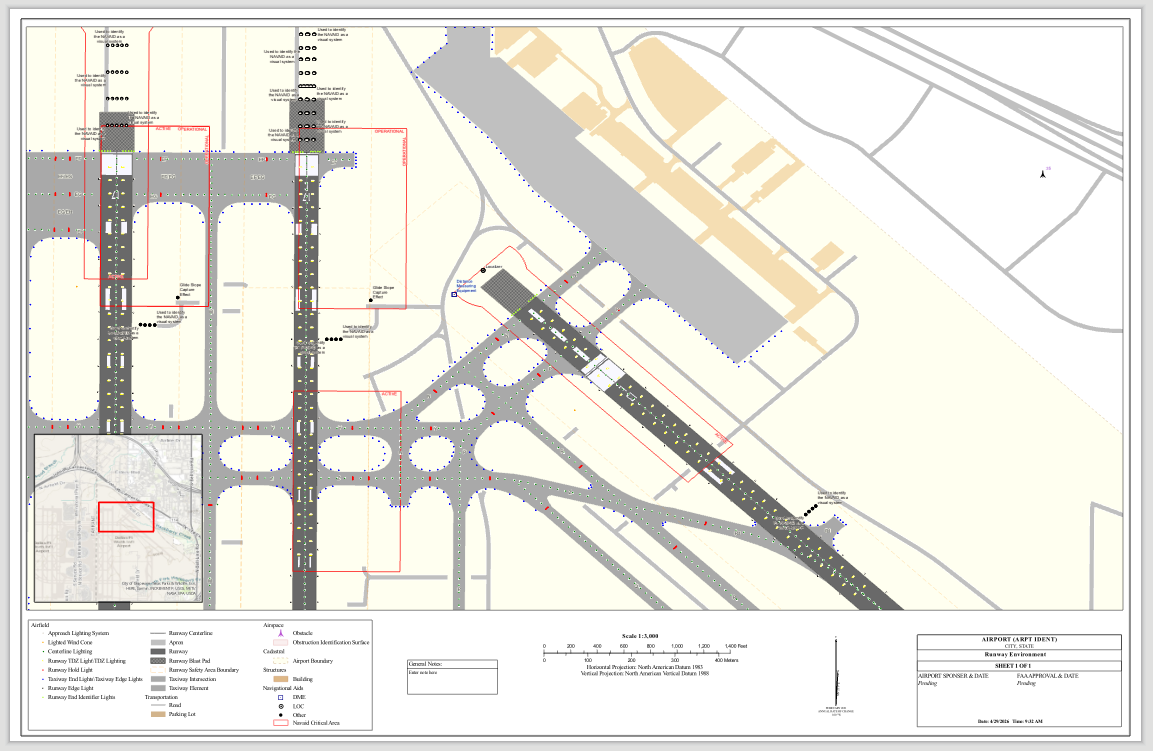
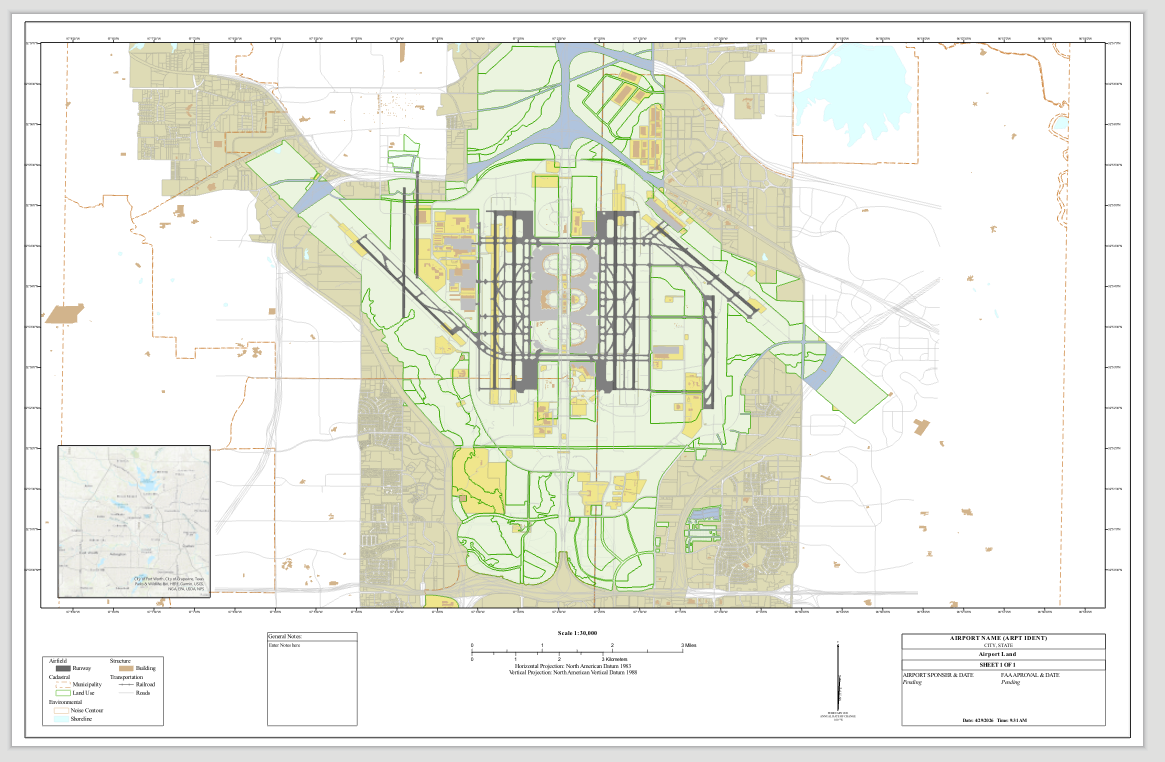
The Airport Overview, Runway Environment, and Airport Landuse templates significantly reduce manual set up time by providing you with a starting point in creating digital airport layout plans. Each of the new templates include grids, symbols, scale bar, legend, and other required layout features. Additionally, the Aerodrome Obstacle Chart (AOC) Type A chart template has been updated with improved layouts and organization, and the AOC Type B chart template has been added to provide options for a broader chart scope.
Airport overview
This template is designed to provide a starting point for the airport layout plan drawing, facilities layout plan, and airport airspace drawing pages.
Runway Environment
This template is designed to provide a starting point for the terminal area plan, airport access plans and any other sheets that may need a larger scale.
Airport Landuse
This template is designed to provide a starting point for airport land use drawing, off-airport land use drawing, airport property map, and can be used for some airport access plans.
Reach out to us at aero@esri.com if you have questions about these new capabilities.
For further information, please visit the ArcGIS Pro page or the What’s New documentation and post your questions in the ArcGIS Aviation board in Esri Community.



Article Discussion: