One of the questions we got from customers is how to let editors make changes to attributes but prevent them from moving or modifying the geometry of features? E.g. You want parcel fabric points that are marked as fixed to stay fixed. This is now possible with Attribute Rules in Pro 2.5 & ArcGIS Enterprise 10.8.
In this short blog, we explain how you can achieve that with Attribute Rules! You will need ArcGIS Pro 2.5 because you will be using a new Arcade global called $originalFeature
The file geodatabase with sample data and attribute rules for this blog can be download here.
$originalFeature
The $originalFeature is a new Arcade global that presents the state of the feature before the edit giving the script author flexibility to compare the current values $feature with the original values of the feature. You can read more about this new Arcade global in my other blog.
Prevent geometry updates
You will now write a constraint attribute rule that will prevent geometry updates but will allow attributes to be changed. Follow these steps
- Using ArcGIS Pro 2.5 create a new map project
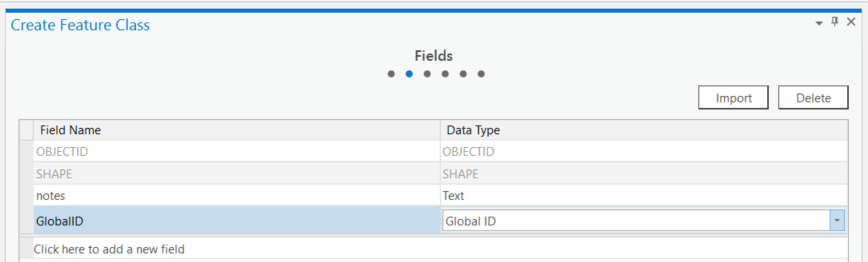
- Create a new point feature class on the project file geodatabase
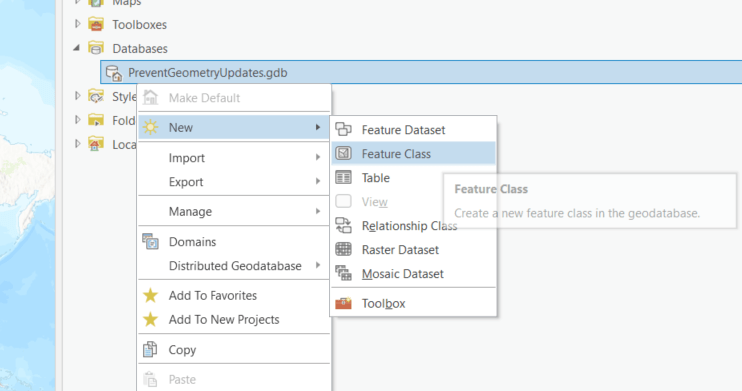
- Make sure to add your fields and the globalId
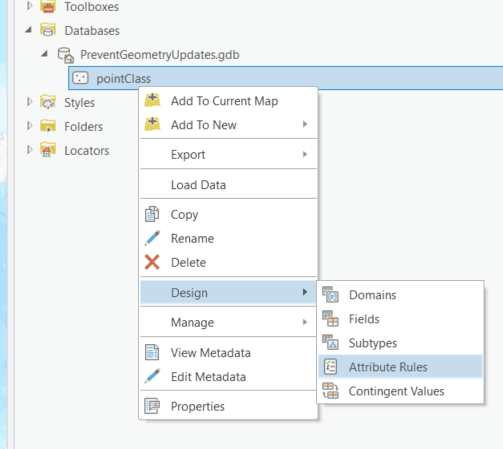
- Add a constraint attribute rule that triggers on update to your class with the following script
//if the geometry has changed prevent the edit
if (!Equals(Geometry($feature), Geometry($originalFeature)))
       return false;
return true
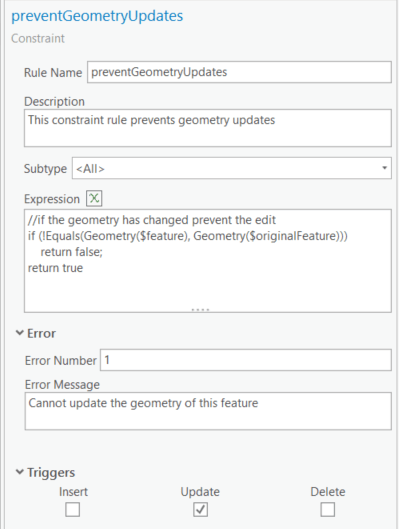
Finally save your attribute rule and test, you can see that you can edit attributes on features but not the geometry.
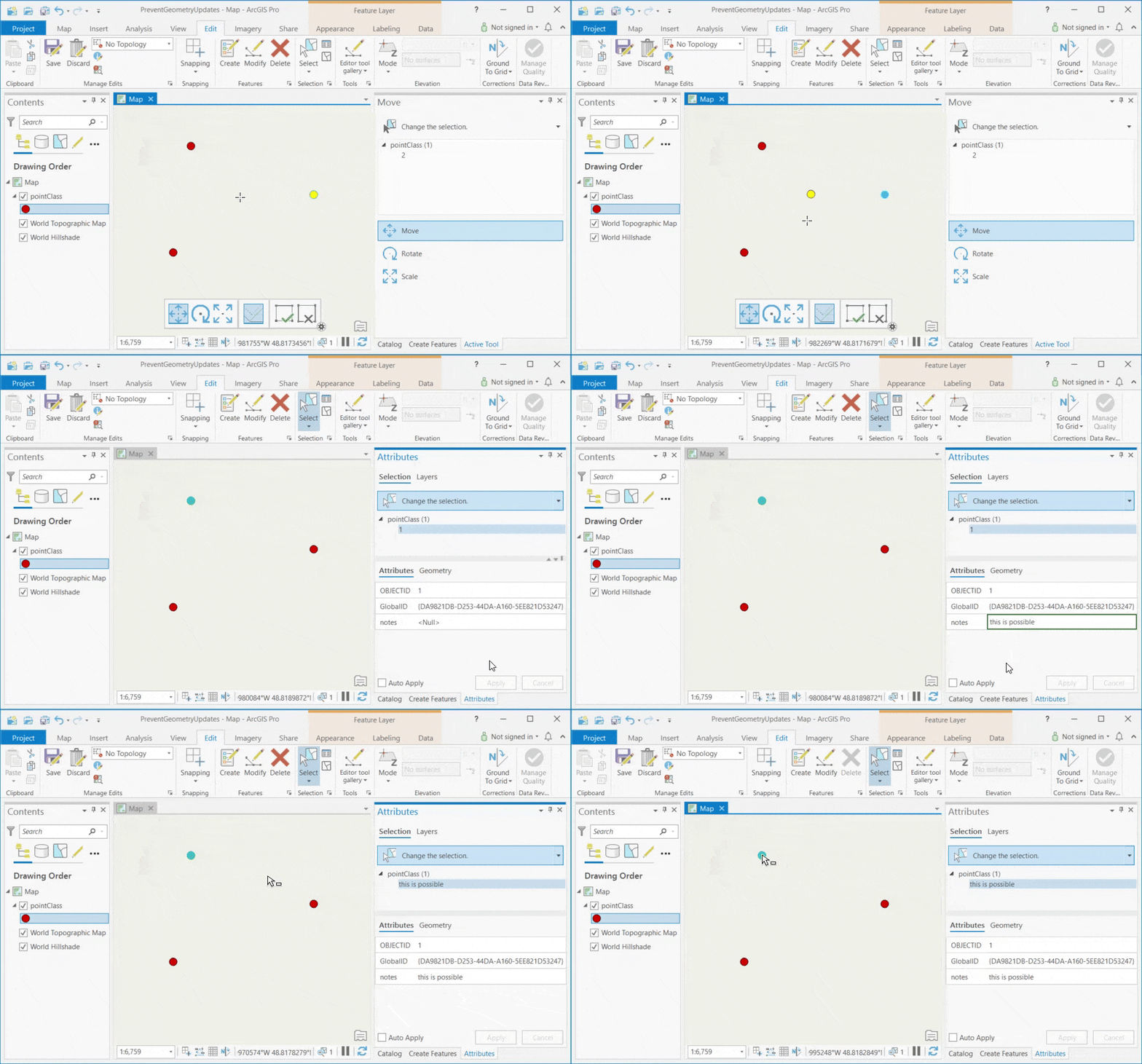
You could also allow geometry updates on certain features but not others by adding another field and add the necessary logic to your Arcade script. File Geodatabase with this sample can be downloaded here.
You can add this attribute rules to any feature class, publish it as a feature service and have your rule being respected across all clients (web, collector, Pro etc.)
Edit April 2025, with ArcGIS Pro 3.4 and later you can use Attribute Rules Triggering Fields and set the rule to run only when the shape field is changed. This allows for more efficient execution. Read the blog for more details.

When will this be coming to AGOL? There is no setting like in Portal. We really struggle with this one due to the huge button in Collector that says Update Point right in the center (with Submit hidden way up in the corner). Users just keep hitting the button. I have asked the Collector team to move it or rename it to Update GPS or something like that but no word back.
Thanks a lot.
Thanks Doug,
There are plans to bring Attribute Rules to AGOL but no schedule yet. Will let the community know for sure. For now Attribute rules are available on File geodatabase, Mobile geodatabase and Enterprise Geodatabases (client server) and published through to ArcGIS Enterprise as a feature service by reference.
Thanks. What about the Allow geometry updates setting for a feature service? That would work for me also but it is not in AGOL.
This is very cool! I want to use it to stop staff from being able to move features whose locations were surveyed. At the end of the article is says we could limit this to just certain features by adding logic. Would it be possible to see an example of this? I haven’t had much luck with it.