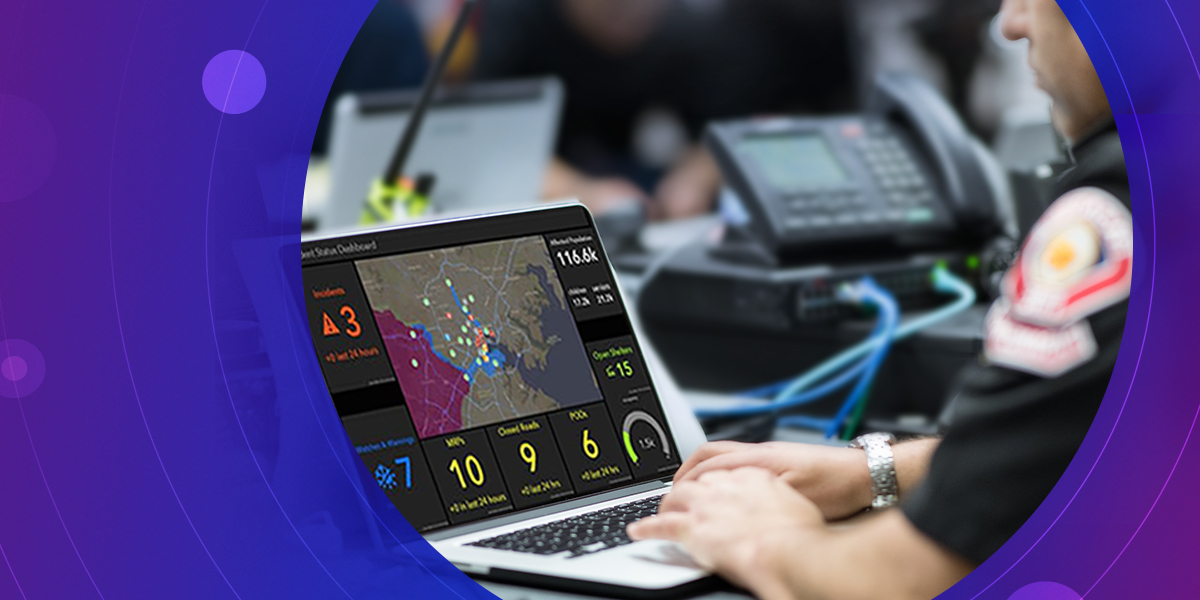
Working as a first responder dispatcher requires a level of precision many find difficult to deliver with such urgency. Remaining calm is not the only consideration a dispatcher must keep in mind, they also rely on good address data to help them navigate the first responders correctly.
It is crucial that GIS analysts present addresses for a community in a way that ensures first responders arrive at the right location. However, this can be difficult if the call is for an apartment complex or if the caller is in distress and unable to provide accurate directions. Dispatchers need a way to pull up a number of addresses based off a single input or off of incomplete address information in order to provide navigation. ArcGIS Geocoding capabilities help with this task as it provides an organization with a full list of addresses associated with the input address.
ArcGIS Pro allows users to drill down on a specific address through the Locate Pane. The output includes a collection of places that are associated with the input address, allowing the dispatcher to direct the first responders to the most accurate location. This geocoding capability ensures low information scenarios, such as emergency calls, still result in swift response times.
Searching Within an Address
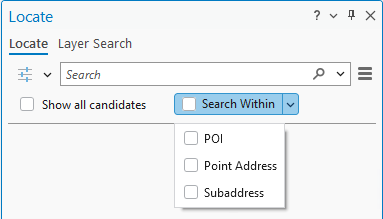
Searching for specific address types: The “Search Within” button on the Locate Pane lets you pick the type of address to search for. Whether it’s Points of Interest (POI), building numbers (point address) or apartments (Subaddress), the Locate Pane will generate a list of records associated to an address. The dispatcher will see all of the units in a building, or businesses at an address, and help the caller confirm where resources need to be deployed.
Reviewing a long list of addresses: If the caller is in a building with a lot of units, the dispatcher may see a long list. To assist with this, the Locate Pane sorts the matches based on their type: address, subaddress, or POI, and provide an indicator of the number of matches. Further, the Locate pane will show the first 50 candidates, and as you scroll in the pane, they will see more candidates listed. The map display will update to highlight the current list of candidates in the Locate Pane. The Locate Pane provides further insight through the address summary.
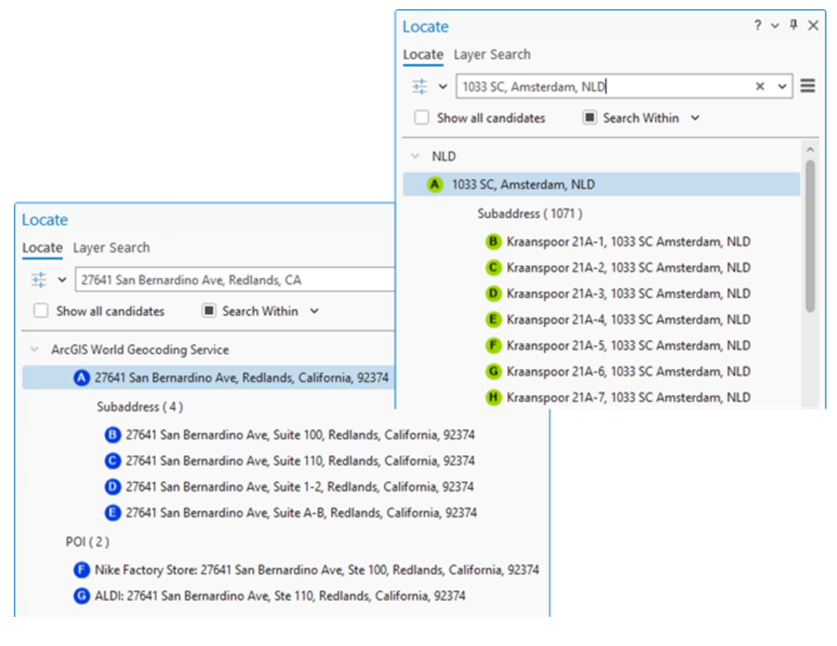
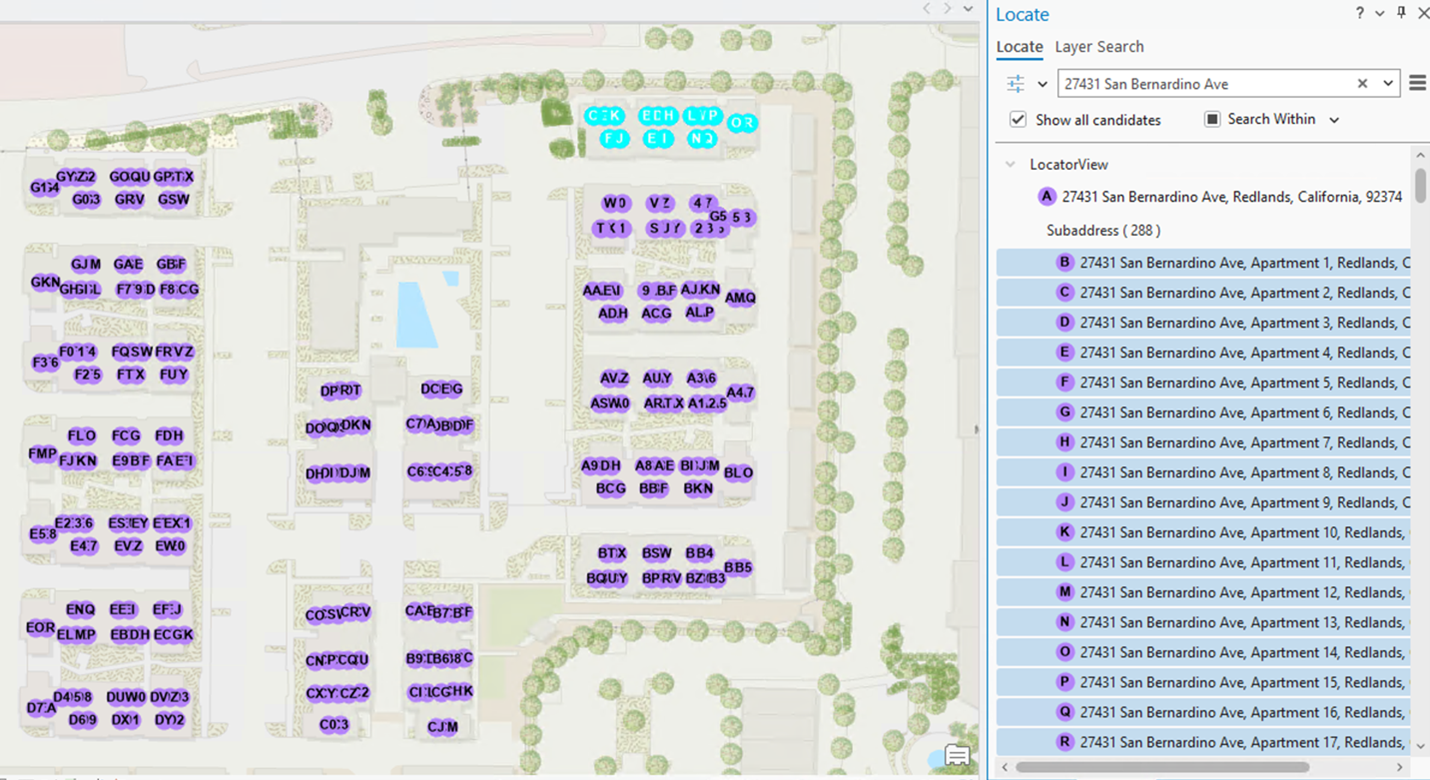
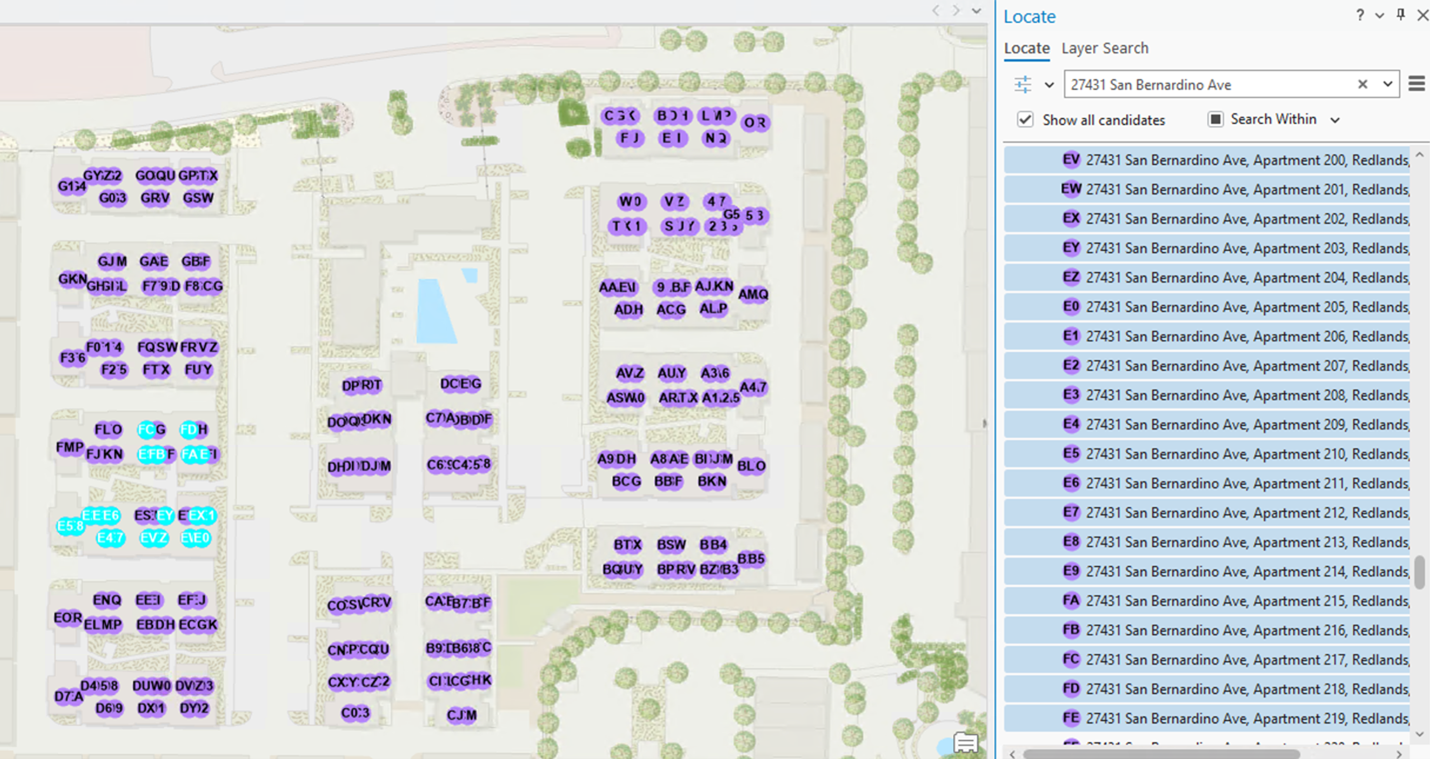
Quickly navigating address matches is especially helpful when emergency calls are made about an apartment within a complex. Being able to see the full list of addresses within a specific location allows dispatchers to guide first responders as efficiently as possible.
Configuring the Experience
Activate SearchWithin: If you are a GIS analyst building your own Locator, the Return associated features setting enables the SearchWithin button on the Locate Pane. This setting gives you control into what a dispatcher will see in their match results.
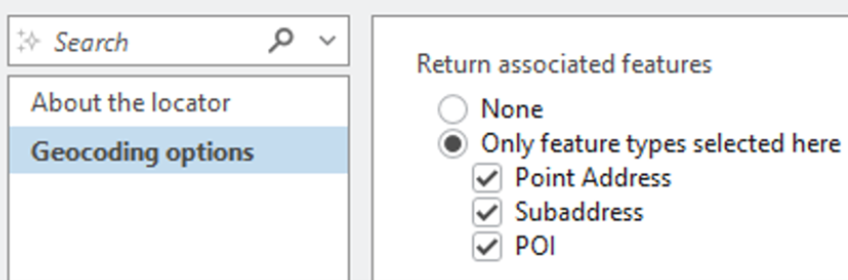
For more information, see Locate features associated with an address
Subaddresses
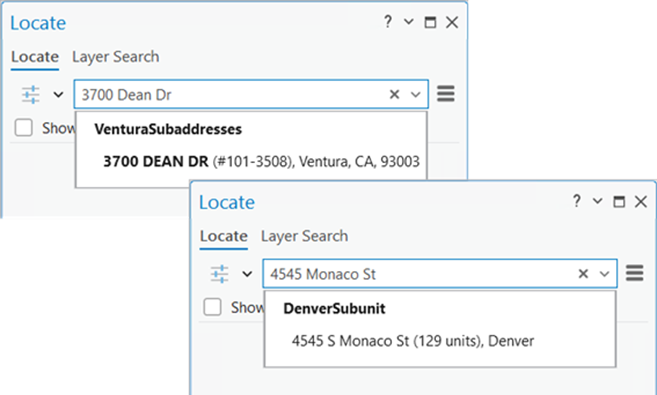
Viewing a summary: When a first responder asks the dispatcher for more information about the destination, the dispatcher can quickly see an indicator of how many units are at the destination.
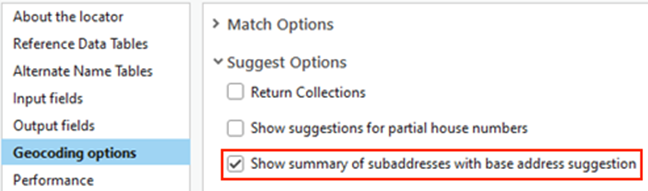
Enable summaries: Activating the Show summary of subaddresses with base address suggestion setting provides an indication of the subaddresses at an address.
House Numbers
Working with a partial input: When a caller is unable to provide the full house number, a Dispatcher needs to see a list of addresses that start with one number. Note: This option only applies for countries where the house number follows the street name.
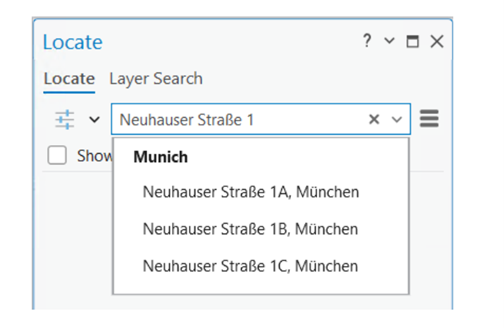
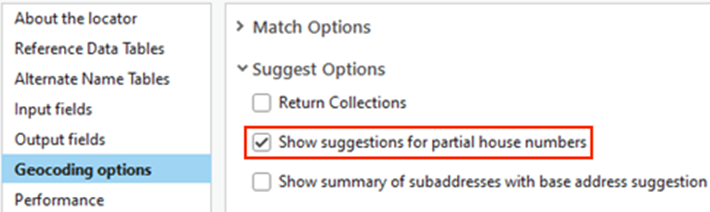
Search with a partial input: Electing to use the Show Suggestions for partial house numbers setting will allow users to see suggestions when the input address is partially complete.
Points of Interest
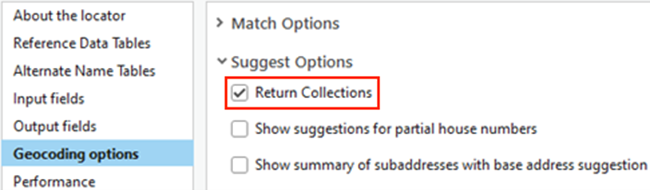
Search by category: Sometimes a caller is uncertain of the name of the business, but they know it is a specific type of business like a restaurant. The Return Collections setting allows the dispatcher to see suggestions based on POI categories. The examples below illustrate the list of restaurant names when the setting is off, and a list of business categories when it is turned on.
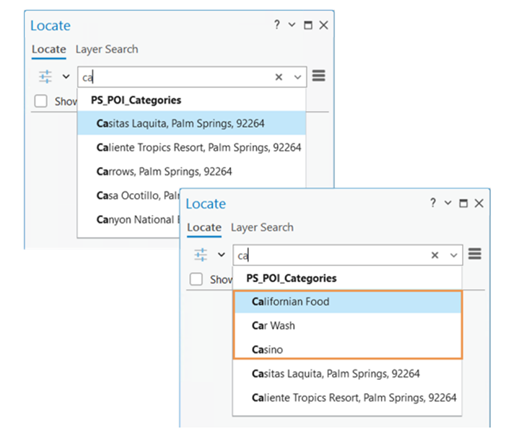
Search for POI features: Enabling the Return Collections setting allows user to search for features by category.
Suggestions
Configuring subaddress suggestions: Control over the type-ahead experience is managed by the Suggestions for Subaddresses setting. Due to the urgency required for dispatchers, the presentation of subaddress suggestions can help them to route first responders with more specific details.
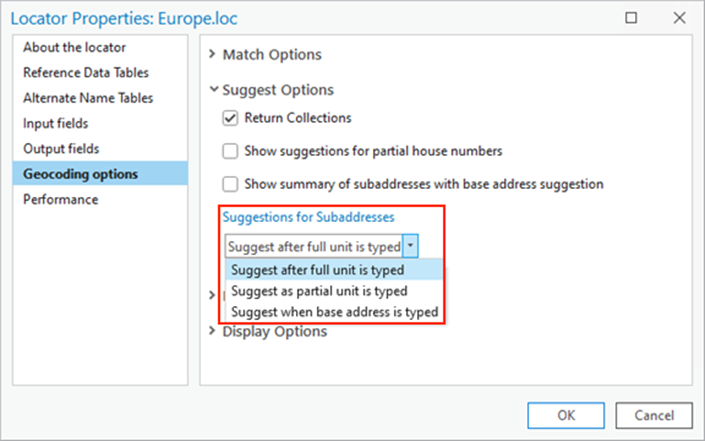
For more information on how to configure these settings, visit our documentation pages.
Enhance Address Results with ArcGIS Geocoding Capabilities
Dispatchers are not the only users who benefit from ArcGIS Geocoding capabilities. Organizations who require precise location services could significantly improve their results. Whether they are geocoding a shopping mall or need to understand all the addresses that exist within a postal code, the geocoding capabilities within ArcGIS Pro allow users to deliver accurate results.
For more information visit our ArcGIS Data capabilities webpage.






Commenting is not enabled for this article.