The ArcGIS Pro 3.7 release introduced several new tools and enhancements to the GeoAI capabilities within the Image Analyst extension. This update focuses on increasing labeling efficiency, supporting advanced foundation model architectures, and optimizing performance for large-scale inferencing. This blog article explores the new and enhanced capabilities across GeoAI workflows:
- New drawing tools for labeling
- Auto-detect using feature class tool for labeling
- Multiclass AI-assisted labeling
- Native video labeling
- Expanded Training Data Review
- Support for foundation-model backbones
- Translate Pixels using Deep Learning tool
- Optimized inferencing performance
New drawing tools for labeling
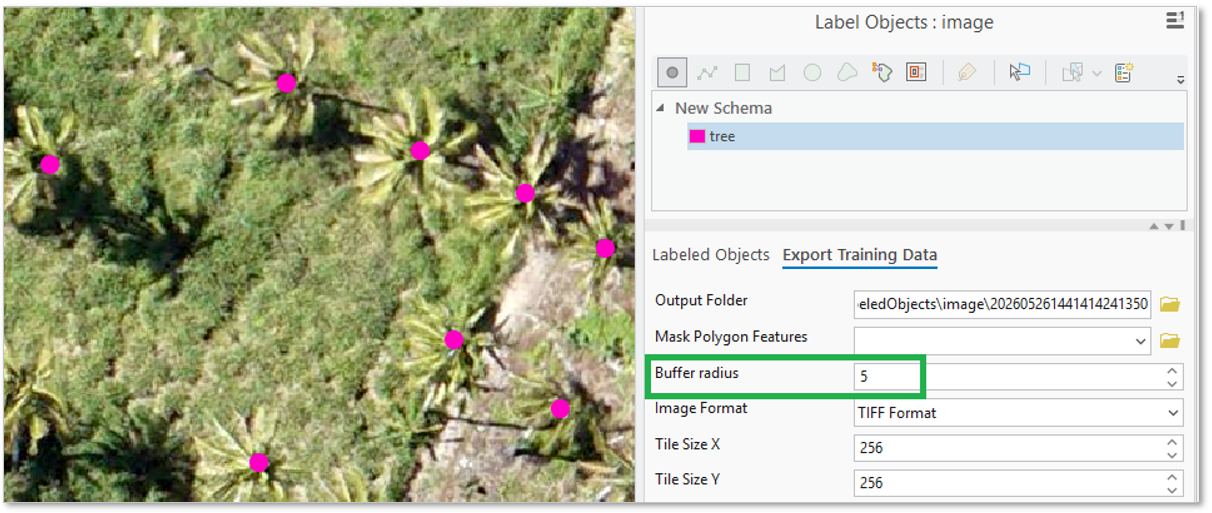
In addition to bounding boxes and polygons, you can now use point and line drawing tools in the Label Objects for Deep Learning pane. While defining a rectangle requires multiple clicks, the point tool captures features with a single click. Similarly, the line tool simplifies the collection of linear features like road centerlines. By using the buffer setting during export, you can automatically generate training masks from these simplified geometries. This workflow significantly increases efficiency for features defined by a fixed-width buffer.
Auto-detect using feature class tool for labeling
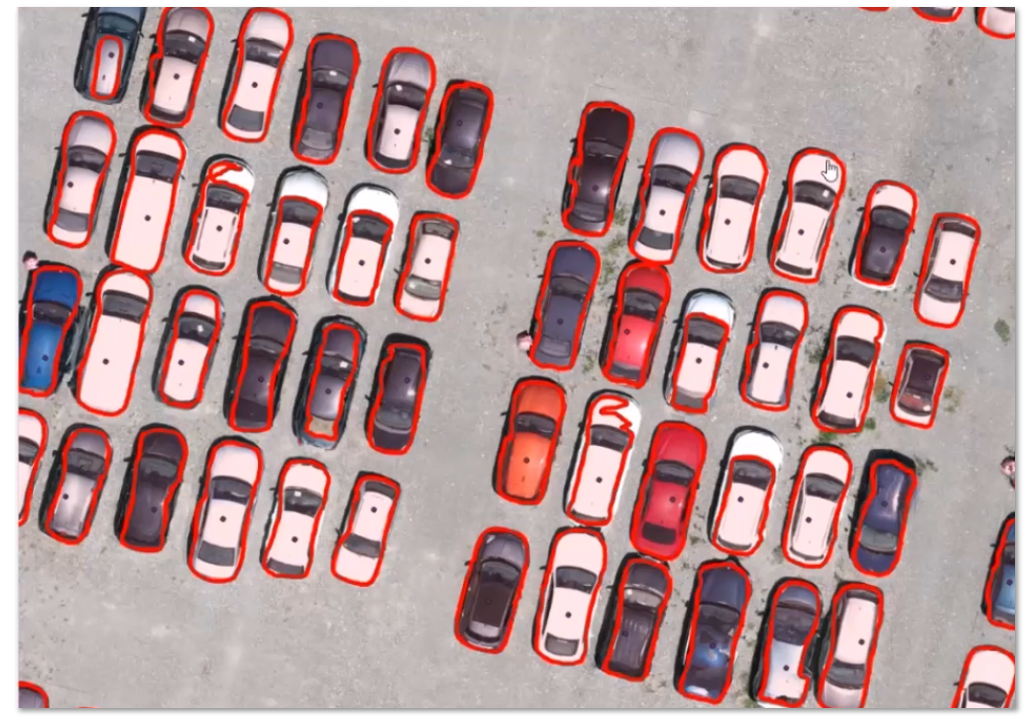
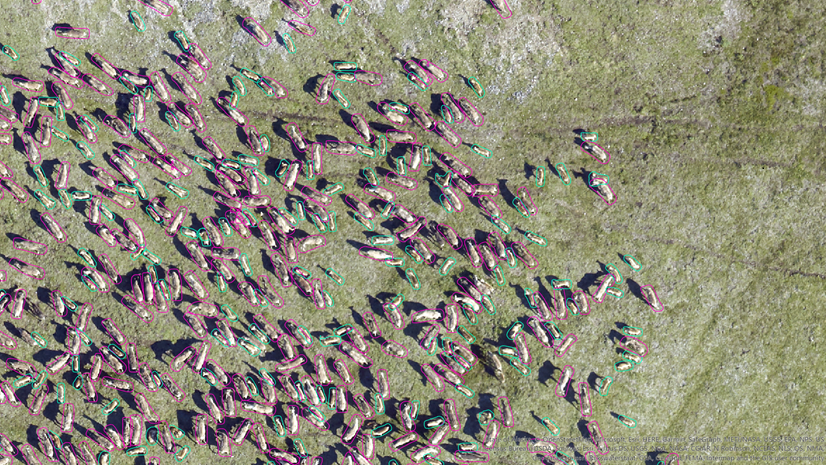
The Auto-detect using Feature Class tool in the Label Objects for Deep Learning pane generates segmentation masks from existing point data. It uses deep learning to identify object boundaries associated with input points, such as building centroids or tree locations, and automatically creates training polygons. This simplifies the conversion of legacy point datasets into the labels required for instance segmentation models.
Multiclass AI-assisted labeling
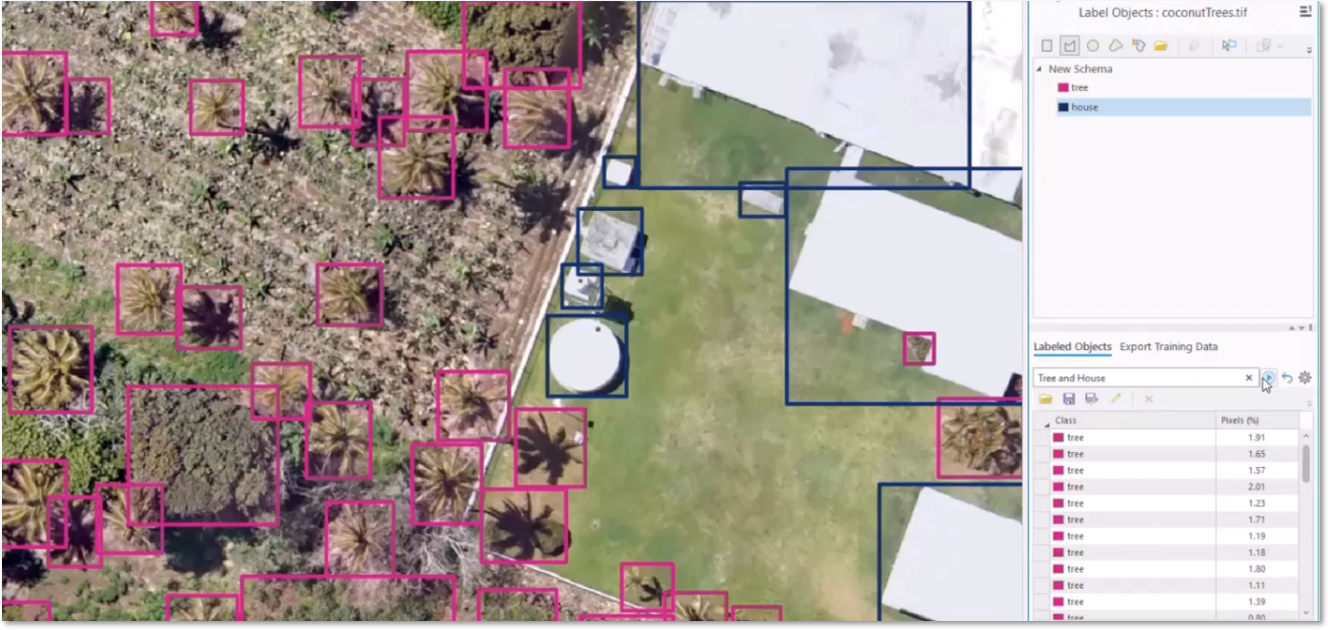
The Text Prompt tool in the Label Objects for Deep Learning pane now supports multiclass detection within a single pass. When you enter multiple object names (for example, trees, houses) into the Text Prompt box, the tool simultaneously creates the classes and generates the labels for each object type. This eliminates the need for multiple labeling passes when building complex training datasets.
Native video labeling
The Label Objects for Deep Learning tool now supports video files natively, allowing for the collection of training samples directly from video file. The software handles frame extraction internally, allowing you to label objects in individual frames, such as vehicles or infrastructure. This integration simplifies the workflow from raw video to model training.
Expanded Training Data Review
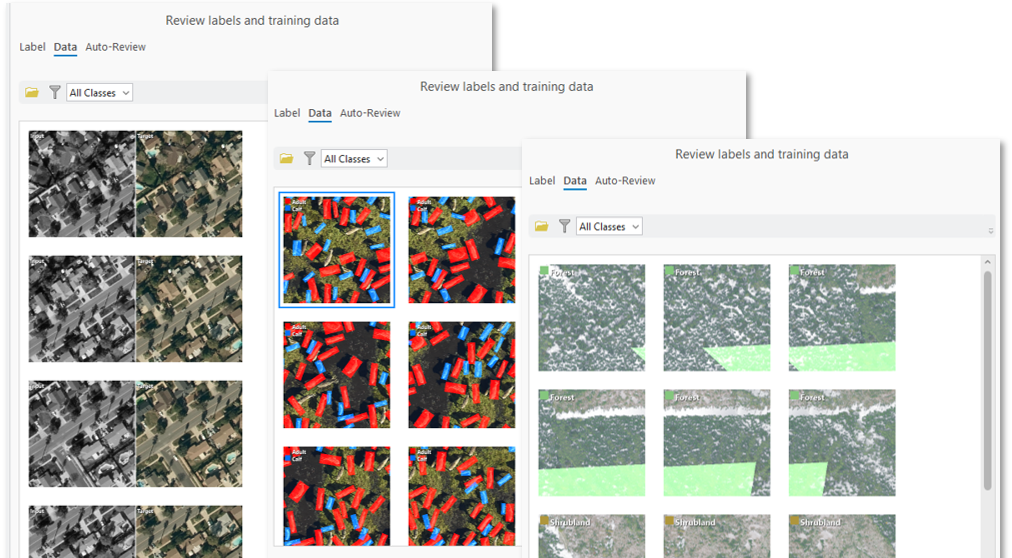
The Review labels and training data tool has been expanded to support all deep learning task types. While previously limited to object detection, now quality assurance and quality control is also enabled for instance segmentation, object classification, image classification, pixel classification, and image-to-image translation. This ensures a consistent validation process across all GeoAI workflows in ArcGIS Pro.
Support for foundation-model backbones
New foundation-model backbones Dynamic One-For-All (DOFA) and TerraMind are supported for remote sensing applications. To support these architectures and improve multispectral imagery workflows, a new wavelengths model argument has been added. While wavelength information is typically inferred from the model’s EMD metadata, users can now provide it manually to ensure the model correctly interprets the spectral dimensions of the input imagery.
Translate Pixels using Deep Learning tool
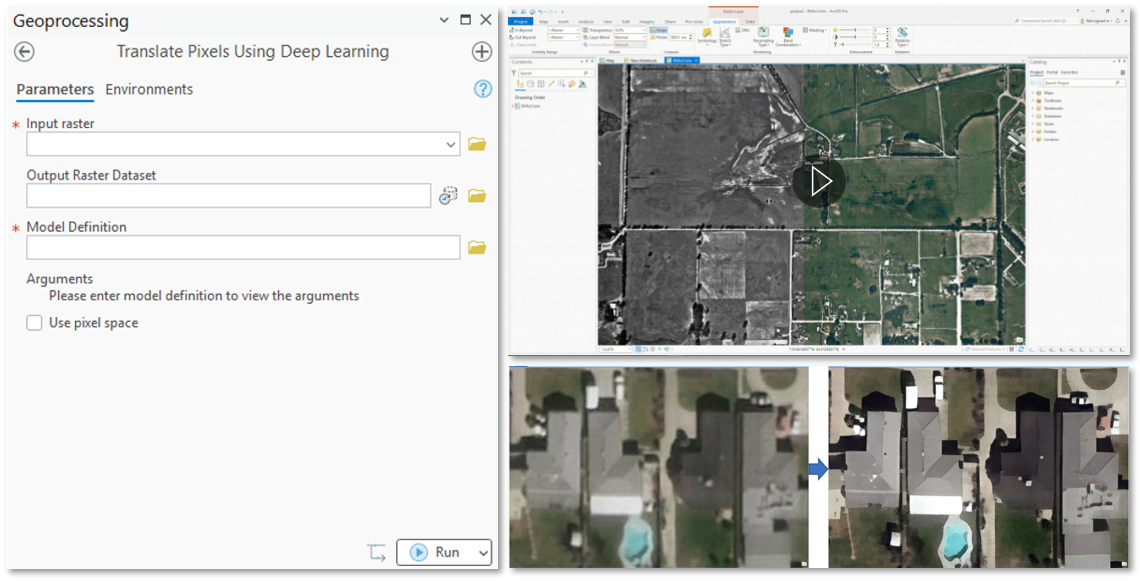
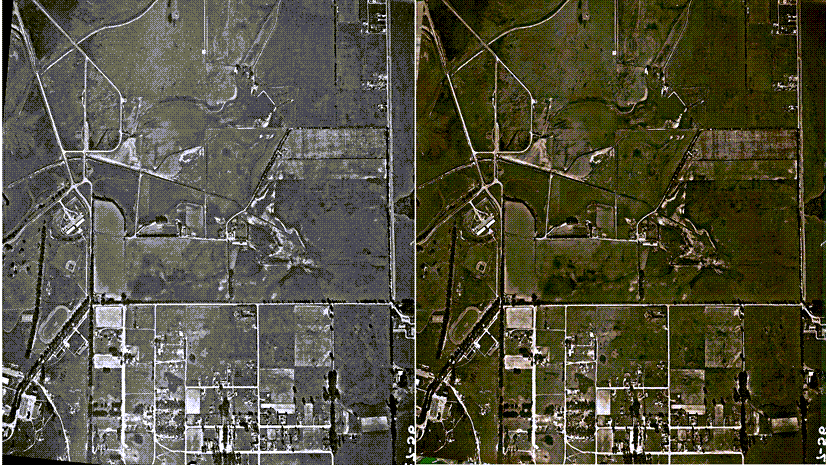
The new Translate Pixels using Deep Learning geoprocessing tool provides a dedicated workflow for image-to-image translation. You can perform tasks like super-resolution, colorizing grayscale imagery, or transforming RGB images into topographic maps. The tool offers a more intuitive interface for generating enhanced or stylized imagery products, than the standard classification tools.
Optimized inferencing performance
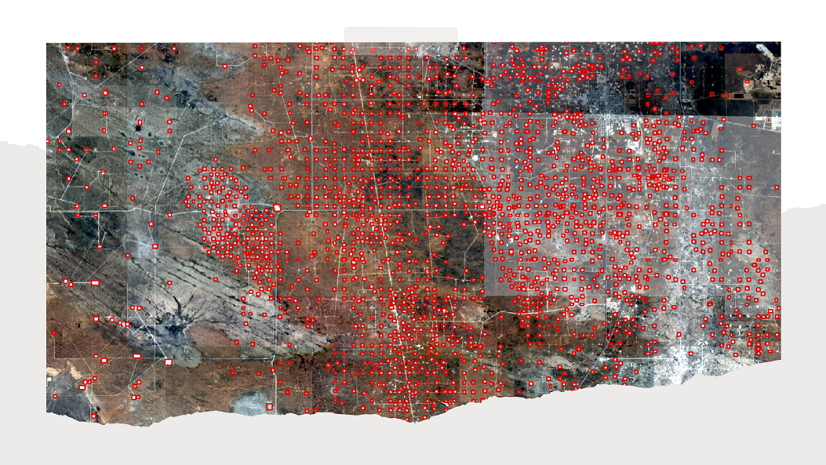
The optimized core inferencing tools can better handle high-volume data stored in folders, such as imagery from drones or mobile sensors. Specifically, the Detect Objects Using Deep Learning tool now delivers significant performance gains when processing image collections in a folder-based workflow. Internal benchmarks show it is now up to four times faster in specific high-volume scenarios.
Summary
These updates focus on reducing manual effort and increasing the speed of GeoAI workflows. By streamlining labeling and optimizing backend performance, ArcGIS Pro 3.7 helps you to move from raw imagery to actionable results.

Article Discussion: