ArcGIS Pro 3.6 introduces powerful new capabilities that take imagery analysis to the next level. Whether users are refining AI training samples, detecting materials in hyperspectral imagery, or adding geospatial context to videos, every enhancement is built to save time, improve accuracy, and uncover deeper insights. This release empowers everyone from environmental scientists to urban planners with streamlined, guided tools that turn complex data into clear, actionable information—all within one integrated GIS environment.
Key features of this release:
- New and Exciting Features to Advance Your Analysis
- Visualize, Analyze, and Act with New AI-Powered Tools
- Guided SAR and Hyperspectral Analysis and Expanded Data Support for Faster Insights
- Control Video Insights and Accelerate Lidar Data
- Oriented Imagery: Triangulated Measurements and Visualization in Disconnected Environments
New and Exciting Features to Advance Your Analysis
If there is one thing users should take away from this blog, it is the five exciting new features in ArcGIS Pro 3.6 that can transform imagery into valuable insights and advance their analysis. Each tool is designed to streamline workflows and elevate their analysis capabilities.
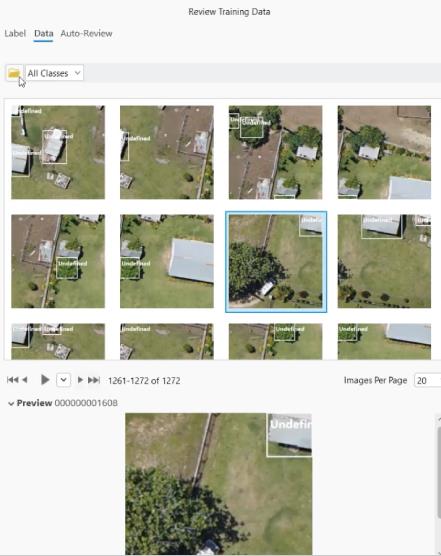
Improve the quality of AI training samples
Minimize mislabeled, noisy, or low-quality training data with the Review Training Samples UX feature. This new feature allows users to easily inspect, validate, and correct training samples before they are exported for AI model training. By using this feature, users can benefit from having higher accuracy of training samples, which leads to better model training results and ultimately providing better detection. Now users can reduce errors and gain more confidence in their AI models – ultimately getting the most out of their data.
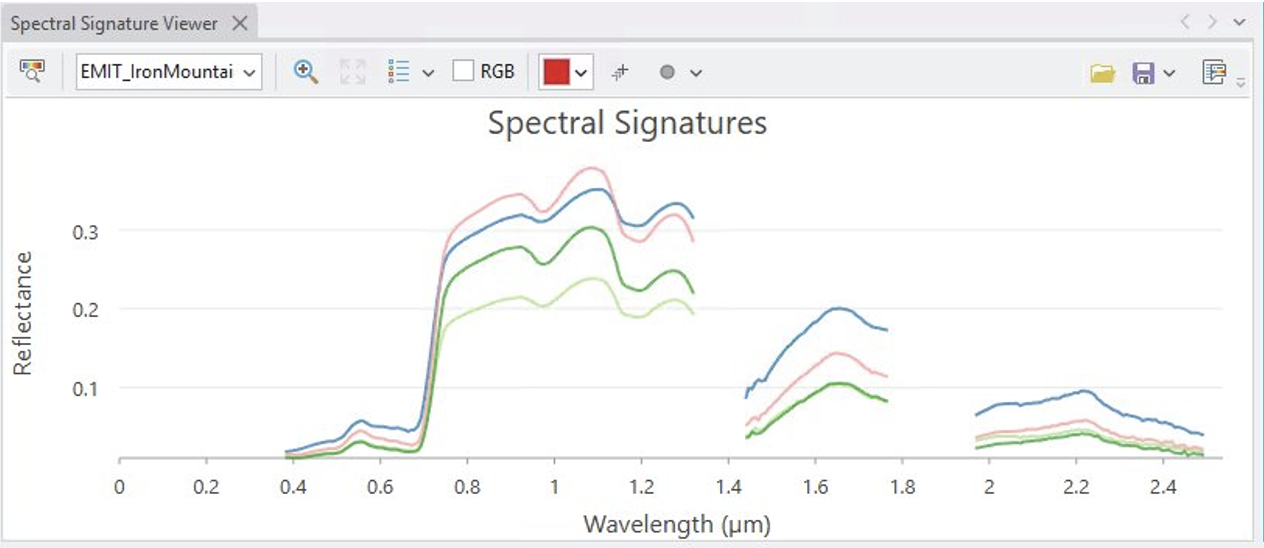
Use spectral signatures to validate the accuracy of classifications and change detections
The Hyperspectral Signature Viewer is a tool that enables users to work with hyperspectral signatures from imagery. It allows users to extract signatures of specific objects or features within the image, store important metadata, compare data with other libraries, and share custom collections. By having access to accurate and relevant spectral signatures, users can validate their analysis results against real-world data, ensuring that their classifications or change detections are reliable and accurate.
For more information, read this blog.
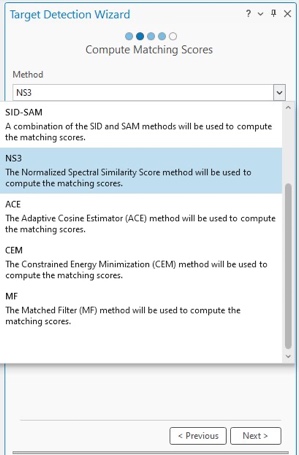
Simplify the process of identifying materials or objects in hyperspectral imagery
Users now have a simplified way to work with hyperspectral imagery thanks to a new step-by-step wizard. This feature streamlines the process of target detection, guiding users through every step – from selecting spectral signatures and detection methods, to configuring outputs. As a result, identifying materials or objects of interest can become much easier, even without needing a deep understanding of technical details.
Add precise spatial and temporal context to video and play it directly on a map
Transform standard videos into insightful geospatial content. Previously, videos without embedded metadata could only be viewed, providing no extra information. Now, users can generate metadata that add precise spatial and temporal context – seamlessly integrating videos into the GIS environment and unlocking new levels of insight.
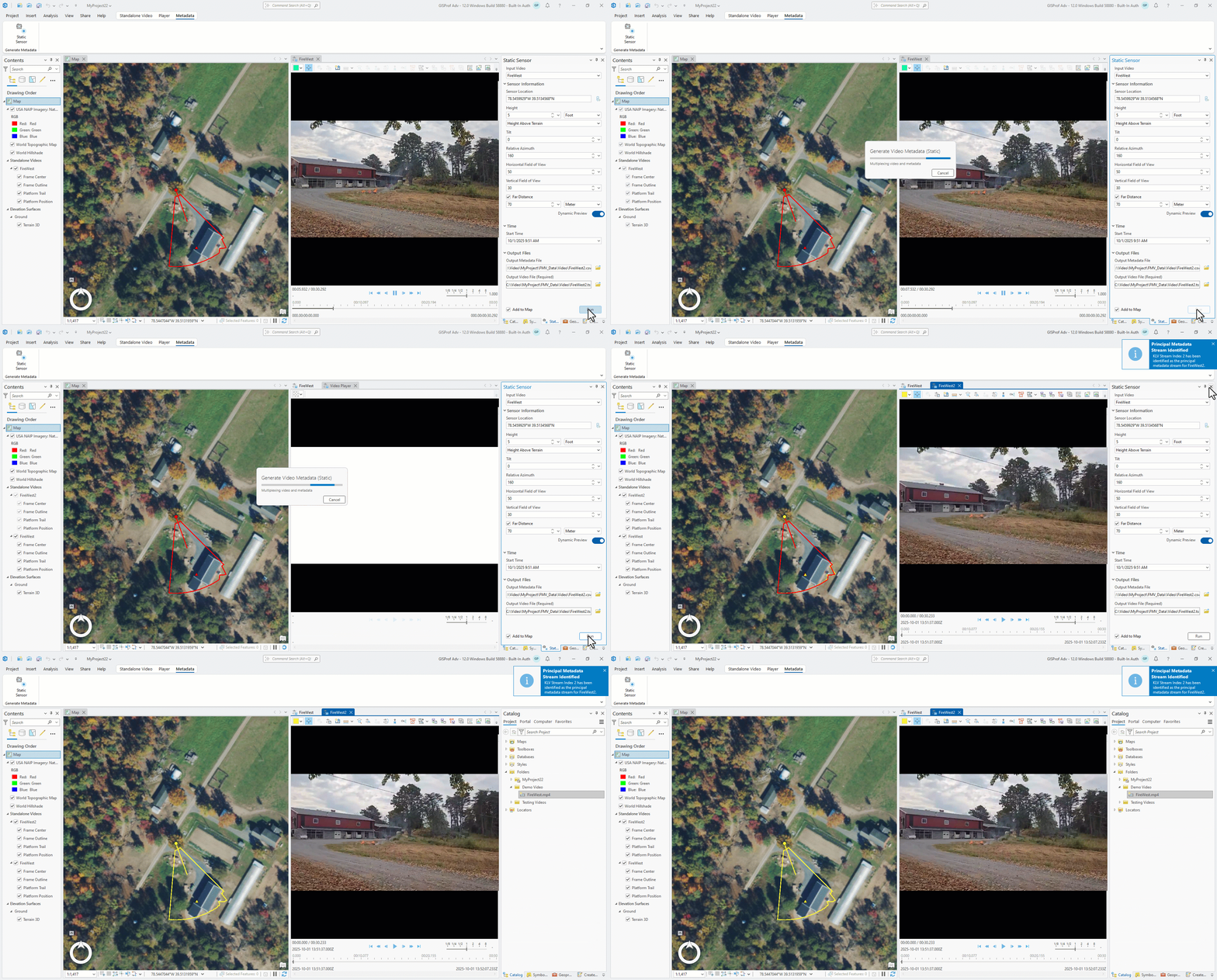
For example, a collection of previously recorded videos needs to be part of a project to complete a timeline for regulatory monitoring. Users can now add time and date, location, and adjust the field of view to generate footprints that can be embedded in the videos. Adding spatial and temporal metadata makes the videos into geospatial video assets, which are searchable and accessible, and easier to fuse with other GIS data.
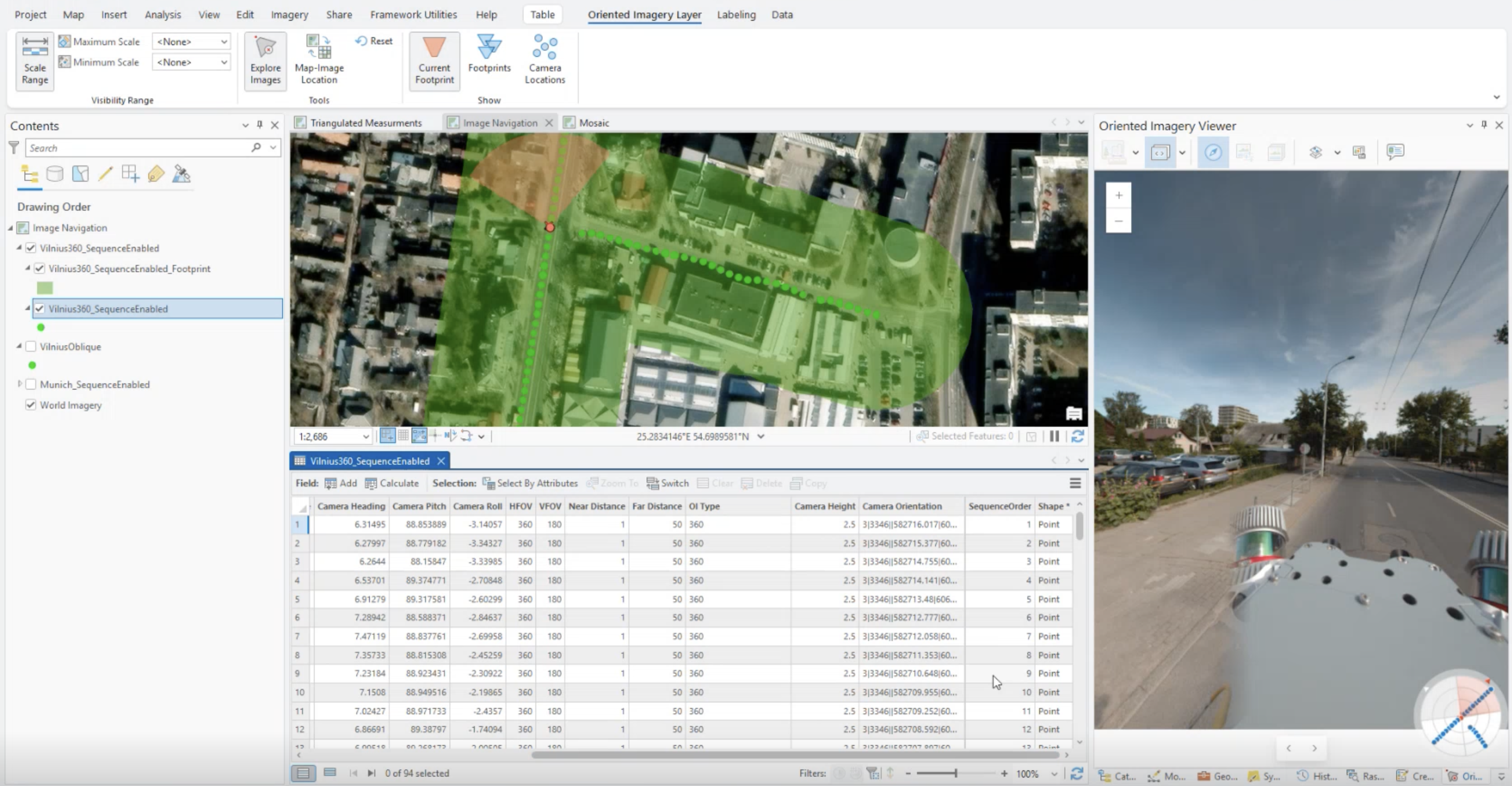
Monitor key areas by traveling through a set of images in oriented imagery
Explore surrounds in a whole new way in the oriented imagery viewer. Navigate forward, backward, left, and right, or seamlessly navigate through a series of images. By taking advantage of a variety of ways to explore an image collection, users can enjoy increased workflow efficiency that is tailored to their specific imagery use case. This means users can quickly visualize critical issues such as road conditions, signage, and surrounding infrastructure by virtually traveling down a street using our intuitive street-level navigation experience.
Visualize, Analyze, and Act with New AI Powered Tools
Process spatial and spectral data simultaneously with 3D-RCNet (3D Residual Convolutional Network) architecture in the Train Deep Learning Model tool
The Train Deep Learning Model now supports the 3D-RCNet (3D Residual Convolution Network) architecture, specifically designed for efficiently processing hyperspectral imagery—data that spans hundreds or thousands of narrow spectral bands.
One powerful application is in coastal ecosystem monitoring, where hyperspectral data helps detect harmful algal blooms through their unique spectral signatures. This capability enables early intervention improves resource management and helps prevent environmental damage.
Detect ships, vessels, and maritime features using the SAR Feature Detection Wizard
Mentoring maritime activity just got easier! With the new SAR Feature Detection Wizard, users can now follow a guided workflow to detect and extract objects using SAR (Synthetic Aperture Radar) data.
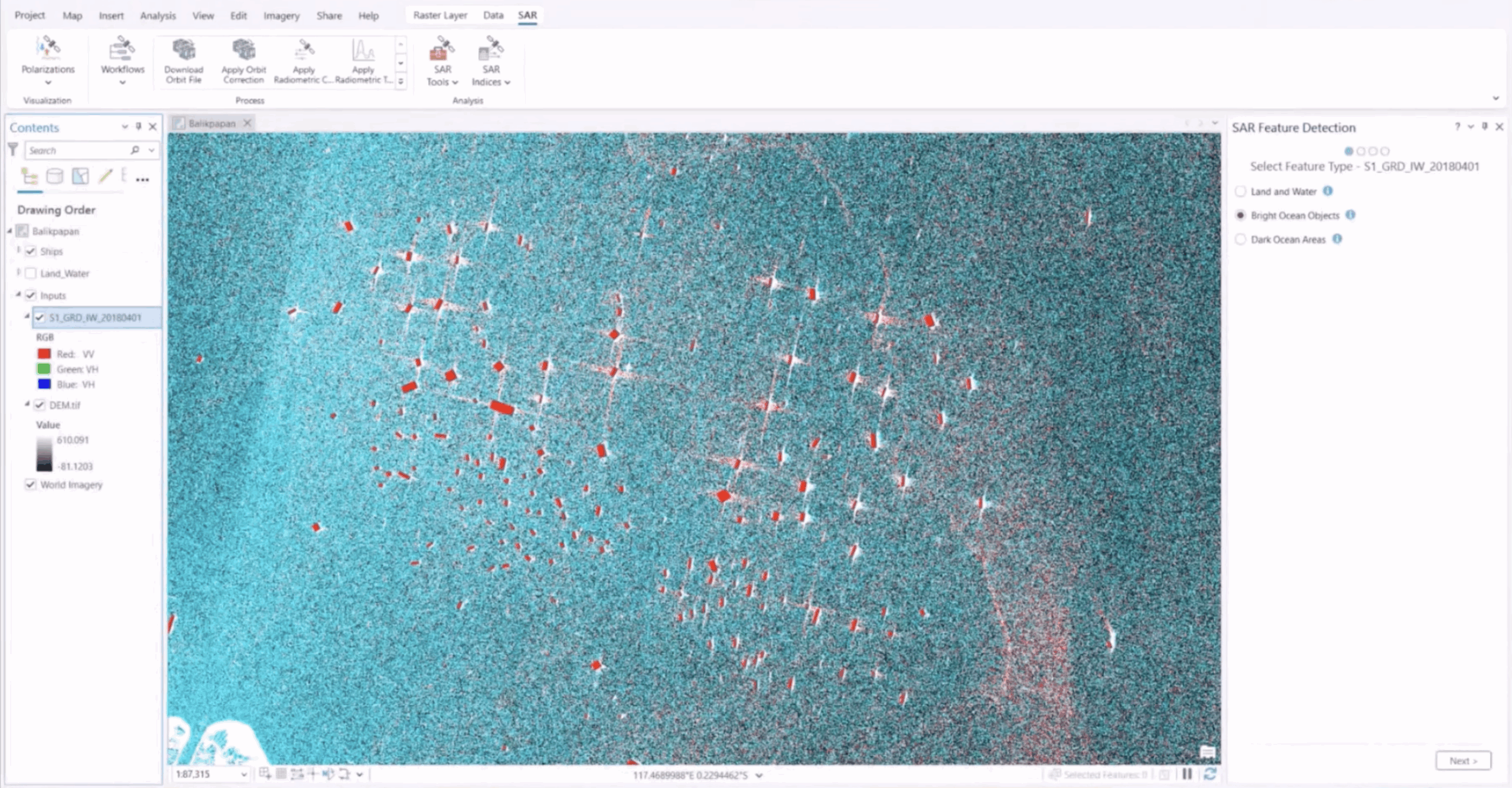
Imagine an analyst tasked with identifying illegal fishing operations in a specific region. Instead of manually piecing together complex steps, they can rely on the wizard to walk them through the entire process—from data preprocessing to feature extraction. Each stage is clearly defined, ensuring accuracy, consistency, and reliable results.
Guided SAR and Hyperspectral Analysis and Expanded Data Support for Faster Insights
Support for hyperspectral sensors PACE and EnMap
There is now added support for NASA’s PACE and Germany’s EnMAP missions in ArcGIS Pro, making it easier for users to work with multispectral and hyperspectral raster data. These sensors enable advanced analytics for ocean health monitoring, climate resilience, biodiversity assessment, and land surface change detection—areas where hyperspectral imagery is becoming transformative.
Adjust, correct, and analyze SAR data with a centralized tab
SAR data is a powerful resource, but unlocking its full potential often requires specialized tools and expertise. That’s where the new SAR Data tab in ArcGIS Pro comes in.
Designed for ease and efficiency, the SAR Data tab brings together essential tools for working with SAR imagery. Users can adjust orientation and polarization, apply RTC (Radiometric Terrain Correction), and run feature detection—all from a single, streamlined interface.
Consider a disaster response team assessing flood damage after a major storm. With SAR data in hand, they can use the SAR Data tab to adjust imagery orientation and polarization for accurate alignment, apply Radiometric Terrain Correction (RTC) to improve image quality, and run feature detection tools to pinpoint inundated areas. This rapid insight helps prioritizing rescue operations and allocate resources where they are needed the most.
Control Video Insights and Accelerate Lidar Data
VMTI (Video Moving Target Indicators) visualization: Customize and control moving targets in your videos
VMTI (Video Moving Target Indicator) data is critical for situational awareness, but until now, users had little control over how it appeared. With the latest update, you can customize VMTI visualization by detection type, adjusting colors and symbols to match your organization’s standard operating procedures.
For example, users can set all vehicles to be marked with a red circle and all personnel with a blue triangle, ensuring clarity and consistency across your workflows. This flexibility makes VMTI data more actionable, helping teams interpret information quickly and make informed decisions in dynamic environments.
View Lidar data without converting it, now with LAZ (LASzip-compressed Lidar format)
ArcGIS Pro now supports LAZ files through the Las Dataset, enabling features such as point cloud visualization, cartography, raster creation, and display optimization with the Las Dataset pyramids. this update simplifies the use of compressed point clouds directly within your GIS workflows. For example, a city planner can download LAZ files from the USGS 3D Elevation Program (3DEP) and immediately view terrain and infrastructure in ArcGIS Pro.
No extra steps, no delays—just actionable insights when you need them.
Oriented Imagery: Triangulated Measurements and Visualization in Disconnected Environments
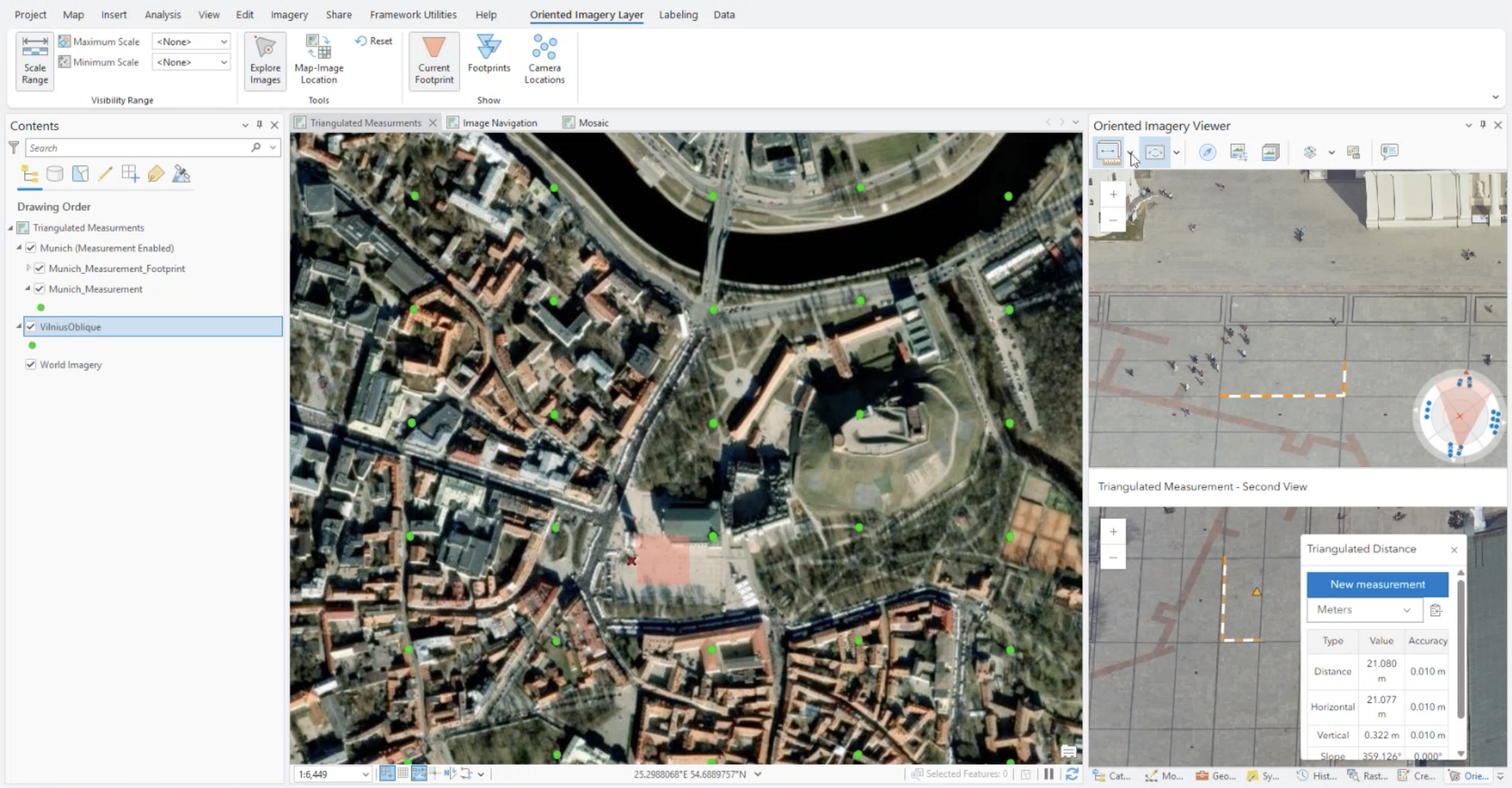
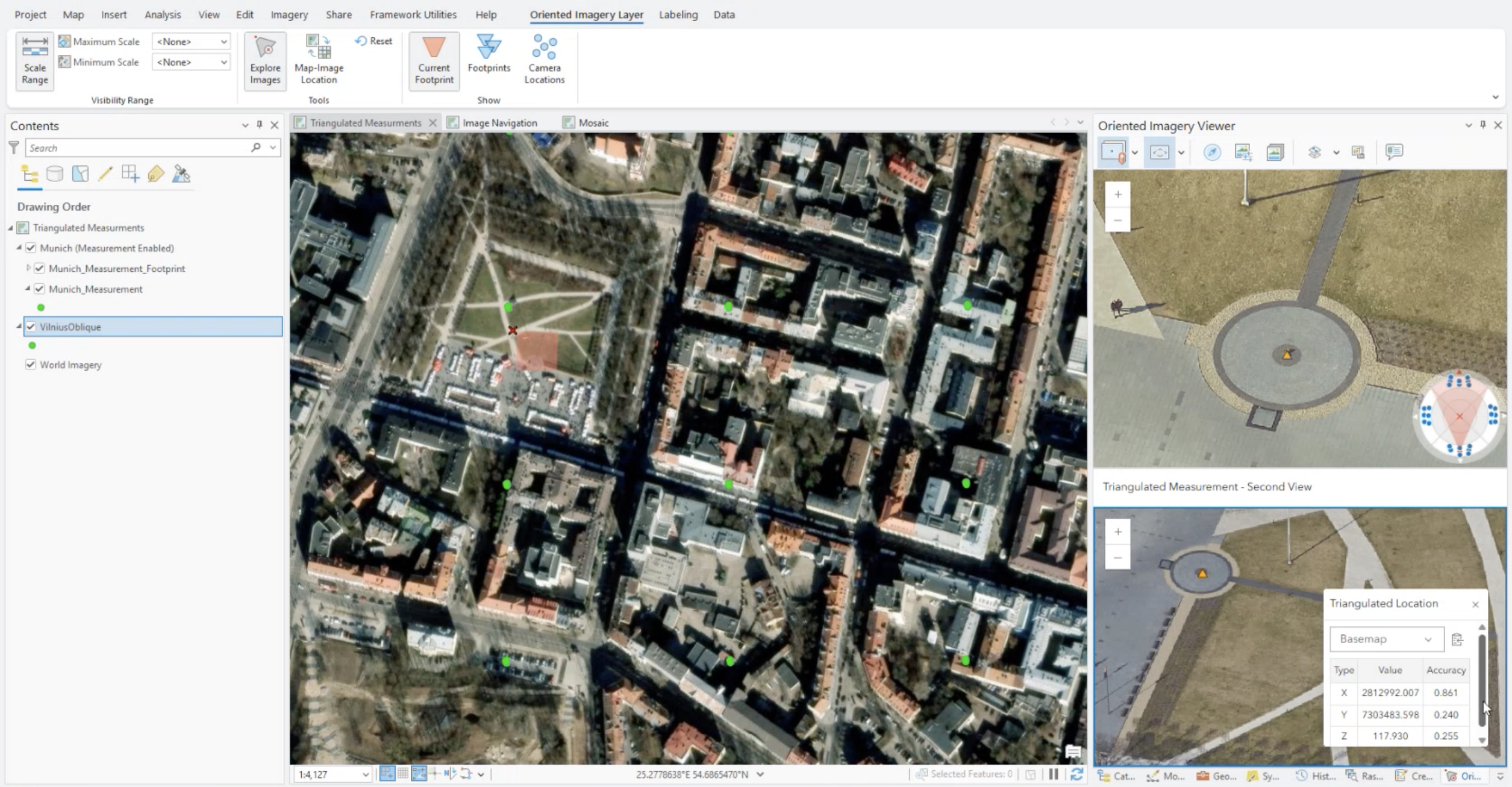
Measure distances, areas, and locations more accurately using the triangulated measurement tools
The new Triangulated Measurement feature lets you calculate distances, areas, and locations using two images of the same object taken from different angles. Need to measure a crack on a bridge or the size of a damaged section? Capture two photos and let oriented imagery tools deliver precise, 3D-based measurements—saving time, reducing costs, and keeping teams safe.
-
...
Create oriented imagery datasets using mosaic datasets or frames and camera tables as input
There are now supports two additional input types: Frames and Cameras Tables and Mosaic Datasets. This means users can easily integrate a variety of imagery sources directly into their Oriented Imagery dataset for accurate visualization. For example, aerial survey analysts can combine imagery from mosaic datasets and frames and cameras tables—all within the same tool.
Visualize oriented imagery in disconnected environments
ArcGIS Pro now allows users to access Oriented Imagery tools without an internet connection. System administrators can configure the JavaScript source URL in admin settings to point to a locally hosted or shared Maps SDK for JavaScript. This ensures that teams in secure environments, such as government facilities, can use Oriented Imagery effectively even offline.
Capture features in the oriented imagery viewer to support documentation and inspection
This release now supports video playback directly within the Oriented Imagery viewer, seamlessly integrating video management with the map interface. Field teams can review drone-captured videos of utility lines while tracking spatial coverage, control playback, and examine areas of interest—all in one tool.
Unlock New Possibilities with ArcGIS Pro 3.6
ArcGIS Pro 3.6 is more than an update—it’s a major step forward in how users work with imagery, spatial data, and advanced analytics. This release simplifies complex workflows with guided tools and delivers new levels of precision across AI, hyperspectral, SAR, lidar, and video analysis. These enhancements help users extract maximum value from their data and make confident decisions. Whether mapping infrastructure, monitoring environmental change, or exploring new analytical possibilities, ArcGIS Pro 3.6 equips users to work faster, smarter, and with greater impact. Upgrade today to experience how these innovations can transform the analysis journey.







Article Discussion: