This piece of content is no longer being maintained and may reference events in the past or product features that have changed.
ArcGIS StoryMaps is the professional tool for harnessing the power of maps to communicate your work using geospatial storytelling. The easy-to-use builder enables you to combine maps, 3D scenes, embedded content, multimedia, and more to create an interactive narrative that can inspire interest — and action — from your readers.
Each month, our team uses community feedback to help inform new capabilities that can enhance your storytelling adventures. To close out the year, check out the many updates made to some of your favorite features:
Quick links
Theme builder
Side panel
As your options in the theme builder continue to expand, we figured it was a good time to organize those options more intuitively. You will now find two overarching sections in the side panel: Global and Elements. Any global selections you make apply to your entire theme; the elements section lets you make selections for specific components such as buttons, quotes, links, and more. You can also use the elements section to fine-tune many of your global selections.
Shape
Sharp. Soft. Curved. When creating a custom theme, it can be the finest details that bring your vision to life. Introducing Shape, a new global selection to stylistically unify the shape of many components like images, express maps, buttons, and more with three styles to choose from.
Ready to bring your vision to life? Check out this short video on creating your own custom theme to get started!

Buttons
And speaking of buttons, you can now align buttons right in the story builder (along with in the theme builder), regardless of the selection you made in the theme builder. Whether it’s to improve navigation or adjust the aesthetics, choose between Left, Center, or Right to position your buttons just right!
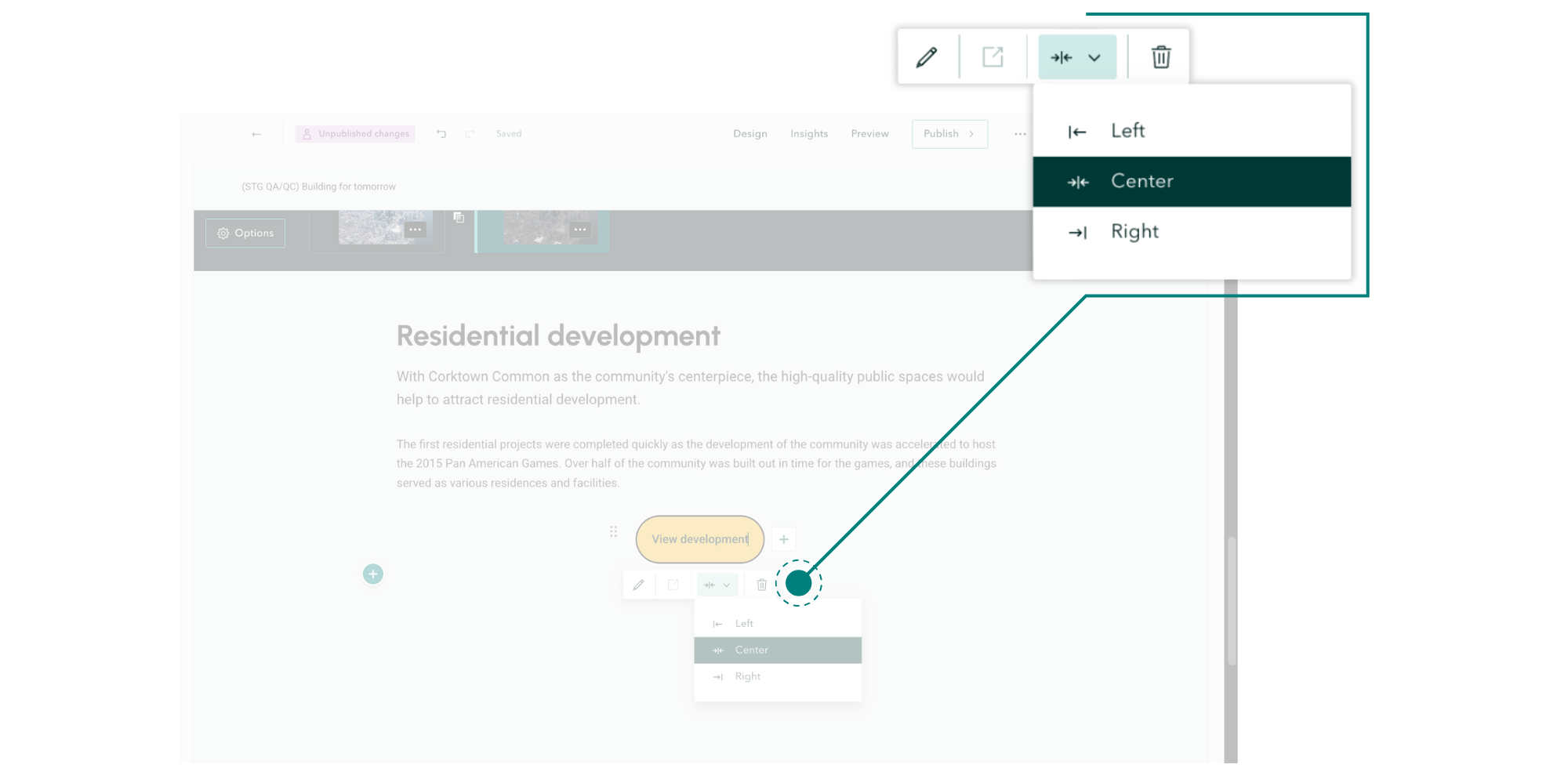
Use buttons to give your audience a clear next step by including a call to action.
Charts
We continue to enhance the chart block, this month by adding the option to stack your multi-series data for Column and Bar charts. After adding at least two data series in the Data tab, you will find a drop-down menu for Display multiple series in the Settings tab of the chart editor, where you can choose between Side by side or Stacked.
Whether you want to directly compare different datasets or display correlations, charts can create a clean, organized layout that will be easier for your audience to follow. Learn more about Including charts in ArcGIS StoryMaps.
360 images
In June 2025, we introduced 360 images as another way to immerse your readers in the story that you’re telling—and the block received its first update this month. Your 360 images will now automatically rotate, a subtle enhancement that helps your reader recognize that the image is interactive. Want to turn it off? Go to the Options of your 360 image viewer to find the selection in the Display tab.
Read more about immersing your readers into an experience in this story about Nine steps to great storytelling.
StoryMaps content page
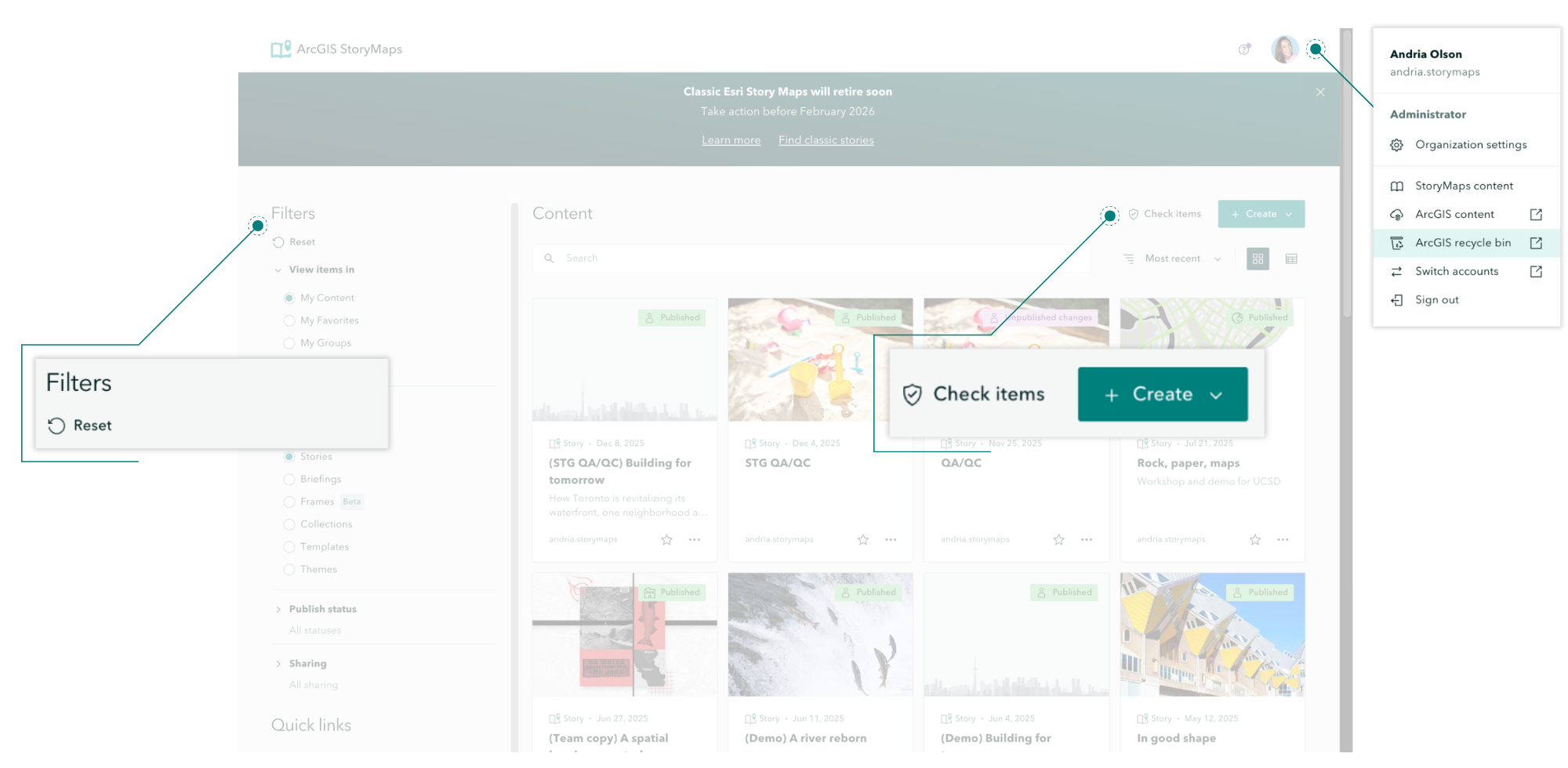
In October 2025, we introduced the new StoryMaps content page designed to make it easier than ever to navigate all the content you create. The page’s latest enhancements include:
- Check items and Create buttons are now immediately visible above the Content browser.
- The side Filters panel now has a Reset button to return any selections to its default state.
- The ArcGIS recycle bin is now found in your profile dropdown menu.
Documentation
As one of the best places to go to find answers to your questions, it’s important that the ArcGIS StoryMaps Documentation page is designed for intuitive learning and navigation. Some of the page’s latest enhancements included:
- The Get Started tab has been organized into two sections, Introduction and Next steps, each of which has been updated by adding relevant topics, removing outdated topics, and streamlining the existing topics.
- Under the Reference tab, a Developers section has been added with several related topics.
And more…
- In Collections, the icon button to return to the collection overview page has been changed to a word button titled Overview to improve navigation.
- In Collections and the Map Tour block, you can now show a legend when using your own web map; in Adjust map appearance, toggle on Legend, then Keep legend open.
- Special themes for presentations at Esri’s Federal GIS Conference and Developer & Technology Summit have been added to the Featured Themes gallery.
Thank you to Ashley Du and Will Hackney for their contributions to this post.
All Adobe Stock images are © 2025 Adobe Stock. All rights reserved.

Article Discussion: