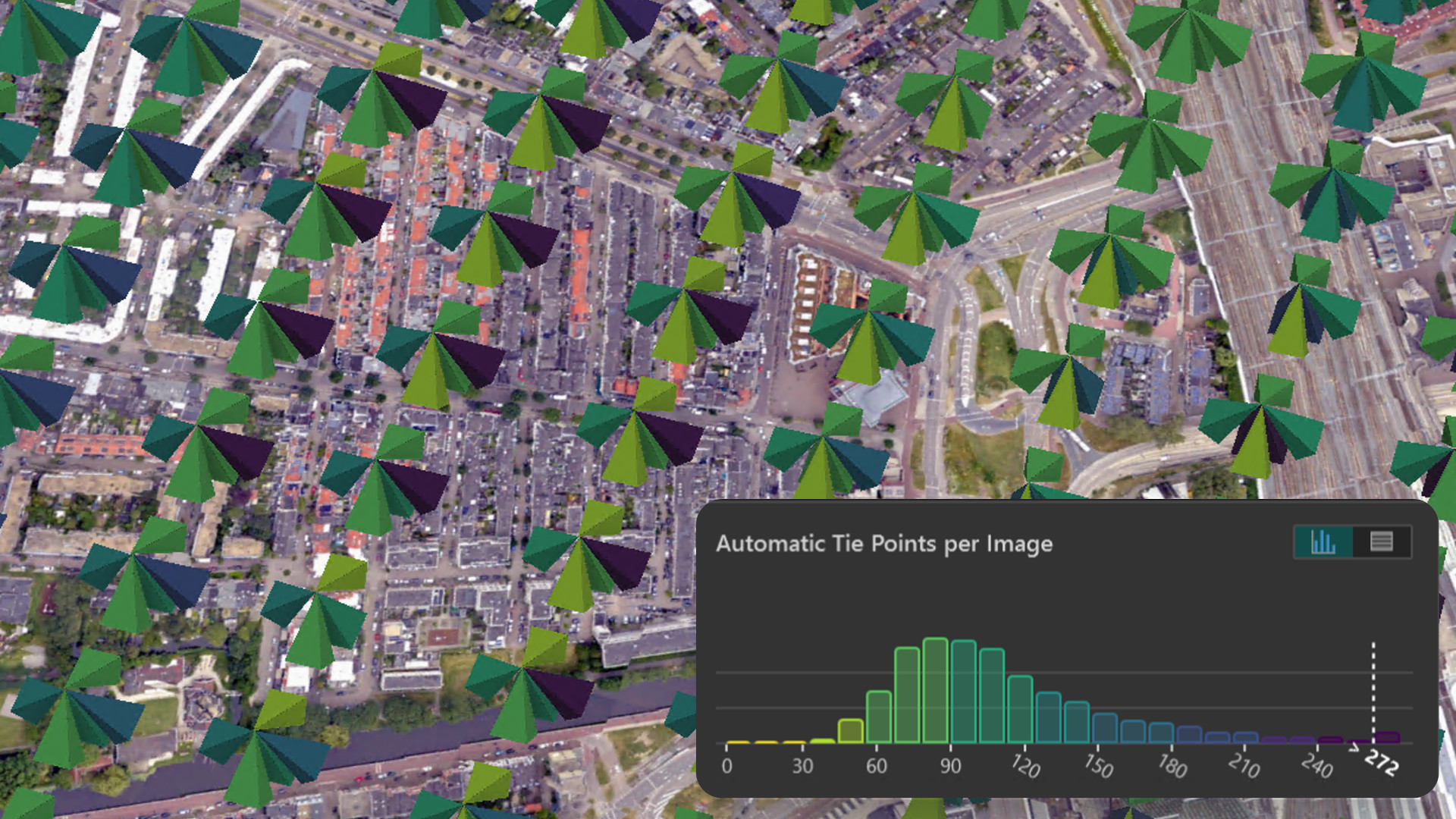
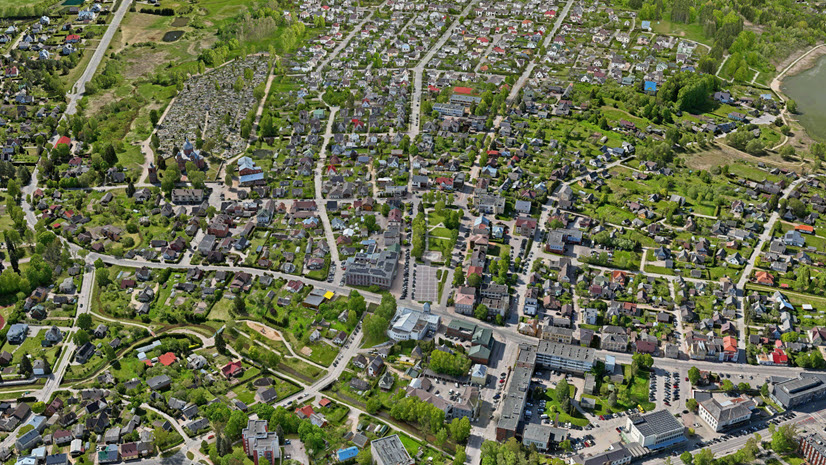
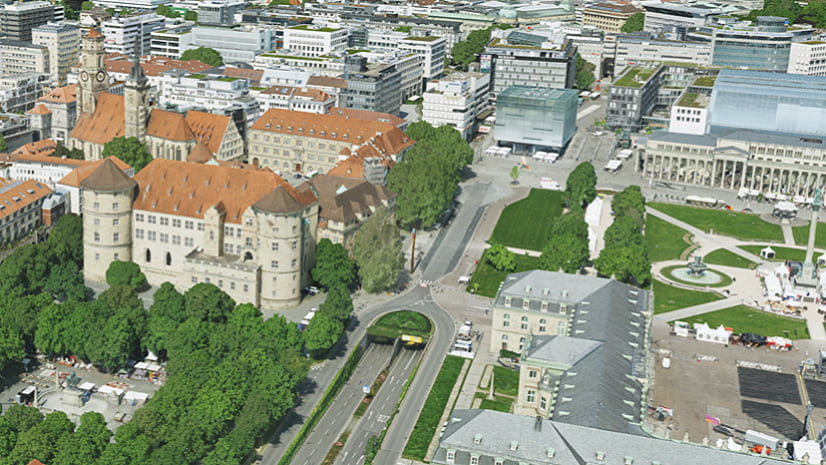
Flight of the city of Utrecht, Netherlands. Data courtesy: Esri Netherlands
As the demand for accurate, high-quality reality mapping products like digital surface models, true orthophotos, and 3D meshes continues to grow, and project timelines become increasingly compressed, geospatial organizations are rethinking their established processes to boost efficiency without sacrificing the quality they are known for.
One crucial element to ensure high quality results is the process of aligning the input images to improve their orientation. In this article, we go over some key characteristics of Reality Studio and its alignment workflow that make it a compelling solution for this task:
- Simplified and integrated workflow
- Long-term flexibility across sensors and platforms
- Scalable production for growing projects
- Image alignment in three simple steps
- Easy entry for beginners – advanced settings for photogrammetry experts
Read on to learn how Reality Studio can support your reality mapping production workflow.
Simplified and Integrated Workflow
Today’s reality mapping workflows can require multiple specialized software tools for different stages of production. Sensor vendor software is typically used for initial position post-processing and radiometric corrections of imagery. Then, separate applications handle ground control point measurement and bundle adjustment for refining image orientations, while other solutions are used for surface reconstruction to generate the final outputs. Finally additional steps are needed to publish or share data for consumption in GIS environments. With this approach, teams must train staff on multiple tools and handle frequent data transfers between them, making large dataset management and onboarding more time- and resource-intensive.
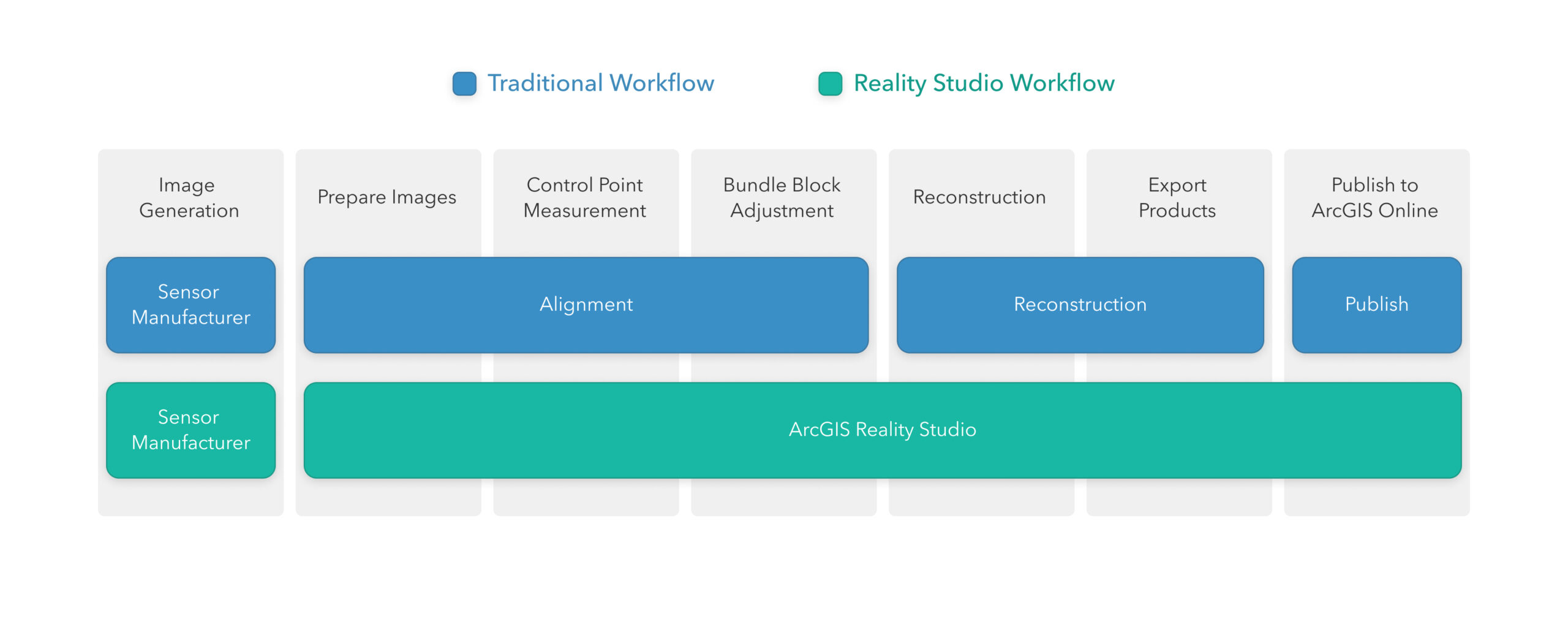
Reality Studio addresses these challenges by consolidating the photogrammetric alignment and reconstruction steps into a single application, enabling users to go from original sensor data to final outputs in a single software solution. Moreover, these outputs can be published directly to ArcGIS Online or ArcGIS Enterprise organization portals for integration in GIS workflows. This unified approach minimizes data handoffs, reduces complexity, and enables teams to become proficient in one single tool. By simplifying production workflows, Reality Studio supports organizations to deliver accurate, high-quality geospatial products efficiently.
Long-Term Flexibility Across Sensors and Platforms
As organizations use a range of mapping sensors to meet project needs and stay competitive, technical leads aim to establish simple, efficient, and repeatable workflows. It is essential to them that sensor choices don’t add complexity to their workflows with system-specific processes. This is where Reality Studio truly excels, as the entire workflow is fully sensor- and vendor-agnostic and it’s optimized to accurately handle both nadir and oblique camera configurations.
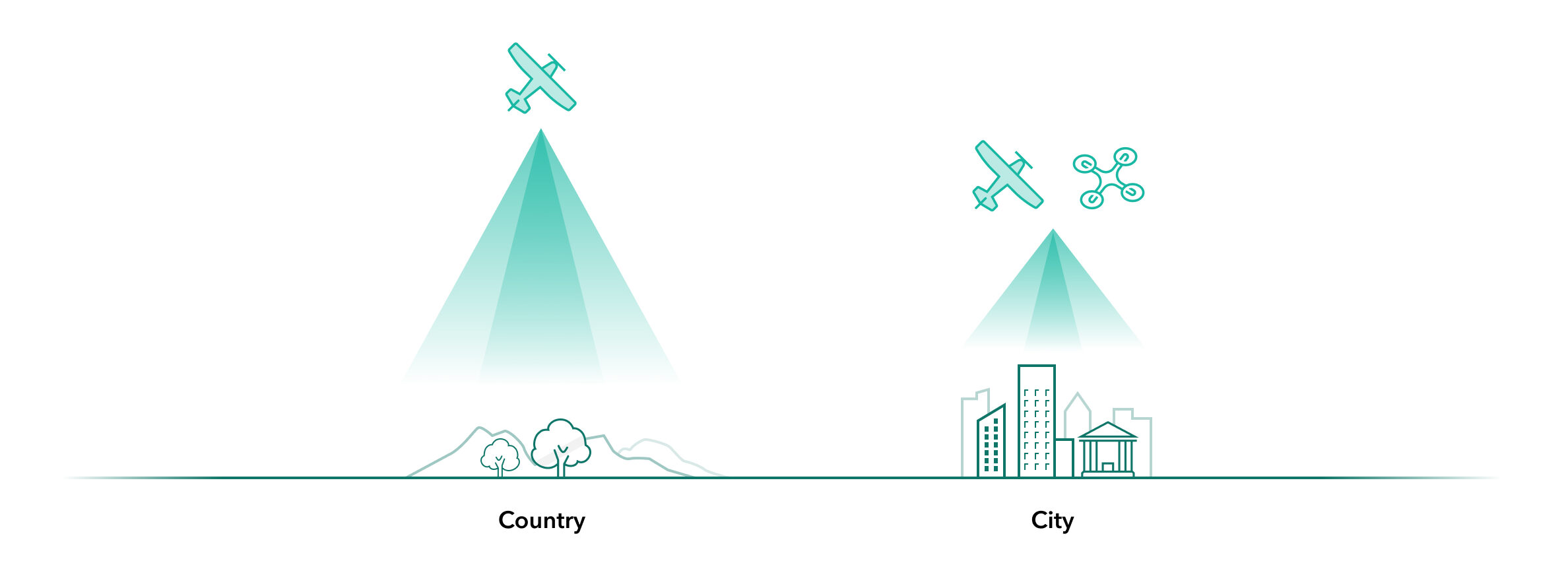
Regardless of whether your imagery is captured by drones, helicopters, or fixed-wing aircraft, Reality Studio automatically adjusts the alignment settings and handles the data processing seamlessly. This approach minimizes setup time and ensures optimal quality of the aerial triangulation results, making it much more viable to leverage a wider range of sensors while at the same time simplifying your organization’s reality mapping operations.
Reality Studio was natively designed to handle complex image configurations derived from oblique image acquisitions. This ensures optimal alignment results and supports the creation of high-quality mapping products, both in the case of traditional nadir-only aerial acquisitions and when slanted views captured by multi-camera oblique systems are processed.
Scalable production for growing projects
Processing complexity not only increases when having to manage data through multiple software interfaces but also with larger project sizes. Reality Studio helps to address this challenge through the following capabilities:
Combined alignment for large block sizes
Processing an alignment of a large area traditionally required users to divide the project into smaller sub-blocks, process each one separately, and then merge the results while trying to maintain the quality across the whole project area. With Reality Studio you can align tens of thousands of images in a single process, streamlining your operations and boosting your team’s productivity
Correctly model the systematic errors for each flight
Whether your imagery was collected during a single flight, across multiple days, or through several drone missions within hours, Reality Studio accurately organizes the data into separate capture sessions. During the combined alignment process, Reality Studio rigorously estimates and accounts for systematic error sources unique to each session.
Distribute steps among multiple workstations for time efficiency
Scalability in Reality Studio goes even further. As a core part of the workflow, the alignment process leverages distributed processing, making it possible to submit alignment tasks to a shared workspace. This distributes the most time-intensive steps across multiple workstations, allowing organizations to scale production and maximize processing efficiency.
Image Alignment in Three Simple Steps
The alignment workflow in Reality Studio is designed for speed and simplicity. Whether you’re working with a small dataset or thousands of images, the process is intuitive and efficient. In three steps, you can go from unaligned imagery to fully oriented data – ready for reconstruction.
1. Import your images
Begin by importing your dataset into Reality Studio. You can also include ground control points if available, which help improve geospatial accuracy of the final product.

2. Measure points efficiently
Use the Image Measurement Tool to measure ground control points and manual tie points. The tool provides smart suggestions that guide you to optimal measurement locations, saving time and improving consistency.
3. Process the Alignment
Submit the Alignment to a workspace for processing. Reality Studio automatically orients your images, delivering high-quality results that feed directly into the next stage of your workflow.
Easy Entry for Beginners – Advanced Settings for Photogrammetry Experts
Reality Studio’s alignment workflow is accessible to users of differing experience levels while maintaining professional-grade accuracy. The simple interface makes it easy for non-expert users to get started. Default settings provide reliable results, while advanced users can customize workflows to meet specific needs.
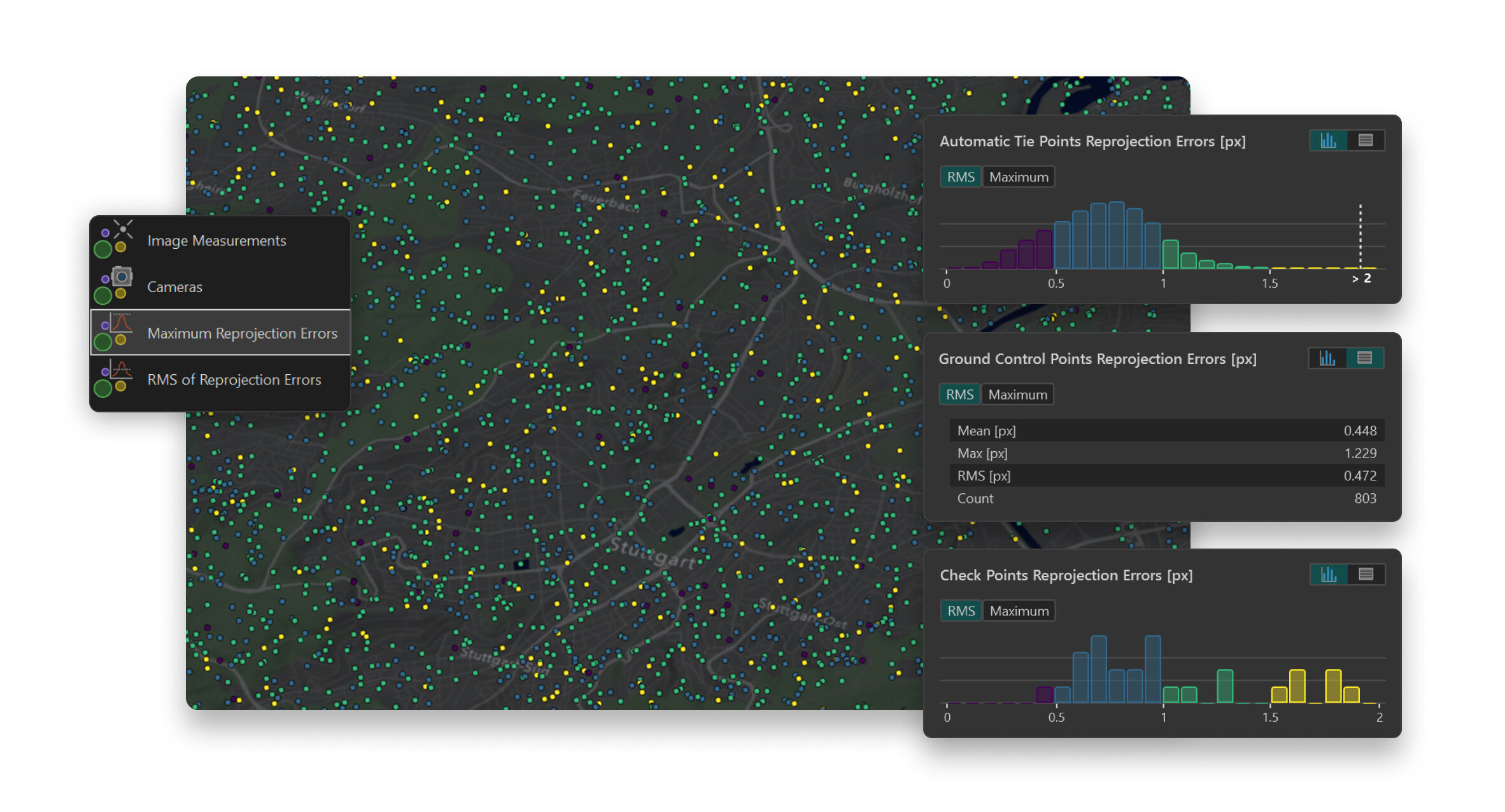
For non-expert users the alignment offers fast results in a few clicks. More expert users can perform deeper analysis with the Quality Assurance Tool and use these insights to further tune their alignment results. Visual cues, such as color-coded outliers, are a great help in this process. Whether you’re a GIS analyst or a photogrammetry specialist, Reality Studio supports your workflow.
Benefits of Alignment in Reality Studio – A Summary
This article has highlighted the key strengths of the alignment solution in Reality Studio, including:
- Streamlined interface between alignment and reconstruction inside a single application for a simplified reality mapping workflow
- Support for a variety of large-area mapping sensors, including large-format cameras and drones, with oblique and nadir sensor configurations
- Accurate and fast alignment processing suitable for large projects with tens of thousands of images
- An intuitive interface that ensures easy accessibility for non-experts while delivering highly accurate results.
- Advanced tools optimized for specialized workflows, such as the image measurement tool for precise control point measurements and the quality assurance tool for thorough data analysis
Want to learn more about the capabilities of Reality Studio? Visit the What’s New in ArcGIS Reality Studio page to explore the features of our latest release or join our Esri community to stay informed as new functionality becomes available.
If you have questions or ideas, we’d love to hear from you:



Article Discussion: