As the summer heats up, so does CityEngine 2026.0🔥
Just in time for the Esri User Conference, this release is packed with exciting upgrades designed to supercharge your workflows and spark creativity across urban design, planning, and development.
Python API
Leading the charge is full Python 3 integration, opening the door to powerful automation, advanced analytics, custom tools, and even the magic of generative AI.
We’ve also shipped this release with three brand-new built-in examples, each with a corresponding blog so you can hit the ground running!
- Stylizing Scenes with a custom Python application using Generative AI
- Use Python in ArcGIS CityEngine and import features from Overture Maps
- Publishing custom metrics from ArcGIS CityEngine to ArcGIS Urban using Python
CGA & Visual CGA
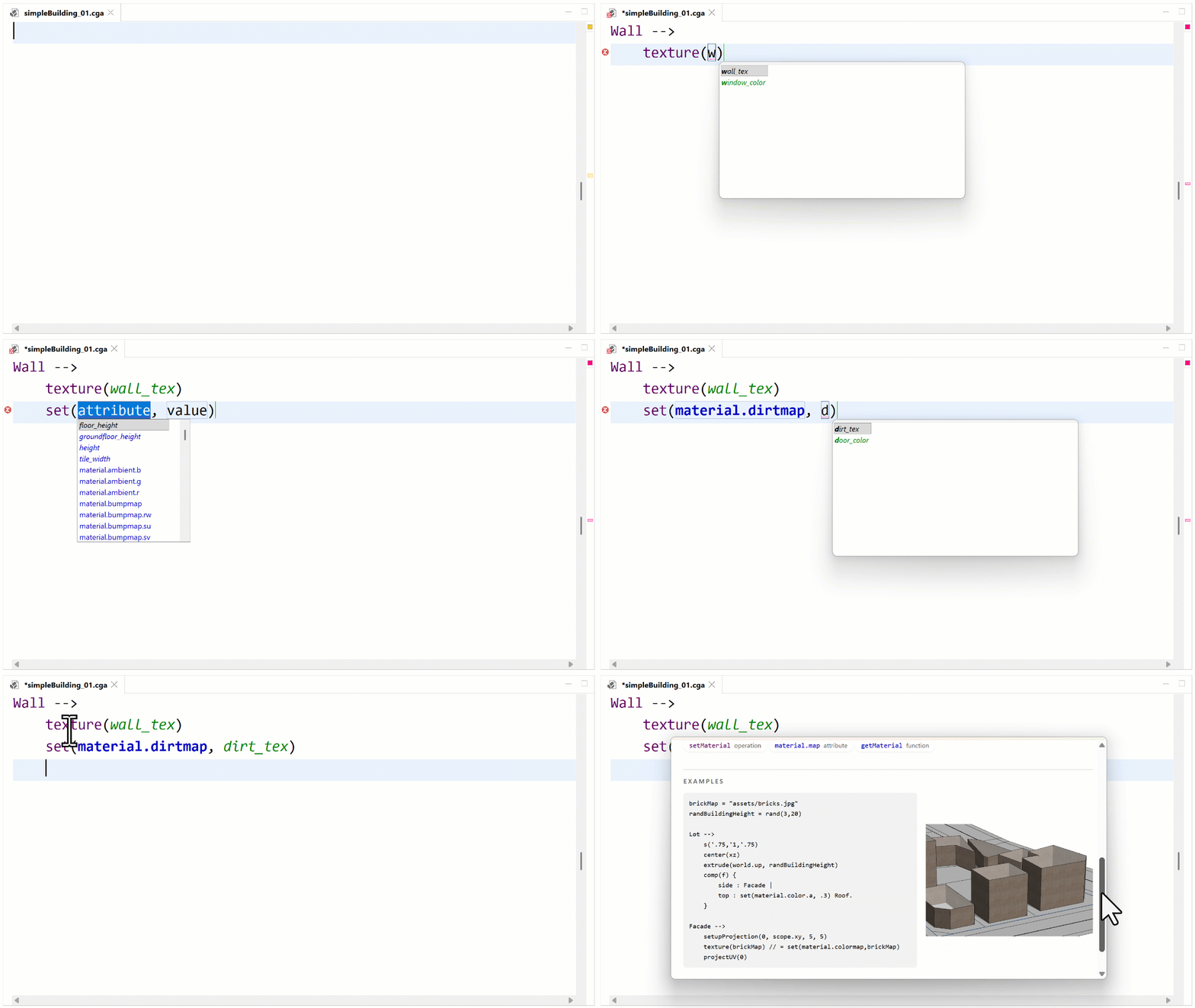
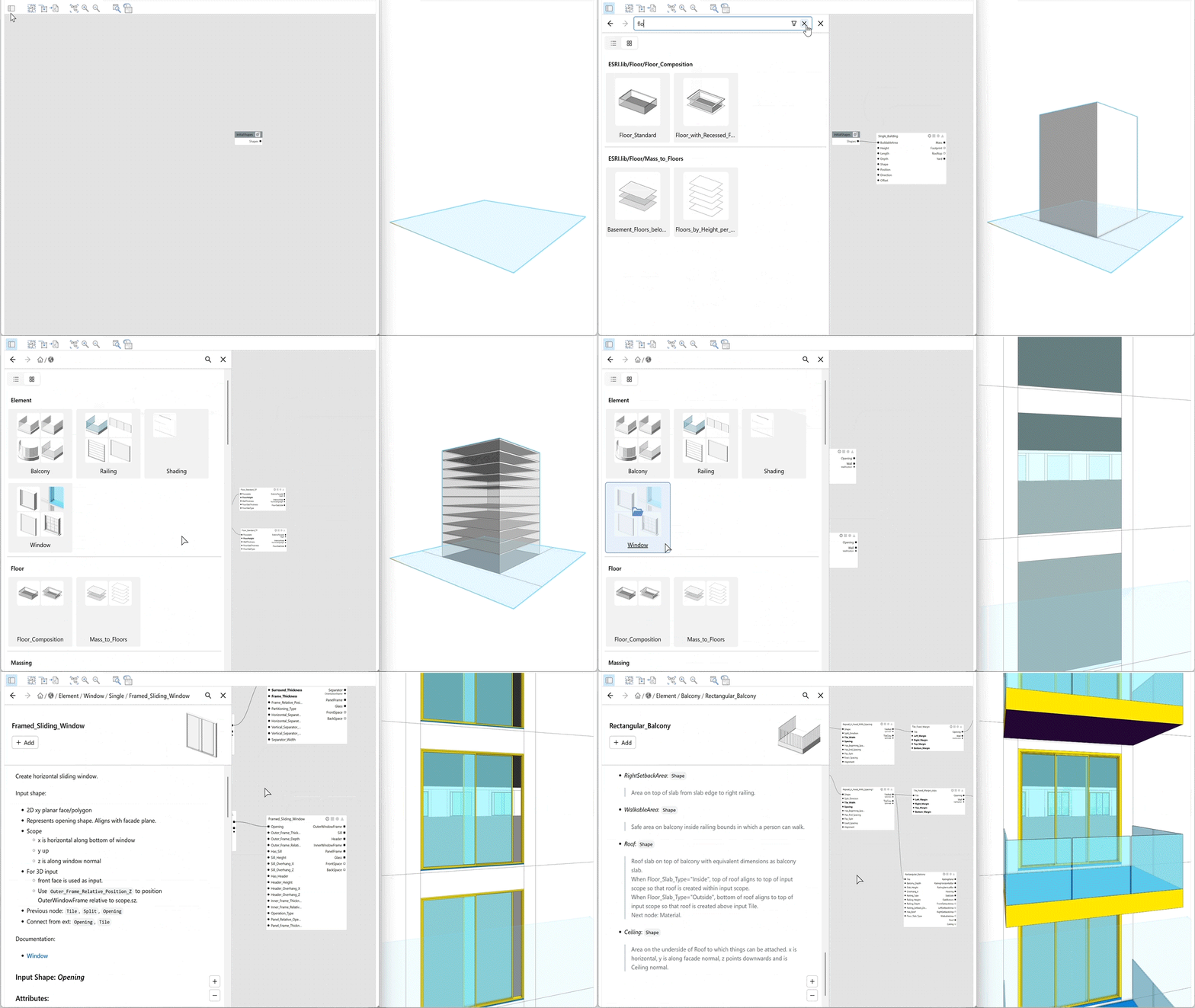
But that’s just the beginning. There’s smarter, faster CGA coding with in-editor code completion and documentation and a more intuitive Visual CGA experience featuring a preview-based Node Browser, integrated documentation and improved searchability.
Everything is built to help you design faster and with more confidence while the ever-growing component library continues to expand, giving you more architectural flexibility right out-of-the-box.
Streets
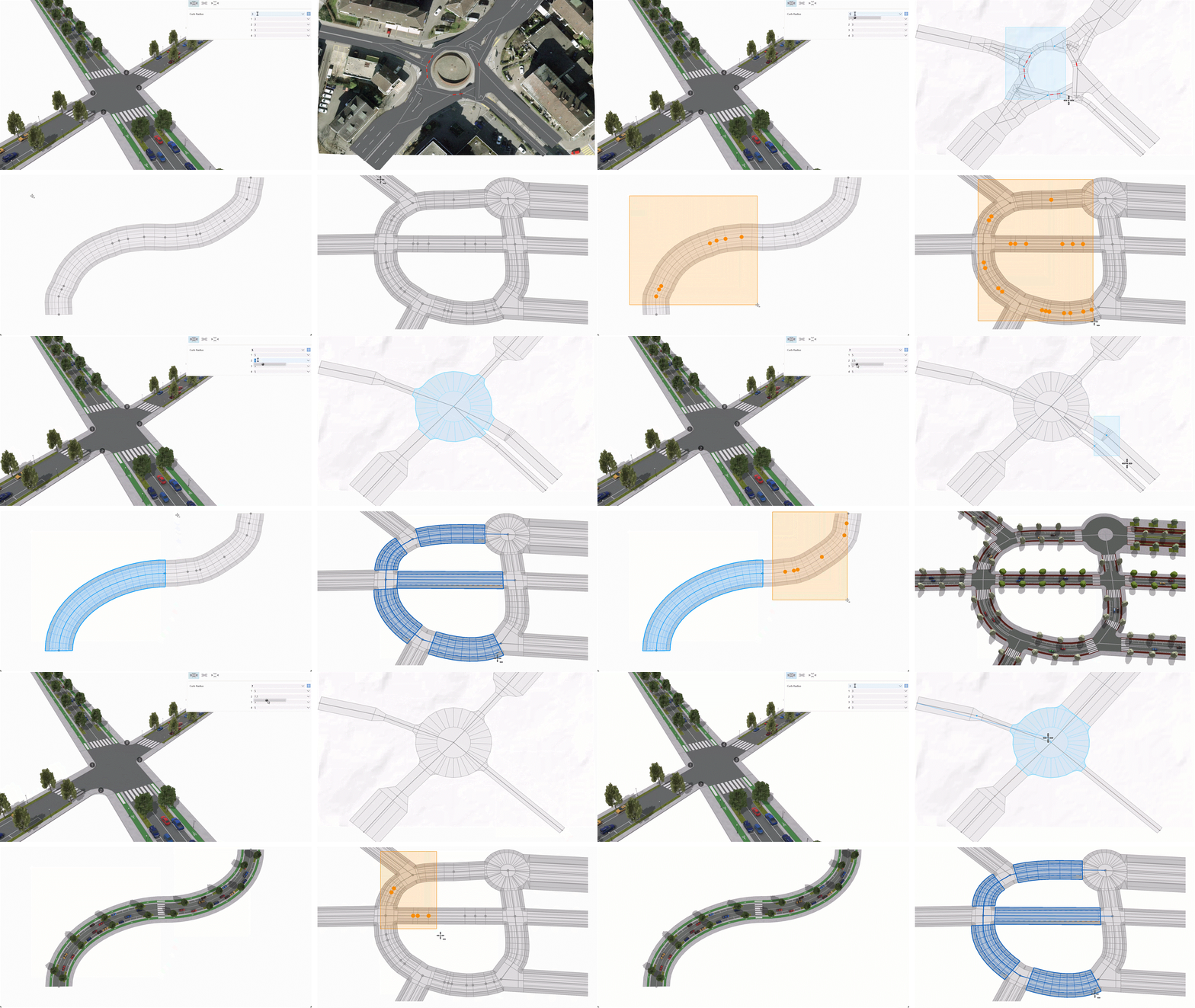
Street editing also gets a major upgrade, with new tools for street network clean-up:
- Remove Nodes – allows you to remove nodes individually or selecting many at once. Additionally, choose to maintain the street layout and curve.
- Remove Joints Only – a tool option that removes only two-segment nodes and preserves end point and intersection nodes.
- Merge Nodes – merges multiple nodes into a single node.
Then there’s the upgrade that gives you the flexibility to control individual curb radii when designing intersections.
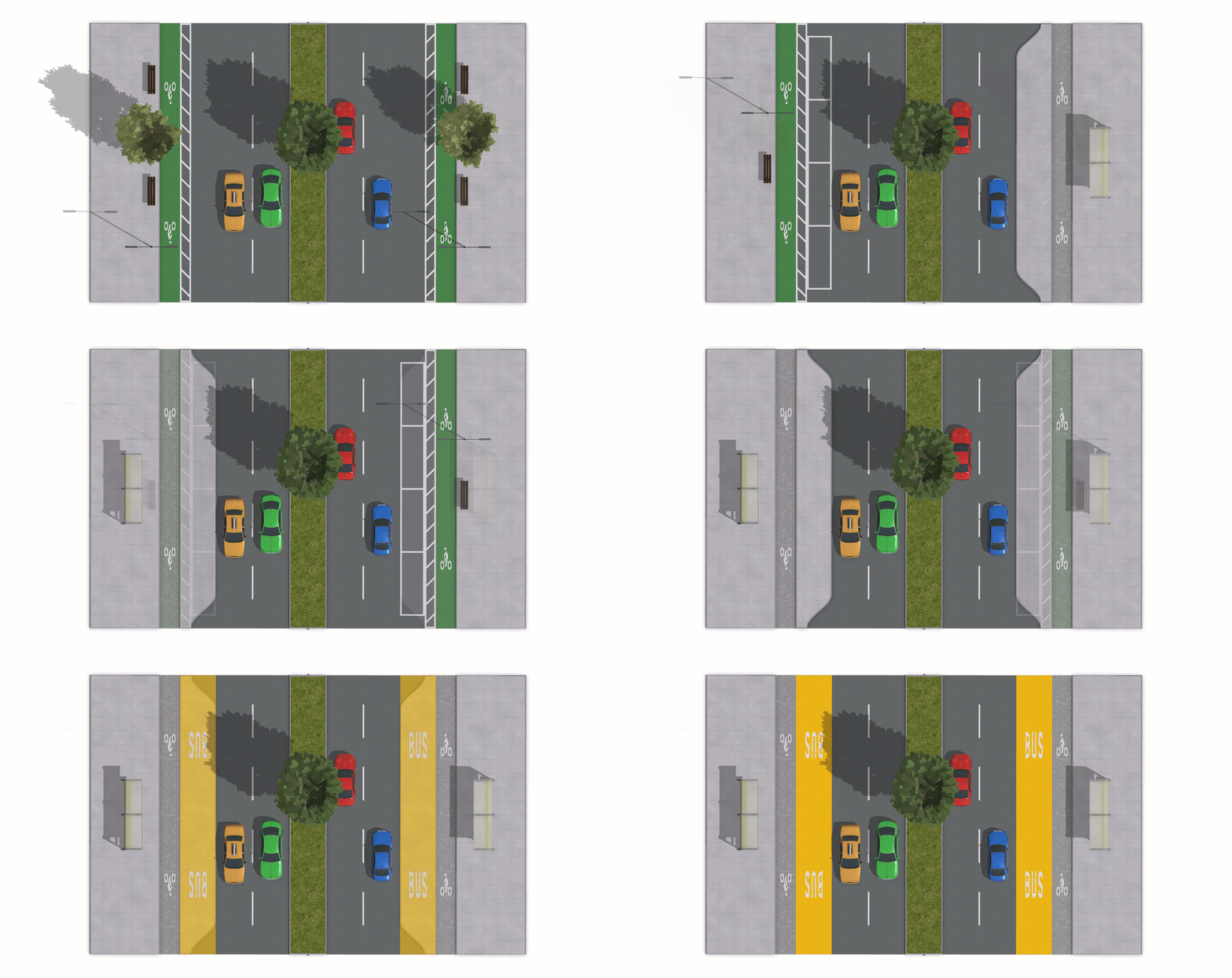
In the ESRI.lib, lane rules have also been enhanced to include more configurable transit and pedestrian features, making it easier than ever to create realistic and dynamic streetscapes.
Licensing and Documentation
If you’re used to the old licensing set-up, you’ll be relieved to know that it’s now simplified so that there’s no need to provision concurrent or single-use licenses and download the ArcGIS Administrator. Instead, after install, just login into your portal account which has an active license and start creating!
Last but not least, we continue to update and improve documentation. As ususal, the new tools and features are explained and as a bonus the Essentials Work with GIS tutorial has been refurbished.
Learn More and Contribute
As you can see, this release is all about speed, flexibility, and unlocking new possibilities. Dive into the full article to explore everything CityEngine 2026.0 has to offer, check out our release notes to see what bugs/improvements we’ve tackled this release and contribute to the CityEngine Community forum.
We welcome you to come visit and share your thoughts and ideas at the CityEngine booth at the upcoming 2026 Esri User Conference!

Commenting is not enabled for this article.